
How to Build Custom AI Agents to Automate Enterprise Workflows (and Save Costs)
A step-by-step guide to building custom AI agents that automate complex enterprise workflows, boost efficiency, and reduce manual work.
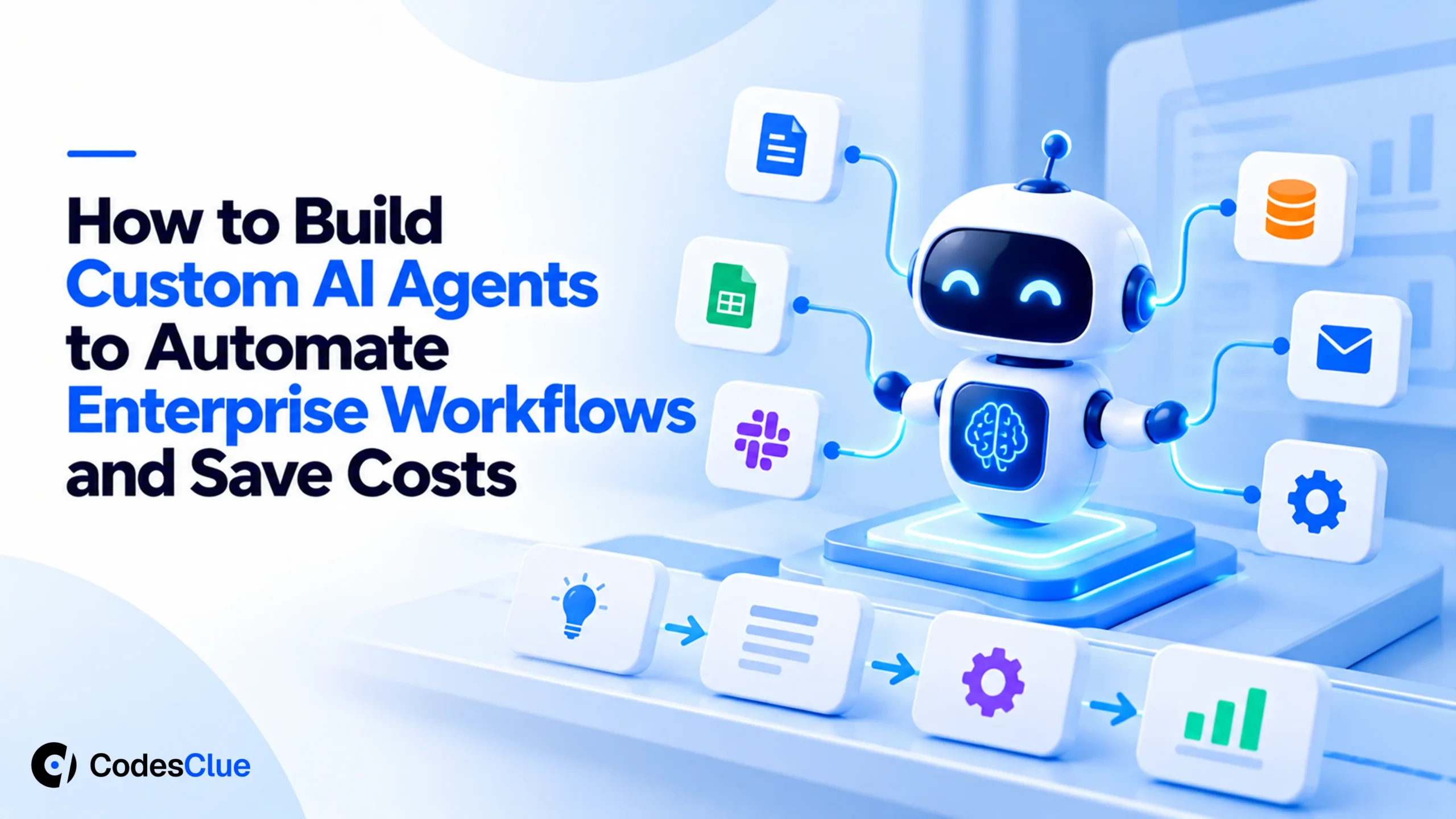
Enterprise automation has now reached its limits. While traditional RPA excels at repetitive tasks, it struggles with workflows that require context, judgment, and dynamic decision-making. As enterprises seek greater efficiency and scalability, custom AI agents are emerging as the next evolution of automation, enabling intelligent execution across complex business processes.
AI agents are different from chatbots. The latter simply answer questions or rule-based systems that follow predefined instructions. But AI agents can understand requests, reason through tasks, access enterprise systems, take actions, and continuously work toward a goal. These agents combine the power of Large Language Models (LLMs), enterprise data, and business applications to automate complex workflows at scale.
The business impact is substantial. According to McKinsey (opens in a new tab), generative AI could contribute between $2.6 trillion and $4.4 trillion in annual economic value across industries through productivity improvements and workflow automation.
For CTOs, CFOs, and digital transformation leaders, the opportunity is clear – use AI workflow automation to reduce costs, improve efficiency, and free employees from repetitive work. This blog highlights what custom AI agents are and how to build an AI agent for business to impact your business operations.
What Are Custom AI Agents?
Custom AI agents are intelligent software systems designed to autonomously perform specific business tasks, make decisions, and execute workflows based on organizational goals, data, and rules. Unlike traditional automation tools, which follow predefined instructions. Custom AI agents enterprise solutions can understand context, analyze information, interact with multiple systems, and adapt their actions in real time, making them ideal for handling complex enterprise processes.
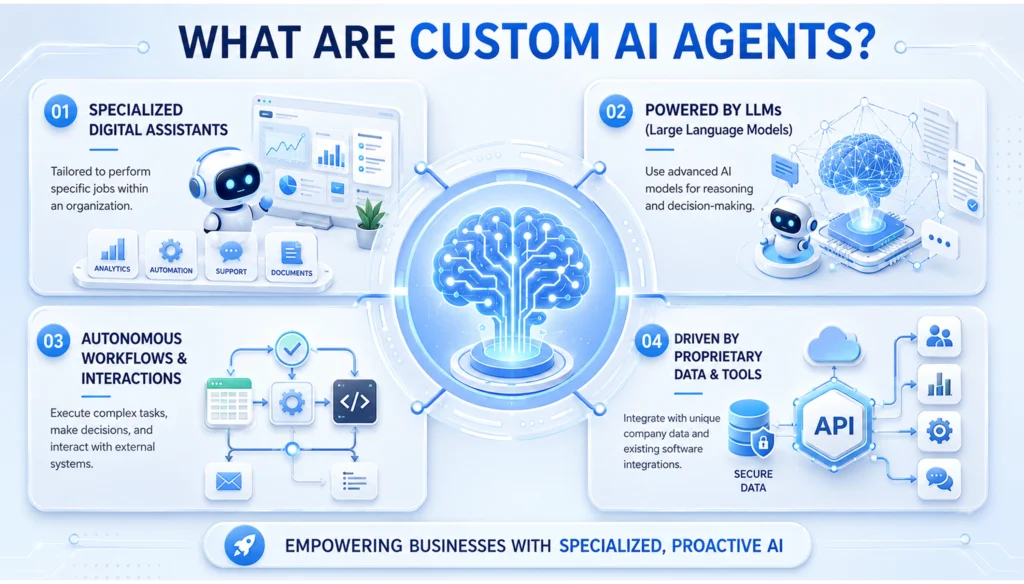
These LLM-powered systems operate through a continuous decision-making cycle rather than following fixed rules. They can:
- Perceive information from documents, databases, emails, chats, applications, and other business systems.
- Understand context by analyzing user intent, historical interactions, business rules, and real-time data.
- Reason about the objective to determine the best course of action based on predefined goals and organizational requirements.
- Use tools, APIs, and enterprise software to retrieve information, execute tasks, update records, or trigger workflows.
- Take actions autonomously, such as generating reports, responding to customer inquiries, scheduling tasks, or processing requests.
- Evaluate outcomes by monitoring results, identifying errors, and adjusting the approach when necessary.
- Repeat the process until the desired goal is achieved or human intervention is required.
This is fundamentally different from traditional automation. Conventional automation follows predefined workflows and can only handle scenarios it has been explicitly programmed for.
On the other hand, AI agents can adapt to changing conditions, make context-aware decisions, and dynamically execute multi-step tasks, enabling greater intelligence, flexibility, and operational efficiency across enterprise processes.
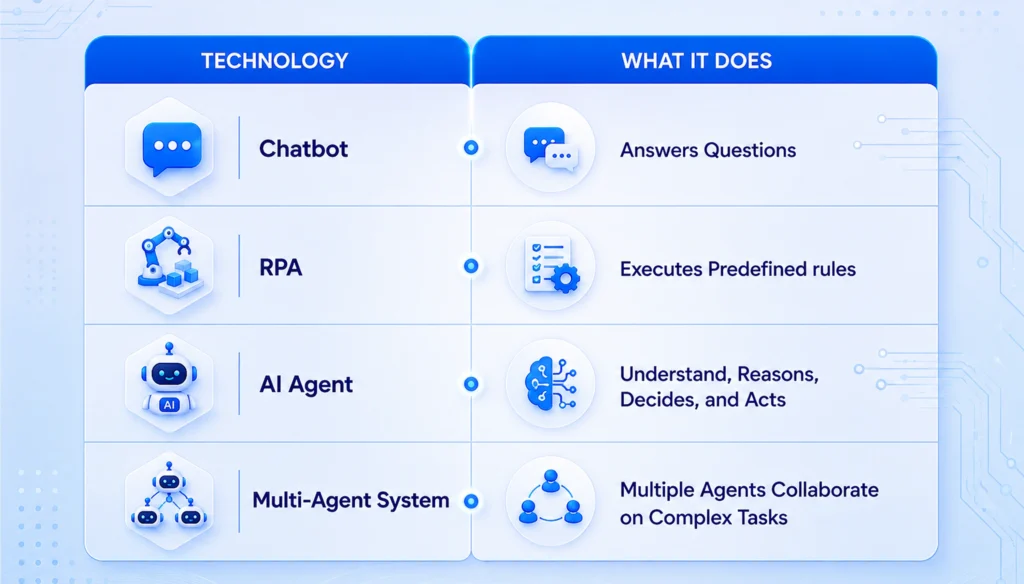
| Technology | What It Does |
|---|---|
| Chatbot | Answers Questions |
| RPA | Executes Predefined rules |
| AI Agent | Understand, Reasons, Decides, and Acts |
| Multi-Agent System | Multiple Agents Collaborate on Complex Tasks |
Do not forget to consider customer support. A traditional chatbot might answer FAQs. An AI agent can retrieve customer information, analyze previous interactions, process refund requests, update CRM records, and escalate issues when necessary.
This is why LLM agents’ enterprise solutions are becoming central to modern automation strategies.
Why Enterprises Are Investing in AI Workflow Automation?
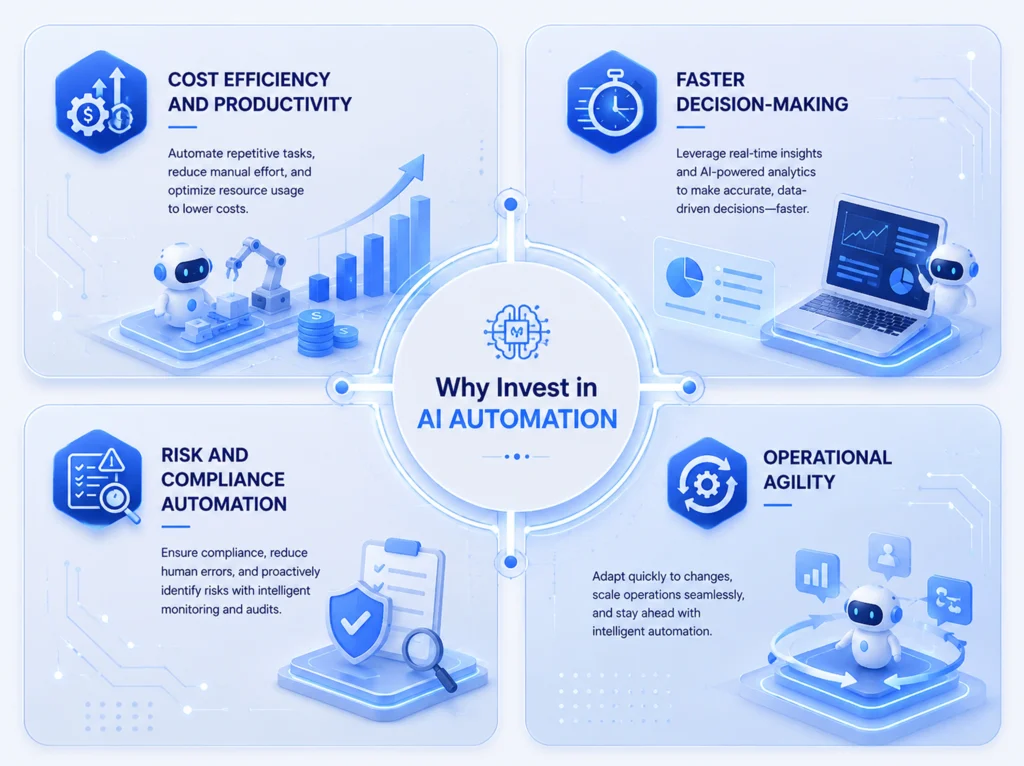
Most organizations have already automated parts of their operations. The remaining challenge is automating workflows involving unstructured data, exceptions, and decision-making. For example, procurement approvals, invoice processing, compliance reviews, IT service requests, sales qualification, and executive reporting.
According to Deloitte (opens in a new tab), organizations generating the highest AI ROI focus on workflow transformation rather than isolated AI tools.
The benefits typically include:
- 60–80% reduction in manual processing time
- Faster decision-making
- Improved employee productivity
- Reduced operational costs with AI
- Greater scalability
For CFOs, the value is clear: when intelligent automation can eliminate hundreds of hours of repetitive work while maintaining accuracy and consistency, enterprise AI quickly becomes a strategic lever for reducing operational costs and improving margins.
High-Impact Use Cases in Agentic AI Workflows
Agentic AI workflows create measurable business value by automating decisions, coordinating actions across systems, and reducing the need for manual intervention. The highest-impact implementations typically target processes that consume significant employee time, involve multiple stakeholders, and require frequent decision-making. Check out the following use cases of agentic AI workflows.
1. Procurement Automation
A procurement manager requesting new software often triggers multiple manual steps, including vendor evaluation, budget validation, compliance checks, and approval routing. An AI agent can automatically compare supplier quotes, verify spending limits, generate purchase orders, and route requests to the appropriate stakeholders. Enterprises implementing procurement automation frequently reduce sourcing cycles by 70–90%, allowing teams to process purchases in 4-5 hours instead of 3-5 days.
2. Invoice Processing
Organizations processing thousands of invoices monthly can use AI process automation to extract data, validate purchase orders, identify discrepancies, and update ERP systems automatically. AI agents route only exceptions for human review, helping businesses reduce manual processing time by 60–80%. Tasks that once took 15–20 minutes can often be completed in just 2 minutes, significantly improving efficiency and lowering operational costs.
3. IT Help-desk Automation
Consider a typical IT support team handling hundreds of requests related to password resets, software access, VPN issues, and account provisioning. Instead of creating and routing tickets manually, AI agents can verify user identity, execute predefined actions, update systems, and notify employees automatically. This can save support teams 20–30 hours per week while improving response times and employee satisfaction.
4. Compliance Monitoring
Financial institutions, healthcare providers, and regulated enterprises spend substantial time reviewing policies, contracts, and regulatory updates. An AI agent can continuously monitor new regulations, analyze internal documents for compliance gaps, generate audit-ready reports, and alert stakeholders when action is required. Large enterprises have reported a reduction in review time of up to 70%, saving thousands of hours annually by automating compliance reviews and documentation processes.
5. Lead Qualification
A sales representative may spend several hours each day researching prospects, updating CRM records, and prioritizing opportunities. AI agents can automatically enrich lead profiles, analyze website activity, identify buying signals, score prospects, and recommend the next best action. By eliminating administrative work and improving lead prioritization, organizations often increase sales productivity by 30–50% and accelerate pipeline growth. SDR saves 8–10 hours/week on research.
How to Build an AI Agent for Business: Step-by-Step Process
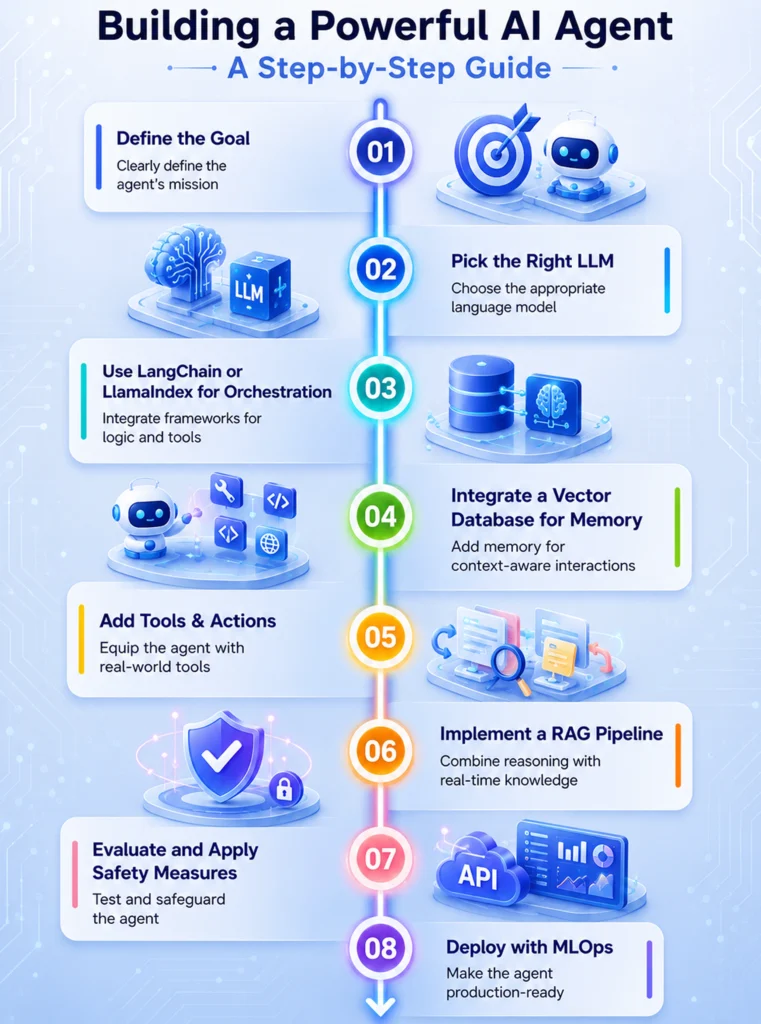
Step 1: Identify High-Value Workflows
Begin by targeting workflows with high transaction volumes, significant manual effort, frequent bottlenecks, and measurable ROI potential. Common starting points include invoice processing, IT support requests, compliance reporting, employee on-boarding, and other repetitive business processes where intelligent automation can deliver immediate operational impact.
Step 2: Define Agent Responsibilities
Clearly establish what the agent can do, required approvals, escalation rules, and success criteria. Successful enterprises often begin with specialized agents rather than attempting to automate entire departments at once.
Step 3: Create a RAG Pipeline
Enterprise AI agents require access to internal knowledge. A RAG pipeline business architecture allows agents to retrieve information from SharePoint, Confluence, CRM systems, ERP platforms, and Internal databases. This ensures responses are grounded in company-specific information rather than relying solely on model training data.
Step 4: Integrate Enterprise Tools
The true value of tool-use LLM systems comes from their ability to interact with business applications. Common integrations include Salesforce, SAP, ServiceNow, Jira, Workday, and Microsoft 365. This transforms agents from information providers into action-oriented systems.
Step 5: Implement Human Oversight
Human-in-the-loop AI should be introduced wherever decisions carry financial, legal, compliance, or customer-impacting consequences. While AI agents can handle routine tasks autonomously, exceptions such as high-value transactions, contract approvals, policy violations, fraud alerts, or customer escalations should be automatically routed to the appropriate stakeholders for review. This ensures organizations maintain control, accountability, and regulatory compliance while benefiting from intelligent automation at scale.
Step 6: Monitor and Optimize
AI agents improve through continuous evaluation. Track metrics such as task completion rates, cost savings, processing speed, user satisfaction, and error rates.
Optimization should be an ongoing process rather than a one-time deployment activity.
Technology Stack for Enterprise AI Agents
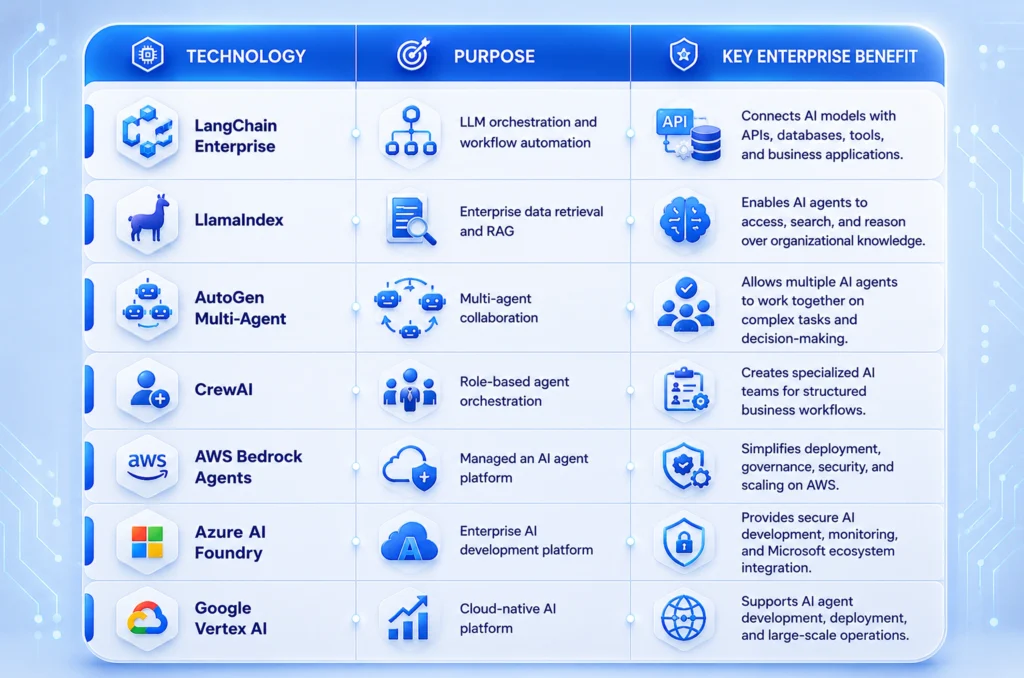
| Technology | Purpose | Key Enterprise Benefit |
|---|---|---|
| LangChain Enterprise | LLM orchestration and workflow automation | Connects AI models with APIs, databases, tools, and business applications. |
| LlamaIndex | Enterprise data retrieval and RAG | Enables AI agents to access, search, and reason over organizational knowledge. |
| AutoGen Multi-Agent | Multi-agent collaboration | Allows multiple AI agents to work together on complex tasks and decision-making. |
| CrewAI | Role-based agent orchestration | Creates specialized AI teams for structured business workflows. |
| AWS Bedrock Agents | Managed an AI agent platform | Simplifies deployment, governance, security, and scaling on AWS. |
| Azure AI Foundry | Enterprise AI development platform | Provides secure AI development, monitoring, and Microsoft ecosystem integration. |
| Google Vertex AI | Cloud-native AI platform | Supports AI agent development, deployment, and large-scale operations |
Security and Compliance: A Non-Negotiable Requirement
Successful enterprise AI adoption requires that security, governance, and compliance be embedded in every custom AI agent enterprise solution.
- Protect Sensitive Data: Implement data encryption, PII masking, secure storage, and access controls to safeguard customer, financial, and operational information.
- Role-Based Access Control (RBAC): Ensure AI agents access only the data and systems authorized for specific users, teams, or departments.
- Auditability and Traceability: Log every AI agent action to maintain transparency, accountability, and regulatory readiness.
- GDPR and SOC 2 Compliance: Support data retention policies, consent management, security monitoring, and compliance reporting.
- Enterprise-Grade Governance: Strong governance frameworks reduce risk and enable secure scaling of AI workflow automation across the organization.
Without these controls, enterprises may face security vulnerabilities, compliance challenges, and barriers to scaling AI initiatives.
Measuring AI ROI Enterprise-Wide
Successful AI initiatives focus on measurable business outcomes. Key metrics focusing on operational work and AI cost reduction strategy include:
- Operational Efficiency: Track hours saved, process completion times, and workflow throughput.
- Cost Reduction: Compare the cost per automation AI vs human, labor savings, and reduced outsourcing expenses. For example, a finance team processing 5,000 invoices monthly may spend approximately 667 labor hours per month manually reviewing invoices. Automating 80% of the process can eliminate more than 500 hours of work monthly, resulting in annual savings exceeding $200,000, depending on labor costs.
- Productivity Gains: Microsoft’s Work Trend research consistently shows that employees spend significant time on administrative activities such as email management, information retrieval, and reporting. AI agents help reclaim those hours for strategic work.
The Future of Enterprise AI Automation
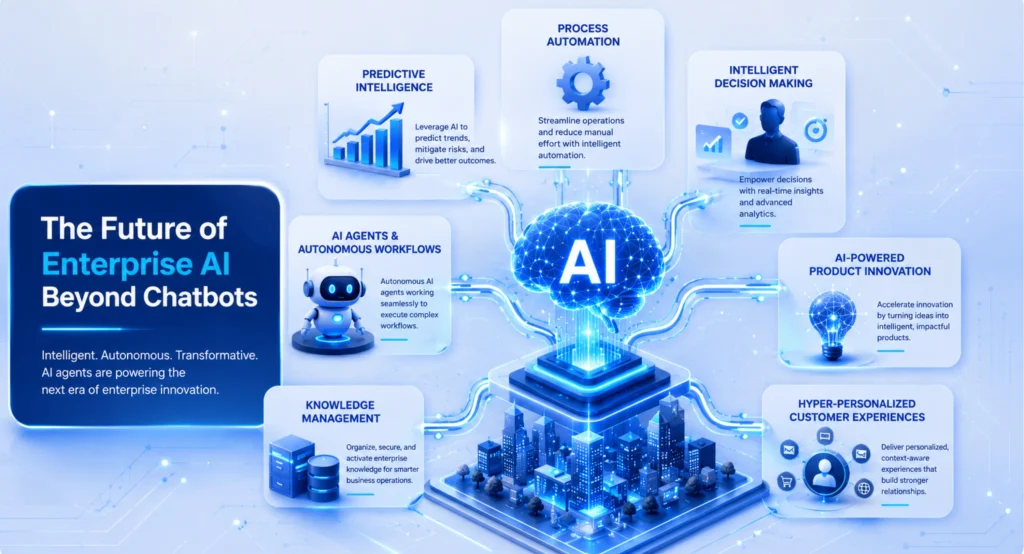
The next phase of automation is moving beyond isolated AI assistants toward connected agent ecosystems.
Organizations are increasingly deploying specialized agents across procurement, finance, customer service, compliance, and operations.
Companies such as Microsoft, Salesforce, and AWS are investing heavily in platforms that allow enterprises to build, govern, and scale these systems securely.
For business leaders, the question is no longer whether AI for enterprise ops works. The question is how quickly organizations can implement them to gain a competitive advantage.
Conclusion
Custom AI agents are redefining enterprise automation by combining LLM reasoning, workflow orchestration, and business system integrations to reduce operational costs with AI, improve productivity, and accelerate operations.
Whether you are automating procurement, finance, compliance, or customer support, the right AI strategy can deliver measurable ROI.
At CodesClue, we help businesses design, develop, and deploy secure, scalable AI agents tailored to their enterprise workflows, enabling faster digital transformation and long-term operational efficiency.
FAQs about AI Agent
What are custom AI agents in enterprise automation?
Custom AI agents are LLM-powered systems that can understand context, make decisions, use tools, and execute business workflows autonomously.
How do AI agents differ from traditional RPA?
The RPA vs. AI agent discussion points out that RPA follows predefined rules, whereas AI agents can reason, handle unstructured data, and adapt to changing situations.
What are the best use cases for agentic AI workflows?
Procurement, invoice processing, IT helpdesk automation, compliance monitoring, lead qualification, and report generation are among the most effective use cases.
How much can enterprises save with AI workflow automation?
Many organizations report 25–40% reductions in operational costs and up to 80% reductions in manual processing time for targeted workflows.
Which frameworks are commonly used to build AI agents for business?
Popular frameworks include LangChain Enterprise, LlamaIndex, AutoGen multi-agent, CrewAI workflow, and cloud-native platforms such as AWS Bedrock Agents and Azure AI Foundry.
Are AI agents secure for enterprise environments?
Yes, when implemented with encryption, role-based access controls, audit logs, PII masking, and compliance measures such as GDPR and SOC 2.
How do you measure AI ROI in enterprise deployments?
Key metrics include hours saved, processing time reduction, cost savings, productivity improvements, and workflow completion rates.