What is Vibe Coding? How AI is Changing the Way Apps Are Built
Vibe coding lets you build apps by describing them in plain English while AI writes the code. Learn how it works, its benefits, and its risks.
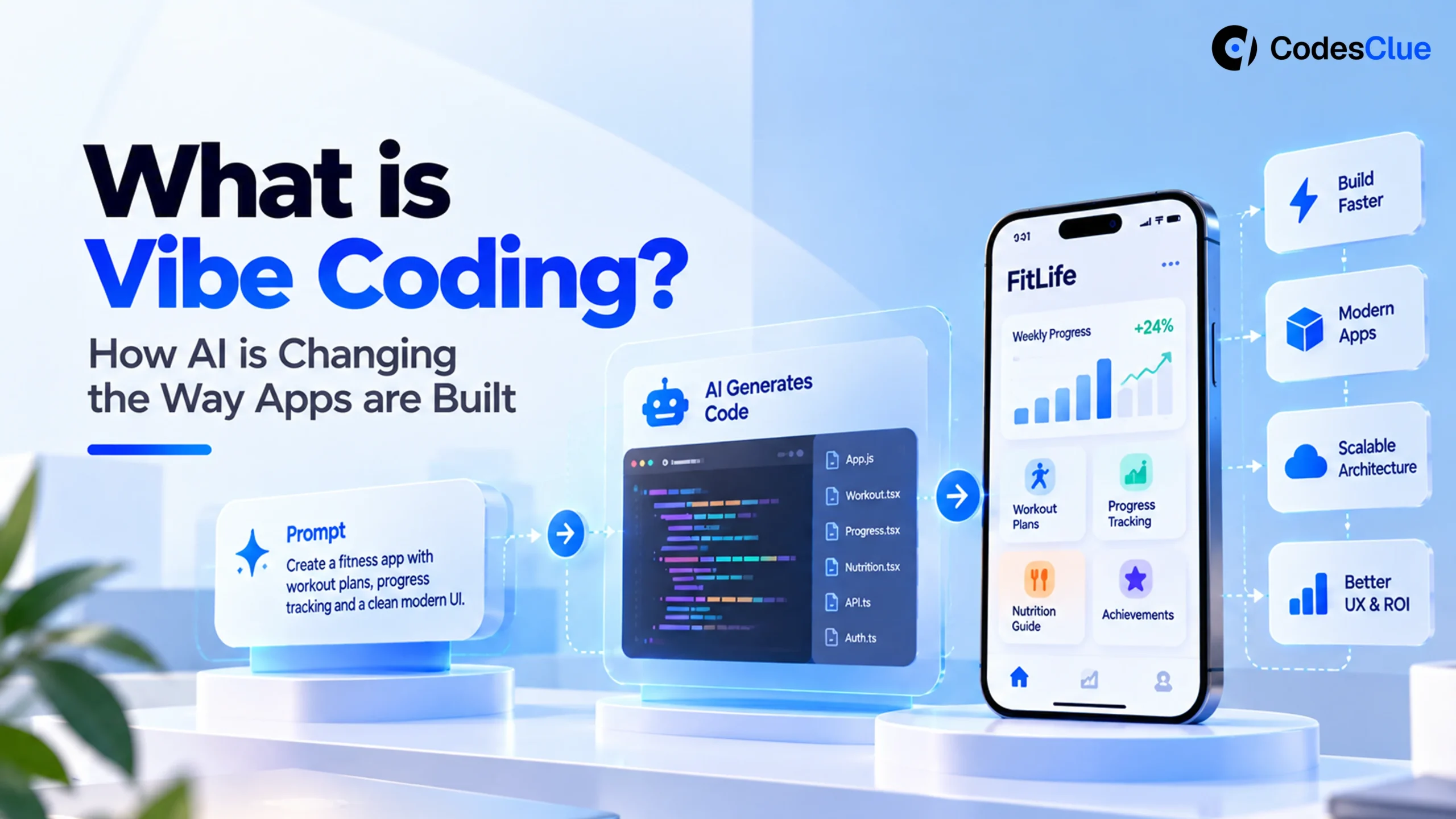
You describe an app in plain language, and AI turns that description into working code. That’s the core of vibe coding, a form of intent-driven development where you state the outcome you want instead of writing every line yourself.
AI adoption in software development has already gone mainstream. Stack Overflow’s 2025 Developer Survey (opens in a new tab) found that 84% of respondents use or plan to use AI tools, yet 46% actively distrust the accuracy of what those tools produce.
That gap sits at the center of this article: what vibe coding actually is, where it earns its keep, where it breaks down, and how teams can capture the speed without losing engineering discipline.
What Is Vibe Coding, Exactly?
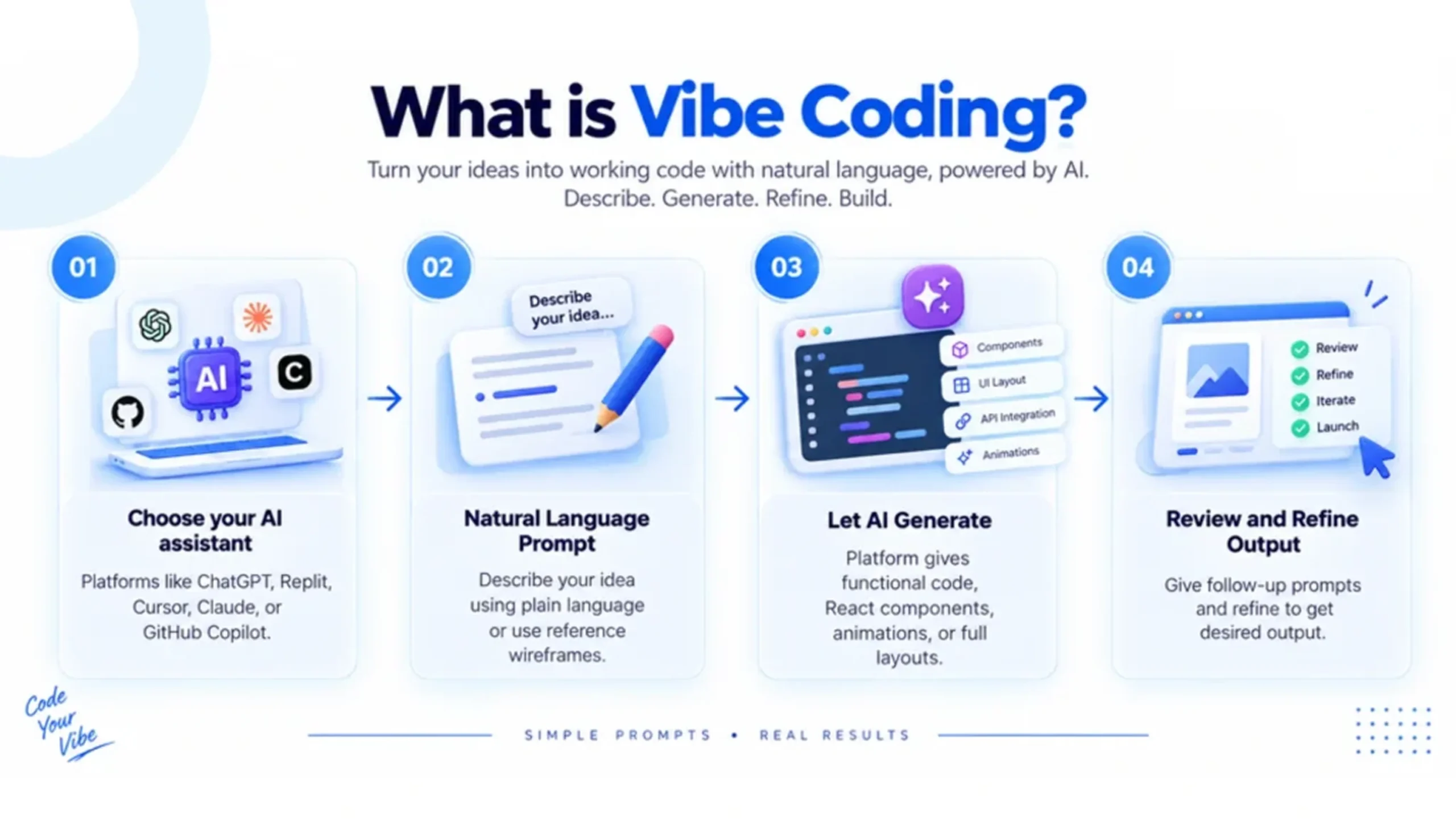
Vibe coding means building software by telling an AI tool what you want instead of manually writing every part of the implementation.
Type something like: “Create a dashboard with user login, charts, and a search feature,” and the AI generates the interface, writes the underlying code, suggests database logic, and fixes errors as you feed it more instructions.
AI researcher Andrej Karpathy (opens in a new tab) coined the term in February 2025. He described a workflow where developers lean heavily on AI-generated code and judge it by whether it works, rather than reviewing every line the way traditional engineering demands.
That distinction defines the term. Using AI to help write code is a much broader practice than vibe coding specifically. Vibe coding describes the more hands-off end of that spectrum, one where the developer may not fully understand or inspect what the AI actually built.
It reshapes the developer’s workflow from:
Writing → Testing → Debugging
into something closer to:
Describing → Reviewing → Testing → Refining
That shift unlocks real speed. It also creates real problems the moment teams treat AI-generated code as production-ready by default.
How AI-Assisted Development Actually Works
AI-assisted software development covers far more than generating full applications from a single prompt. Developers now pull AI into nearly every stage of the lifecycle: writing functions, explaining unfamiliar code, generating unit tests, catching bugs, drafting documentation, converting code between languages, writing SQL, suggesting refactors, and building API integrations.
This makes AI function more like a development accelerator than a replacement for the engineering process itself. A developer might ask an AI coding assistant to draft an API endpoint, review the response, adjust the implementation, run tests, and inspect the final diff before merging. That workflow sits much closer to controlled AI pair programming than pure vibe coding, and the distinction matters more as projects grow in complexity.
The same 2025 Stack Overflow survey (opens in a new tab) found that 51% of professional developers now use AI tools daily, mostly to handle repetitive work and cut time spent hunting for syntax or documentation.
Instead of hand-writing a basic API handler, a developer describes the expected behavior and lets AI generate a starting point, then spends their own time on the questions AI can’t answer:
- Does the logic match the business requirement?
- Is it secure?
- Does it handle bad input?
- Will it scale?
- Can another developer maintain it?
AI Pair Programming vs. Vibe Coding
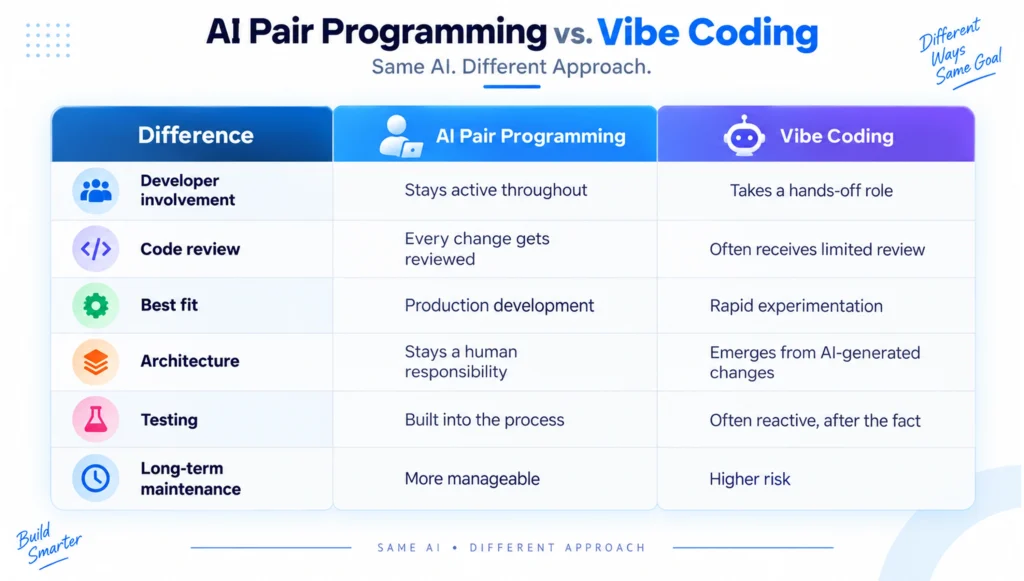
These two approaches sound alike but pull in different directions.
AI pair programming keeps the developer actively in the loop: the AI suggests code, explains its reasoning, generates tests, or flags issues, and the developer decides what actually enters the codebase. Vibe coding takes the more relaxed route: describe the desired result, accept large blocks of generated code, test the app, and keep prompting until it looks right.
| Difference | AI Pair Programming | Vibe Coding |
|---|---|---|
| Developer involvement | Stays active throughout | Takes a hands-off role |
| Code review | Every change gets reviewed | Often receives limited review |
| Best fit | Production development | Rapid experimentation |
| Architecture | Stays a human responsibility | Emerges from AI-generated changes |
| Testing | Built into the process | Often reactive, after the fact |
| Long-term maintenance | More manageable | Higher risk |
Neither approach is inherently good or bad; the right choice depends on the project, the risk level, and how experienced the people reviewing the output actually are.
The Data Behind the AI-Assisted Development Shift
The numbers reveal a contradiction: AI usage keeps climbing while confidence in AI output doesn’t keep pace. Stack Overflow’s (opens in a new tab) 2025 survey found that only 33% of developers trust AI output accuracy, 66% cite “almost right, but not quite” solutions as their biggest frustration, and 45% say debugging AI-generated code actually takes longer than expected. Positive sentiment toward AI tools dropped to around 60% in 2025, down from above 70% in both 2023 and 2024.
Developers clearly see the productivity upside. They also understand that AI can produce confidently wrong answers just as easily as correct ones.
Vibe Coding Examples: Where It Genuinely Works
Vibe coding earns its place when the cost of failure stays low, and the output is easy to throw away if it doesn’t work:
- Prototypes. Turn an idea into a working interface in hours instead of days, then test it with real users before committing to a full build.
- Internal tools. Small dashboards, calculators, reporting tools, and workflow utilities benefit from fast AI-driven iteration since they rarely carry the same risk profile as customer-facing systems.
- Personal projects. Developers use AI to explore unfamiliar frameworks or spin up small apps without burning hours on boilerplate.
- MVP experiments. Startups validate a product concept with AI-generated code before investing in a full production architecture.
The common thread across these vibe coding examples is reversibility: if the prototype fails, you throw it away, and that changes the entire risk calculation.
Where Vibe Coding Breaks Down
The risk profile shifts hard the moment software touches sensitive data or critical business processes. A production application typically needs strong authentication, authorization controls, secure database access, payment processing, encryption, audit logging, and regulatory compliance, none of which you can judge just by checking whether the app “works.”
A login page can look flawless while its authentication logic hides a serious security gap. A payment feature can complete every transaction successfully while leaking sensitive data somewhere else in the app. This is exactly where vibe coding risks stop being theoretical.
Vibe Coding Risks: Security Leads the List
Security makes the strongest case against accepting AI-generated code without review. Veracode’s GenAI Code Security research tested more than 100 large language models across 80 coding tasks and found that 45% of AI-generated code samples introduced a known OWASP Top 10 vulnerability. Shipped something with AI already? Before real users find the gaps, read Is vibe coding safe for production? It covers the six problems we fix most often, and how to fix them.
What makes this more dangerous is that the code often looks correct. Veracode’s research found that newer, larger models got better at producing syntactically clean code, but their security performance stayed flat. That gap breeds a false assumption: “it works, so it must be safe.” It isn’t. AI-generated code still needs security scanning, dependency checks, and human review, every time.
Beyond security, several other risks compound over time:
- Poor architecture. AI can produce working components without any sense of the application’s long-term structure, leaving you with duplicated logic and tightly coupled modules.
- Technical debt. A five-minute AI-generated feature can turn into a five-hour maintenance problem later.
- Hidden dependencies. AI sometimes pulls in libraries developers don’t fully understand, creating licensing, security, or compatibility issues later.
- Inconsistent code. Different prompts produce different implementation styles, and without coding standards, the codebase drifts as it grows.
- Harder debugging. When developers accept code they don’t understand, fixing a bug means first reverse-engineering what the AI actually built.
Vibe Coding Doesn’t Make Developers Obsolete
AI can generate code, but it doesn’t understand your business. A developer still has to judge whether a generated solution solves the right problem, which demands real knowledge of architecture, security, databases, APIs, cloud infrastructure, testing, performance, and business context.
The Stack Overflow survey backs this up directly: 75% of respondents said they’d still want help from another person when they don’t trust an AI’s answer. The developer’s role isn’t disappearing; it’s shifting toward reviewing, designing, testing, and making the calls AI can’t make on its own.
How to Use AI Without Losing Engineering Discipline
The right move isn’t rejecting AI. It’s putting clear guardrails around it.
Start with small tasks. Use AI for boilerplate, test generation, documentation, and simple components first, then build confidence before touching sensitive areas.
Give AI precise requirements. Vague prompts produce vague implementations. Spell out expected inputs, outputs, constraints, technology choices, security requirements, and edge cases.
Review every important change. Passing tests isn’t a reason to skip review; understand what the code actually does before it merges.
Test beyond the happy path. Check what happens with missing input, unauthorized users, failed services, an unavailable database, duplicate requests, and malicious payloads. AI-generated code needs the same testing discipline as anything a human writes.
Run security checks independently. Static analysis, dependency scanning, and vulnerability testing all matter, and none of it should be delegated back to the same AI that generated the code.
A Practical Vibe Coding Workflow
A controlled process keeps the speed of AI while cutting the unnecessary risk:
- Define the feature. Spell out the business requirement and expected behavior.
- Ask AI for a plan first. Get the proposed architecture, files, dependencies, and assumptions before any code gets generated.
- Generate in small pieces. Never ask AI to build an entire production application in one prompt.
- Review the output. Check the logic, dependencies, error handling, and security.
- Run tests. Cover unit, integration, UI, and security testing where relevant.
- Refactor. Strip unnecessary code and align the result with your project’s actual architecture.
- Document key decisions. Keep humans accountable for architecture and security calls.
This turns vibe coding into a controlled engineering process instead of an open-ended code-generation loop.
No-Code vs. AI Generation: Not the Same Thing
It’s easy to lump vibe coding in with no-code platforms, but they solve different problems. No-code tools work within fixed templates and visual builders; you’re constrained to what the platform supports, which makes output predictable but limits flexibility. AI generation writes actual, custom code from your description, which gives you far more flexibility but none of the built-in guardrails a no-code platform provides.
In the no-code vs. AI generation comparison, no-code trades flexibility for safety, while vibe coding trades safety for flexibility and speed. Teams that need a fully custom implementation lean toward AI generation; teams that need guardrails and don’t need deep customization often do better with no-code.
Vibe Coding vs. Traditional Software Engineering
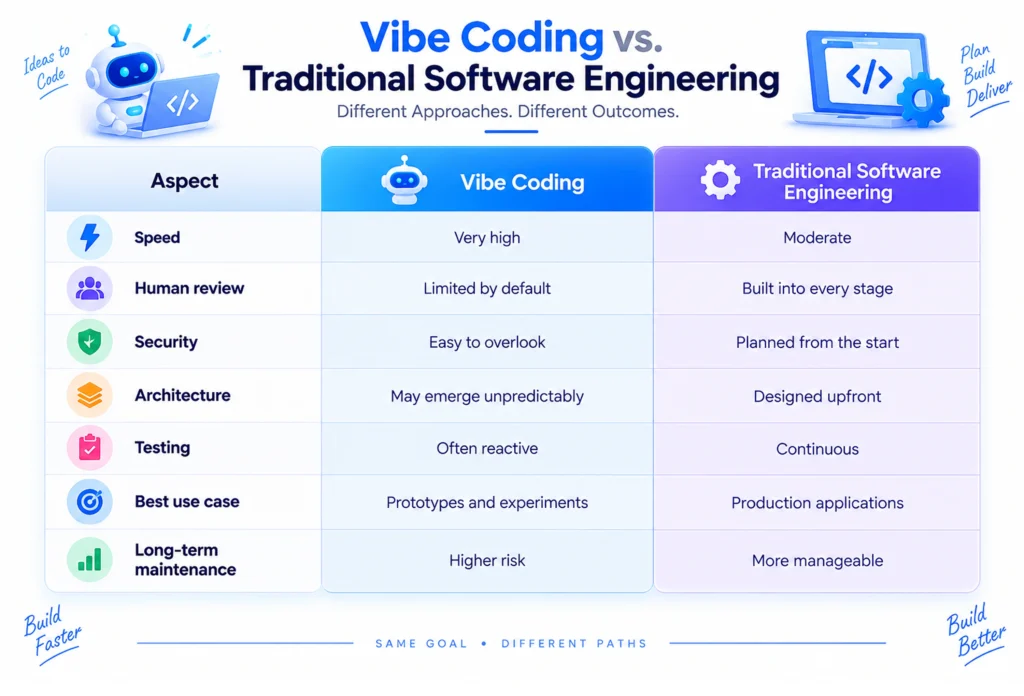
| Vibe Coding | Traditional Software Engineering | |
| Speed | Very high | Moderate |
| Human review | Limited by default | Built into every stage |
| Security | Easy to overlook | Planned from the start |
| Architecture | May emerge unpredictably | Designed upfront |
| Testing | Often reactive | Continuous |
| Best use case | Prototypes and experiments | Production applications |
| Long-term maintenance | Higher risk | More manageable |
The real difference isn’t whether a team uses AI; nearly everyone does now. It’s how much responsibility they hand over to it.
AI Coding Agents and Where App Development Is Headed
AI app development trends point toward tighter integration between AI generation and engineering discipline, not away from it. Developers will write less boilerplate by hand and spend more time on requirements, reviewing AI output, testing, architecture, and validating business logic.
AI coding agents push this further: autonomous systems that can plan, write, test, and iterate on code with less step-by-step prompting. That signals autonomous development is growing fast, but it hasn’t replaced the fundamentals of good engineering.
The direction isn’t “AI writes everything.” It’s humans defining the goal, AI generating and executing the work, and humans verifying the result before it ships. That model keeps the speed of AI without giving up accountability.
Should Businesses Use Vibe Coding?
Yes, with boundaries. For a prototype, internal tool, or proof of concept, vibe coding cuts development time and lets teams test ideas fast.
For production applications, businesses need a more structured form of AI-assisted development: use AI for speed, but keep humans responsible for architecture, security, testing, compliance, and final sign-off. That balance is what separates fast software from good software. Got an AI-built app that works in the demo but makes you nervous? Let our engineers check it and clean it up before your customers ever notice.
Conclusion
Vibe coding has made building software faster and more accessible than ever. But fast code isn’t automatically good code. The strongest teams use AI to accelerate development while keeping humans firmly in charge of security, architecture, testing, and quality.
At CodesClue, we combine AI-assisted software development with experienced engineering practices to build reliable, production-ready applications. Want to use AI to accelerate your next product? Talk to our team today.