How to Build a Custom AI Agent Using Open Source LLMs in 2026
Learn how to build a custom AI agent using open source LLMs. a 2026 guide to frameworks, architecture, and deployment for developers.
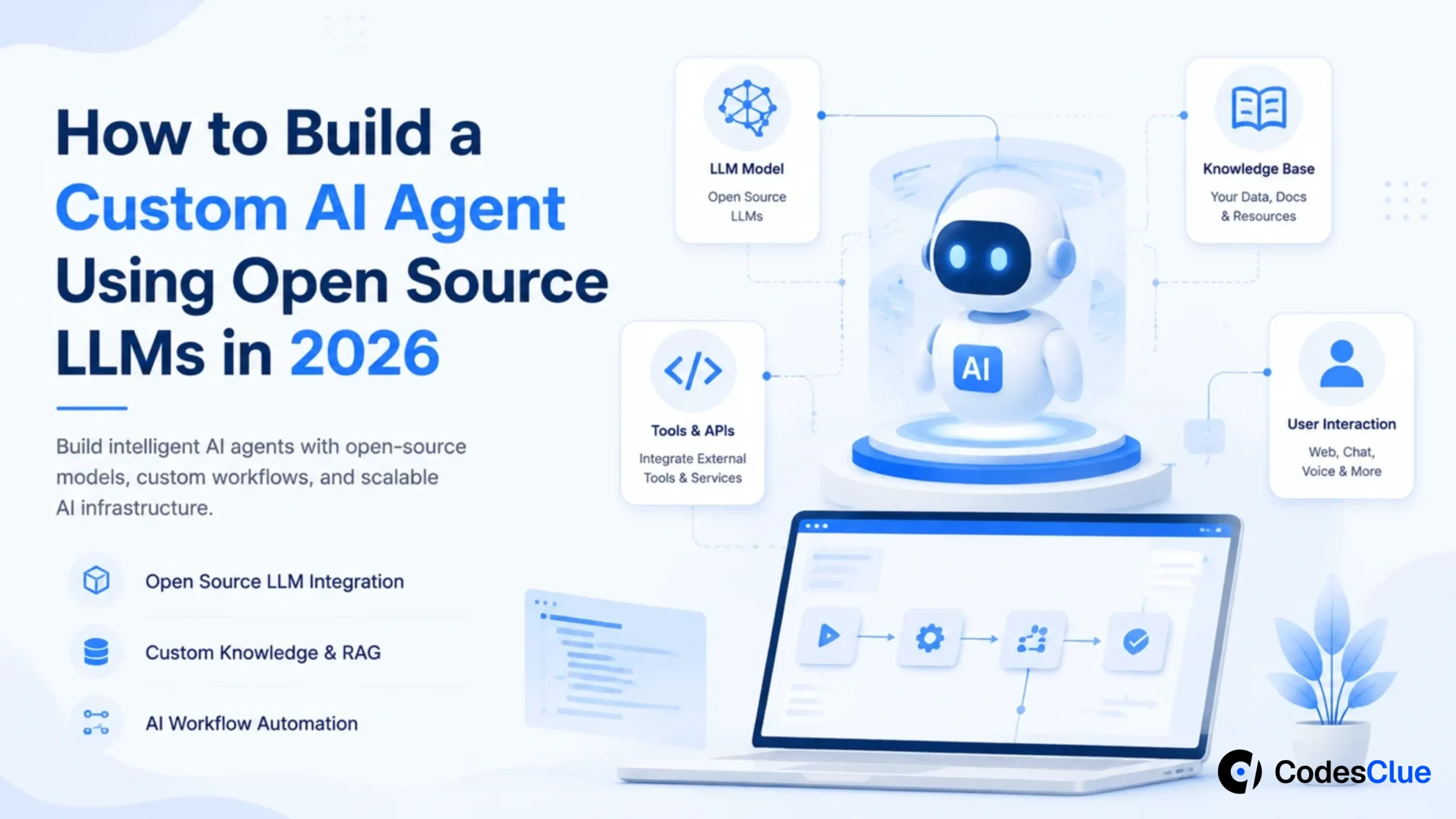
AI has moved past the chatbot phase. Today’s AI agents read documents, automate repetitive work, talk to your business software, write code, analyze data, and take action inside rules you define. They don’t just answer; they get things done.
The biggest shift driving this in 2026 is simple: businesses no longer have to depend entirely on expensive proprietary APIs. Open-source LLMs like Llama 4, DeepSeek R1, Qwen3, Gemma 3, and Mistral Small have made enterprise-grade AI accessible to teams of every size. Meta alone has reported that its Llama family has crossed 1 billion downloads, proof that open-weight models have gone mainstream.
This guide walks you through everything you need to build a custom AI agent from scratch: picking the right model, designing a production-ready architecture, connecting it to your business tools, and shipping it to real users.
Why Businesses Are Choosing Open Source LLMs in 2026
For years, most AI applications leaned entirely on commercial APIs. They’re convenient, but the convenience comes at a cost. As usage scales, so does your bill, and you’re stuck with whatever limits the provider sets on customization and control.
That’s exactly why more companies are switching to open-source LLMs in 2026.
- Cost is the biggest driver. Picture a customer support agent handling thousands of conversations a day. Paying per prompt through a commercial API adds up fast. Hosting an open-source model on your own infrastructure is almost always cheaper once you cross a certain volume.
- Ownership matters just as much. When you run an open model, you control the fine-tuning, the internal integrations, the business knowledge it draws on, and when (or if) you upgrade. You’re not locked into one vendor’s roadmap or pricing changes.
- Privacy seals the deal for regulated industries. If your agent touches financial records, legal documents, healthcare data, or confidential business information, keeping the model inside your own environment gives you far more control over security and compliance than routing that data through a third-party API.
AI Agent vs AI Chatbot: What’s the Real Difference?
People throw these terms around interchangeably, but they solve fundamentally different problems.
A chatbot answers questions. A custom AI agent completes tasks.
| AI Chatbot | AI Agent |
|---|---|
| Answers questions | Completes tasks |
| Responds to a single prompt | Plans and executes multiple steps |
| Has limited memory | Remembers previous interactions |
| Rarely touches business software | Connects to APIs, databases, and enterprise apps |
| Waits for instructions | Acts automatically within rules you set |
Here’s the difference in practice. Ask a chatbot about your company’s leave policy, and it explains the policy. Ask a custom AI agent, and it checks your leave balance, submits the request, notifies your manager, and updates the HR system all in one workflow.
That’s the gap between answering and acting, and it’s the whole reason agents exist.
Choosing the Best Open Source LLM for AI Agents
The most common mistake teams make is reaching for the biggest model on the leaderboard. Bigger isn’t automatically better; it’s often slower, pricier to host, and overkill for the job.
The best open-source LLM for AI agents depends entirely on what you’re asking the agent to do.
| Business Requirement | Recommended Model |
|---|---|
| Enterprise knowledge assistant | Llama 4 |
| Complex reasoning and analysis | DeepSeek R1 |
| Coding assistant | Qwen3 |
| Lightweight, low-resource deployment | Gemma 3 |
| High-volume customer support | Mistral Small |
If you’re building an internal knowledge assistant that digs through long company documents, Llama 4 handles that reasoning load comfortably. If your agent mostly routes tickets or classifies incoming emails, Mistral Small gets the job done faster and at a fraction of the compute cost.
Chase the right balance of accuracy, speed, and cost for your specific use case, not the biggest parameter count. A smaller model that replies in one second usually beats a giant model that takes five, because users feel speed long before they notice a marginal accuracy gain.
Build a Custom AI Agent in 7 Practical Steps
A production-ready AI agent is much more than a language model bolted onto a chat window. It’s a system made of several purpose-built components working together. Here’s how to build one, step by step.
Step 1: Start With One Business Problem
Most AI projects fail because teams try to build a do-everything assistant on day one. Pick one workflow instead. Your agent could:
- Answer customer support questions
- Process invoices
- Review contracts
- Summarize meetings
- Search company documents
- Generate sales proposals
A narrow scope ships faster and makes success easy to measure. Before you write a line of code, answer four questions:
- What problem should the AI solve?
- What information does it need?
- Which business systems should it access?
- How will you measure success?
These answers shape every technical decision that follows.
Step 2: Design a Production-Ready AI Agent Architecture
Teams often spend weeks comparing language models while barely thinking about architecture. That’s backwards; a well-designed system running a smaller model consistently beats a messy system running the biggest LLM available.
A solid production-ready AI agent architecture looks like this:
Each layer has one job:
| Component | Purpose |
|---|---|
| LLM | Understands input and generates responses |
| LangGraph | Controls the workflow and decision logic |
| RAG | Retrieves company knowledge on demand |
| Memory | Remembers past interactions |
| MCP | Connects the agent to external applications |
| FastAPI | Serves the API to your users and apps |
Because every layer is independent, you can swap or upgrade one piece, say, the LLM, without tearing down the rest of the system.
Step 3: Choose the Right Technology Stack
The agent-building ecosystem is crowded, but you don’t need every tool in it. Pick each layer based on the problem it actually solves.
| Layer | Recommended Tool |
|---|---|
| LLM | Llama 4, DeepSeek R1, Qwen3 |
| Agent Framework | LangGraph |
| Knowledge Retrieval | LlamaIndex |
| Local Model Runner | Ollama |
| High-Speed Inference | vLLM |
| Vector Database | pgvector or Weaviate |
| Backend | FastAPI |
| Deployment | Docker and Kubernetes |
This stack is a solid starting point if you’re hunting for free open-source AI agent tools and want to build and test agents without depending entirely on proprietary AI platforms.
LangGraph vs CrewAI: Which One Should You Use?
This is one of the most common questions developers ask when starting, and rightly so; the two frameworks solve different shapes of problems.
| LangGraph | CrewAI |
|---|---|
| Built for structured, graph-based workflows | Built for role-based, multi-agent collaboration |
| Gives you fine-grained control over state and execution | Coordinates specialist agents with minimal setup |
| Suited to enterprise applications with branching logic and human approval steps | Suited to rapid prototyping and tasks that split naturally across roles |
| Deep integration with the LangChain ecosystem | Simple, independent framework with a lower entry barrier |
If your workflow involves approvals, retries, or business processes that branch depending on conditions, LangGraph gives you the explicit control to model that correctly. If you want several specialized agents a researcher, a writer, a reviewer collaborating on one task with minimal orchestration code, CrewAI gets you there faster.
A useful rule of thumb: reach for CrewAI when you want something working in twenty minutes, and reach for LangGraph when you need full visibility into exactly what’s happening at every step of a long-running, production-grade workflow. Many teams outgrow CrewAI’s simplicity as their logic gets more complex and migrate to LangGraph for that reason; it’s worth thinking about which stage your project is really at before you commit.
Step 4: Give Your AI Agent Access to Company Knowledge
No language model, however powerful, knows your latest HR policy, your pricing sheet, or the contract you signed with a customer last month, unless you feed it that information.
Many teams assume they need to fine-tune the model every time a document changes. In most cases, you don’t. Retrieval-Augmented Generation (RAG) solves this more efficiently: instead of baking knowledge into the model, RAG lets your agent search a knowledge base on demand, pull the relevant documents, and generate an answer grounded in that content. Your responses stay current without a single retraining run.
Agentic RAG takes this further. Instead of searching once and returning the first match, the agent decides when to search again, checks whether the results actually answer the question, and rewrites its query if the first attempt falls short.
| Traditional RAG | Agentic RAG |
|---|---|
| Searches documents once | Can search multiple times |
| Returns the first relevant result | Checks whether more information is needed |
| Works well for FAQs | Handles complex, multi-step business questions |
| Follows a fixed workflow | Makes dynamic decisions as it goes |
Here’s why that distinction matters. Say an employee asks, “What’s our latest work-from-home policy?” A traditional RAG setup grabs the first matching document and answers from it even if that document is two versions out of date. An agentic RAG system checks which version is current before it responds, which meaningfully cuts down on outdated or incorrect answers.
Step 5: Connect Your AI Agent to Business Tools
Answering questions is useful. Getting work done is where agents earn their keep. Imagine telling your agent:
- “Create a Jira ticket for this bug.”
- “Summarize yesterday’s Slack discussion.”
- “Find the latest sales report from Google Drive.”
- “Update this customer’s status in Salesforce.”
To pull that off, your agent needs a reliable way to talk to external applications. That’s exactly what the Model Context Protocol (MCP) provides: a standard interface that lets an AI agent discover and use tools across many different systems without a custom integration for each one.
If you’re following a model context protocol AI agent tutorial for the first time, the core idea to grasp is this: MCP servers expose a set of tools and resources, and your agent queries what’s available and calls what it needs, securely and on demand. You write the integration once and reuse it everywhere, instead of hand-coding a separate connector for every app in your stack.
| Business Tool | What Your AI Agent Can Do |
|---|---|
| Slack | Send messages and summarize conversations |
| GitHub | Review pull requests and create issues |
| Jira | Create and update tickets |
| Salesforce | Retrieve or update customer records |
| Google Drive | Search and summarize documents |
| SQL Database | Fetch business data |
Think of MCP as a universal adapter. The same way USB-C lets one cable plug into dozens of devices, MCP lets one agent talk to dozens of business applications without a bespoke integration for each.
Step 6: Add Memory for Better Conversations
Have you ever called customer support and had to repeat your issue three times? Agents without memory behave the same way; every message looks like a brand-new conversation to them.
Give your agent memory, and that friction disappears. There are three types worth building in:
| Memory Type | Purpose |
|---|---|
| Short-Term Memory | Tracks the current conversation |
| Long-Term Memory | Stores user preferences and history |
| Semantic Memory | Stores business knowledge in a vector database |
Say you ask, “Show me my pending invoices,” and a few minutes later follow up with, “Email the latest one to my manager.” Without memory, the agent has no idea which invoice you mean. With memory, it connects the dots and completes the task without making you repeat yourself.
That’s what separates an assistant that merely answers from one that genuinely gets work done.
Step 7: Deploy Your AI Agent for Production
Once your agent runs well locally, it’s time to make it available to your team or your customers. A production deployment needs to be reliable, scalable, and easy to maintain.
| Layer | Recommended Tool |
|---|---|
| Backend APIs | FastAPI |
| Containers | Docker |
| Scaling | Kubernetes |
| Local LLMs | Ollama |
| High-Speed Inference | vLLM |
| Knowledge Retrieval | LlamaIndex |
| Vector Storage | pgvector or Weaviate |
Most developers exploring how to build autonomous AI agents locally start with Ollama; it’s the fastest way to pull an open-source model, run it on your own machine, and test full agent workflows before you ever touch a production server. Once real traffic starts coming in, teams typically move inference to vLLM, which handles GPU utilization far better at scale. The upgrade doesn’t require rebuilding your application, just swapping out the inference layer underneath it.
Free Open Source AI Agent Tools Worth Knowing
If you want to build without licensing costs eating into your budget, here’s a shortlist of free open-source AI agent tools that cover most of what a production system needs:
- LangGraph: graph-based orchestration with fine-grained state control, ideal for complex, branching workflows.
- CrewAI role-based multi-agent orchestration that gets a working system running fast.
- LlamaIndex connects your agent to company documents and data sources through RAG.
- Ollama runs open-source LLMs locally, perfect for development and testing.
- vLLM: high-throughput inference server for scaling models in production.
- pgvector / Weaviate: open-source vector databases for semantic search and memory.
- FastAPI: lightweight, fast backend framework for serving your agent’s API.
Combine a handful of these, and you have everything you need to go from idea to a working prototype without paying for a single proprietary platform.
Best Practices for Building AI Agents
A recent LangChain survey found something worth paying attention to: as AI agents move into production, the biggest challenge organizations face isn’t model selection it’s maintaining quality, reliability, and observability as the system grows. Keep these practices in mind from day one.
- Start with one use case. Resist the urge to build an assistant that does everything. Solve one problem HR questions, invoice processing, contract review really well, then expand once that use case proves itself.
- Choose the smallest model that meets your needs. If a smaller model delivers the same quality at a lower cost and faster response time, use it. Save DeepSeek R1-level reasoning power for tasks that actually require it, and lean on lighter models like Mistral Small or Qwen3 everywhere else.
- Build security in from day one. Your agent often touches sensitive data and internal systems, so treat security as a first-class requirement, not an afterthought:
- Enforce Role-Based Access Control (RBAC)
- Encrypt data in transit and at rest
- Store API keys securely
- Validate every tool call before it executes
- Keep detailed audit logs
- Require human approval for high-risk actions like payments or record changes
- Measure what actually matters. Correct answers are only part of the picture. Track these too:
| Metric | Why It Matters |
|---|---|
| Response Accuracy | Measures answer quality |
| Hallucination Rate | Flags incorrect responses |
| Response Time | Shapes user experience |
| Tool Success Rate | Shows whether integrations actually work |
| Cost per Request | Keeps infrastructure spending in check |
| User Satisfaction | Reflects real business value |
Common Mistakes to Avoid
Most AI projects don’t fail because of a weak model; they fail because of poor planning. Watch out for these traps.
| Mistake | Better Approach |
|---|---|
| Building a general-purpose assistant | Start with one business workflow |
| Choosing the largest LLM available | Pick the model that balances speed, cost, and accuracy |
| Fine-tuning every time data changes | Use RAG to retrieve updated information instead |
| Connecting too many tools at once | Start with only the tools your workflow needs |
| Ignoring monitoring | Track performance from day one |
| Forgetting security | Add permissions, encryption, and audit logs before launch |
The simplest solution that solves a real business problem beats a complex system nobody can maintain every time.
What’s Next for AI Agents?
AI agents are outgrowing the “chatbot with extra steps” label. They’re turning into systems that understand context, operate enterprise tools, and run end-to-end workflows with minimal supervision.
Watch for four trends shaping the space through the rest of 2026: wider adoption of open-source LLMs for flexibility and lower cost, the Model Context Protocol becoming the default standard for tool integration, multi-agent architectures handling increasingly complex tasks, and stronger observability tooling to keep reliability, security, and governance in check as these systems scale.
The future of AI agents isn’t about chasing the largest model on the leaderboard; it’s about building practical, trustworthy systems that deliver measurable business value.
Conclusion
Building a custom AI agent has never been more accessible than it is right now, thanks to capable open-source LLMs and mature open frameworks. Start with one real business problem, ground your agent in company knowledge through RAG, connect it to your tools through MCP, and monitor it relentlessly once it’s live. Get those fundamentals right, and everything else model choice, framework choice, scaling becomes a much easier decision.
At CodesClue, we help businesses build secure, scalable, production-ready AI agents tailored to their goals. From AI assistants and workflow automation to full enterprise AI solutions