
AI in Education: Intelligent Learning Platforms Explained
AI in education explained: how adaptive learning and AI tutors work, FERPA and COPPA rules, buy vs build, and what an AI learning platform costs.
You have 30 students and 30 different starting points. Some finished the unit last week, and others still miss basics from last year. AI in education promises to close that gap without a second teacher in the room. It only works when the platform behind it is honest, private and easy for teachers to steer.
Key Takeaways
- Learning software that reads how each student works can suggest the next lesson, hint or practice set.
- Adaptive platforms change pace and difficulty after every answer, while teachers keep the final say.
- US student data rules shape the build. FERPA covers school records, and COPPA covers children under 13.
- Most schools should buy first and build only when content, data rules or a product idea demand it.
- CodesClue builds an AI study tool MVP for $8K to $25K, an adaptive platform for $25K to $70K, and larger systems from $70K.
What is AI in education?
AI in education is software that studies how each learner works and then changes what they see next. It reads quiz answers, time on task and past grades. It then picks the next activity, drafts feedback and flags students who need help. Teachers still plan the course and make the calls that matter.
Teachers already use it. In the OECD’s TALIS 2024 survey (opens in a new tab), about one in three teachers said they used AI in their work. Of those, 64% used it to create lesson plans. Seven in ten teachers also worry that AI lets students pass off others’ work as their own.
The main benefits of AI in education show up in daily work:
- Lessons that meet each student at their level, not the class average
- Feedback on practice in seconds instead of next week
- Early alerts when a student starts to slip
- Less time on marking and admin for every teacher
- Clear reports for leaders on what works across classes
A learning management system stores courses and grades. An AI layer reads that same data and acts on it.
What is adaptive learning?
Adaptive learning is a way of teaching where software adjusts content, pace and difficulty to each student’s answers. A student who masters a skill moves ahead. Learners who struggle get smaller steps, worked examples and more practice. The path updates after every answer, not once a term.
Here is a simple case. A student breezes through geometry but keeps missing algebra steps. The platform lets her move on in geometry and adds short algebra drills. Her teacher sees both on one screen and can step in.
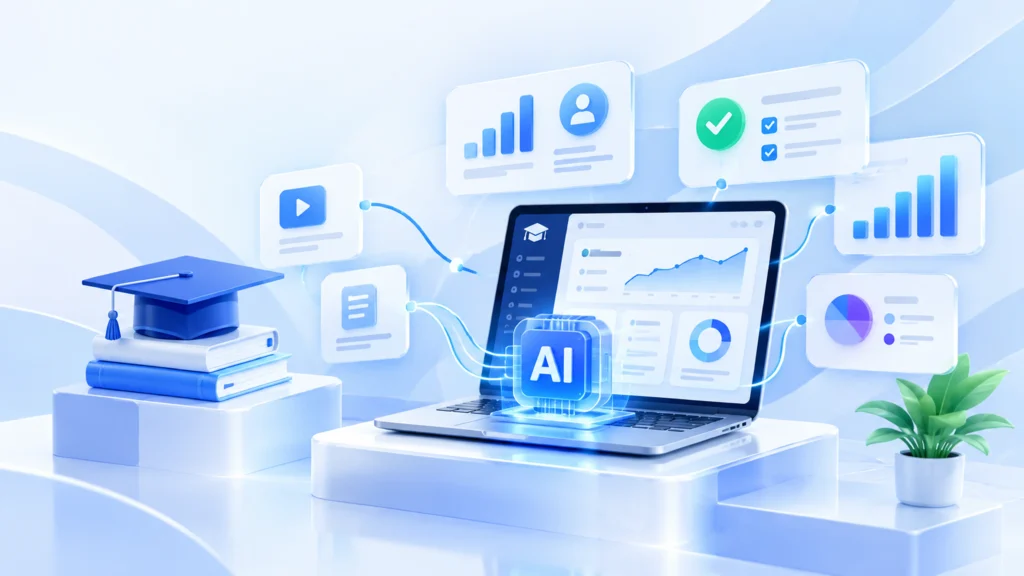
Good adaptive learning technology rests on three parts. It needs a map of skills, a model that guesses what each student knows, and rules that choose the next task. The best systems explain each choice in plain words, such as “more fractions practice because 3 of the last 5 answers missed this step.”
Pro tip: Build the skill map before any model work. Tag every question to one skill. A weak map gives weak picks, however smart the model looks.
How Adaptive Learning Platforms Personalize Education at Scale
An AI-powered learning platform runs the same loop for every student, thousands of times a day. Each pass takes a fraction of a second.
- Collect: the platform records answers, scores, attempts, time spent and attendance.
- Profile: it estimates what each student knows and where they get stuck.
- Recommend: a recommendation engine picks the next lesson, practice set or hint.
- Deliver: the student sees that lesson, with feedback on each answer.
- Review: teachers watch progress on a dashboard and change the plan when needed.
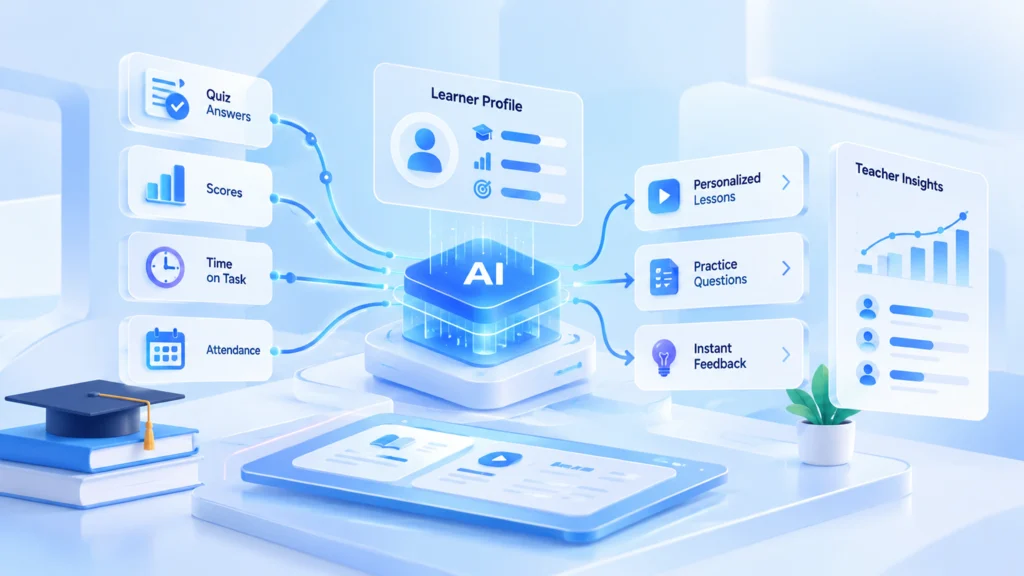
Scale comes from that loop. One teacher cannot rewrite 30 plans each night, but the software can adjust each path in real time.
| Classroom problem | What the platform does | Result for the school |
|---|---|---|
| Students learn at different speeds | Personal lesson paths | Fewer bored or lost students |
| Teachers mark late into the evening | Automatic scoring of practice work | More time for teaching |
| Gaps show up too late | Alerts based on scores and attendance | Earlier help for students at risk |
| Homework questions go unanswered | A tutor bound to the course | Help at home, fewer stuck learners |
| Leaders lack clear data | Learning analytics dashboards | Better calls on courses and staff |
Pro tip: Give teachers a one-click way to overrule any suggestion. Teachers who can steer the system trust it, and trust decides whether they keep using it after the pilot.
AI tutoring and generative AI in education
AI tutors: help after the bell
Human tutors work well, but many families cannot pay for one. AI tutoring gives students help whenever they study, at home or on the bus. A good tutor can:
- Answer questions about the lesson the student is on
- Explain a concept a second way when the first one fails
- Offer hints instead of handing over the answer
- Write extra practice problems at the right level
- Show the teacher which topics cause the most questions
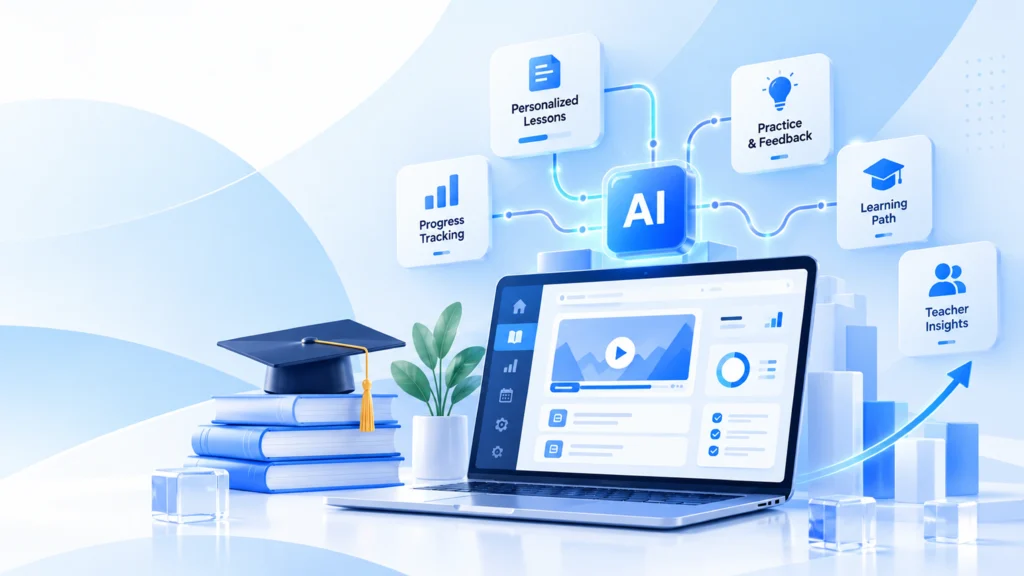
The safest tutors stay inside the course. A general chatbot will answer anything, including topics the class never covered. A course-bound tutor answers from approved material and tells the student to ask the teacher when it lacks a source.
US schools can fund this work. In July 2025 the US Department of Education said federal grant funds may support (opens in a new tab) AI-enhanced high-impact tutoring, as long as programs follow existing rules.
Generative AI: support, not shortcuts
Generative AI in education creates new material in seconds. Teachers use it to draft quizzes, reading summaries, translations and feedback on writing. Students use it to hear a hard topic in simpler words.
It needs limits. UNESCO’s guidance sets an age limit of 13 (opens in a new tab) for AI tools in the classroom. It also calls for data protection rules and teacher training. Put those limits in the product itself, not in a policy file nobody opens.
Pro tip: Log every answer the tutor gives. When a parent questions a reply, you can show what it said and which course page it used.
AI in higher education
On campus, AI in higher education now reaches well past online classes. Universities use it to forecast intake, suggest courses, spot students at risk of dropping out and cut admin queues. Faculty use it to grade practice work and search research faster.
Rules trail behind use. UNESCO IESALC’s higher education global trends report (opens in a new tab) found that only one in five universities had a formal AI policy as of 2025. Write the policy first, then scale the tools.
| University task | AI use | Gain |
|---|---|---|
| Admissions | Enrollment forecasts | Better planning of seats and staff |
| Advising | Course suggestions | Fewer wrong course picks |
| Student success | Early-warning alerts | Help before a student leaves |
| Research | Literature search and summaries | Faster reviews |
| Back office | Scheduling and document handling | Shorter queues for staff |
AI in special education
With the right tools, AI in special education lets teachers adapt each lesson to a student’s needs instead of one pace for all. Useful features include:
- Speech recognition for students who struggle to write or speak
- Text to speech and speech to text in every lesson
- Reading passages at the right level for each child
- Live translation for students learning in a second language
- Simple layouts, visual cues and fewer distractions on screen
Accessibility belongs in the first sprint, not the last. A platform that meets WCAG 2.2 AA works better for every student. Our guide to WCAG compliance covers what that means in practice.
Student data privacy: FERPA and COPPA in plain words
Every AI feature runs on student data, so US privacy law shapes the design. Two federal rules matter most. This is a plain summary, not legal advice.
FERPA protects student education records. The Department of Education’s student privacy FAQ (opens in a new tab) says a vendor can receive records under the school official exception. The vendor must stay under the school’s direct control and use the data only for approved purposes. It may not pass the data on.
COPPA covers online services that collect data from children under 13. The FTC’s COPPA FAQ (opens in a new tab) lets a school consent for parents, but only inside the educational context. The vendor must use the data for the school’s benefit and no other commercial purpose.
The FTC also tightened the COPPA Rule (opens in a new tab) in January 2025. Sharing a child’s data with third parties for ads now needs separate parental consent. Companies may keep the data only as long as a specific purpose needs it. Per the Federal Register notice (opens in a new tab), most changes required compliance by April 22, 2026.
A privacy checklist for any learning product:
- Collect only the fields the learning model truly uses
- Keep a written list of every third party that touches student data
- Set a delete date for each type of record
- Never use student data to train a model for other customers
- Give schools an export and a full delete on request
- Log who viewed which student record, and when
Buy, build or extend: which option fits you
Most schools should not build from scratch. Ready products cover standard courses well. Building pays off when you own unique content, face strict data rules or plan to sell the product.
| Your situation | Best fit | Why |
|---|---|---|
| One school, standard subjects | Buy a ready platform | Fastest start, proven content |
| Ready tool works, but gaps remain | Extend it with a custom module | Keep what works, add what is missing |
| District with strict data terms | Build or extend with your hosting | Full control over where data lives |
| EdTech founder with a new idea | Build an MVP first | You need a product you own |
| Training team with in-house courses | Build on top of your LMS | Your content and your learners stay in one place |
Whichever path you take, ask every vendor four questions. Can teachers see why it chose each task? Can we export all our data? Does it support LTI 1.3 for our LMS? Which WCAG level has it passed?
Pro tip: Run a four to six week pilot with two classes and one clear measure, such as homework completion. Compare them with two similar classes that do not use the tool.
What it costs to build an AI-powered learning platform
Price follows scope. These are CodesClue’s project ranges for learning products:
| What you build | Typical scope | CodesClue range |
|---|---|---|
| AI study tool or tutor MVP | One subject, course-bound tutor, practice questions, simple teacher view | $8K to $25K |
| Adaptive platform | Skill map, personal paths, teacher dashboards, LMS link | $25K to $70K |
| School or university system | Many schools and roles, analytics, early-warning alerts, accessibility audit | From $70K |
Our team plans with AI from day one and ships in short Agile sprints. A small proof of concept tests the idea, an MVP goes to real classes, and the production build follows the results. Engineering happens in Ahmedabad, and clients work with our offices in India, the USA and Germany.
See what we build for schools and EdTech teams on our education software development page. If your team only needs extra hands, you can hire AI developers, and development starts within 48 hours. For a wider price picture, read our AI app development cost guide.
Have a learning product in mind? Tell us about it, and an engineer replies within one business day.
When AI is the wrong call
AI is not the answer to every classroom problem. Skip it, or wait, in these cases:
- You have no clean, tagged content to adapt. Fix the content first.
- The real problem is device access or slow school networks.
- Teachers have no time for training this term.
- Your data terms forbid any outside processing and you cannot host a model yourself.
- You cannot name one result you want to change.
Honest limits apply even when AI fits. Models make mistakes, and some answers will be wrong. A teacher must review anything that affects grades, placement or support plans.
Common mistakes to avoid
- Starting with the model, not the problem. Name the one number you want to move first.
- Hiding the logic from teachers. A black box loses teacher trust within weeks.
- Testing only on fast office Wi-Fi. Check every page on a crowded classroom network.
- Treating privacy as paperwork. Decide what you collect and who sees it before the first sprint.
- Rolling out district-wide on day one. Prove the gain with a few classes first.
What we see in real projects
We took over Subjects Master, a live game-based study platform for teachers, schools and homeschool families. Teachers build standards-aligned study guides, and students play them as games across seven subjects. The product has no AI, yet it shaped how we think about learning tools.
- Speed comes first. We fixed what slowed the live site before adding features, and kept it online the whole time.
- Fair scoring matters. We doubled answer time in every Rapid Fire game, from 15 to 30 seconds.
- Teachers want live data. Real-time results matter more to them than clever extras.
We also built SkillsDose, a skills platform with structured courses and an admin console. Learners browse, enroll, finish lessons and track progress. Admins manage courses and users from one dashboard. That course and progress data is exactly what an adaptive layer would read next.
For the full route from idea to launch, see our guide to the AI development process and our MVP app development playbook.
AI in education adaptive learning platforms 2026: what comes next
This year moved schools from general chatbots toward tools built for learning. Recent adaptive learning news points the same way, with tutors that stay inside the course and cite their sources. Other trends to watch:
- Teaching assistants that draft feedback for the teacher to approve
- Text, voice and video lessons inside one platform
- Early-warning analytics across whole universities
- Skills-based checks instead of one big final exam
- Clear AI policies before any wide rollout
An AI in education conference is a good place to test these ideas against real results. UNESCO’s Digital Learning Week (opens in a new tab) ran in Paris from 8 to 11 September 2026. Its theme was education in the age of AI.
Build learning tools that teachers trust
AI in education works when it serves one clear goal, keeps teachers in charge and guards student data. Start with one subject and one measure, prove the gain, then grow. To plan your first build, see our AI development services or talk to an engineer about your idea.
FAQs
How can a school tell if an AI learning platform is working?
Pick two or three measures before the pilot starts, such as quiz scores, homework completion and teacher hours saved. Run the tool with a few classes for at least one full unit. Compare them with similar classes that do not use it. If the numbers stay flat, change the setup or stop before you sign a district contract.
Will AI replace teachers?
No. Software can repeat practice, score routine work and sort data faster than any person. It cannot read a room, build trust with a shy student or judge a hard case with care. The best tools give teachers back hours each week, so they spend more time with the students who need them most.
Can an AI learning tool work inside Canvas, Moodle or Blackboard?
Yes, when it supports LTI 1.3 from 1EdTech. That standard lets the tool open inside the course with a secure launch and send grades back to the gradebook. Ask the vendor for a live demo inside your own LMS, not a logo on a slide. Also check roster sync, so classes stay in step.
What data does an adaptive learning platform need before it can start?
It needs a bank of questions with each one tagged to a skill, plus a clear map of how skills build on each other. Past scores help, but they are optional. Many systems start with simple rules and switch on smarter models once a few weeks of real student answers have come in.
How do teachers stop students from using generative AI to cheat?
Design the work so a chatbot cannot finish it alone. Ask for drafts, short in-class writing, oral checks and reflections on how the student solved a problem. AI text detectors make mistakes and can flag honest students, so do not rely on them alone. Clear class rules on allowed AI use help even more.
Should we use a public AI model or host our own?
A public model through an API is the fastest way to start and suits most pilots. Check that the provider does not train on your student data and that its terms meet your privacy rules. Hosting your own model costs more to run, but it keeps every record inside your network. Some districts require that.