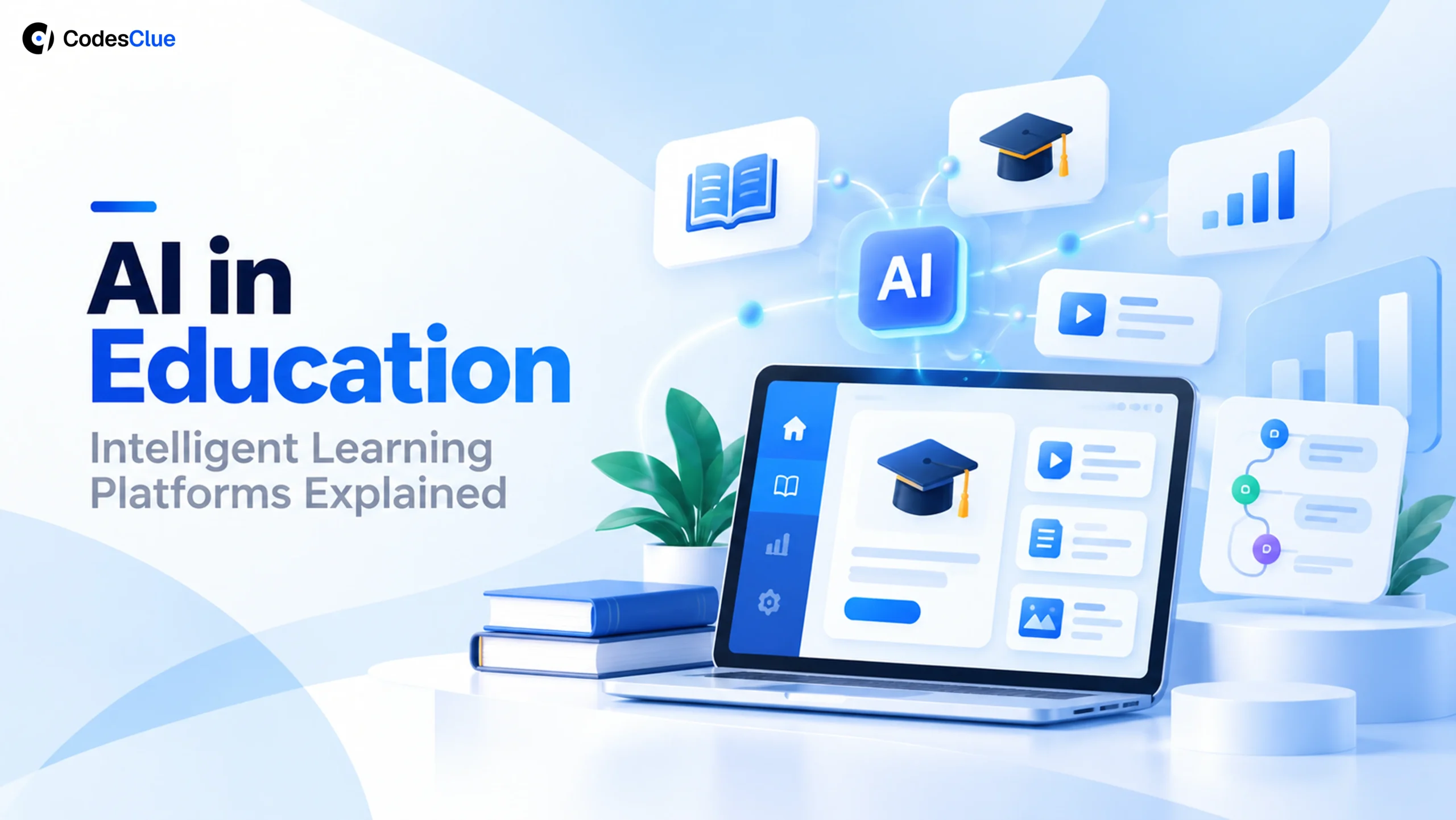
AI in Education: Intelligent Learning Platforms Explained
AI in education explained: how adaptive learning, AI tutoring and AI-powered learning platforms work, what they cost to build and how to choose one.
A teacher with 32 students cannot write 32 different lesson plans every night. That gap is where AI in education earns its place. It helps schools and EdTech teams give each learner the next right step while teachers keep the decisions. This guide explains how intelligent learning platforms work, where they help, where they fall short and what one costs to build.
Key Takeaways
- AI in education uses student data to suggest the next lesson, practice set or piece of feedback for each learner.
- Adaptive learning changes pace and difficulty as a student works, so nobody waits and nobody falls behind.
- An AI-powered learning platform works best when teachers see the same data the system uses and can overrule it.
- AI tutoring and generative AI in education need clear age rules, privacy controls and honest limits.
- At CodesClue, an AI study tool MVP runs about $8K to $25K. An adaptive platform costs $25K to $70K, and a full school or university platform starts from $70K.
What is AI in education?
AI in education means software that studies how each student learns and then adjusts what they see next. It reads quiz answers, time on task and past results, suggests the next activity and flags students who need help. Teachers still plan the course, and the AI handles the sorting and repetition at scale.
Teachers already use it. In the OECD’s TALIS 2024 survey (opens in a new tab), about one in three lower secondary teachers said they used AI in their work. Most of those teachers used it to plan lessons or activities. The same survey also shows real worry: 72% fear that AI lets students pass off work that is not their own.
The main benefits of AI in education show up in daily work:
- Lessons that match each student’s level instead of the class average
- Instant feedback on practice, not a week later
- Early alerts when a student starts to fall behind
- Less time on marking and admin, more time with students
- Reports that show leaders what works across classes
A traditional learning management system (LMS) stores courses and grades. An AI layer reads that data and acts on it.
How an AI-powered learning platform works
An AI-powered learning platform follows the same loop for every student. It collects activity, builds a learner profile, picks the next step and checks the result.
- Collect: quiz answers, assignment scores, time spent, attempts and attendance.
- Profile: the platform estimates what each student knows and where they struggle.
- Recommend: a recommendation engine picks the next lesson, practice set or hint.
- Act: the student sees personalized lessons, practice questions and feedback.
- Review: teachers see progress on a dashboard and can change the plan.
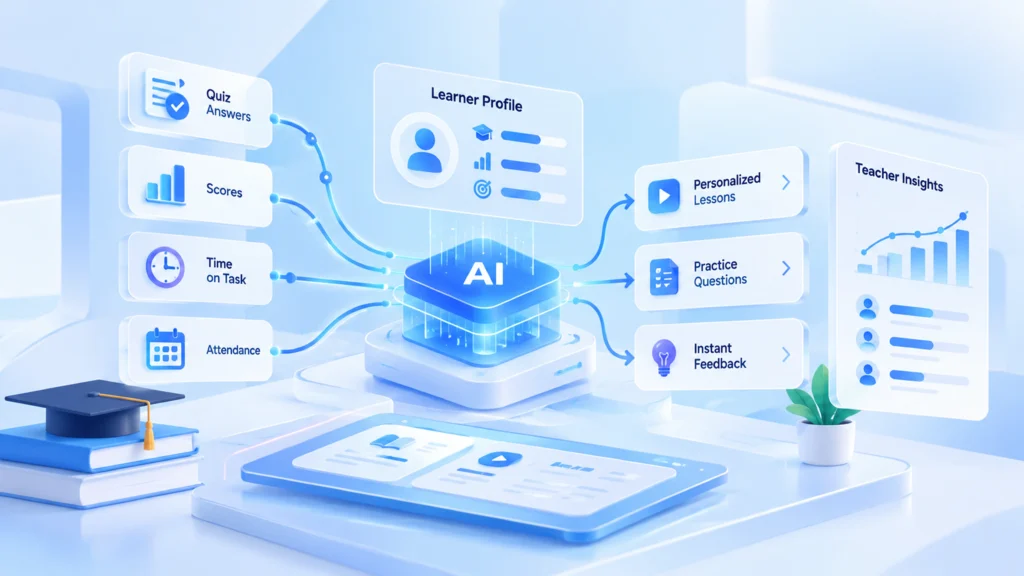
The loop then repeats, so the platform improves its picks with every answer.
| Classroom challenge | What the platform does | Result for the school |
|---|---|---|
| Students learn at different speeds | Personalized lesson paths | Fewer bored or lost students |
| Teachers spend evenings marking | Automatic grading of practice work | More time for teaching |
| Gaps show up too late | Predictive analytics on scores and attendance | Earlier help for students at risk |
| Students get stuck after hours | AI assistant for questions | Faster answers, fewer dropouts |
| Leaders lack clear data | Learning analytics dashboards | Better decisions on courses and staff |
Pro tip: Give teachers a one-click way to overrule a recommendation. Teachers who can steer the system trust it. Trust decides whether teachers keep using a platform after the pilot.
What is adaptive learning?
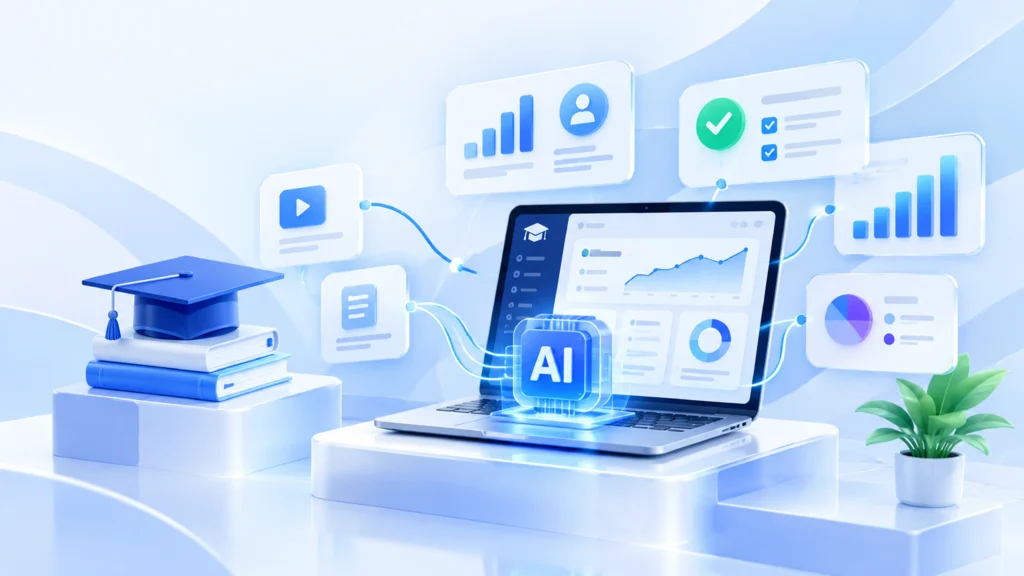
Adaptive learning is a teaching method where software changes the content, pace and difficulty of lessons based on how each student performs. A student who masters a topic moves on, and a student who struggles gets more practice and simpler steps first. The path changes after every answer, not once a term.
Here is a simple example. A student does well in geometry but keeps missing algebra questions. The platform lets them move ahead in geometry and adds short algebra practice with worked examples. The teacher sees both on the dashboard and can step in.
Modern adaptive learning technology combines three parts. It needs a map of skills, a model that estimates what each student knows and rules that pick the next activity. Good systems explain their picks in plain words, such as “more fractions practice because 3 of the last 5 answers missed this step”.
This approach helps students:
- Learn at their own pace
- Spend more time on hard topics and less on what they already know
- Build confidence through steady wins
AI tutoring and generative AI in education
AI tutoring: help beyond the classroom
Human tutoring works, but it costs money and time that many families do not have. AI tutoring gives students help whenever they study, at home or on the bus. A good AI tutor can:
- Answer questions about the lesson the student is on
- Explain a concept in a different way when the first one fails
- Give hints instead of handing over the answer
- Create extra practice problems
- Tell the teacher which topics students ask about most
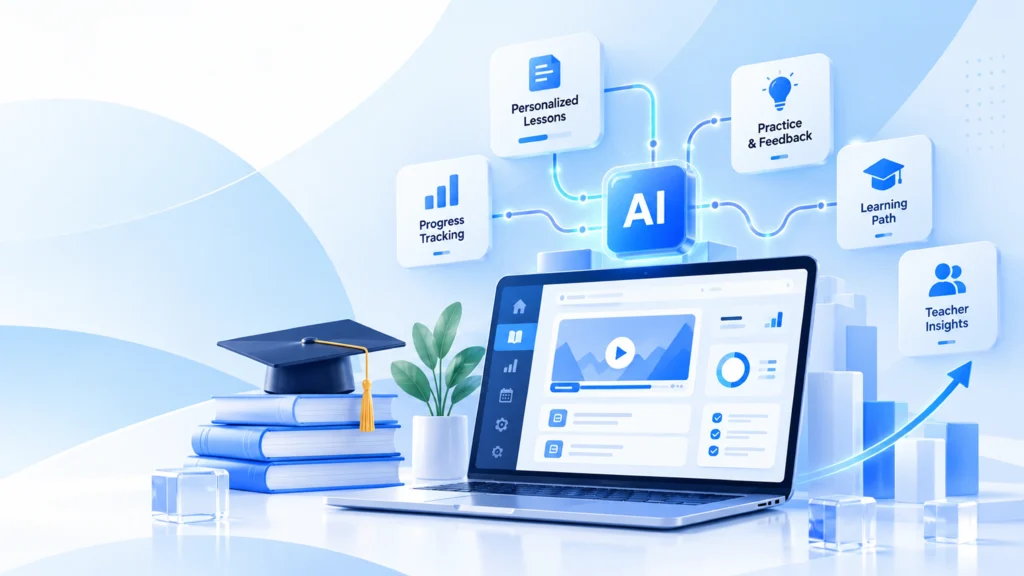
The best tutors stay inside the course content. A general chatbot can answer anything, including things the teacher never taught or got wrong. A course-bound tutor answers from approved material and says “ask your teacher” when it is unsure.
Generative AI in education: support, not shortcuts
Generative AI in education creates new material in seconds. Teachers use it to draft lesson plans, quizzes, reading summaries, translations, coding exercises and writing feedback. Students use it to get a topic explained in simpler words.
It needs rules. UNESCO’s guidance on generative AI sets an age limit of 13 for AI tools in the classroom (opens in a new tab). It also calls for data protection standards and teacher training. Build those rules into the product, not into a policy document nobody reads.
Pro tip: Log every AI answer a student sees. When a parent or teacher questions an answer, you can show exactly what the tutor said and which course material it used.
AI in higher education
Today, AI in higher education reaches far past online classes. Universities use it to plan intake, advise students on courses, spot students at risk of dropping out and take load off admin teams. Faculty use it to grade, plan courses and search research faster.
Governance lags behind use. UNESCO IESALC’s Higher Education Global Trends Report 2026 (opens in a new tab) found that only 19% of higher education institutions had a formal AI policy. That gap gives universities a clear first task: write the rules, then scale the tools.
| University function | AI application | Benefit |
|---|---|---|
| Admissions | Enrollment forecasting | Better planning of places and staff |
| Academic advising | Course recommendations | Fewer wrong course choices |
| Student success | Early-warning alerts | Help before a student drops out |
| Research | Literature search and summaries | Faster reviews |
| Administration | Scheduling and document processing | Lower workload for staff |
AI in special education
AI in special education helps teachers adapt lessons to each student’s needs instead of one pace for all. Useful tools include:
- Speech recognition for students with communication challenges
- Text to speech and speech to text
- Reading suggestions at the right level
- Live translation for students learning in a second language
- Visual supports and simpler layouts
UNESCO’s work on AI and digital education (opens in a new tab) stresses inclusion and keeps human teachers at the centre. Accessibility also belongs in the build from day one. Platforms that meet WCAG 2.2 AA work better for every student, not only students with a disability.
How to choose adaptive learning platforms
Not every product with “AI” on the box improves learning. Judge adaptive learning platforms by outcomes, not by feature lists. Ask each vendor these questions before you sign.
| Feature | Why it matters | Question to ask |
|---|---|---|
| Personalized learning engine | Changes lessons as students progress | Can teachers see why it picked each activity? |
| Learning analytics | Shows progress by student and class | Can we export the data? |
| LMS integration | Works inside the tools schools already use | Does it support LTI 1.3 for Canvas, Moodle or Blackboard? |
| Accessibility | Every student can use it | Which WCAG level has it passed? |
| Data privacy and security | Protects student records | Where is student data stored, and who can see it? |
| Teacher dashboard | Keeps teachers in charge | Can a teacher overrule the system in one step? |
Integration matters more than most buyers expect. The LTI 1.3 standard from 1EdTech (opens in a new tab) lets a learning tool plug into an LMS with single sign-on and grade sync. Without it, teachers end up copying grades by hand.
Pro tip: Run a four to six week pilot with two classes and one clear measure, such as quiz scores or homework completion. Compare them with two similar classes that do not use the platform.
What it costs to build an AI-powered learning platform
Buying a ready platform works for standard courses. Schools, EdTech founders and training teams build their own when they need their own content, their own data rules or a product to sell. These are CodesClue’s project ranges:
| What you build | Typical scope | Typical CodesClue tier |
|---|---|---|
| AI study tool or tutor MVP | One subject, course-bound AI tutor, practice questions, simple teacher view | $8K to $25K |
| Adaptive learning platform | Skill map, adaptive paths, teacher dashboards, LMS integration | $25K to $70K |
| School or university platform | Many schools, roles, analytics, early-warning alerts, accessibility audit | From $70K |
We work AI-first and in short Agile sprints: a proof of concept to test the idea, an MVP with real students, then a production build. Our engineers sit in Ahmedabad, with offices in India, the USA and Germany. See our education software development services for what we build for schools and EdTech teams.
Common mistakes to avoid
- Starting with the model, not the problem. Name the one result you want to change first, such as homework completion.
- Hiding the logic from teachers. A black box loses teacher trust in weeks.
- Ignoring slow school networks. A platform that loads slowly on a classroom connection loses students before the lesson starts.
- Treating privacy as paperwork. Decide what data you collect, where it lives and who sees it before you build.
- Skipping the pilot. Prove the gain with a few classes before a district-wide roll-out.
What we learned building learning platforms
We took over Subjects Master, a live game-based study platform for teachers, schools and homeschool families. Teachers build standards-aligned study guides, students play them as games across seven subjects, and teachers see results in real time. It is not an AI product, but it taught us what any learning platform needs.
- Speed first. We fixed what slowed the live site before adding anything new, without taking it offline.
- Fairness is a feature. Timed games decide scores, so we doubled Rapid Fire answer time from 15 to 30 seconds in every subject at once.
- Teachers need the data live. Real-time results matter more to teachers than clever features.
The same rules apply when you add AI: fast pages, fair scoring and teachers who can see and change what the system does.
AI in education adaptive learning platforms 2026: what comes next
The biggest shift in AI in education adaptive learning platforms 2026 is the move from general chatbots to tools built for learning. Recent adaptive learning news points the same way: schools want tutors that stay inside the course and show their sources. Other trends to watch:
- AI teaching assistants that draft feedback for the teacher to approve
- Learning in text, voice and video in one place
- Early-warning analytics in higher education
- Skills-based assessment instead of one end-of-term exam
- Clear AI policies before wide roll-outs
An AI in education conference is a good place to test these ideas against real classroom results. UNESCO’s Digital Learning Week (opens in a new tab), held in Paris each September, brings ministries, researchers and EdTech teams together on human-centred AI.
Build an AI learning platform that teachers trust
AI in education works when it serves a clear goal, keeps teachers in charge and respects student data. Start small with one subject and one measure, prove the gain, then grow. Planning an AI-powered learning platform, or adding adaptive learning or AI tutoring to your product? See our AI development services or talk to an engineer about your idea.
FAQs
How can schools measure the success of an AI-powered learning platform?
Pick a few measures before the pilot starts: quiz scores, homework completion, course completion and teacher time saved. Compare classes that use the platform with similar classes that do not, over at least one unit. If the numbers do not move, change the setup or stop before a full roll-out.
Can an AI learning platform work with our existing LMS?
Yes, if it supports the right standards. LTI 1.3 lets a tool open inside Canvas, Moodle, Blackboard and other systems with single sign-on and grade sync. Ask for proof of a working integration with your LMS, not only a logo on the vendor’s site.
Will AI replace teachers?
No. AI handles repetition, marking of practice work and sorting of data. Teachers plan the learning, judge the hard cases, motivate students and handle the human side that software cannot. The best platforms make teachers faster, not optional.
Is an AI learning platform safe for student data?
It can be, if you design for it. Collect only the data you need, store it in the right region, limit who can see it and log what the AI shows each student. Check the rules that apply to you, such as FERPA in the US or GDPR in Europe, before you build.