AI Automation Examples by Department, and How to Pick Your First One
AI automation examples for sales, support, finance, ops and HR, plus a checklist to pick your first process and choose Zapier, Make, n8n or custom.
Your sales team writes the same follow-up twenty times a week, and finance still types invoice lines from PDFs. You know AI could help. Yet most lists of AI automation examples read like product ads. This guide shows real examples by team, how to pick your first process, and when Zapier, Make or n8n is enough.
Key takeaways
- AI automation adds a reading and deciding step to normal automation. It reads emails, PDFs or tickets, then acts in your other tools.
- The best first projects are boring: high volume, clear rules, digital inputs and mistakes that are easy to fix.
- Score each candidate process on eight points before you build anything. Start with the highest score, not the most exciting idea.
- Off-the-shelf features and no-code tools cover many cases. A custom build makes sense when data, volume or risk outgrow them.
- Keep a person in the loop for money, health, hiring and anything a customer sees for the first time.
What counts as AI automation, and what does not?
AI automation is a workflow where software reads messy input, such as an email, a PDF or a ticket. It then makes a judgment call and acts in your other tools. Plain automation moves data by fixed rules. AI adds the reading and deciding step. A person still checks anything risky before it goes out.
A simple test: “When a form arrives, copy it to the CRM” is plain automation. “Read this email, work out what the customer wants, and draft the right reply” needs AI.
Most good setups mix both. Fixed rules do the moving and counting, and the AI model handles only the reading or writing.
AI automation examples by department
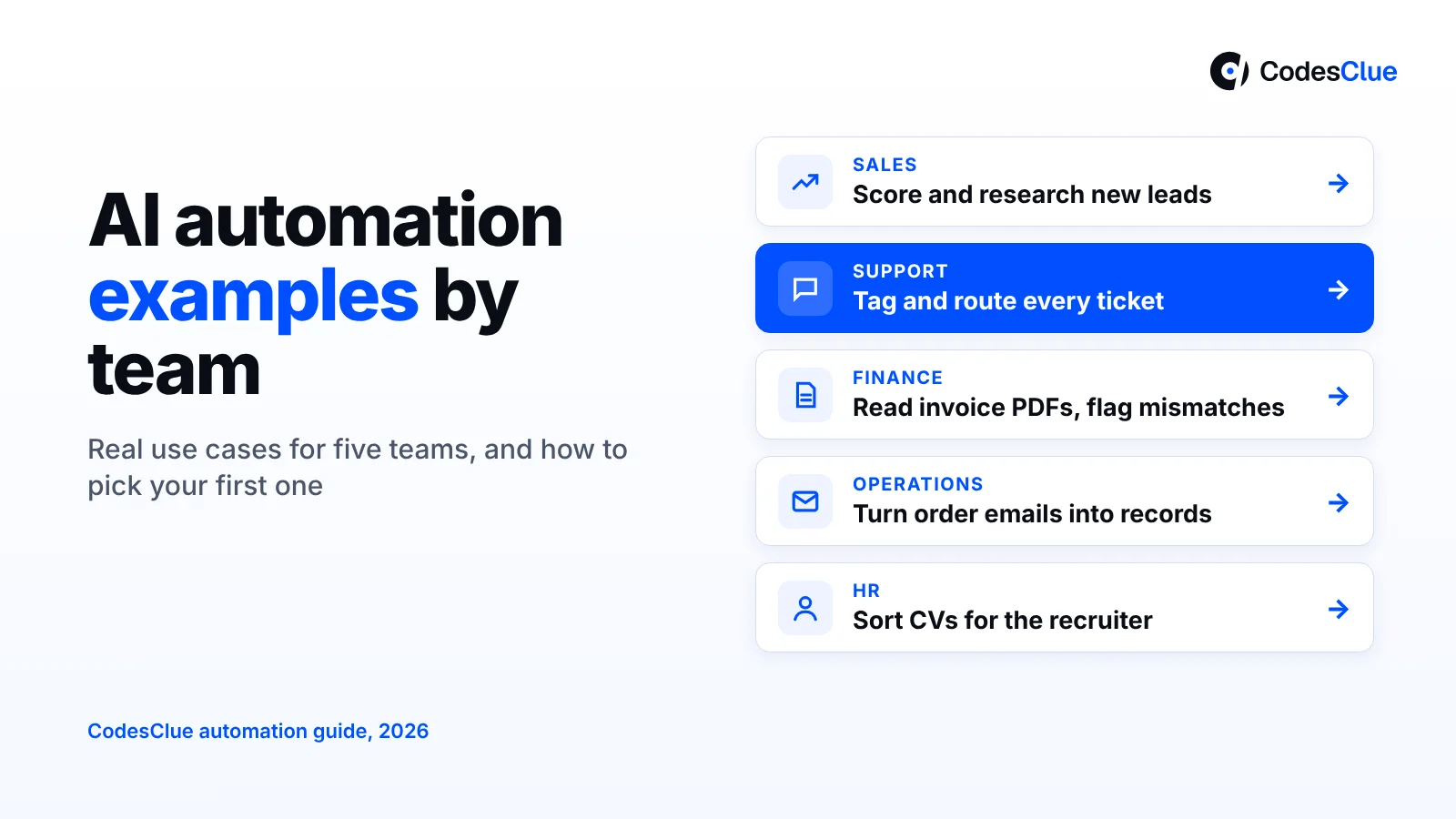
These AI automation examples are typical use cases we see across small and mid-size companies. They are not client results. Effort means the build work for a first version, from low (days in a no-code tool) to high (a custom project).
| Team | Task | What the automation does | Typical tools | Effort |
|---|---|---|---|---|
| Sales | Lead research and scoring | Looks up each new lead, adds company facts and gives a fit score | CRM, Zapier or n8n, an LLM | Low |
| Sales | Follow-up emails | Drafts a follow-up from call notes for the rep to edit and send | CRM, email, an LLM | Low |
| Support | Ticket triage | Tags each ticket by topic and urgency, then routes it to the right queue | Help desk, Make or n8n | Low |
| Support | Reply drafts | Writes a first reply from your help articles; an agent approves it | Help desk AI feature or custom | Medium |
| Finance | Invoice capture | Reads supplier PDFs, pulls out lines and totals, and flags mismatches | Document AI, accounting tool | Medium |
| Finance | Payment chasers | Sends polite reminders for overdue invoices and logs replies | Accounting tool, no-code workflow | Low |
| Operations | Order intake from email | Turns emailed orders into clean records in your ERP or sheet | Email, ERP, custom or n8n | Medium |
| Operations | Weekly reports | Pulls numbers from three systems and writes a short summary | BI tool, an LLM, n8n | Medium |
| HR | CV screening support | Sorts CVs against must-have criteria for a recruiter to review | Applicant tracking system, custom | Medium |
| HR | Onboarding questions | Answers policy questions from your handbook in chat | Chat tool, custom assistant | Medium to high |
Sales: less admin, more calls
Before: a rep opens each new lead, searches the company and guesses whether it fits. After: the CRM shows a short profile and a fit score when the lead arrives. The rep calls the best leads first.
Follow-ups work the same way. The AI drafts the email from the call notes. Your rep edits two lines and sends it.
Support: sort first, answer faster
Before: one person reads every ticket and drags it into a queue. After: each ticket arrives tagged with topic, urgency and language. Agents open their own queue and start answering.
Reply drafts come next, once triage works. Keep a human approval step until you trust the drafts.
Pro tip: Start support automation with triage, not answers. A wrong tag costs a few minutes. Sending a customer the wrong answer costs trust.
Finance: fewer typed numbers
Before: someone types invoice lines from PDFs and checks totals by hand. After: the system reads each PDF, fills the fields and flags only the invoices that do not match the purchase order. People review the exceptions instead of every line.
Operations: from inbox to system
Many operations teams still take orders and changes by email. A simple AI workflow reads the email, pulls out the fields and creates the record. Anything unclear goes to a person. If your systems do not talk to each other yet, read our guide to integrating portals with CRM and ERP systems first.
HR: help the recruiter, do not replace them
AI can sort CVs against must-have criteria and answer policy questions. Final hiring calls stay with people. In the EU and UK, automated decisions about people carry extra legal duties, so ask your legal team first.
What we see in real projects
The projects that work start narrow and keep a person in charge of the final step. Take Therapix.AI, an AI clinical documentation platform we built. Clinicians enter session details, and the system drafts SOAP notes and summaries. The clinician then reviews, edits and approves each note before the system stores it.
The case study page reports a 62% reduction in documentation time and a 70% decrease in administrative workload. That review step is not a weakness. It is the reason clinicians trust the output.
Not every useful automation needs AI. For InvoiceMinds, we built an invoicing platform that replaced manual, scattered billing with one system. It creates and shares invoices and tracks payment status in real time. Plain workflow logic does most of the work there.
Pro tip: Ask “which step needs judgment?” for every process. Use AI only for that step. Rules are faster and easier to test for the rest.
How to pick your first process to automate
Pick the process that scores highest on the checklist below, not the one with the biggest wow factor. A small win in four weeks builds more support than a big plan that stalls.
The 8-point scoring checklist
Give each process 0, 1 or 2 points per line. A total of 12 or more out of 16 makes a strong first candidate.
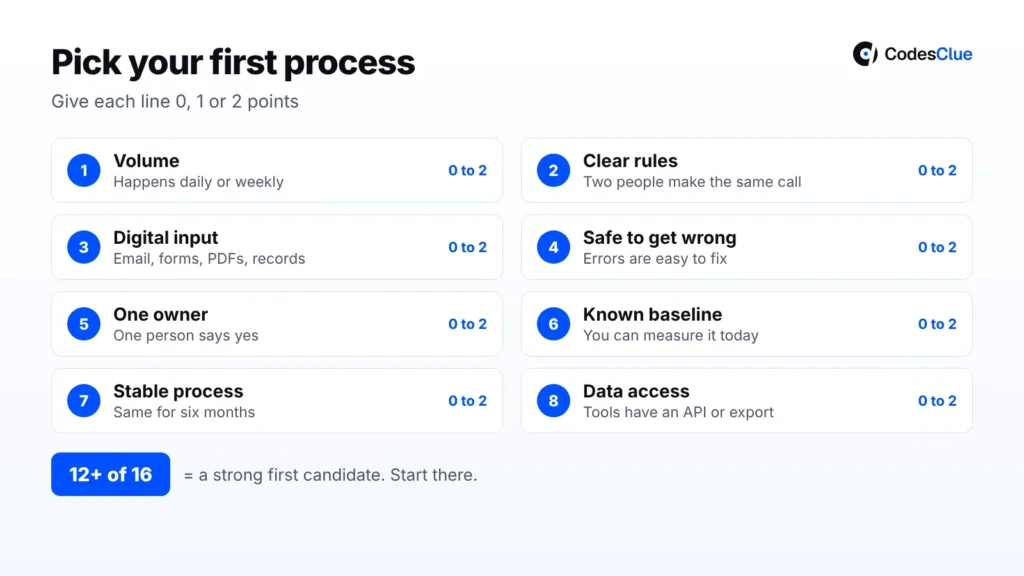
- Volume: it happens daily or many times a week.
- Clear rules: two people would make the same call most of the time.
- Digital input: the data arrives as email, forms, PDFs or system records, not paper.
- Safe to get wrong: an error is easy to spot and fix.
- One owner: a single person can say yes and judge the result.
- Known baseline: you can measure time or errors today.
- Stable process: it has not changed in the last six months.
- Data access: your tools have an API or export the automation can use.
Five steps from idea to first result
- List ten tasks. Ask each team lead for the two jobs people dislike most.
- Score them. Run each task through the checklist and keep the top three.
- Map one process on a page. Write each step, who does it and which tool holds the data.
- Build a small version. Automate the main path only. Send every odd case to a person.
- Measure for four weeks. Compare time spent and error rates with your baseline, then decide whether to grow it.
Not sure which of your processes scores highest? Book a free call with our team, bring your list, and we will score it with you.
Off-the-shelf, no-code or custom AI automation: which option fits you?
You have three ways to build.
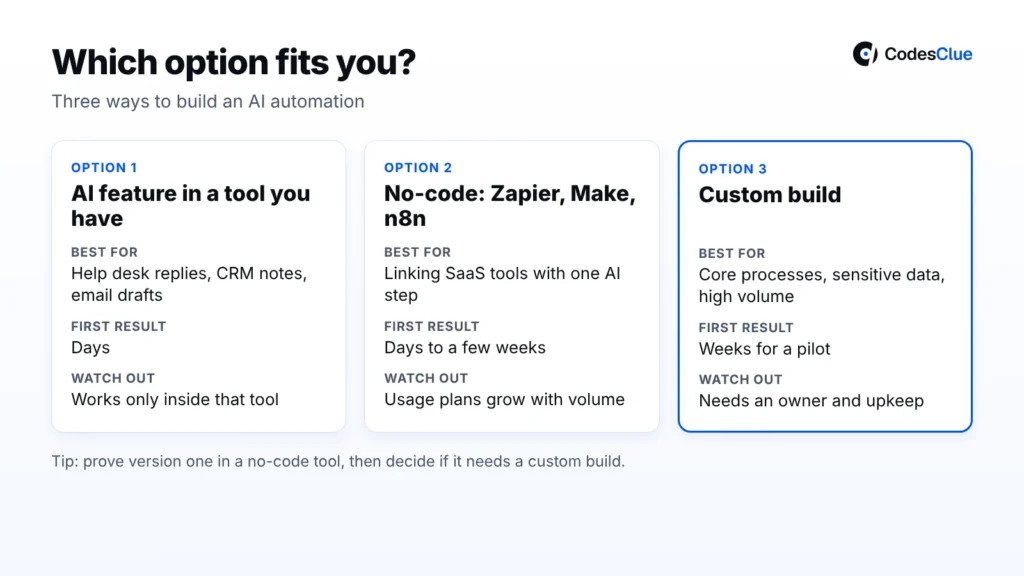
| Option | Best for | Speed to first result | Limits |
|---|---|---|---|
| AI feature in a tool you already pay for | Help desk replies, CRM notes, email drafts | Days | Works only inside that tool; little control over logic |
| No-code workflow (Zapier, Make, n8n) | Moving data between SaaS tools with one AI step | Days to a few weeks | Usage plans grow with volume; complex logic gets hard to maintain |
| Custom build | Core processes, sensitive data, high volume, your own rules | Weeks for a pilot | Higher upfront cost; needs an owner and upkeep |
Use these situations to find your row:
- Your help desk or CRM already offers an AI feature. Turn it on and test it for a month before you build anything.
- The job connects two or three SaaS tools. A no-code workflow is usually enough. n8n also has a self-hosted option if data must stay on your servers.
- The process is core to how you make money. Custom work pays off here, because you own the logic, the data and the roadmap.
- You run thousands of items a day. Check the tool plans first. Zapier counts tasks, Make counts credits, and n8n Cloud counts executions.
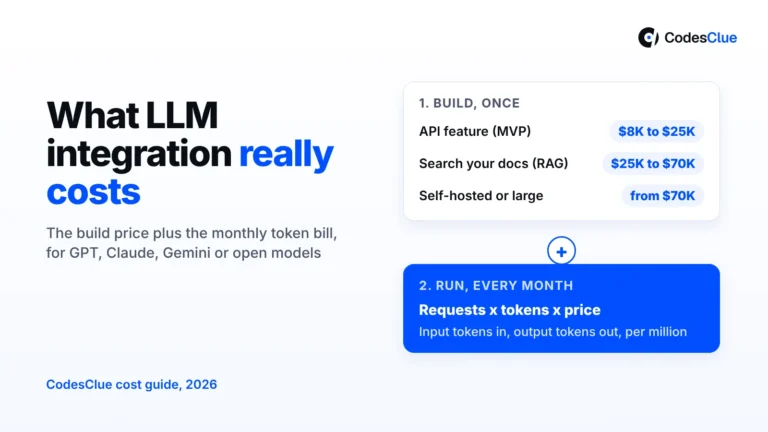
Check current plans on the official Zapier (opens in a new tab), Make (opens in a new tab) and n8n (opens in a new tab) pricing pages, since they change often. Our own project ladder for custom builds: about $8K to $25K for an MVP, $25K to $70K mid-size, and from $70K for large programs.
Our AI automation services cover custom builds linked to your ERP, CRM and cloud systems. For approvals and routing, see our workflow automation services. Screen work in older systems often suits robotic process automation. Want your own flows in n8n? You can hire n8n developers, and development starts within 48 hours.
Pro tip: Build version one in a no-code tool even if you plan to go custom. It proves the process and shows you the edge cases before you spend real money.
Common mistakes to avoid
- Automating a broken process. If people argue about how the task should work, automation will only make the mess faster.
- Starting with the hardest case. A full AI sales agent sounds great. Lead scoring ships in weeks and teaches you more.
- No human checkpoint. Letting AI send customer emails or pay invoices on day one invites expensive errors.
- No baseline. Without today’s numbers, nobody can say if the automation helped.
- Skipping error alerts. Flows fail quietly when a password or an API changes. Set alerts so someone hears about it.
- Too many tools. Twenty small flows across four platforms are hard to own. Keep a list of every flow and its owner.
When not to automate
We would not automate a process in these cases, even if the tech can do it:
- It happens a few times a month. The build and upkeep take longer than the work itself.
- Each case needs real judgment. Contract talks, complaints about safety or a hard HR case need a person.
- The data is poor. If your CRM is half empty, AI will make confident guesses from bad facts.
- Nobody will own it. Every automation needs someone who checks it, fixes it and says when to retire it.
- Rules or contracts forbid it. Some health, finance and hiring decisions need a named person to decide.
Thinking about AI agents that plan and act on their own? Read how to build custom AI agents for enterprise workflows first. For budgets, see our breakdown of AI agent development cost.
FAQs
What is the easiest AI automation to start with?
Ticket triage and lead scoring are usually the easiest. Both run often, follow clear rules and do little harm when they get one wrong. You can build a first version in a no-code tool within days. After a month of reliable results, move on to reply drafts, which need closer review.
How long does a custom AI automation project take?
A focused pilot for one process often takes a few weeks. That covers mapping the process, connecting your systems, building the main path and testing it with real data. Larger programs that span several teams run in phases over several months. Data quality and the number of systems involved move the timeline more than the AI part does.
Is Zapier, Make or n8n better for AI workflow automation?
It depends on your team and your data. Zapier is the simplest for non-technical users and has a very large app list. Make gives more visual control over complex branches. n8n suits technical teams and offers self-hosting, which helps when data must stay on your own servers. Try your top process in two of them before you commit.
Will AI automation replace jobs on my team?
In most small and mid-size companies, it removes tasks rather than roles. People stop retyping data or sorting tickets and spend that time on calls, problem cases and planning. Be open with your team from the start. Ask them which tasks they want gone, because they know the edge cases and will help the automation work.
How do we keep data safe in AI business automation?
Send the AI model only the fields it needs, not whole records. Check where each tool stores and processes data, and whether it trains on your inputs. Use role-based access, keep logs of what the automation did, and mask personal data where you can. For health or payment data, choose tools and hosting that meet your compliance rules.
How do we measure if an automation worked?
Measure the same numbers before and after: time per task, number of tasks handled, error rate and how often a person had to step in. Track them for at least four weeks, because the first days are rarely typical. If the numbers have not moved after a month, fix the process or switch the automation off.
Start with one of these AI automation examples
The best AI automation examples are small, frequent and easy to check. Pick one from the table, score it and build a small version first. Want a second opinion on where to start, or whether a no-code tool is enough? Talk to our team, and we will send a written estimate within 24 hours of the scoping call.