

Choosing the wrong eCommerce platform slows your site down, inflates your costs, and forces an expensive migration later. Since global online retail will hit $6.8 trillion by 2028, your platform choice shapes far more than your storefront; it drives your SEO, security, checkout experience, integrations, and ability to scale.
This guide compares Shopify, WooCommerce, and custom development across the factors that matter most, so you can pick the right platform for where your business is heading, not just where it stands today.
Why Your Platform Choice Matters More Than Ever
Buying decisions used to hinge on features and pricing. Today, they hinge on adaptability. Mobile already drives most online shopping mCommerce will account for 63% of global eCommerce transactions by 2028, and customer expectations evolve faster than most businesses can rebuild their stores.
A few shifts are raising the stakes:
- Customers compare you to everyone, not just competitors. They expect instant load times, frictionless checkout, and personalized recommendations regardless of what you sell.
- AI now touches everyday commerce. Businesses use it to automate merchandising, personalize recommendations, forecast inventory, and power support, so your platform needs strong APIs to keep up.
- Sales happen everywhere, not just on your website. Customers discover products through search, social, marketplaces, and email, which means your platform must sync inventory, pricing, and customer data across channels.
- Speed now drives revenue. Faster sites boost engagement, strengthen SEO, and lift conversions, and they should keep performing as traffic grows, without constant tuning.
- Flexibility protects your ROI. Every business eventually adds subscriptions, international sales, B2B pricing, or new storefronts. The right platform absorbs these changes instead of forcing a rebuild.
Quick Comparison at a Glance
| Feature | Shopify | WooCommerce | Custom Development |
| Setup time | 1–3 days | 1–2 weeks | 2–6 months |
| Initial cost | Low | Low–Medium | High |
| Monthly cost | Subscription | Hosting + plugins | Maintenance only |
| Ease of use | Excellent | Moderate | Depends on build |
| Design flexibility | Good | Excellent | Unlimited |
| Custom features | Limited without apps | High | Unlimited |
| SEO | Strong | Excellent | Fully customizable |
| Performance | Optimized hosting | Depends on hosting | Optimized for your needs |
| Security | Shopify-managed | Your responsibility | Fully customizable |
| Scalability | Excellent | Good | Enterprise-grade |
| Ownership | Platform-controlled | Full ownership | Complete ownership |
| Best for | Startups, D2C, SMBs | SEO-focused, content-driven stores | Enterprises, marketplaces, B2B |
Fast recommendations:
- Launch quickly → Shopify
- Build an SEO-first store or keep full ownership → WooCommerce
- Build unique customer journeys, a marketplace, or complex B2B workflows → Custom Development
- Scale globally → Shopify or Custom
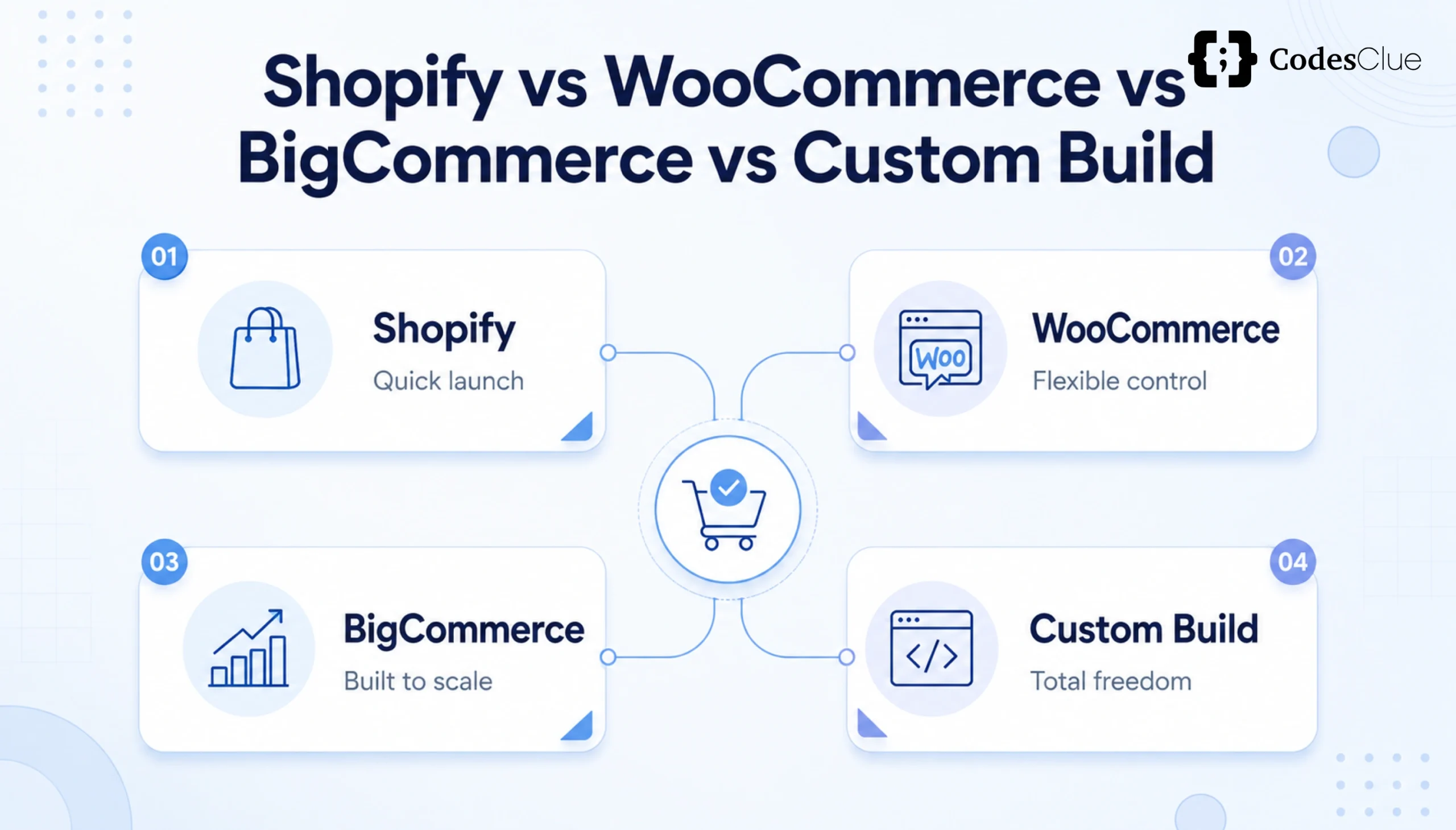
No platform wins every category: Shopify delivers speed and simplicity, WooCommerce offers flexibility and ownership, and custom development gives you complete control and enterprise-grade scalability. Your budget, growth plans, and technical resources should decide the winner, not popularity.
Platform Overviews
Shopify: Launch Fast, Manage Less
Shopify is a fully hosted platform that lets you launch, manage, and grow a store without touching servers. You pick a theme, add products, and start selling while Shopify handles hosting, security, and updates.
Key features: drag-and-drop store builder, built-in payment processing, thousands of apps, AI tools (Shopify Magic and Sidekick), built-in POS, multi-channel selling, and automatic updates.
Choose Shopify if you want to launch fast, avoid technical maintenance, sell across multiple channels, or run a lean team without in-house infrastructure management.
WooCommerce: Full Ownership, Full Flexibility
WooCommerce is an open-source plugin that turns WordPress into a fully customizable store. You choose your own hosting, install WordPress and WooCommerce, and control every element of your site. Unlike Shopify, you own the platform outright.
Key features: unlimited customization, thousands of plugins, flexible hosting, strong blogging tools, full data ownership, and extensive API support.
Choose WooCommerce if you want an SEO-first store, publish content regularly, want to control every part of your site, or want to cut recurring platform fees.
Custom Development: Built Around Your Business
A custom platform gets built from scratch around your workflows and customer journeys; you don’t adapt your business to the platform; the platform adapts to you. It demands a higher upfront investment but delivers unmatched flexibility, scalability, and ownership.
Key features: API-first architecture, headless commerce support, enterprise-grade integrations, AI-ready infrastructure, advanced security controls, and full ownership of code and data.
Choose custom development if you need enterprise scalability, complex B2B workflows, marketplace functionality, custom checkout flows, or long-term flexibility that off-the-shelf platforms can’t offer.
Feature-by-Feature Comparison
Setup and Launch Time
Shopify gets you live in 1–3 days with minimal technical skill. WooCommerce takes 1–2 weeks since you configure hosting, WordPress, and plugins yourself. Custom development takes 2–6 months because your team builds every feature around your business.
Winner: Shopify
Design Flexibility
Shopify offers professionally designed themes with moderate customization. WooCommerce gives you far more freedom through WordPress themes and custom code. Custom development removes all design restrictions.
Winner: Custom Development
Cost and Total Ownership
Don’t compare monthly fees alone; calculate your Total Cost of Ownership (TCO) over 3–5 years, including hosting, apps, plugins, and maintenance.
- Shopify includes hosting and maintenance in its subscription, but businesses often add paid apps as they grow.
- WooCommerce keeps upfront costs low, but you’ll likely invest in premium plugins and managed hosting.
- Custom development costs more upfront but reduces long-term dependency on recurring app subscriptions.
SEO Capabilities
Shopify ships with strong built-in SEO features. WooCommerce gives you deeper control through WordPress and SEO plugins, making it the strongest choice for content-heavy sites. Custom development lets your developers optimize every technical SEO element.
Winner: WooCommerce for content-driven sites and Custom for enterprise SEO strategies
Performance
Shopify includes built-in CDN, caching, and managed servers that absorb traffic spikes automatically. WooCommerce’s performance depends entirely on your hosting provider; a strong host delivers excellent speed, while a weak one creates slow pages and checkout delays. Custom development lets your team optimize database queries, server architecture, caching, and CDN delivery from the ground up.
Winner: Custom Development
Security
Shopify manages SSL, PCI DSS compliance, updates, and fraud monitoring for you, which minimizes your workload.
WooCommerce gives you more control but also more responsibility: you install security plugins, configure backups, and monitor vulnerabilities yourself (a managed WordPress host simplifies this). Custom development lets you build security exactly around your business: multi-factor authentication, custom encryption, enterprise firewalls, and compliance workflows.
Winner: Shopify for simplicity; Custom Development for enterprise-grade security
Customization
Shopify supports many integrations through its App Store, but complex workflows often require multiple paid apps. WooCommerce lets developers customize checkout, product pages, shipping logic, and customer dashboards through thousands of plugins. Custom development removes platform restrictions entirely, supporting multi-vendor marketplaces, subscription engines, dynamic pricing, and AI-powered recommendations.
Winner: Custom Development
Scalability
Shopify scales well for most growing businesses, with strong multi-currency and international support. WooCommerce also scales well, but success depends on hosting quality and ongoing optimization. Custom development scales without platform limits; you control infrastructure, database architecture, and global deployment.
Winner: Custom Development
Which Platform Fits Your Business?
Startups and Small Businesses
Choose Shopify if you want to launch within days, have limited technical knowledge, and prefer predictable monthly costs. Choose WooCommerce if you want full ownership, plan to invest in SEO and content, or already run on WordPress. Reserve custom development for cases where standard platforms limit your growth.
Growing Mid-Sized Businesses
As you add products, customers, and integrations, look for CRM connectivity, ERP integration, and marketing automation. Shopify suits fast-growing D2C brands, WooCommerce suits SEO-driven businesses, and custom development suits businesses with unique workflows.
Enterprise and B2B Businesses
Enterprises need a connected commerce ecosystem with high-volume order processing, multi-store management, enterprise security, and API-first architecture. B2B sellers need customer-specific pricing, bulk ordering, approval workflows, and ERP integration that off-the-shelf apps struggle to support well.
Best choice: Custom Development
Marketplace Businesses
Marketplaces need vendor onboarding, commission management, individual vendor dashboards, and order splitting requirements that grow quickly beyond what plugins can handle.
Best choice: Custom Development
How to Choose the Right Platform
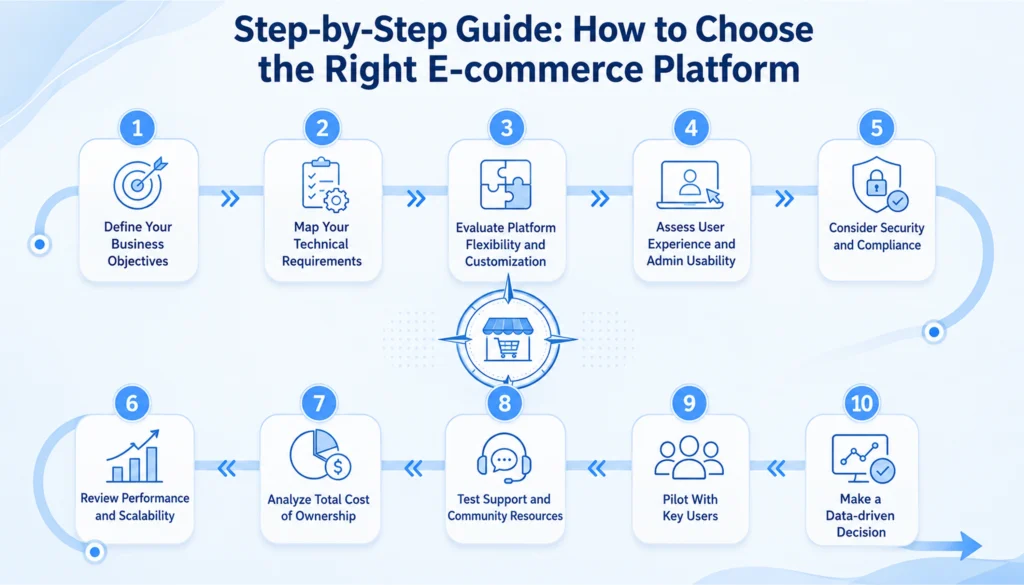
- Calculate Total Cost of Ownership, not just monthly fees; include hosting, apps, plugins, development, and maintenance.
- Plan for future growth, not just current needs: more products, more traffic, and international expansion.
- Check integration capabilities with your ERP, CRM, accounting, payment, and shipping tools.
- Evaluate customization needs if you need subscriptions, B2B workflows, or marketplaces; custom development often beats stacking plugins.
- Think global from day one: multi-currency, multi-language, and regional tax and shipping support.
- Match the platform to your team’s technical skill. Shopify is easiest to manage; WooCommerce and custom development need more expertise.
- Compare long-term ROI, factoring in maintenance, automation, and revenue potential.
eCommerce Platform Trends to Watch in 2026
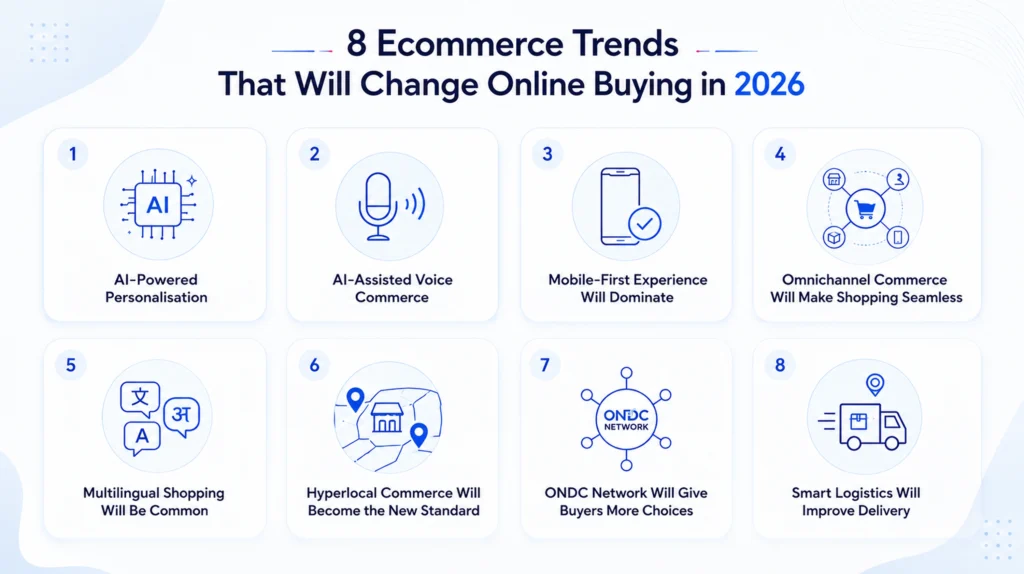
- AI-powered commerce: product recommendations, intelligent search, automated support, and dynamic pricing all now run on AI. Pick a platform that adds these without a rebuild.
- Headless commerce: separates your frontend from backend for faster performance and highly customized experiences across web and mobile.
- Composable commerce: businesses build their stack from best-of-breed tools using MACH architecture (Microservices, API-first, Cloud-native, Headless) instead of one all-in-one platform.
- Omnichannel commerce: your platform should sync inventory, pricing, and customer experience across marketplaces, social commerce, apps, and physical retail.
- Voice and visual search: AI-powered voice assistants and image search are changing how customers discover products.
- Subscription commerce: recurring billing, self-service portals, and automated renewals are becoming standard requirements across industries.
Common Mistakes to Avoid
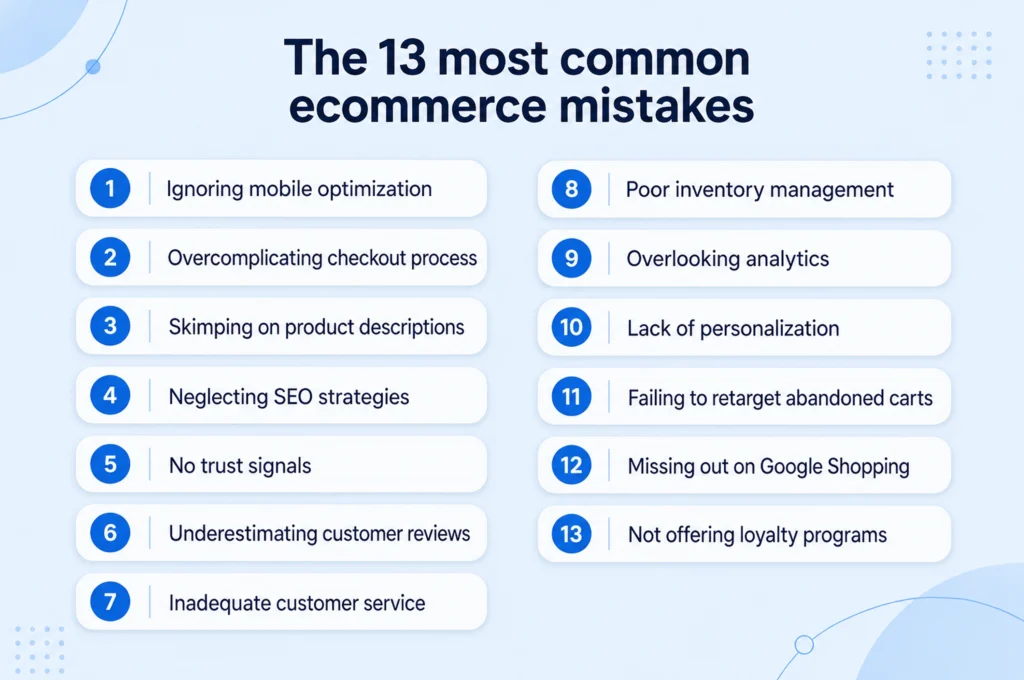
- Choosing a platform on price alone
- Ignoring long-term scalability
- Underestimating migration costs
- Overloading your store with plugins or apps
- Overlooking SEO and Core Web Vitals
- Skipping security planning
- Forgetting future integrations
- Following trends instead of business goals
Final Verdict
Each platform solves a different problem, so match your choice to your goals, not to popularity:
- Choose Shopify for speed, simplicity, and low maintenance.
- Choose WooCommerce for SEO strength, flexibility, and full ownership.
- Choose Custom Development for advanced workflows, enterprise integrations, and unlimited scalability.
The best platform isn’t the one with the most features; it’s the one that supports your business today and for the next five years.