Webflow vs WordPress vs Custom Website: Which Should Your Business Choose in 2026?
Webflow vs WordPress vs a custom build, compared on 3-year cost, ownership, SEO and upkeep, with a table to pick the right option for your business.
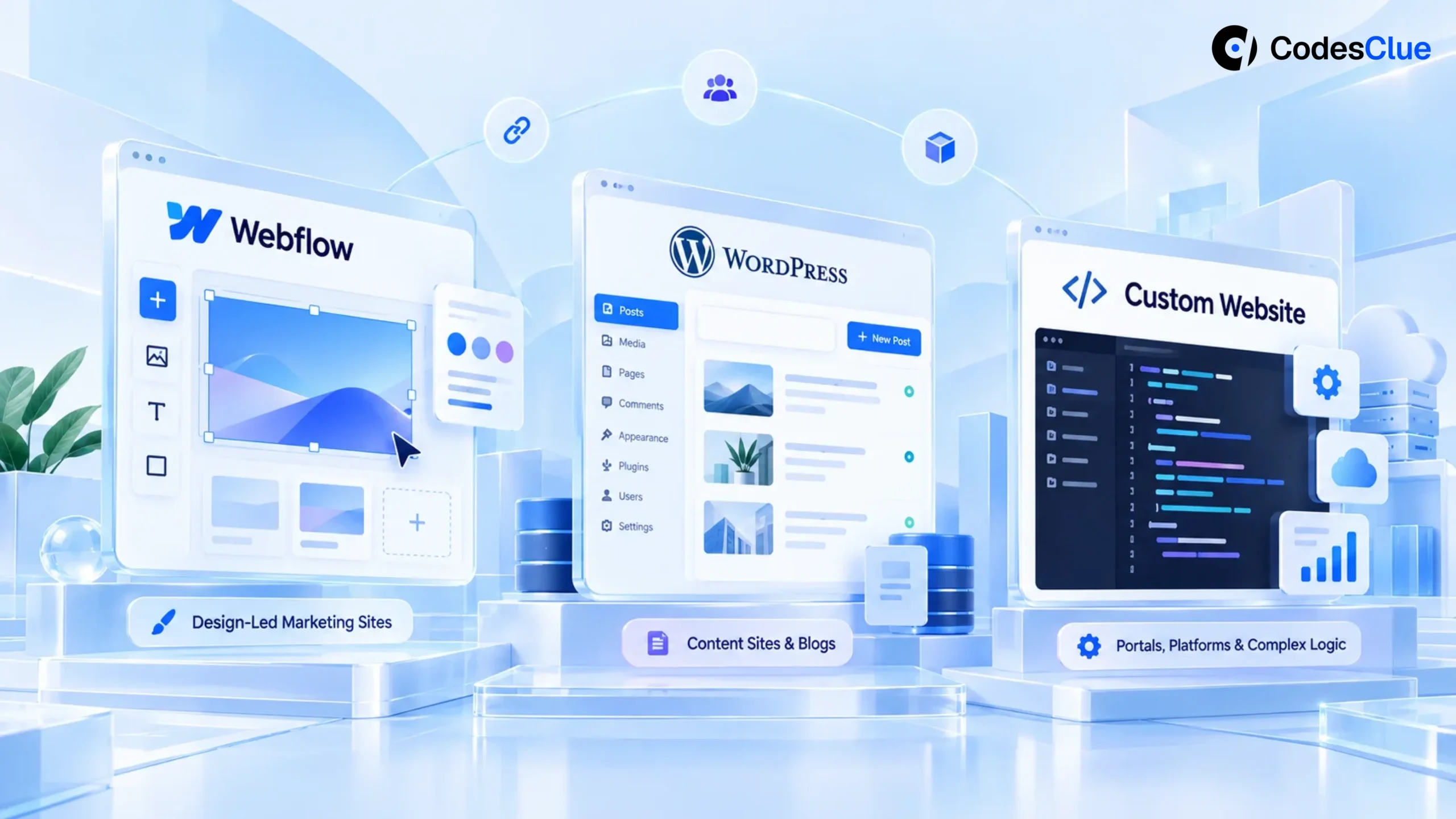
Your website looks dated, and your team can’t agree on what to rebuild it with. The designer wants Webflow, the marketing lead knows WordPress, and a developer says to build from scratch.
Whatever you pick will shape your costs, how your team edits the site and how easily you can leave, for years. This guide compares Webflow vs WordPress vs a custom build in plain terms, so you can pick the one your team can run.
Key takeaways
- Webflow suits design-led marketing sites with a few editors who want hosting and security handled for them.
- WordPress suits content-heavy sites, many editors and teams that want full ownership of code and data.
- A custom build only pays off when the site does real work: logins, portals, pricing logic or deep integrations.
- Compare costs over three years, not one month. Seats, plugins, upkeep and the rebuild cost of leaving add up.
- Whatever you pick, plan redirects for every old address before launch, or you risk losing your Google rankings.
Webflow vs WordPress vs custom: the short answer
Choose Webflow if a small team wants a polished marketing site without managing servers. Choose WordPress if you publish a lot, need many editors or want to own every file. Choose a custom build only when your website is part of the product. That means user accounts, dashboards or business rules a site builder can’t handle well.
The platforms are not equal in reach. W3Techs reports that WordPress runs 39.5% of all websites and Webflow 0.8%, as of October 2026 (W3Techs usage data (opens in a new tab)). That gap matters when you hire help later. Far more developers, plugins and agencies know WordPress.
How the three options differ
Start with how each option works day to day. The table below sets them side by side.
| Question | Webflow | WordPress | Custom build |
|---|---|---|---|
| Who hosts it? | Webflow, included in the plan | You choose a host | Your pick of cloud or host |
| Who handles updates and security? | Webflow | You, your host or a care plan | Your developer |
| How do editors work? | Visual editor, paid seats | Block editor, unlimited users | Whatever admin you build |
| Design freedom | High, with a learning curve | High with a custom theme | Total |
| Extensions | Smaller app marketplace | Thousands of plugins | Anything you build or connect |
| Can you take it with you? | Partly (see below) | Yes, files and database | Yes, if the contract says you own the code |
| Best for | Design-led marketing sites | Content sites, blogs, many editors | Portals, platforms, complex logic |
One note: by “WordPress” we mean the free, self-hosted software from WordPress.org. WordPress.com is a separate hosted service with its own plans.
What each option costs over three years
Most comparisons quote one monthly fee. That hides the real bill. Look at three years, because that is roughly how long a business website lives before its next redesign.
Webflow lists its Premium site plan at $25 a month, billed yearly. A limited editor seat costs $15 a month (Webflow pricing (opens in a new tab)). Here is a worked example for one site and one content editor:
| Item (example only) | Per month | Over 3 years |
|---|---|---|
| Premium site plan | $25 | $900 |
| One limited editor seat | $15 | $540 |
| Platform fees before design and build | $40 | $1,440 |
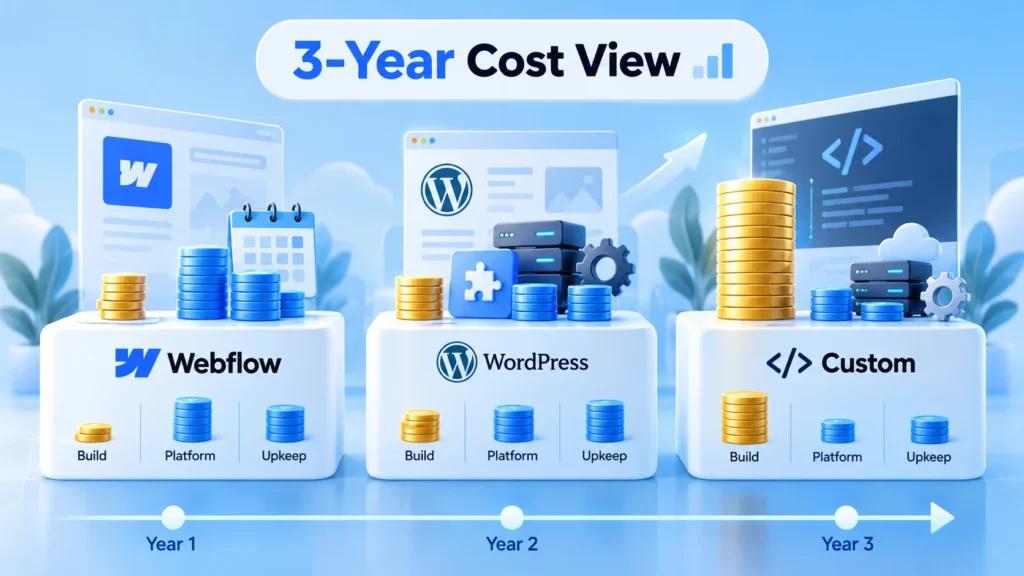
Add a full seat for a designer and the fees rise again. Ecommerce plans cost more and add item limits.
WordPress software is free, but the site is not. You pay for hosting, any premium plugins and someone to run updates and backups. Ask two hosts for a three-year quote and decide who owns the update work before you compare.
A custom website development project has the highest first cost and the lowest platform fees. You pay for the build, then for cloud hosting and a developer to keep it current.
At CodesClue, a custom web application at MVP size runs about $8K to $25K, and mid-size platforms run $25K to $70K. Our web application development cost guide breaks that down.
Pro tip: Put one more line in your three-year sheet: the cost of leaving. If you outgrow the platform, what would a rebuild cost? That number often decides the choice.
Who owns the site, and can you leave?
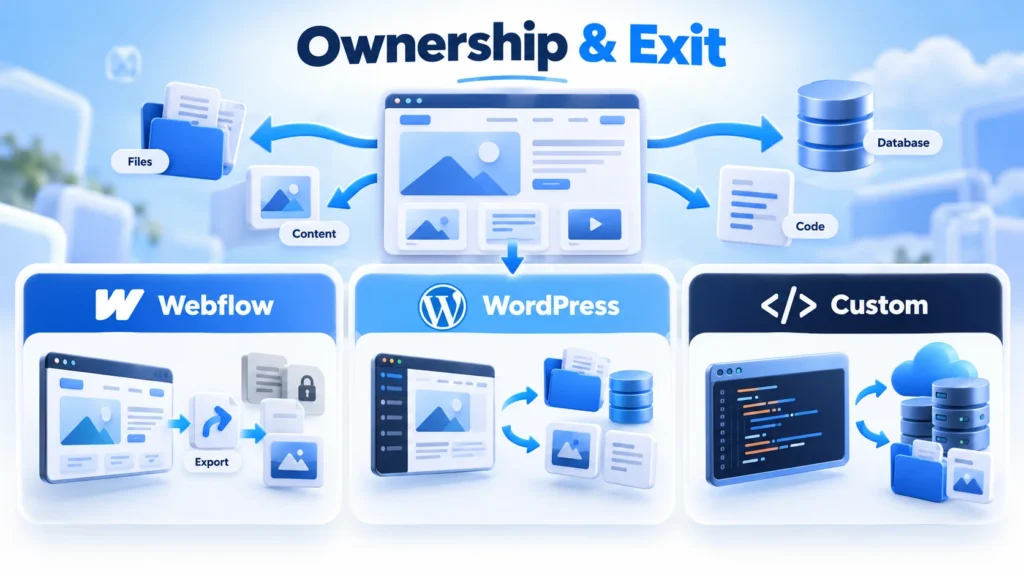
This is the question most guides skip. With WordPress, you can move your files and database to any host in an afternoon. With a custom build, you own the code if your contract says so in writing.
Webflow is different. Its own documentation says paid plans can export HTML, CSS, JavaScript and images.
The same page says CMS and ecommerce content does not export. Site search and forms also stop working on an exported site (Webflow code export guide (opens in a new tab)). Your blog posts can come out as a CSV file, but someone has to rebuild the templates elsewhere.
None of this makes Webflow a bad choice. It means you should treat a move away from Webflow as a rebuild, and budget for it if you expect to grow fast.
WordPress vs Webflow for SEO, speed and content teams
Both platforms let you set titles, descriptions, clean addresses and redirects. Google does not rank a site higher because of the tool behind it. What matters is page speed, clear structure and useful content.
Speed depends more on the build than the brand. A WordPress site with a heavy page builder and twenty plugins will feel slow. A lean custom WordPress theme can be very fast. Webflow sites start fast because hosting and image delivery come built in.
Content teams often prefer WordPress. It handles thousands of posts, many authors, editorial roles and scheduled publishing without extra seat fees. Webflow’s Premium plan caps the CMS at 20,000 items, which is plenty for most marketing sites.
Pro tip: Count your editors before you count features. A team of six people who publish weekly feels seat pricing and editing limits far more than a team of one.
When a custom website is worth it, and when it is not
A custom build pays off when your website is part of how you deliver the service. Think customer portals, booking with your own rules, quote calculators, member areas or live data from your other systems.
Subjects Master is a good example. It is a game-based study platform for teachers, schools and homeschool families, built on React.js and MongoDB, with a teacher portal and an admin CMS.
CodesClue took over the live platform and made it faster. No site builder would run that well, because the website is the product. You can read how we approached it in the Subjects Master case study.
We would not build custom code for a ten-page company site with a blog. You would pay more, wait longer and still need a developer for every small change. In that case, WordPress with a well-built theme or Webflow gives you more for less.
What we see in real projects
Most of the website projects we get are not about the platform at all. A founder asks for Webflow vs WordPress advice. Then the real issue turns out to be slow pages, unclear service copy or a contact form nobody tests.
Three patterns come up again and again:
- The page builder slows the site. Sites built with a heavy visual builder carry code on every page. A lean theme on the same WordPress install is often enough.
- Nobody owns the upkeep. The agency that built the site has moved on, and plugin updates stopped a year ago. Pick the platform your team can keep current.
- The site grew into an app. Someone bolted a client portal or a booking flow onto a marketing theme. At that point a small custom web app beside the site works better than more plugins.
So before you compare WordPress vs Webflow, write down what is wrong with the current site. The fix may be a redesign, not a new platform.
Which option fits you?
Find the row that sounds most like your business today.
| Your situation | Best fit | Why |
|---|---|---|
| Small team, design matters most, few pages, no developer | Webflow | Visual control, hosting and security handled |
| You publish weekly and have many authors | WordPress | Editorial roles, no seat fees, huge plugin choice |
| You need a store with complex products | WordPress with WooCommerce, or a dedicated store platform | More control over catalog and checkout. Our Shopify vs WooCommerce vs custom comparison goes deeper |
| Customers log in, book, pay or track work on your site | Custom build | Your rules, your data, room to grow |
| You want to own everything and switch vendors freely | WordPress or custom | Full export of files and data |
| You already run a good site and only need a refresh | Stay on your platform | A redesign costs less than a move |
Still unsure which row is yours? Tell us what your site needs to do. We will tell you which option fits, even if it is not one we build.
How to choose in five steps
- List what the site must do. Write down every job, from “show our services” to “let clients download invoices.”
- Count your editors and how often they publish. This decides seat costs and which editor fits.
- Price three years for each option. Include platform fees, hosting, plugins, upkeep and the cost of leaving.
- Check who will maintain it. Name a person or a partner for updates, backups and fixes before you sign.
- Test the editor with real content. Ask your marketer to build one real page on a trial before you commit.
Pro tip: Run your current site through a free website health check first. It shows whether speed, structure or content is the real problem, and a platform change may not fix any of them.
Switching platforms without losing Google rankings
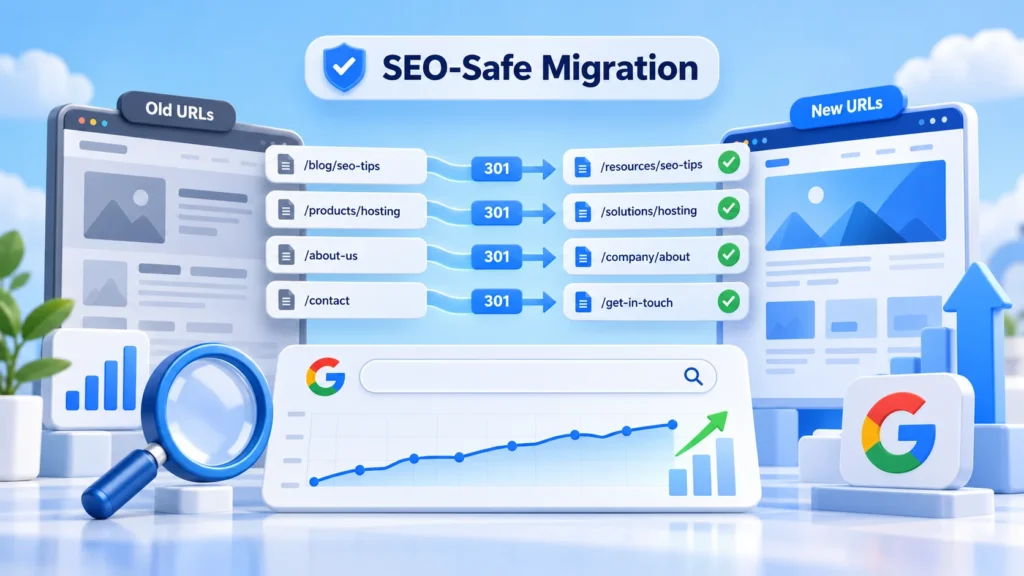
Moving from one platform to another is where most businesses lose traffic. Every old address that Google knows must land on its new page in one step. We moved our own site from a page builder to a custom WordPress theme in 2026. The redirect map took more care than the design.
Use this checklist before launch day:
- Export every URL from your sitemap and from Google Search Console, not only the menu pages.
- Map each old address to the closest new page. Never send them all to the home page.
- Keep page titles, descriptions and headings unless you have a reason to change them.
- Move images with their alt text and keep file sizes small.
- Test forms, tracking and thank-you pages on the new site before you switch.
- After launch, check Search Console daily for pages that end on an error.
If you would rather not do this alone, our website migration services and website redesign services cover the full move, redirects included.
Common mistakes to avoid
- Choosing on the first monthly fee. The lowest plan in month one is rarely the lowest bill in year three.
- Letting one person decide alone. The designer, the marketer and whoever pays the bills all need a say.
- Stacking plugins on WordPress. Each plugin adds updates, risk and weight. Keep only what you use.
- Building custom code for a brochure site. You pay for flexibility you never use.
- Forgetting the exit. Ask how you would leave before you join any platform.
- Launching without redirects. Old links break, and rankings you earned over years can drop in weeks.
Webflow vs WordPress: our verdict and your next step
There is no single winner in Webflow vs WordPress. Webflow wins for small, design-led teams. WordPress wins for content and ownership. A custom build wins only when your website runs part of your business.
CodesClue builds custom WordPress themes, corporate websites, Webflow sites and custom web applications.
We are AI-first, work in short Agile sprints and take ideas from proof of concept to MVP to production. Our engineering team is based in Ahmedabad, with offices in India, the USA and Germany. Book a free call, share your current site, and get a clear recommendation with a written estimate.
FAQs
Can I move my site from Webflow to WordPress later?
Yes, but plan it as a rebuild. Webflow exports page code and lets you download CMS items as CSV files, yet forms, site search and CMS templates do not carry over in working form. You rebuild the theme in WordPress, import the content, then redirect every old address to its new page so Google keeps your rankings.
Is Webflow or WordPress better for a B2B company site?
It depends on who edits the site. A small marketing team with a strong designer often moves faster in Webflow. A company that publishes guides weekly, has several authors or needs integrations with a CRM usually does better on WordPress. Count editors and publishing frequency first, then decide.
How long does a custom website take to build?
A marketing website on WordPress with a custom theme usually takes a few weeks once content is ready. A custom web application with logins, dashboards or payments takes longer, because each feature needs design, building and testing. Ask for a written plan with milestones, so you can see what ships in each sprint.
Do I need a developer to run a WordPress site?
Not for daily editing. Your team can add pages and posts in the block editor. You do need someone for updates, backups, security checks and fixes when a plugin breaks. That can be your host’s managed plan, an in-house person or a support partner, but name who it is before launch.