

Your products may be excellent. Your marketing may drive thousands of visitors. Yet, your sales can still fall short.
The numbers tell the story. According to the Baymard Institute, 70.19% of online shopping carts are abandoned before purchase. Another 18% of shoppers leave because the checkout process feels too long or complex. These aren’t traffic problems. They are user experience (UX) problems.
If your store attracts visitors but struggles to convert them, your design needs attention. Strong UX helps shoppers find products faster, make confident buying decisions, and complete purchases with less friction.
This guide covers the eCommerce website design best practices that improve conversions and reduce cart abandonment. You’ll also discover practical tips for homepage design, checkout optimization, real-world examples, and the latest UX trends shaping online stores in 2026.
Why UX Is the Foundation of a High-Converting eCommerce Store?
Great UX drives business growth, not just better design.
Baymard Institute further revealed that 64% of desktop and 63% of mobile checkout experiences still rate as mediocre or poor. Small UX issues continue to cost businesses valuable conversions.
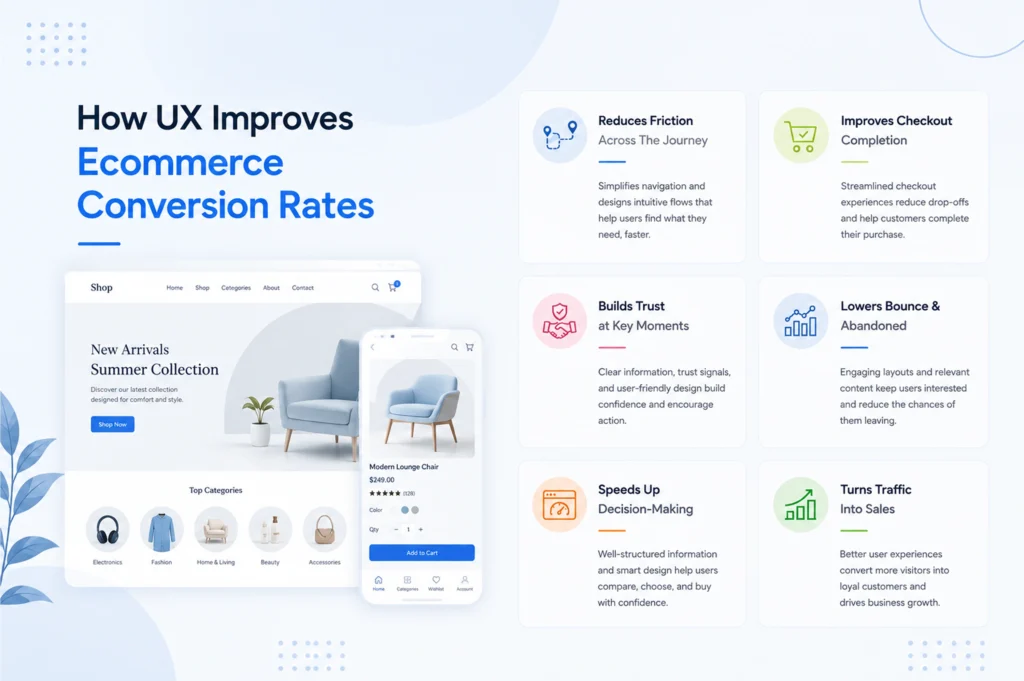
Strong UX removes those barriers. It helps shoppers navigate faster, compare products with confidence, and complete purchases without frustration. Clear navigation, fast-loading pages, transparent pricing, and a simple checkout create a smoother buying journey from start to finish.
A better user experience helps you:
- Increase conversions by reducing friction
- Lower bounce rates with faster page loads
- Boost average order value through smarter recommendations
- Build trust with clear policies and consistent design
- Increase repeat purchases with personalized experiences
In 2026, successful eCommerce brands don’t focus only on attractive websites. They build shopping experiences that help customers find, trust, and buy products faster.
How to Design an eCommerce Website That Converts?
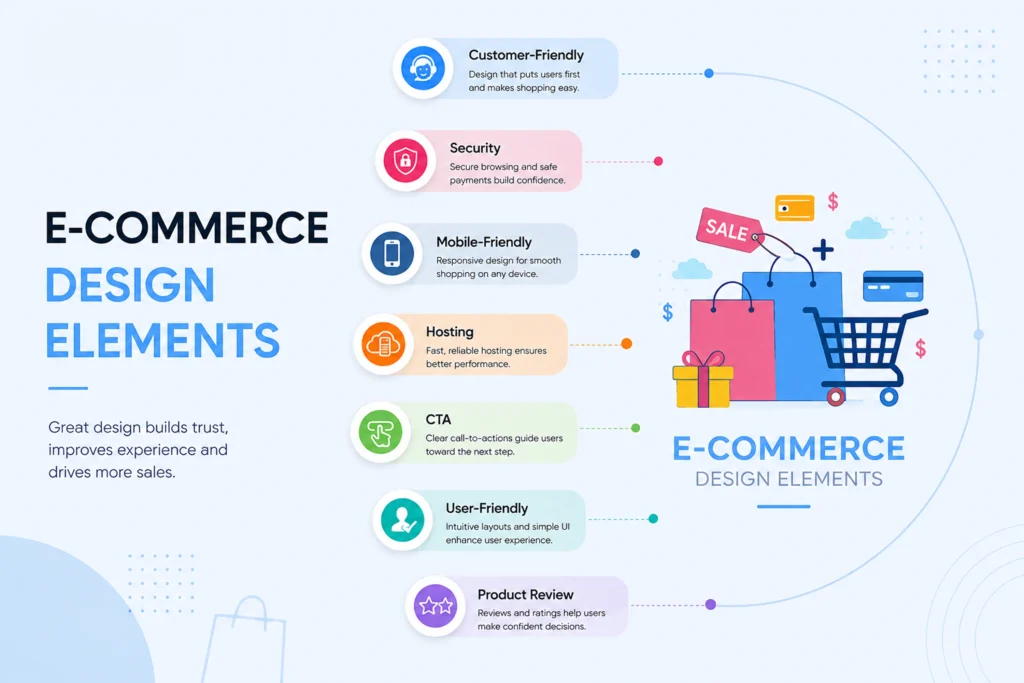
Creating a visually appealing store isn’t enough. Your website should guide every visitor toward a purchase with as little friction as possible.
The best eCommerce websites don’t rely on flashy animations or complex layouts. They remove obstacles at every step of the buying journey.
If you are wondering how to design an eCommerce website that converts, start with the customer journey.
Design Around the Customer Journey
Every visitor follows a similar path:
- Discover your brand.
- Search or browse products.
- Compare options.
- Add products to the cart.
- Complete the purchase.
- Return for future orders.
Each page should help shoppers move to the next step without confusion.
Ask yourself:
- Can visitors find products within seconds?
- Do product pages answer common buying questions?
- Is checkout quick and intuitive?
- Can customers complete purchases on mobile without zooming or extra clicks?
If the answer is “no” to any of these, your UX needs improvement.
Build UX Into Development From Day One
Many companies treat UX as the final design layer. That’s a costly mistake.
Strong UX begins during development. Developers should build websites with:
- Responsive layouts
- Component-based UI
- Clean information architecture
- Fast frontend performance
- Accessible interfaces
- Scalable code
- SEO-friendly structure
These technical decisions directly influence customer experience.
A responsive layout keeps content readable across devices. Optimized images reduce loading time.
Reusable UI components create consistency across every page. Clean code improves performance and simplifies future updates.
Hence, good development doesn’t just support UX; it enables it.
Keep Every Interaction Simple
Modern shoppers don’t want to learn how your website works. They expect it to feel familiar from the first click.
Focus on:
- Clear navigation
- Consistent layouts
- Easy-to-read typography
- Obvious call-to-action buttons
- Fast-loading pages
- Mobile-friendly interactions
Every unnecessary click increases the chance of abandonment.
10 eCommerce Website Design Best Practices That Boost Sales
Great design removes friction at every step. These eCommerce website design best practices help shoppers find products faster, build trust, and complete more purchases.
1. Mobile-First Development
Design for mobile first. Most shoppers browse and buy on their phones. Build the smallest screen experience first, then expand for larger devices.
Focus on:
- Large tap targets
- Thumb-friendly navigation
- Sticky Add to Cart buttons
- Responsive layouts
- Fast-loading images
- One-page checkout
- Mobile wallets like Apple Pay and Google Pay
Developers should build responsive layouts instead of shrinking desktop pages. Mobile-first CSS, flexible grids, adaptive images, and touch-friendly components create faster experiences across every screen size.
2. Site Speed Optimization
Speed directly affects conversions. Slow pages increase bounce rates and reduce completed purchases.
Optimize for:
- Core Web Vitals
- Compressed images
- WebP or AVIF formats
- Lazy loading
- Critical CSS
- JavaScript code splitting
- CDN delivery
- Browser caching
Speed starts in development. Compress images, serve next-generation formats like WebP or AVIF, eliminate render-blocking resources, split JavaScript bundles, and use server-side rendering where appropriate. These decisions improve Core Web Vitals and reduce bounce rates.
3. Product Page Layouts
Build product pages that answer buying questions immediately.
Recommended high-converting product page layout:
- Breadcrumb navigation
- Product images or video
- Product name
- Price
- Ratings and reviews
- Primary CTA
- Key benefits
- Variants and specifications
- Shipping and returns
- FAQs
- Related products
Why does this hierarchy work? It is due to:
- Sticky Add-to-Cart
- Dynamic pricing
- Variant selection
- Inventory status
- Personalized recommendations
This is what development teams actually implement.
4. Design CTAs That Drive Action
Make the next action obvious. Every page should guide shoppers toward a single primary goal.
Good CTA principles:
- Above the fold
- High contrast
- Action-oriented copy
- Sticky Add to Cart
- Repeat CTAs on long pages
Use:
- Buy Now
- Add to Cart
- Start Checkout
- Get Your Quote
- Customize Your Product
Developers should ensure buttons remain accessible across devices.
5. Homepage UX
Guide visitors to products within seconds. Your homepage should explain what you sell and where shoppers should go next. Hierarchy matters.
Check how it should go:
Hero Banner
↓
Search
↓
Categories
↓
Featured Products
↓
Promotions
↓
Social Proof
↓
Trust Badges
↓
Newsletter
Use modular homepage sections so marketing teams can update campaigns without code changes.
6. Checkout UX
Remove friction from checkout. The easier the checkout, the more purchases you’ll complete.
Your development considerations should include:
- API payment integration
- Address autocomplete
- Error validation
- Inline validation
- PCI-compliant payments
- Session persistence
- Auto-save cart
These are implementation decisions, not just UX advice for prioritizing:
- Guest checkout
- Progress indicators
- Minimal form fields
- Address autocomplete
- Real-time validation
- Multiple payment options
- Apple Pay and Google Pay
- Buy Now, Pay Later
- Transparent shipping costs
- Automatic cart saving
7. Development Framework Section
Modern ecommerce experiences rely on frameworks like:
- React
- Next.js
- Vue
- Angular
- Shopify Hydrogen
These technologies support:
- Faster rendering
- Better SEO
- Component reuse
- Headless commerce
- Better performance
This naturally positions CodesClue as a technical expert.
9. UI Design Principles That Improve Conversions
Competitors rarely cover UI separately. Carefully work over:
- Typography – Readable fonts
- Color Contrast – Accessible buttons
- White Space – Improves scanning
- Card Design – Consistent product cards
- Iconography – Recognizable icons
- Microinteractions – Hover effects, loading states, and animations
- Visual Hierarchy – Guide attention
10. Test, Measure, and Optimize Continuously
Your first design won’t be your best.
Customer behavior changes. New devices emerge. Shopping expectations evolve. Regular testing helps you stay ahead.
Track the metrics that matter:
- Conversion rate
- Bounce rate
- Cart abandonment rate
- Average order value (AOV)
- Customer lifetime value (CLV)
- Core Web Vitals
Use tools like Google Analytics 4, Microsoft Clarity, Hotjar, and A/B testing platforms to identify friction and validate improvements.
Don’t redesign your entire store at once. Test one change, measure the impact, and scale what works.
Development Tip: Build analytics, event tracking, and A/B testing into your development roadmap from the beginning. Data-driven decisions deliver better long-term results than assumptions.
Modern eCommerce UX Trends Shaping Online Stores in 2026
Winning online stores in 2026 don’t chase every new trend; they adopt the ones that make shopping feel effortless. The following UX innovations are helping brands reduce friction, increase conversions, and keep customers coming back.
1. AI Shopping Assistants
The new top-performing sales associate doesn’t take coffee breaks. AI assistants now guide shoppers through product discovery, comparisons, recommendations, and instant support, all in real time.
What’s changing? Personalized recommendations, conversational shopping, instant product answers, smart cross-selling, and automated customer support.
Implementation Insight: Integrate AI with your product catalog, CRM, and analytics to deliver context-aware shopping experiences.
2. Visual Commerce Takes Center Stage
Customers want proof before they purchase. Rich visual experiences eliminate guesswork and make “Add to Cart” a much easier decision.
What’s changing? 360° product views, demonstration videos, AR previews, virtual try-ons, and interactive product configurators.
Implementation Insight: Optimize images and videos with lazy loading, responsive delivery, and next-generation formats to maintain fast page speeds.
3. Smarter Search, Faster Sales
If customers can’t find it in seconds, they’ll probably find it somewhere else. Intelligent search has become one of the biggest conversion drivers in modern eCommerce.
What’s changing? AI-powered search, predictive suggestions, voice search, visual search, and natural language queries.
Implementation Insight: Improve product discovery with intelligent indexing, autocomplete, synonym mapping, and faceted filtering.
4. First-Party Data Powers Personalization
The cookie jar is nearly empty. Successful brands are building personalization strategies around data customers willingly share, not data they secretly collect.
What’s changing? Personalized homepages, product recommendations, promotions, email journeys, and loyalty experiences.
Implementation Insight: Connect your eCommerce platform with CDPs, CRM systems, and marketing automation tools to deliver consistent personalization across every customer touchpoint.
5. Accessibility Is Good Business
Accessibility isn’t just a compliance checkbox; it expands your audience, improves SEO, and creates a better shopping experience for everyone.
What’s changing? Better color contrast, descriptive alt text, keyboard navigation, accessible forms, and larger interactive elements.
Implementation Insight: Follow WCAG standards from the design stage and include accessibility testing in every release cycle.
eCommerce Website Design Examples That Get UX Right
The best online stores follow similar UX principles, regardless of industry.
Learn from these successful eCommerce website design examples.
| Brand | What They Do Well | UX Lesson |
| Apple | Clean layouts with focused messaging | Remove distractions and guide customers toward one primary action. |
| Amazon | Powerful search, filtering, and recommendations | Help shoppers discover products quickly with intelligent navigation. |
| Nike | High-quality visuals and engaging storytelling | Use content to build confidence before purchase. |
| IKEA | Augmented Reality and room visualization | Reduce purchase hesitation with interactive experiences. |
| Allbirds | Transparent product pages and sustainability messaging | Build trust through clear information and simple design. |
These brands succeed because they consistently:
- Simplify navigation.
- Prioritize mobile experiences.
- Build trust early.
- Personalize shopping journeys.
- Remove checkout friction.
You don’t need an enterprise budget to follow these principles. Small improvements often deliver measurable results.
Common UX Mistakes That Reduce Sales
Many eCommerce stores lose customers because of avoidable design and development issues.
Avoid these common mistakes.
| Mistake | Better Approach |
| Cluttered navigation | Simplify menus and improve information architecture. |
| Slow-loading pages | Optimize Core Web Vitals and media assets. |
| Weak product pages | Add videos, reviews, FAQs, and clear CTAs. |
| Hidden shipping costs | Display total costs before checkout. |
| Forced account creation | Offer guest checkout. |
| Generic shopping experiences | Personalize recommendations using first-party data. |
| Poor mobile usability | Design and test for mobile devices first. |
Fixing these issues can improve conversions without increasing your advertising budget.
Conclusion
Great eCommerce UX is built through thoughtful design, smart development, and continuous improvement.
By applying these eCommerce website design best practices, you can reduce friction, boost engagement, and increase conversions across the customer journey. Every optimization, from intuitive navigation to a seamless checkout, brings shoppers one step closer to completing a purchase.
Looking to build or upgrade your online store? CodesClue combines UX strategy, UI design, and custom eCommerce development to create fast, scalable, and conversion-focused shopping experiences.
Connect with CodesClue and build an online store that turns more visitors into loyal customers.