Lighthouse Agentic Browsing Guide
Learn how Google Lighthouse's Agentic Browsing helps you build sites that AI can actually navigate and use.
Web traffic has a new type of visitor. AI agents now browse product pages, fill out contact forms, compare pricing, and complete purchases all without a human touching the keyboard. Most websites are completely invisible to them.
Google Lighthouse just made that a measurable problem.
What Is Google Lighthouse Agentic Browsing?
Google Lighthouse added a new audit category called Agentic Browsing. It tests whether an autonomous AI agent can understand your page, locate interactive elements, and complete tasks without human help.
This is not another performance score. It doesn’t measure load time or Core Web Vitals.
It measures machine navigability: can an AI agent find your “Book a Demo” button, understand what your form fields mean, and submit a request without guessing?
The score format is also different. You get a fractional result like 2/3, not a 0–100 number. That means two out of three critical validation categories passed. One still has issues blocking reliable AI interaction.
How AI Agents Actually Read Your Page?
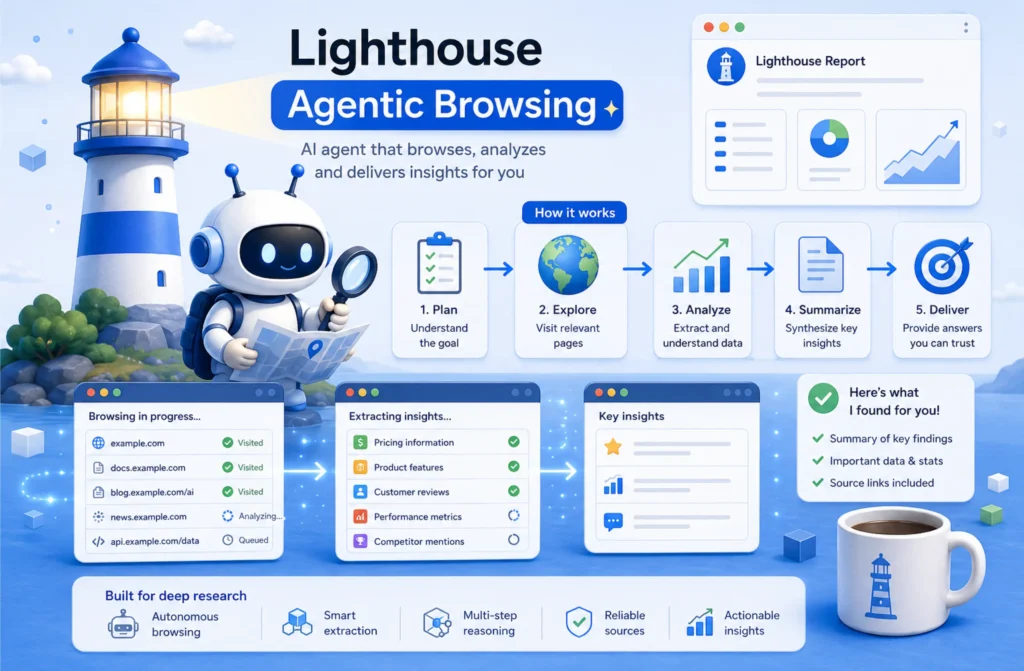
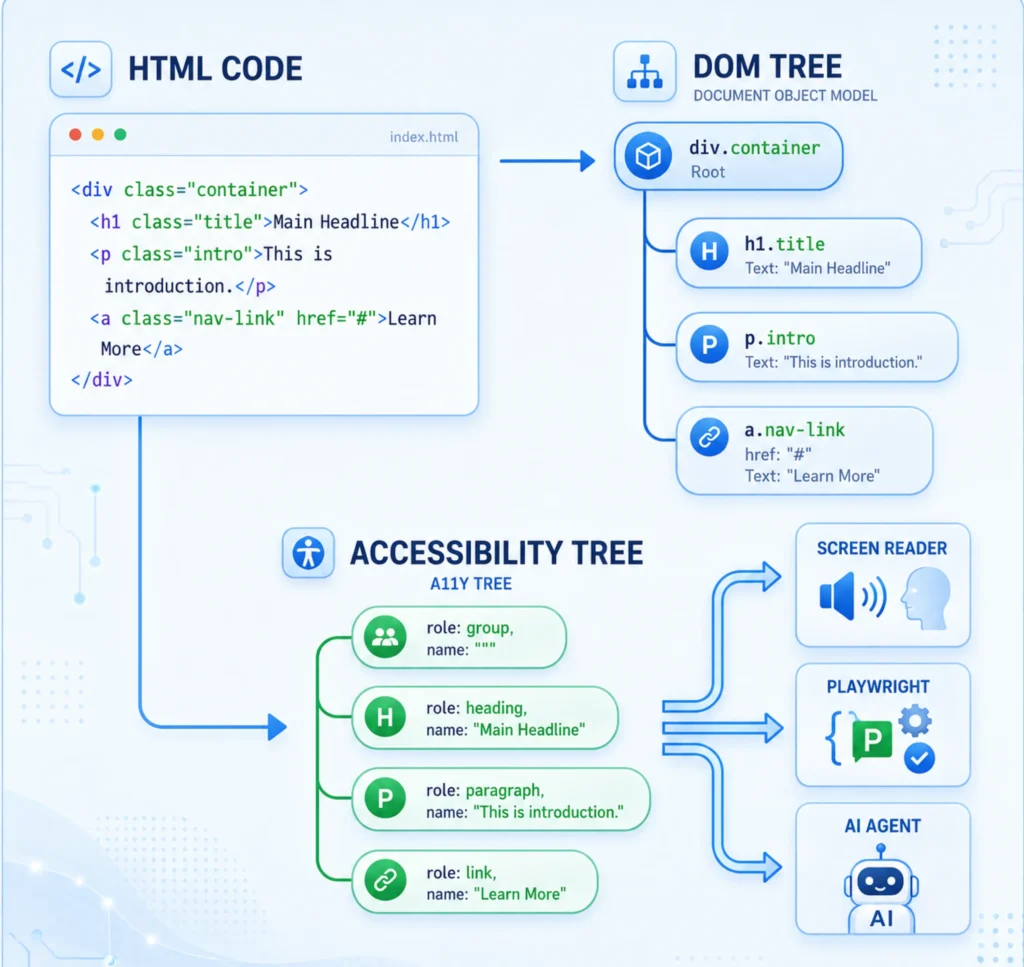
Most developers assume AI agents see what humans see. They don’t. They process your page through three separate layers:
1. Visual Screenshots:
Computer vision models scan your page like a screenshot. They detect buttons, images, and layout patterns, but this is the least reliable layer. Visual interpretation breaks easily when layouts shift or elements overlap.
2. Raw HTML:
The agent reads your HTML for structural clues, headings, navigation, form fields, and semantic sections. Generic <div> soup gives it nothing useful to work with.
3. The Accessibility Tree:
This is the layer that actually matters most. The accessibility tree exposes the semantic role, accessible name, and programmatic state of every element. AI agents treat it as the ground truth. If your button has no label in the accessibility tree, the agent doesn’t know it’s a button.
Fix the accessibility tree, and you fix the majority of Agentic Browsing failures.
Why Your Website Is Failing the Audit?
Most websites fail even with good performance scores. Here’s what actually causes failures:
Brittle DOM selectors:
JavaScript-heavy pages use class names like .btn-v2-final as interaction hooks. AI agents can’t reliably target these. They need semantic roles, not style classes.
Missing programmatic names:
A button that says <button><img src=” arrow.svg”/></button> has no accessible name. The agent sees an interactive element with no purpose.
Cumulative Layout Shift (CLS):
If your page layout shifts after JavaScript loads, an agent may click the wrong element. A button that moves 200px during render is a click that lands on space.
Late JavaScript execution:
Single-page apps that hydrate content after the initial load leave the accessibility tree incomplete at inspection time. The agent reads a half-built page.
Custom interactive elements without ARIA:
<div onclick=”submit()”> are invisible to assistive technology and AI agents alike. It has no role, no name, and no keyboard support.
How to Fix Agentic Browsing Errors?
Fix 1: Repair the Accessibility Tree
Open Chrome DevTools → Accessibility panel → inspect the tree for your key pages. Look for:
- Buttons with no accessible name (Name: “”)
- Form inputs not associated with labels
- Interactive elements with role=”none” or no role at all
- Navigation landmarks missing aria-label when multiple <nav> elements exist
How to fix it:
<!– Bad: No accessible name –>
<button><svg>…</svg></button>
<!– Good: Explicit aria-label –>
<button aria-label=”Submit contact form”><svg>…</svg></button>
<!– Bad: Input with no label –>
<input type=”email” placeholder=”Enter email”>
<!– Good: Input linked to visible label –>
<label for=”email”>Email address</label>
<input type=”email” id=”email” name=”email”>
Maintain a logical heading hierarchy, too. Use H1 → H2 → H3 in order. Skipping from H1 to H4 breaks the document outline AI agents use to navigate sections.
Fix 2: Use Semantic HTML First, ARIA Second
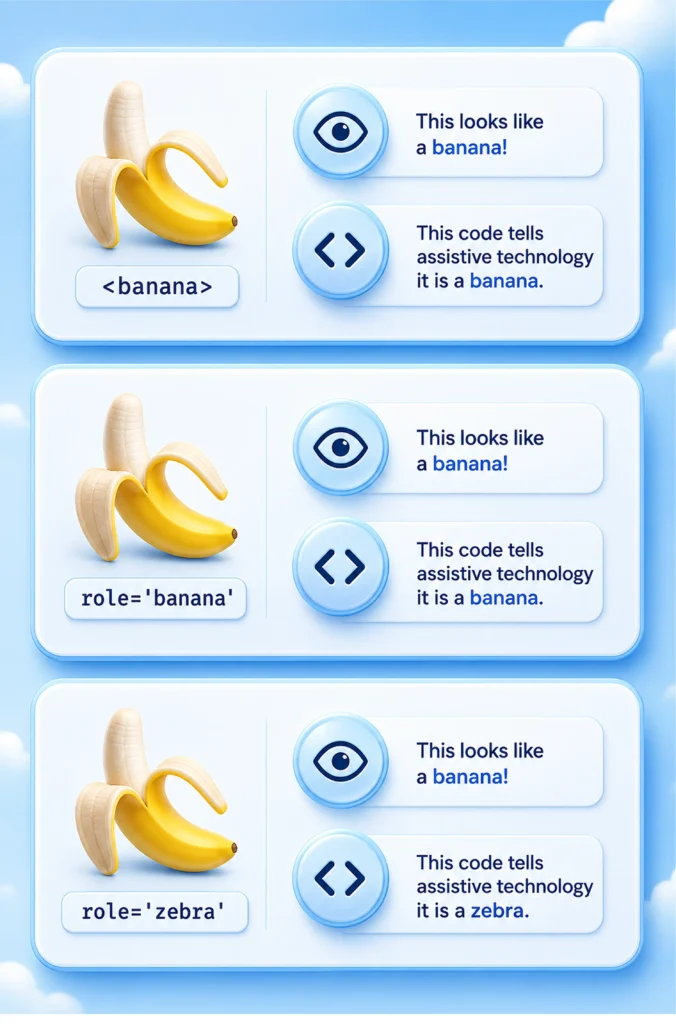
Native HTML elements carry built-in semantics. Use them.
<!– Bad: Div pretending to be a button –>
<div class=”btn” onclick=”submitForm()”>Submit</div>
<!– Good: Actual button element –>
<button type=”submit”>Submit</button>
<!– Bad: Span acting as a link –>
<span onclick=”navigate(‘/contact’)”>Contact Us</span>
<!– Good: Actual anchor element –>
<a href=”/contact”>Contact Us</a>
Use ARIA only when native elements genuinely can’t do the job. If you build a custom dropdown component, give it role=”combobox”, aria-expanded, aria-haspopup, and aria-controls.
But ask yourself first: can a native <select> handle this instead?
Fix 3: Eliminate Layout Shift
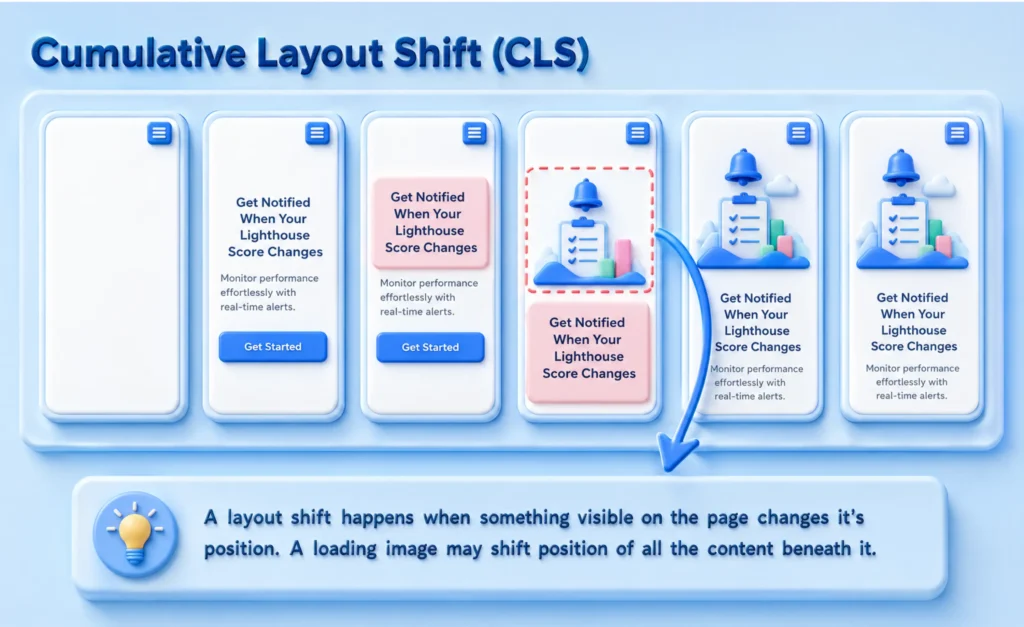
AI agents don’t retry clicks. If a button moves during render, the click misses, and the task fails.
Run Lighthouse (opens in a new tab) → Performance and check your CLS score (opens in a new tab). Target below 0.1.
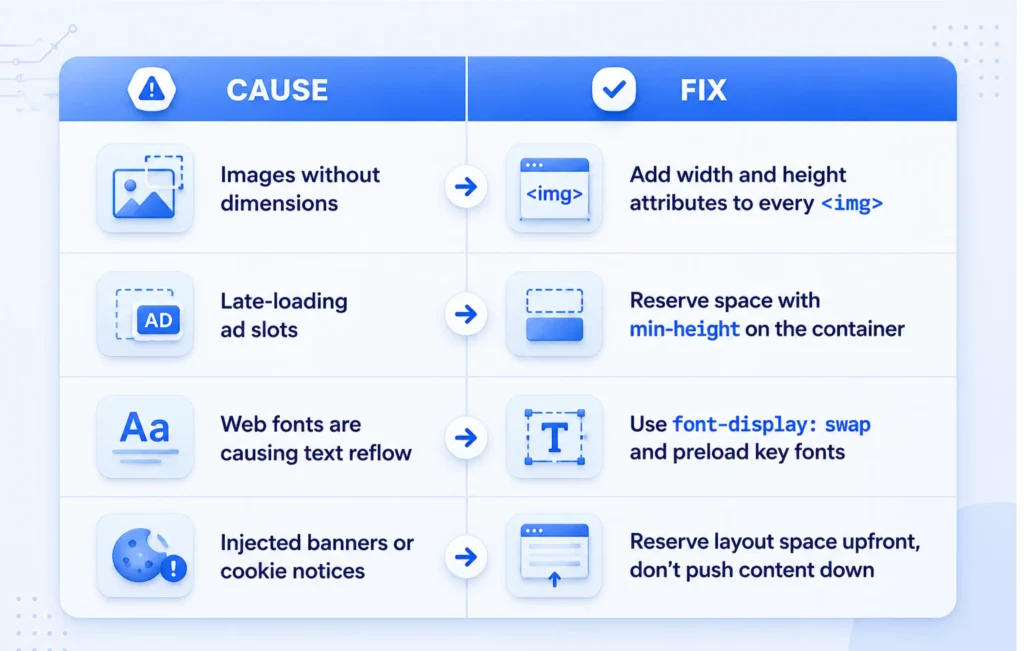
Common CLS causes and fixes:
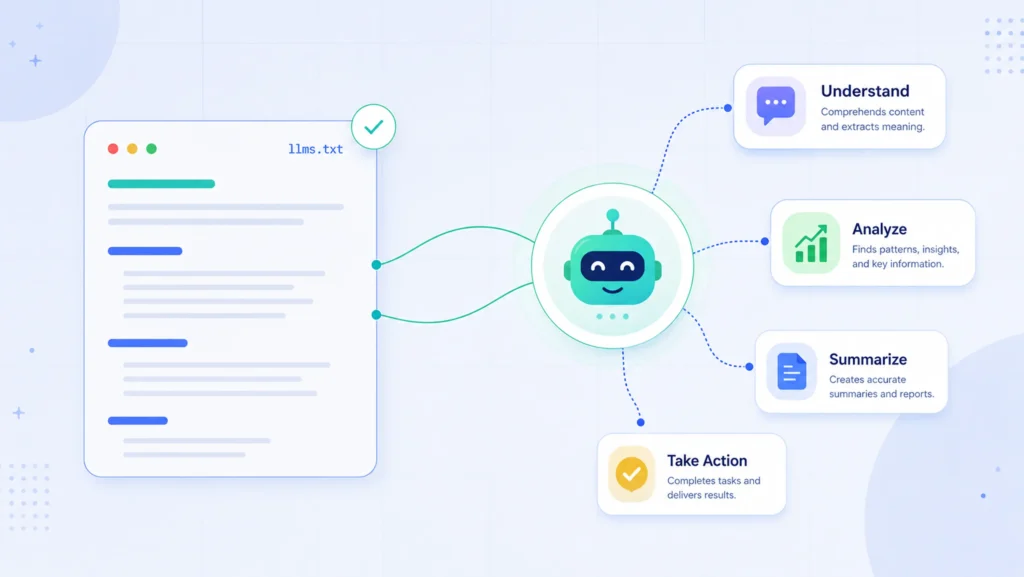
Fix 4: Create an llms.txt File
Place a plain-text file at https://yourdomain.com/llms.txt. AI agents use this as a site map, a fast way to find your most important pages without crawling everything.
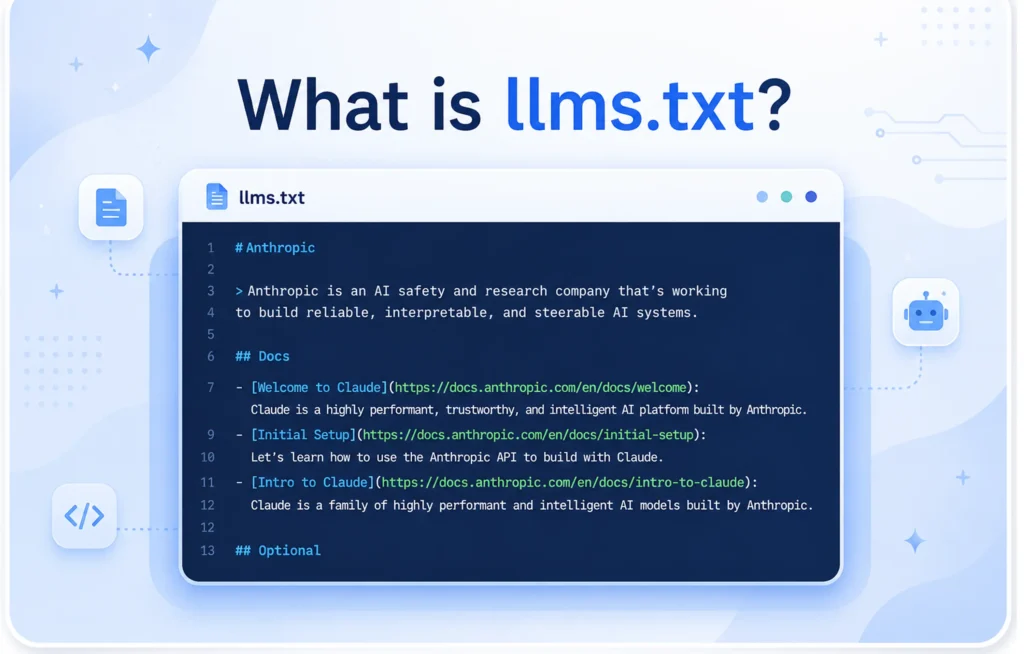
Format it like this:
# Your Company Name
> One sentence describing what you do.
## Services
– Web Development: https://yourdomain.com/services/web
– Consulting: https://yourdomain.com/services/consulting
## Documentation
– API Reference: https://yourdomain.com/docs/api
– Getting Started: https://yourdomain.com/docs/start
## Support
– Contact: https://yourdomain.com/contact
– Help Center: https://yourdomain.com/help
This is not a replacement for a sitemap. It’s a structured summary for AI systems, not search crawlers. Keep it focused on your key workflows and endpoints.
Fix 5: Expose Actions With WebMCP
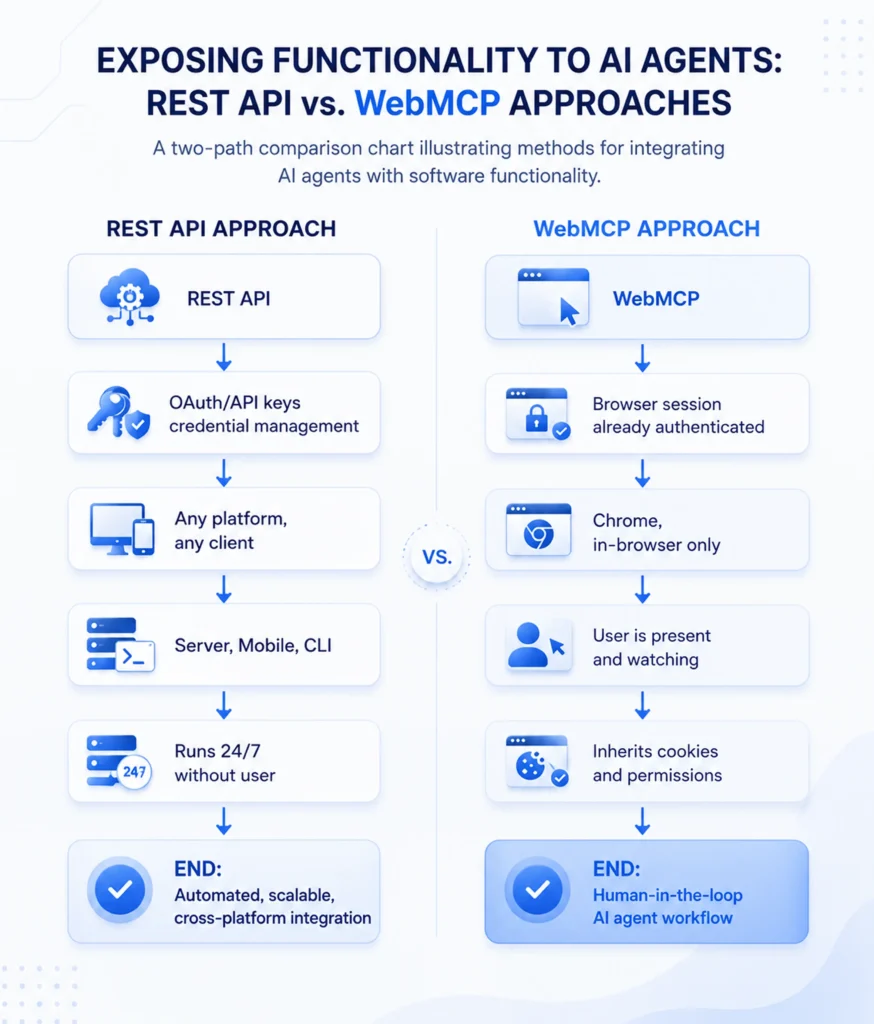
WebMCP lets you explicitly declare what actions are available on your page. Instead of making an agent infer that your form books a consultation, you tell it directly.
Using HTML data attributes:
<form
data-toolname=”book-consultation”
data-tooldescription=”Schedule a free 30-minute strategy call”
data-toolautosubmit=”false”
data-toolparamdescription=”Full name, email, preferred date and time”
>
<!– form fields –>
</form>
Using JavaScript (window.aiTools):
window.aiTools = [
{
name: “request-quote”,
description: “Generate a custom project estimate”,
autoSubmit: false,
endpoint: “/api/quote”,
parameters: [
{ name: “projectType”, description: “Type of project: web, mobile, or API” },
{ name: “budget”, description: “Estimated budget range in USD” }
]
}
];
This approach removes ambiguity entirely. The agent knows exactly what your form does and what fields it needs, without guessing from label text or placeholder values.
The Agentic Browsing Audit Checklist
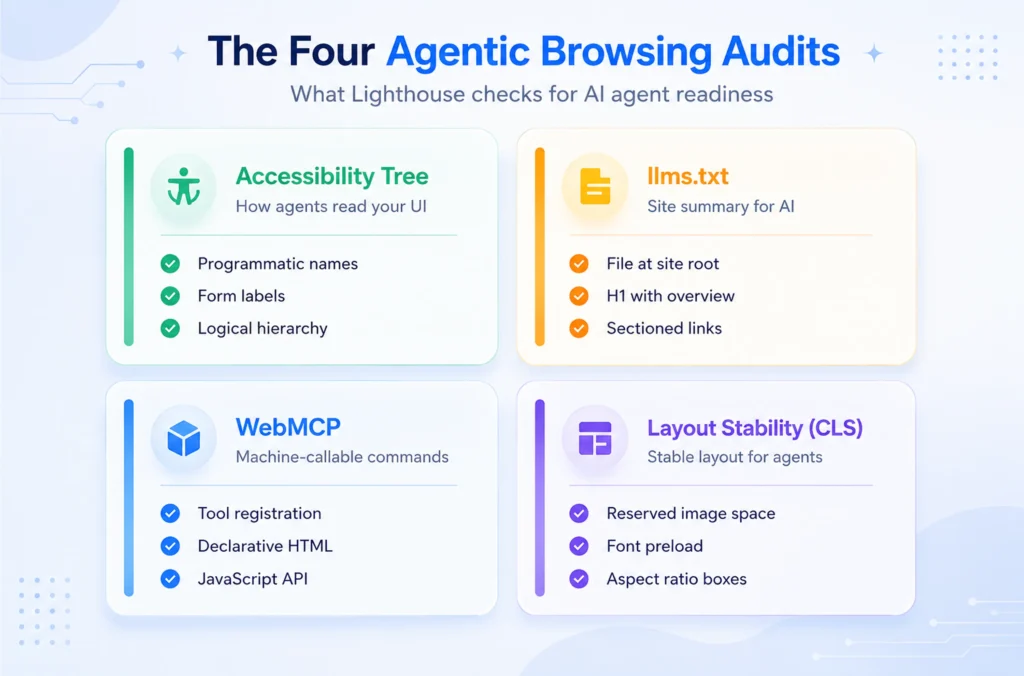
Run through this before your next Lighthouse test:
- Every <button> has a descriptive accessible name (not just an icon)
- Every <input> and <textarea> has an associated <label> via for + id
- Heading levels follow a strict H1 → H2 → H3 hierarchy
- All <img> tags have width and height attributes set
- CLS score is below 0.1 on mobile and desktop
- Navigation landmarks use aria-label when multiple <nav> elements exist
- Custom interactive components have explicit role, tabindex, and aria attributes
- /llms.txt file exists and lists your primary pages and workflows
- Key forms are annotated with WebMCP data-tool* attributes
- JavaScript-dependent content renders before accessibility tree inspection
Run the Audit in CI, Not Just Locally
Don’t treat this as a one-time check. Agentic Browsing issues appear when components change. Add Lighthouse to your CI pipeline using lighthouse-ci:
npm install -g @lhci/clilhci autorun –collect.url=https://yourdomain.com –assert.preset=lighthouse:recommended
Set thresholds for your agentic checks so a failing commit doesn’t ship. Test with headless browser agents like Playwright to simulate real AI navigation flows on critical paths, your checkout, your signup form, and your contact page.
What This Means for SEO
AI-ready development and traditional SEO share the same foundation: semantic structure, accessible content, and stable layouts. Improving one improves both.
The difference is intent. SEO optimizes for crawlers that index. Agentic optimization targets agents that act. A page that an AI agent can successfully use is a page that earns transactions, not just traffic.
Sites that pass the Agentic Browsing audit today are already ahead of competitors when AI-powered browsers become the primary way users delegate tasks.
Frequently Asked Questions
How do I check my current Agentic Browsing status?
Open Chrome DevTools, go to Lighthouse, and run a full audit. The Agentic Browsing category appears in the latest Lighthouse versions. You’ll see a 2/3-style pass ratio with specific failing probes listed underneath.
Why did my score change between runs?
Agentic Browsing audits can produce slightly different results across runs because modern pages load content asynchronously. Late JavaScript execution means the accessibility tree may be complete on one run and incomplete on another. Fix the root cause, ensure interactive elements are in the DOM before the audit snapshot fires.
Do I need WebMCP to pass the audit?
No. WebMCP improves discoverability and action clarity, but isn’t required for a passing score. Fix semantic HTML, accessibility tree completeness, and layout stability first. Add WebMCP as an enhancement once the fundamentals are solid.
Will fixing this break my existing design?
Rarely. Accessibility improvements are additive. You’re adding aria-label attributes, <label> elements, and HTML dimension attributes, none of which change your visual design. The only structural change is replacing <div> buttons with <button> elements, which you can style identically with CSS.