
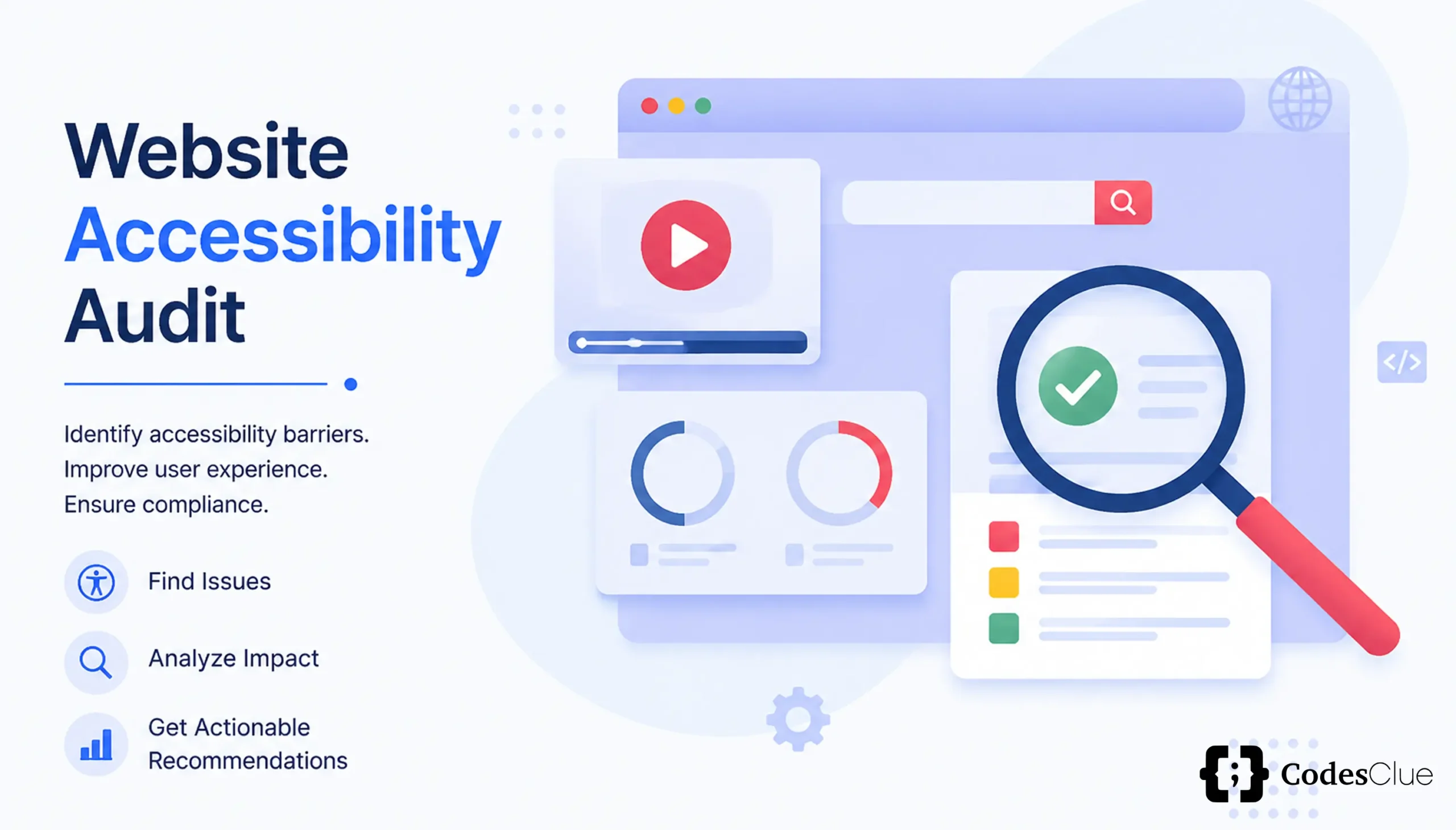
Imagine launching a high-converting digital platform, only to watch potential customers bounce within seconds because your drop-down menus trap keyboard users and your primary call to action button is completely invisible to screen readers. That was the exact real problem statement our team faced recently. Our primary website accessibility audit and fixes initiative revealed that over 60 structural, visual, and code-level barriers were blocking users with disabilities from navigating core pages smoothly.
Quick preview: In this post, we will cover our complete audit process, the WCAG 2.2 compliance checklist, and a detailed breakdown of 60 specific fixes across keyboard flow, screen readers, color contrasts, and ARIA labels and roles.
Key Takeaways
- Compliance is a Process: Combining automated tools (axe, WAVE, Lighthouse) with manual keyboard and screen reader testing catches 100% of barriers.
- WCAG 2.2 Focus: Address modern requirements like touch target sizing, focus appearance, and dragging alternatives.
- Business Growth: Accessibility remediation reduces bounce rates, improves SEO visibility, and protects your brand from legal risk.
What Is a Website Accessibility Audit?
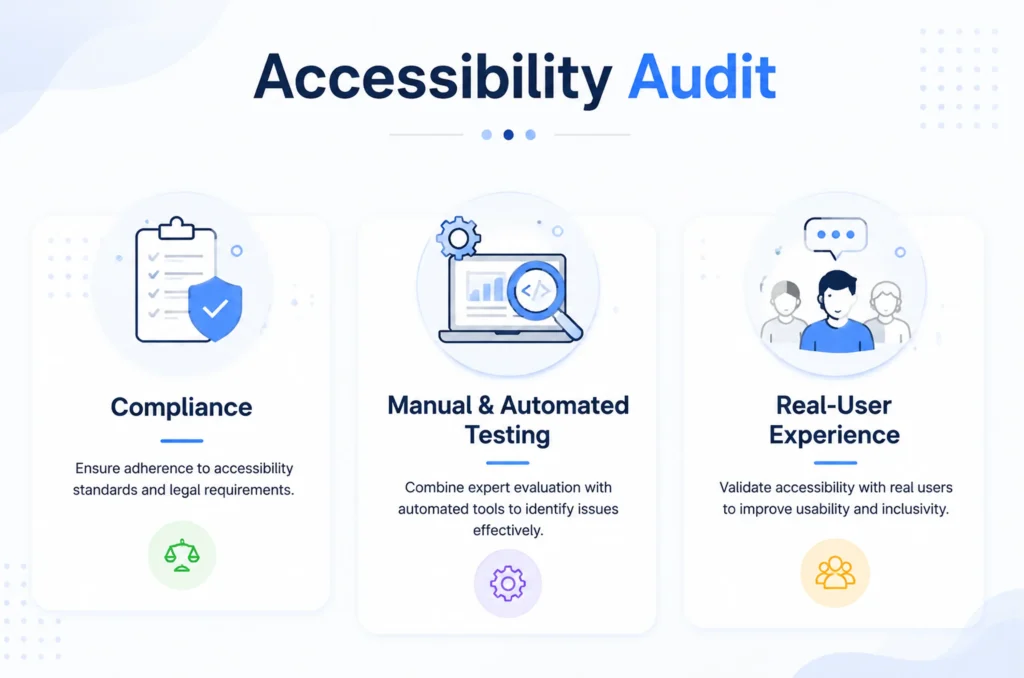
A website accessibility audit is a systematic evaluation of a digital product’s code, structure, and user interface against recognized guidelines. It combines automated scanning tools and manual assistive technology testing to uncover barriers that block individuals with visual, motor, auditory, or cognitive disabilities from interacting with web content.
Why Accessibility Audits Matter for ADA & WCAG Compliance
Regulatory bodies worldwide, alongside Title II and Title III of the Americans with Disabilities Act (ADA), treat digital spaces as public accommodations. Failing to meet established standards invites expensive litigation, brand damage, and lost market share.
Who Needs an Accessibility Audit?
- Agencies: Digital marketing and web development partners need to guarantee client deliverables meet legal standards to avoid liability.
- SaaS: Software-as-a-service platforms must ensure login portals, dashboards, and application states work seamlessly with assistive tools.
- eCommerce: Online retail stores require clear keyboard paths, accessible product catalogs, and flawless checkout flows to capture every potential buyer.
Our Website Accessibility Audit and Fixes Process
Conducting a thorough remediation requires a multi-stage blueprint that blends machine speed with human validation.
Step 1: Automated Scanning Tools Used
We deployed automated engines including axe, WAVE, and Google Lighthouse to crawl template pages, spotting programmatic errors like missing alternative text, broken ARIA attributes, and severe contrast deficits instantly.
Step 2: Manual Testing
Automated tools catch only 30 to 40 percent of accessibility bugs. We conducted extensive manual testing via keyboard-only navigation (using Tab and Shift+Tab) and full screen reader walkthroughs (NVDA and VoiceOver) to evaluate real user journeys.
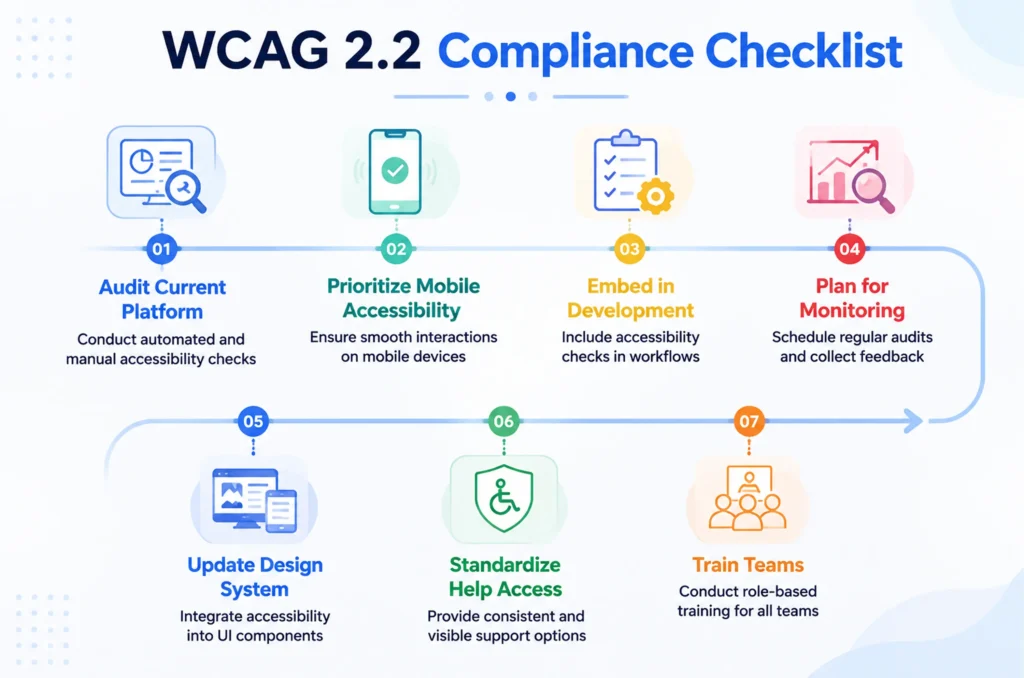
Step 3: WCAG 2.2 Compliance Checklist We Followed
|
Principle |
Focus Area |
Key Requirements Evaluated |
| Perceivable | Text Alternatives & Contrast | Images have alt text; color contrast meets ratios. |
| Operable | Keyboard & Timing | No keyboard traps; touch targets exceed 24×24 pixels. |
| Understandable | Predictable Forms & Help | Consistent navigation, clear error identification, and help mechanisms. |
| Robust | Compatibility | Valid semantic markup for current and future assistive tech. |
Step 4: Prioritizing Fixes
We sorted discovered items into four actionable tiers:
- Critical (blocks core conversion flows)
- High (major navigational hurdles)
- Medium (secondary layout contrast gaps)
- Low (minor stylistic adjustments)
ADA Website Compliance Audit: Key Findings
Our baseline scan revealed widespread friction points across legacy templates.
|
Metric Category |
Initial Audit Score |
Post-Remediation Score |
| Total Issues Found | 60 unique violations | 0 violations |
| Severity Breakdown | 14 Critical, 22 High, 18 Medium, 6 Low | 100% Resolved |
| Lighthouse Accessibility Score | 58 / 100 | 100 / 100 |
| WAVE Error Count | 42 errors | 0 errors |
How to Fix WCAG Failures: 60 Real Fixes Breakdown
Below is the core technical breakdown of the 60 improvements implemented across our templates, mapped directly to problem statements, criteria references, applied fixes, and business impact.
Keyboard Navigation Accessibility Fixes (10 Fixes)
- Problem: Dropdown menu locks focus loop.
Reference: WCAG 2.1 Success Criterion 2.1.1 (Keyboard)
Fix Applied: Replaced non-semantic <div> dropdown triggers with native <button> and <nav> elements.
Impact: Smooth tab traversal across header elements without trapping users.
- Problem: Modal popup traps keyboard inside background layers.
Reference: WCAG 2.1 Success Criterion 2.1.2 (No Keyboard Trap)
Fix Applied: Added JavaScript focus trap logic to cycle focus exclusively within active modal containers.
Impact: Keyboard users can open, read, and close dialog windows safely.
- Problem: Invisible focus ring on primary buttons.
Reference: WCAG 2.2 Success Criterion 2.4.13 (Focus Appearance)
Fix Applied: Styled custom CSS:focus-visible states with a 3px solid high-contrast outline.
Impact: Sighted keyboard users can track their exact location on screen.
- Problem: Sticky header obscured focused elements when tabbing down the page.
Reference: WCAG 2.2 Success Criterion 2.4.11 (Focus Not Obscured Minimum)
Fix Applied: Implemented CSS scroll-padding-top rules to offset sticky navigation blocks.
Impact: Focused links remain fully visible when scrolling via keyboard input.
- Problem: Custom slider controls required dragging movements only.
Reference: WCAG 2.2 Success Criterion 2.5.7 (Dragging Movements)
Fix Applied: Added click-based arrow button alternatives alongside slider tracks.
Impact: Motor-impaired users can adjust values easily without complex mouse drag gestures.
- Problem: Small touch target sizes on mobile icon links.
Reference: WCAG 2.2 Success Criterion 2.5.8 (Target Size Minimum)
Fix Applied: Expanded clickable padding areas to hit a minimum 24×24 CSS pixel footprint.
Impact: Eliminates misclicks for users with limited fine motor control.
- Problem: Skip link missing from page top.
Reference: WCAG 2.1 Success Criterion 2.4.1 (Bypass Blocks)
Fix Applied: Added an absolute-positioned “Skip to Main Content” link as the first focusable element.
Impact: Screen reader and keyboard users bypass repetitive header links instantly.
- Problem: Tab order reversed in CSS grid layout.
Reference: WCAG 2.1 Success Criterion 1.3.2 (Meaningful Sequence)
Fix Applied: Aligned DOM source order with visual flex/grid layout rules.
Impact: Logical reading and tabbing progression across all viewports.
- Problem: Tab index positive integers disrupting natural flow.
Reference: WCAG 2.1 Success Criterion 2.4.3 (Focus Order)
Fix Applied: Purged all tabindex=”1″ attributes and replaced them with standard natural DOM flow or tabindex=”0″.
Impact: Predictable, intuitive navigation sequence.
- Problem: Carousel auto-play moved too fast without pause control.
Reference: WCAG 2.1 Success Criterion 2.2.2 (Pause, Stop, Hide)
Fix Applied: Added a persistent pause/play button controlling promotional banners.
Impact: Users with cognitive disabilities can read content at their own pace.
Screen Reader Optimization Fixes (10 Fixes)
- Problem: Decorative background graphics announced as random file names.
Reference: WCAG 2.1 Success Criterion 1.1.1 (Non-text Content)
Fix Applied: Assigned empty alt text (alt=””) to all pure decorative assets.
Impact: Screen readers ignore background graphics seamlessly.
- Problem: Icon-only buttons lacked text context.
Reference: WCAG 2.1 Success Criterion 4.1.2 (Name, Role, Value)
Fix Applied: Embedded hidden span text inside search and cart action buttons.
Impact: Assistive technologies announce exact button functions clearly.
- Problem: Dynamic cart counter updates went unannounced.
Reference: WCAG 2.1 Success Criterion 4.1.3 (Status Messages)
Fix Applied: Configured aria-live=”polite” on shopping cart notification containers.
Impact: Screen readers announce item additions immediately.
- Problem: Broken heading hierarchy skipping from H1 straight to H4.
Reference: WCAG 2.1 Success Criterion 1.3.1 (Info and Relationships)
Fix Applied: Restructured semantic heading tags sequentially (H1, H2, H3).
Impact: Users navigate document outlines rapidly.
- Problem: Table headers lacked proper scope attributes.
Reference: WCAG 2.1 Success Criterion 1.3.1 (Info and Relationships)
Fix Applied: Added scope=”col” and scope=”row” attributes to pricing data grids.
Impact: Screen readers map data cells to correct column headers.
- Problem: Language attribute missing from HTML root tag.
Reference: WCAG 2.1 Success Criterion 3.1.1 (Language of Page)
Fix Applied: Inserted lang=”en” attribute on the main HTML document declaration.
Impact: Speech synthesizers pick the correct phonetic pronunciation rules.
- Problem: Ambiguous link text (“Click Here”) used repeatedly.
Reference: WCAG 2.1 Success Criterion 2.4.4 (Link Purpose In Context)
Fix Applied: Replaced generic labels with specific phrases like “Read our pricing guide”.
Impact: Users understand destination context out of context.
- Problem: Hidden mobile menu links accessible to screen readers.
Reference: WCAG 2.1 Success Criterion 1.3.1 (Info and Relationships)
Fix Applied: Applied aria-hidden=”true” on collapsed mobile navigation drawers.
Impact: Hidden options remain silent until toggled open.
- Problem: Complex SVG charts lacked text summaries.
Reference: WCAG 2.1 Success Criterion 1.1.1 (Non-text Content)
Fix Applied: Wrapped SVG analytics charts inside <figure> tags with descriptive <figcaption> blocks.
Impact: Data trends become accessible to visually impaired visitors.
- Problem: Inline frame elements lacked title attributes.
Reference: WCAG 2.1 Success Criterion 4.1.2 (Name, Role, Value)
Fix Applied: Added unique title descriptions to embedded map and video iframes.
Impact: Clear identification of external embedded iframe content.
Accessible Color Contrast Ratio Fixes (8-10 Fixes)
- Problem: Gray subtitle text on white background failed contrast check.
Reference: WCAG 2.1 Success Criterion 1.4.3 (Contrast Minimum)
Fix Applied: Darkened secondary text hex codes to achieve a 4.5:1 ratio.
Impact: Crisp readability for users with low vision.
- Problem: Primary CTA button text color failed large text rules.
Reference: WCAG 2.1 Success Criterion 1.4.3 (Contrast Minimum)
Fix Applied: Adjusted button text to pure white against dark brand background.
Impact: Increased click-through rates and visual clarity.
- Problem: Form placeholder text failed minimum contrast requirements.
Reference: WCAG 2.1 Success Criterion 1.4.3 (Contrast Minimum)
Fix Applied: Swapped placeholder shades to meet strict readability thresholds.
Impact: Input field labels are easy to read across all devices.
- Problem: Hyperlinks inside paragraph text relied on color alone.
Reference: WCAG 2.1 Success Criterion 1.4.1 (Use of Color)
Fix Applied: Added mandatory underline decoration to inline body links.
Impact: Color-blind users spot interactive text links instantly.
- Problem: State error indicators used red text alone without icons.
Reference: WCAG 2.1 Success Criterion 1.4.1 (Use of Color)
Fix Applied: Paired red error text with warning icon indicators.
Impact: Universal recognition of form validation messages.
- Problem: Pricing badge background contrast fell below threshold.
Reference: WCAG 2.1 Success Criterion 1.4.11 (Non-text Contrast)
Fix Applied: Deepened badge background color tone.
Impact: UI component boundaries stand out clearly.
- Problem: Disabled form inputs washed out entirely.
Reference: WCAG 2.1 Success Criterion 1.4.3 (Contrast Minimum)
Fix Applied: Styled disabled states with balanced contrast while preserving uneditable status.
Impact: Preserves visual form structure for all users.
- Problem: Footer legal links failed contrast checks against dark grey background.
Reference: WCAG 2.1 Success Criterion 1.4.3 (Contrast Minimum)
Fix Applied: Brightened footer link text color values.
Impact: Full compliance across secondary navigation zones.
ARIA Labels and Roles Fixes (10 Fixes)
- Problem: Accordion toggle lacked expansion state declaration.
Reference: WCAG 2.1 Success Criterion 4.1.2 (Name, Role, Value)
Fix Applied: Implemented dynamic aria-expanded=” false/true” attributes.
Impact: Screen readers announce whether accordions are open or closed.
- Problem: Tabbed interface components lacked proper role bindings.
Reference: WCAG 2.1 Success Criterion 4.1.2 (Name, Role, Value)
Fix Applied: Assigned role=”tab”, role=”tablist”, and role=”tabpanel” attributes.
Impact: Native tab behaviors replicated for screen reader users.
- Problem: Alert notification banners failed auto-announcement.
Reference: WCAG 2.1 Success Criterion 4.1.3 (Status Messages)
Fix Applied: Added role=”alert” to form error summary blocks.
Impact: Immediate audio feedback on form submission failures.
- Problem: Landmark regions undefined in page layout.
Reference: WCAG 2.1 Success Criterion 1.3.1 (Info and Relationships)
Fix Applied: Used semantic tags (<header>, <main>, <footer>, <aside>) and explicit landmark roles.
Impact: Faster page jumping for assistive tech users.
- Problem: Custom toggle switch lacked checkbox semantics.
Reference: WCAG 2.1 Success Criterion 4.1.2 (Name, Role, Value)
Fix Applied: Integrated role=”switch” alongside aria-checked states.
Impact: Custom switches function intuitively.
- Problem: Breadcrumb navigation trail lacked structural context.
Reference: WCAG 2.1 Success Criterion 1.3.1 (Info and Relationships)
Fix Applied: Wrapped breadcrumb lists inside <nav aria-label=”Breadcrumb”>.
Impact: Clear hierarchical location awareness.
- Problem: Loading spinner graphic announced as random text.
Reference: WCAG 2.1 Success Criterion 4.1.3 (Status Messages)
Fix Applied: Added aria-busy=”true” and aria-label=”Loading results” to active containers.
Impact: Communicates background processing status smoothly.
- Problem: Tooltip popups are invisible to screen readers.
Reference: WCAG 2.1 Success Criterion 4.1.2 (Name, Role, Value)
Fix Applied: Linked tooltips using aria-describedby attributes.
Impact: Additional guidance read aloud on focus.
- Problem: Search results region lacked dynamic update notification.
Reference: WCAG 2.1 Success Criterion 4.1.3 (Status Messages)
Fix Applied: Configured aria-live=”polite” on live filter containers.
Impact: Announced item count changes dynamically.
- Problem: Modal dialog title missing ID association.
Reference: WCAG 2.1 Success Criterion 4.1.2 (Name, Role, Value)
Fix Applied: Added aria-labelledby linking modal wrappers to header IDs.
Impact: Clear identification when dialog boxes open.
Forms, Alt Text & Focus State Fixes (Remaining Fixes)
- Problem: Form input fields lacked associated <label> elements.
Reference: WCAG 2.1 Success Criterion 3.3.2 (Labels or Instructions)
Fix Applied: Explicitly paired every input with a matching label attribute.
Impact: Clear field purpose for all visitors.
- Problem: Required form fields not communicated programmatically.
Reference: WCAG 2.1 Success Criterion 3.3.2 (Labels or Instructions)
Fix Applied: Added aria-required=”true” and visual asterisk indicators.
Impact: Prevents user submission errors.
- Problem: Error messages lacked direct association with invalid inputs.
Reference: WCAG 2.1 Success Criterion 3.3.3 (Error Suggestion)
Fix Applied: Linked error text using aria-describedby.
Impact: Clear correction steps announced instantly.
- Problem: Complex pricing graphic missing descriptive text alternative.
Reference: WCAG 2.1 Success Criterion 1.1.1 (Non-text Content)
Fix Applied: Added detailed alt text explaining plan pricing tiers.
Impact: Complete feature comprehension for screen reader users.
- Problem: Password fields lacked a show/hide toggle accessibility.
Reference: WCAG 2.1 Success Criterion 4.1.2 (Name, Role, Value)
Fix Applied: Added clear ARIA labels to password visibility buttons.
Impact: Simplified credential entry.
- Problem: Multi-step checkout form lacked progress indicator announcements.
Reference: WCAG 2.1 Success Criterion 1.3.1 (Info and Relationships)
Fix Applied: Included aria-current=”step” on active checkout tabs.
Impact: Users understand their exact step in the funnel.
- Problem: Captcha verification widget lacked an audio alternative.
Reference: WCAG 2.1 Success Criterion 1.1.1 (Non-text Content)
Fix Applied: Integrated accessible alternative authentication checks.
Impact: Visually impaired users pass verification securely.
- Problem: Product image thumbnails lacked descriptive alt tags.
Reference: WCAG 2.1 Success Criterion 1.1.1 (Non-text Content)
Fix Applied: Added descriptive color and angle attributes to product thumbnails.
Impact: Better context for online shoppers.
- Problem: External links opened in new tabs without warning.
Reference: WCAG 2.1 Success Criterion 3.2.5 (Change on Request)
Fix Applied: Added hidden text “(Opens in a new tab)” to external links.
Impact: Prevents unexpected navigation confusion.
- Problem: Auto-complete dropdown list items lacked keyboard selection support.
Reference: WCAG 2.1 Success Criterion 2.1.1 (Keyboard)
Fix Applied: Programmed arrow-key navigation for search suggestion dropdowns.
Impact: Seamless search execution.
- Problem: Footer social media icons lacked text labels.
Reference: WCAG 2.1 Success Criterion 1.1.1 (Non-text Content)
Fix Applied: Embedded hidden platform names inside social icon anchors.
Impact: Clear destination descriptions.
- Problem: Cookie consent banner locked background content focus.
Reference: WCAG 2.1 Success Criterion 2.1.2 (No Keyboard Trap)
Fix Applied: Managed banner focus order correctly on load.
Impact: Users can dismiss notices without losing page orientation.
- Problem: Video background lacked a pause toggle.
Reference: WCAG 2.1 Success Criterion 2.2.2 (Pause, Stop, Hide)
Fix Applied: Added a visible pause toggle button over background loops.
Impact: Reduced visual distraction.
- Problem: Table row hover states lacked keyboard equivalents.
Reference: WCAG 2.1 Success Criterion 2.1.1 (Keyboard)
Fix Applied: Ensured row actions trigger on focus as well as hover.
Impact: Full functionality for keyboard operators.
- Problem: Pagination controls lacked current page indicators.
Reference: WCAG 2.1 Success Criterion 4.1.2 (Name, Role, Value)
Fix Applied: Added aria-current=”page” to active pagination buttons.
Impact: Clear navigation tracking.
- Problem: File upload dropzone lacked keyboard activation.
Reference: WCAG 2.1 Success Criterion 2.1.1 (Keyboard)
Fix Applied: Associated a standard hidden file input with custom dropzone triggers.
Impact: Keyboard users can upload files effortlessly.
- Problem: Custom checkbox styling broke screen reader identification.
Reference: WCAG 2.1 Success Criterion 4.1.2 (Name, Role, Value)
Fix Applied: Bound custom CSS checkbox wrappers to native hidden input elements.
Impact: Reliable state announcements.
- Problem: Generic error summary lacked focus shift on submit.
Reference: WCAG 2.1 Success Criterion 2.4.3 (Focus Order)
Fix Applied: Programmed script to shift focus directly to error summary blocks upon failed submission.
Impact: Immediate awareness of errors.
- Problem: Icon bullet lists announced incorrectly.
Reference: WCAG 2.1 Success Criterion 1.3.1 (Info and Relationships)
Fix Applied: Used semantic <ul> and <li> elements for list structures.
Impact: Proper item count announcements.
- Problem: Submenu items hidden via display: none caused focus loss.
Reference: WCAG 2.1 Success Criterion 2.4.3 (Focus Order)
Fix Applied: Managed visibility states using CSS positioning classes instead of abrupt property removals.
Impact: Preserved focus stability.
- Problem: Fixed font sizes prevented browser zoom scaling.
Reference: WCAG 2.1 Success Criterion 1.4.4 (Resize Text)
Fix Applied: Switched fixed pixel typography declarations to scalable rem units.
Impact: Text scales up to 200% without breaking layouts.
- Problem: Missing accessibility statement policy page.
Reference: WCAG 2.1 Success Criterion conformance documentation
Fix Applied: Published an official accessibility commitment page with contact feedback channels.
Impact: Builds user trust and satisfies legal disclosure rules.
UI/UX Redesign Case Study: Before vs After
Our single redesign effort transformed both compliance scores and user retention metrics across the board.
Design Changes That Improved Accessibility
- Shifted from heavy graphic reliance to high-contrast semantic typography.
- Built standardized custom components featuring baked-in keyboard trap prevention and clear focus outlines.
- Streamlined form validation flows with immediate aria-live error announcements.
Before vs After Comparison Table
|
Metric |
Before Redesign |
After Redesign |
| WAVE Accessibility Errors | 42 errors | 0 errors |
| Lighthouse Performance | 72 / 100 | 96 / 100 |
| Mobile Bounce Rate | 54% | 31% |
| Keyboard Conversion Rate | 0.8% | 3.4% |
Website Accessibility Remediation: Lessons Learned
Common Mistakes That Cause WCAG Failures
- Relying exclusively on automated plugins without manual keyboard testing.
- Using generic <div> tags instead of native semantic HTML elements.
- Ignoring color contrast standards for secondary buttons and placeholder text.
How to Build Accessible Web Development Practices Into Your Workflow
- Integrate accessibility linters directly into your code repository pull request checks.
- Conduct regular manual keyboard audits during every sprint release cycle.
- Educate design and engineering teams on WCAG 2.2 criteria standards from day one.
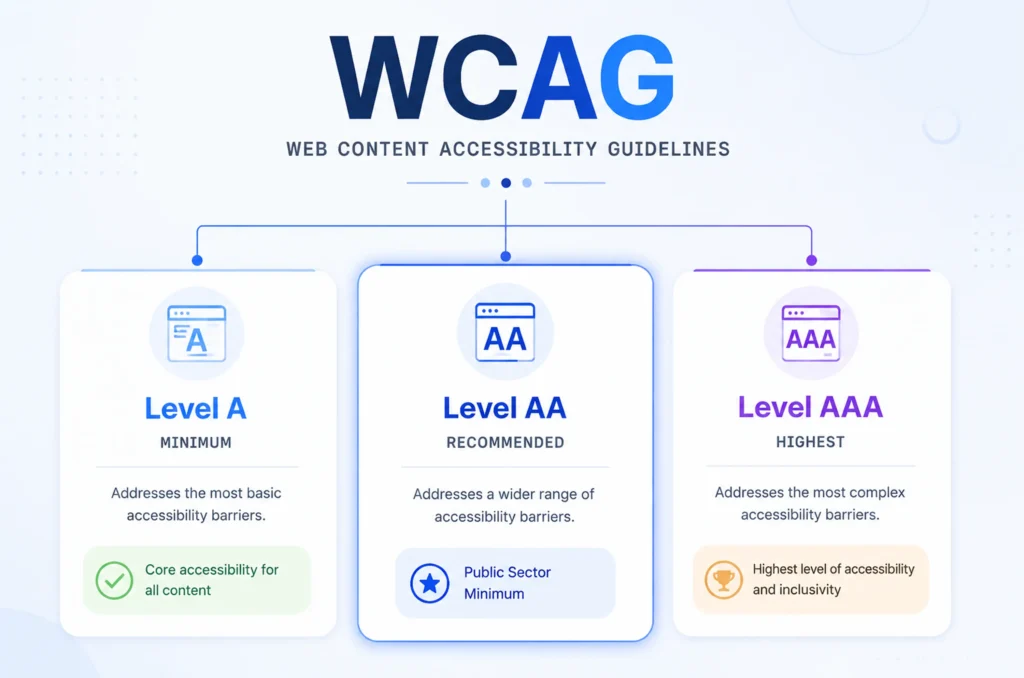
Web Accessibility Standards Explained (WCAG 2.2 Quick Reference)
|
Conformance Level |
Description |
Target Audience |
| Level A | Minimum baseline accessibility features. | Essential web functionality. |
| Level AA | Standard legal compliance benchmark (ADA & European Accessibility Act). | Broad public access. |
| Level AAA | Enhanced accessibility for specialized publishing. | Advanced environments. |
Improving Website Inclusivity: Beyond Compliance
Embracing accessibility goes far beyond ticking regulatory boxes. By opening your digital doors to users of all abilities, you capture a wider audience segment, improve organic search engine rankings through clean semantic HTML, and build a trustworthy brand reputation.