The Business Case for Flutter on Web and Desktop in 2026
Why businesses are choosing Flutter for web and desktop apps, one codebase, faster development, and lower costs across all platforms.
Your mobile app is live. Your users also want it on the desktop. Your enterprise clients want a web dashboard.
Do you hire three separate teams, or four if you include iOS and desktop?
It is a capital allocation decision.
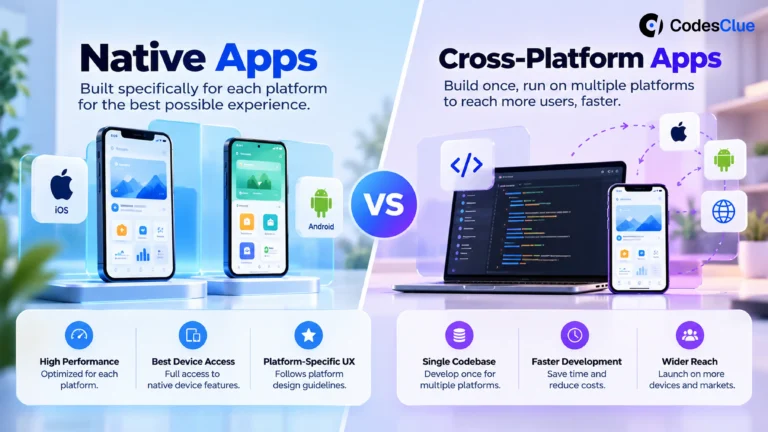
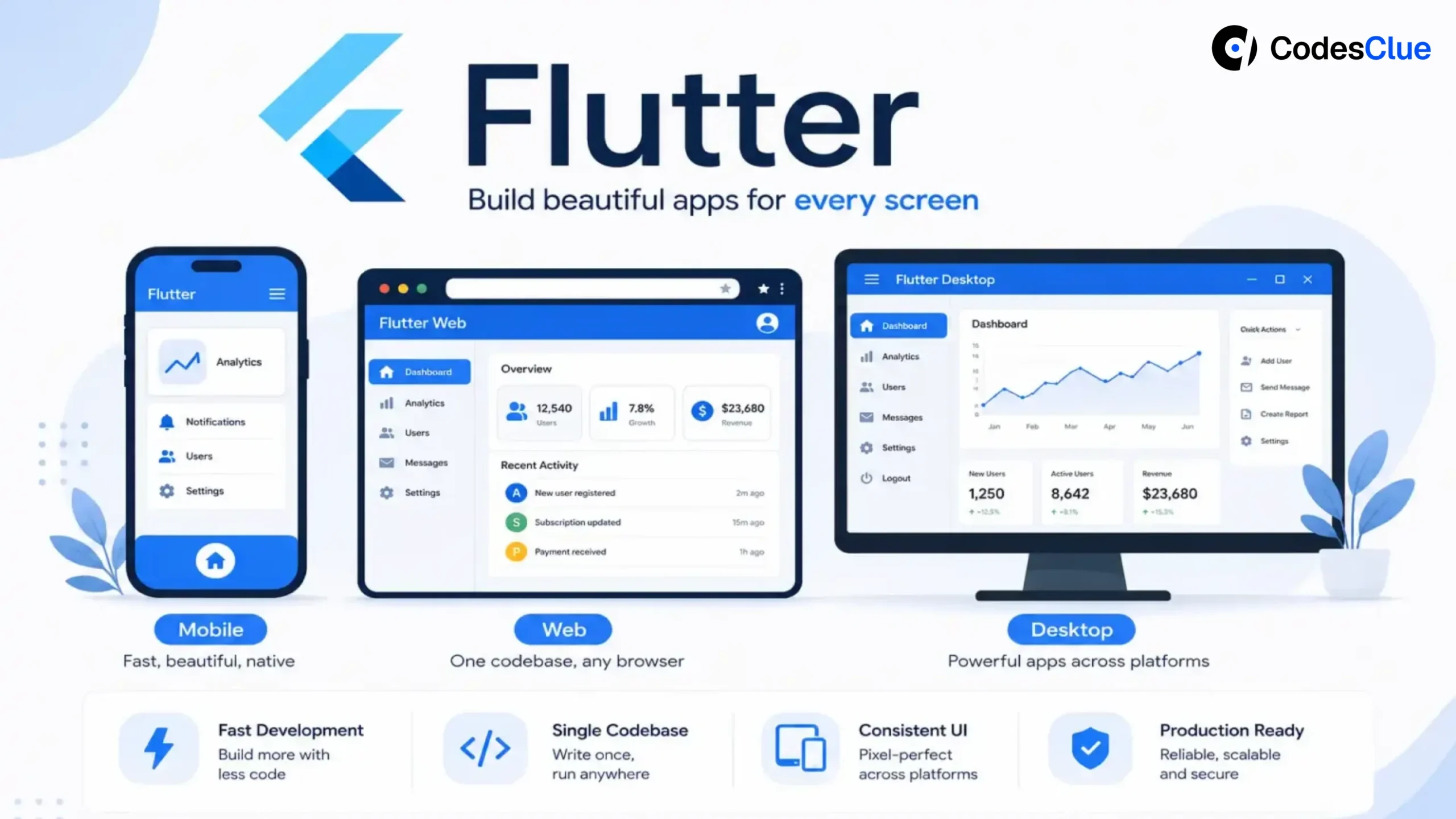
The strategic alternative is a single-codebase, multi-platform strategy, when done right, with a rendering engine and design system that delivers consistent experiences at production performance.
Flutter, which began as mobile-only in 2018, has matured into a credible choice for web and desktop in 2026. It now powers production web and desktop apps at serious companies.
For Product Managers, CTOs, CPOs, and digital transformation leaders, the real question is how to deliver consistent experiences across mobile, web, and desktop while controlling engineering costs, accelerating releases, and simplifying long-term maintenance.
This guide explores how Flutter enterprise app development has evolved into a production-ready web strategy that delivers the greatest business value, and what decision-makers should consider before adopting a single codebase, multi-platform approach in 2026.
Flutter’s Evolution: From Mobile Framework to Multi-Platform Solution
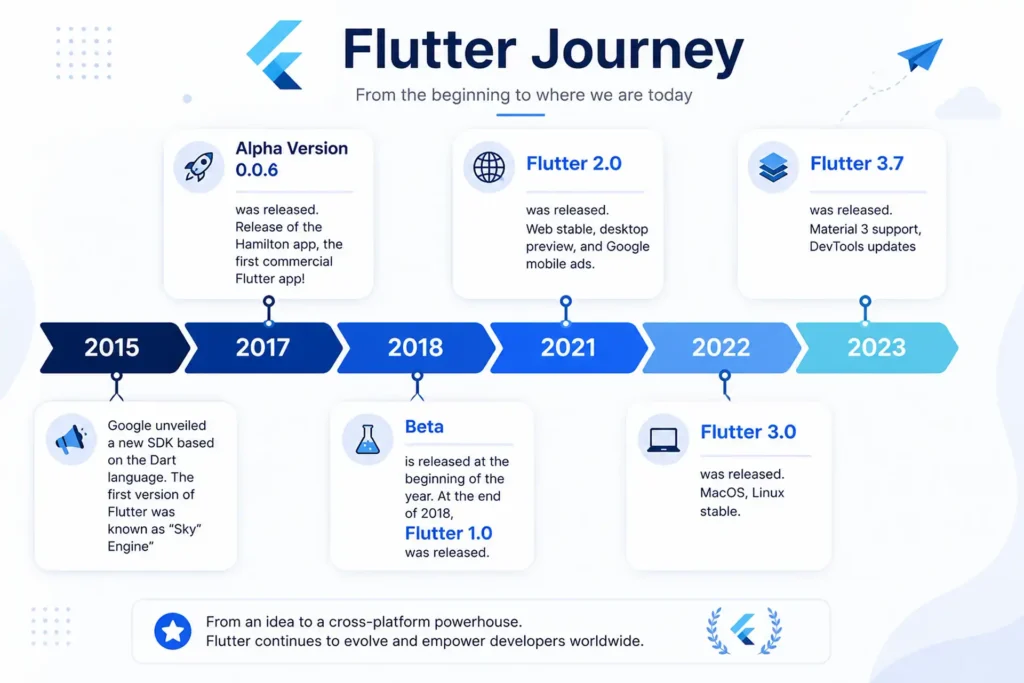
Flutter’s journey reflects its growing enterprise maturity.
- 2018 – Flutter 1.0: Stable support for iOS and Android
- 2021 – Flutter 2: Stable web support introduced
- 2022 – Flutter 3: Unified support for iOS, Android, Web, Windows, macOS, and Linux
- 2024–2026: WebAssembly, Impeller renderer, and enterprise-grade desktop improvements
The biggest milestone is WebAssembly (Wasm) support. Instead of relying entirely on JavaScript, Dart now compiles to Wasm, enabling significantly faster browser execution and smoother application performance.
Combined with the Impeller rendering engine, Flutter web applications deliver improved animation performance and reduced rendering delays.
Simply put, Flutter web in 2021 was a promising experiment. Flutter web performance in 2026 is a production-ready business decision.
Why Should Product Leaders Consider Flutter Multi-Platform Development?
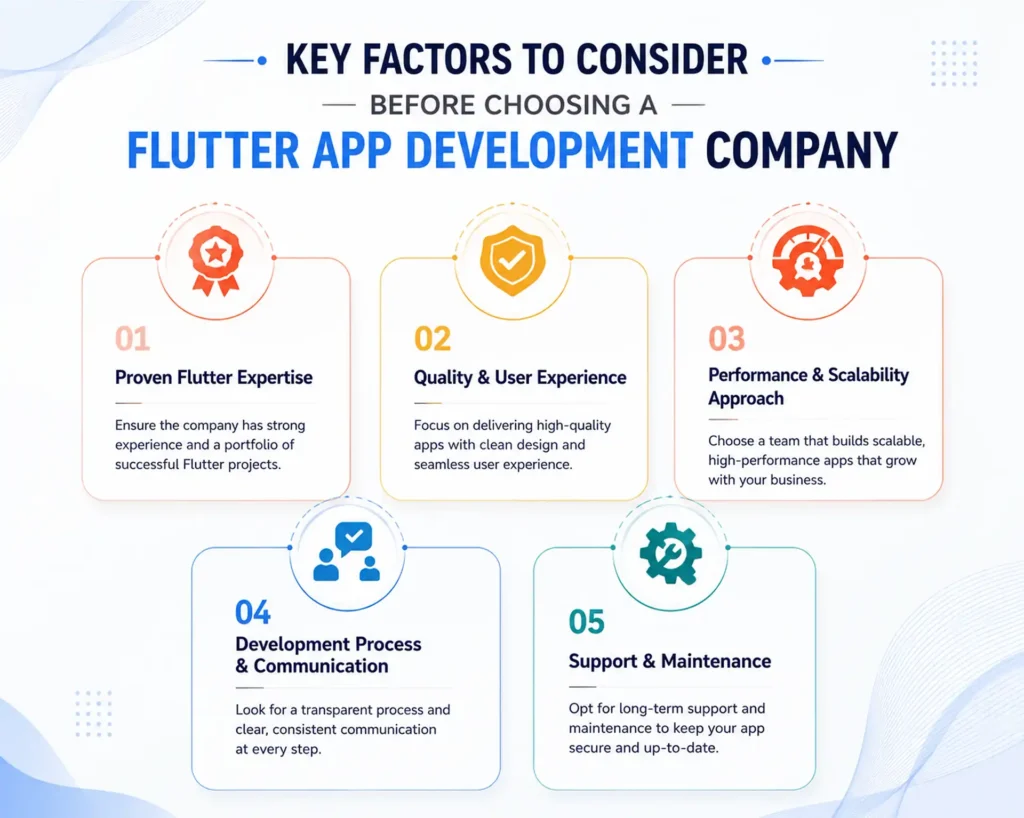
1. One Team, Multiple Platforms
You always need experts for traditional development, which often requires iOS, Android, web, and desktop developers.
Every feature is designed, developed, tested, and maintained multiple times.
With a single codebase and a multi-platform approach, your Flutter team can share business logic, UI components, and release processes across all supported devices.
Business Impact:
A product that traditionally requires six platform engineers (two mobile teams and one web team) can often be delivered by three to four experienced Flutter developers, reducing hiring, onboarding, QA, and DevOps complexity.
Instead of coordinating multiple releases, organizations manage one roadmap and one deployment cycle.
2. Consistent User Experience Across Devices
One of Flutter’s biggest advantages is its rendering architecture.
Unlike frameworks that rely heavily on operating system components, Flutter renders its own widgets, ensuring a consistent interface whether users access the product from Windows, macOS, Android, iOS, or a browser.
Responsive vs Adaptive UI
An effective Flutter responsive UI combines two approaches:
- Responsive layouts: The same interface automatically adjusts to different screen sizes.
- Adaptive layouts: The interface changes structure based on device type.
For example, an enterprise analytics platform may display:
Desktop
- Three-column dashboard
- Persistent sidebar navigation
- Large data tables
Mobile
- Single-column cards
- Bottom navigation
- Touch-friendly interactions
The design system and business logic remain identical while delivering an optimized experience on every device.
For organizations focused on brand consistency and usability, this creates a significant competitive advantage.
3. Faster Product Delivery
Feature delays often occur because organizations launch mobile-first and postpone web or desktop versions for future quarters.
Flutter eliminates this sequential development model.
A feature developed once can be released simultaneously across mobile, desktop, and web applications, reducing roadmap delays and accelerating customer adoption.
Shared business logic also simplifies testing, allowing QA teams to validate core functionality once instead of repeating identical workflows across multiple platforms.
Flutter Web Performance vs Alternatives
| Approach | Platforms | Team Required | Codebase | Consistency |
|---|---|---|---|---|
| Native (Swift/Kotlin/React) | Per Platform | 3-4 teams | 3-4 codebases | Varies by platform |
| React Native | Mobile + Limited Web | 2 teams | 2 codebases | Inconsistent on the Web |
| Electron (Desktop) | Desktop only | Separate team | Separate codebase | Web-based feel |
| Flutter | All 6 platforms | 1 team | 1 codebase | Pixel-perfect everywhere |
1. Flutter vs React Native Web:
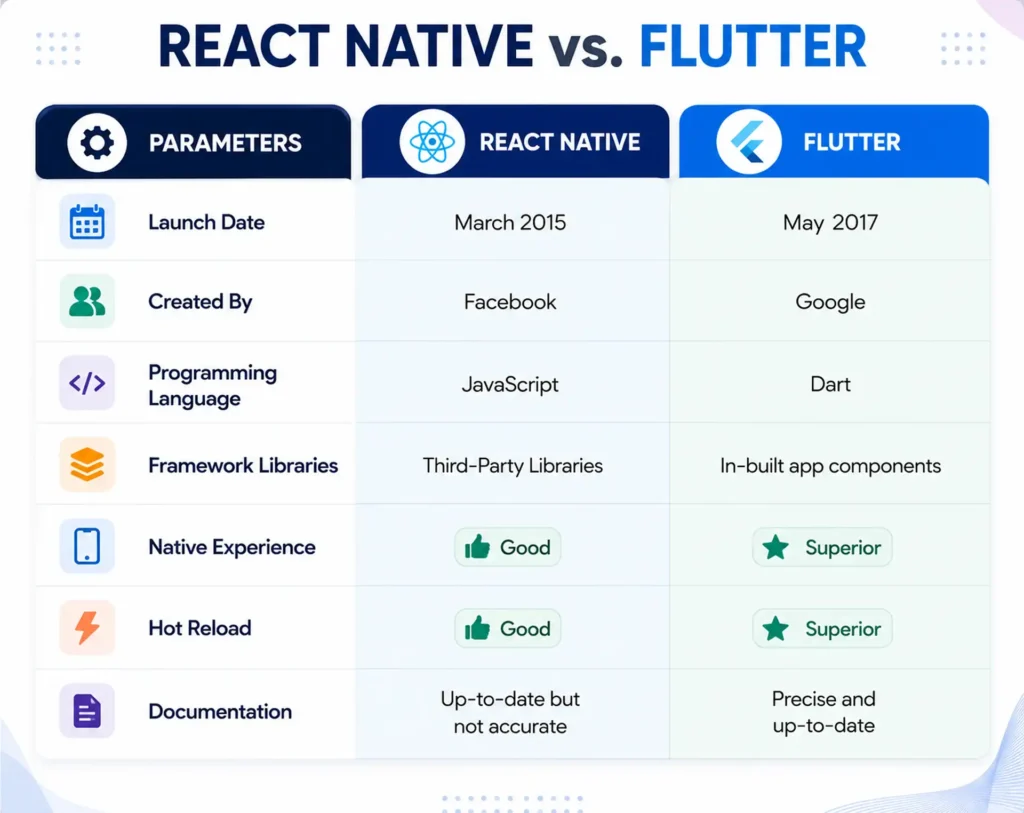
The Flutter vs React Native web debate often comes down to platform priorities. React Native was designed primarily for mobile, with web support added later through component mapping. Flutter for business applications treats the web as a first-class platform, rendering its own widgets for greater consistency across browsers and operating systems. Organizations building products that must perform equally well on web and mobile often benefit from Flutter’s unified architecture.
2. Flutter vs Electron:
Electron packages an entire Chromium browser inside every desktop application. While effective, this approach increases memory usage and application size.
Flutter desktop applications compile natively, resulting in:
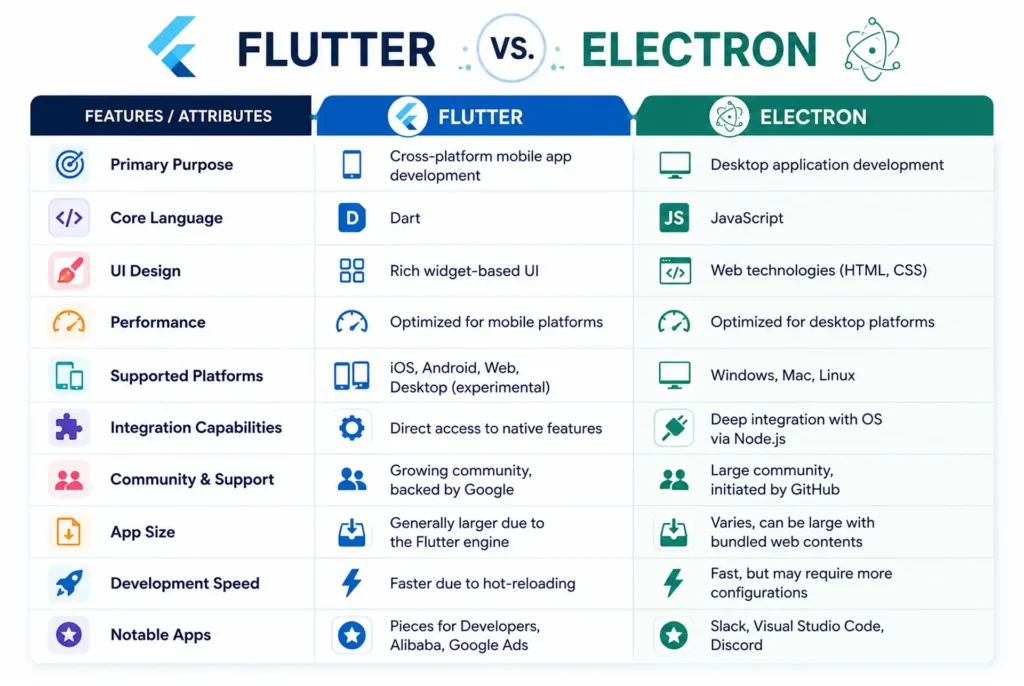
- Faster startup times
- Lower resource consumption
- Better performance for long-running business applications
3. Flutter vs Progressive Web Apps:
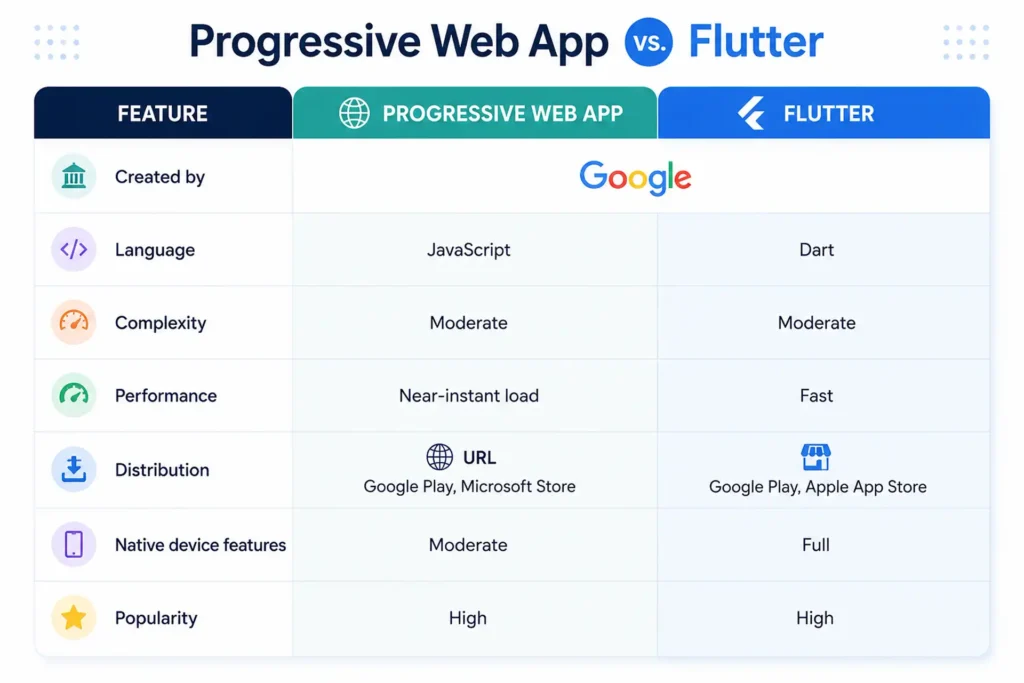
Progressive Web Apps remain excellent for lightweight websites and content delivery. However, Flutter Web can also be deployed as a PWA while supporting richer interfaces, advanced animations, and more complex enterprise workflows. For many cross-platform app development Flutter projects for enterprises, this combination delivers the best of both worlds.
Real-World Adoption: Flutter Beyond Mobile
One of the biggest concerns for product leaders is whether Flutter web and desktop can handle production workloads at scale.
The answer is yes.
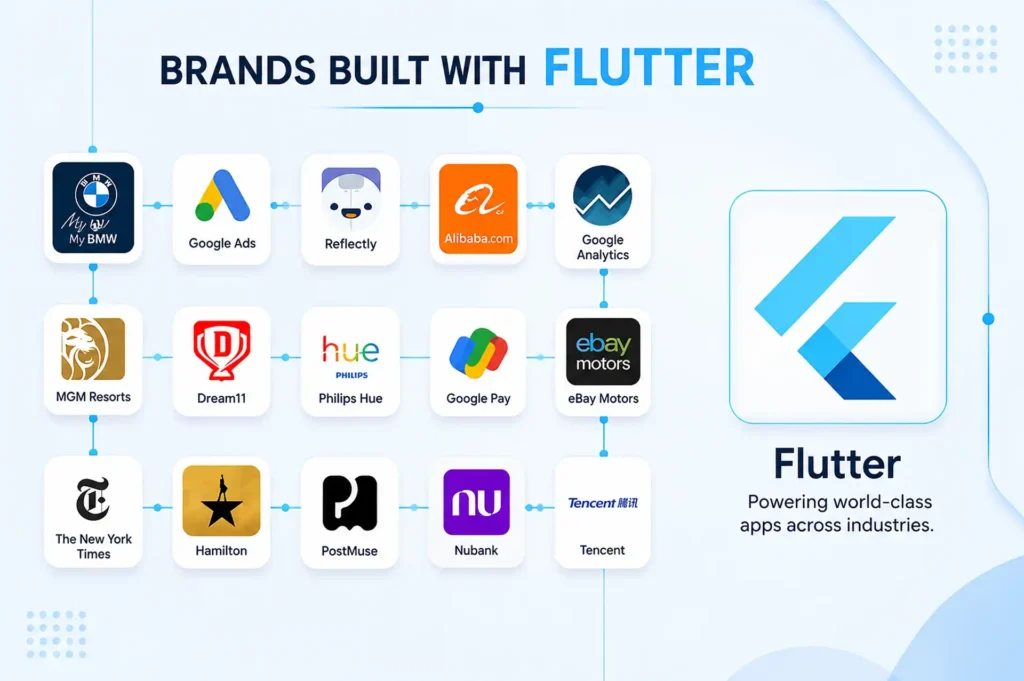
Google Ads
Google uses Flutter to power parts of the Google Ads experience across multiple platforms. Managing a complex advertising platform requires consistent workflows, data-rich interfaces, and frequent feature releases. Flutter helps Google deliver a unified user experience while reducing the effort required to maintain multiple platform-specific implementations.
Rive
Rive, a real-time design and animation platform, runs directly in the browser using Flutter Web. The product relies heavily on graphics, animations, and interactive editing capabilities—areas where traditional web applications often face performance challenges.
For product teams, Rive demonstrates that Flutter Web can support sophisticated, performance-intensive applications rather than just basic dashboards and forms.
Mews
Mews, a hospitality management platform used by hotels worldwide, uses Flutter across devices to provide a consistent experience for front-desk staff, managers, and operational teams.
Instead of maintaining separate mobile and desktop experiences, Mews can deliver features faster across multiple touchpoints while keeping workflows consistent for users.
Enterprise Dashboards & Internal Tools
Beyond well-known brands, many organizations are adopting Flutter for internal business applications, admin portals, analytics platforms, and operational dashboards.
These products typically prioritize:
- Cross-platform consistency
- Faster feature delivery
- Lower maintenance costs
- Unified design systems
The same business goals that drive most modern SaaS products.
Why This Matters
These examples highlight an important reality: Flutter web and desktop are no longer experimental technologies.
They are being used to power business-critical applications that handle complex workflows, real-time data, and daily operations for thousands of users. For Product Managers evaluating a multi-platform strategy, the question is no longer whether Flutter can support production workloads; it’s whether maintaining multiple codebases still delivers enough value to justify the additional cost and complexity.
Honest Limitations: The Tradeoffs Product Leaders Should Know
Flutter is a powerful multi-platform framework, but strategic technology decisions require understanding where it excels and where it doesn’t.
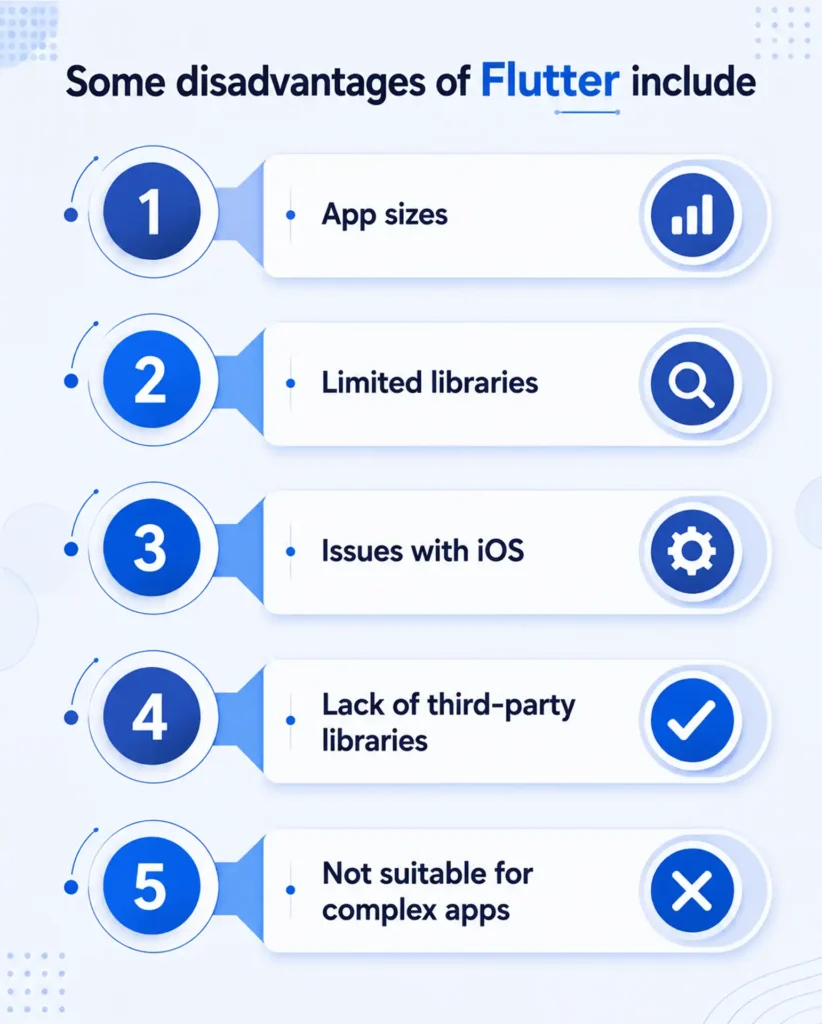
- SEO Is Not Flutter’s Strongest Use Case: Flutter web is designed for application experiences rather than content-heavy websites. If organic search traffic is a primary growth channel, frameworks like React or Next.js remain a better choice for marketing sites, blogs, and news platforms.
- Initial Load Time Can Be Higher: Flutter Web applications typically have larger initial bundles than traditional React applications. While WebAssembly (Wasm) has significantly improved startup performance, initial load times can still be a consideration in low-bandwidth environments or regions with slower internet connectivity.
- Some Web-Specific Dependencies Need Validation: While Flutter’s ecosystem has matured considerably, certain packages may have limited web or desktop support. Technical due diligence during planning helps avoid surprises later.
Use Flutter When You Are Building:
- SaaS products
- Enterprise dashboards and admin panels
- Internal business applications
- B2B portals and workflow tools
- Data-intensive and cross-platform products
Consider Alternatives When You Are:
- Building SEO-driven marketing websites
- Running content-heavy publishing platforms
- Launching simple landing pages with minimal application logic
There is a straightforward takeaway for experienced Product Managers:
Flutter is not the best tool for every digital product. However, when the goal is to deliver a consistent application experience across mobile, web, and desktop while reducing engineering complexity, Flutter offers a compelling business advantage.
Cost Analysis: Single Flutter Team vs. Multiple Platform Teams
For CFOs and product leaders, the biggest question is simple:
How much can one codebase save?
| Traditional Development | Flutter Multi-Platform |
|---|---|
| 2 iOS + 2 Android + 2 Web developers (6 engineers) | 3–4 Flutter developers |
| 3 release cycles | 1 unified release cycle |
| 3 QA streams | 1 QA process |
| Multiple CI/CD pipelines | Single CI/CD pipeline |
| Separate design systems | Shared design system |
Estimated Business Benefits
- 30–50% lower platform engineering costs
- 40–60% less duplicate development effort
- Up to 2× faster feature releases
- 1 shared design system and monitoring stack
For example, instead of maintaining 6 engineers across three platform teams, businesses can often deliver the same product with 3–4 Flutter developers, reducing both payroll and operational overhead while accelerating time-to-market. Combined with improvements in Flutter web performance 2026, organizations can now pursue a single-team, multi-platform strategy without compromising on user experience.
What’s New in Flutter for Web & Desktop (2025–2026)
For product leaders who evaluated Flutter a few years ago and moved on, the 2025–2026 release cycle marks a significant turning point. With WebAssembly (Wasm), Impeller, stronger desktop support, and a more mature ecosystem, The platform has evolved from an emerging framework into a Flutter web production-ready multi-platform solution.
| Feature | Business Impact |
|---|---|
| WebAssembly (Wasm) Compilation | Faster startup and near-native browser performance for web apps |
| Impeller Renderer | Smoother animations and reduced UI jank across platforms |
| Flutter GPU API | Advanced graphics and custom rendering for high-performance applications |
| Enhanced Desktop UX | Better keyboard navigation, right-click menus, and multi-window support |
| Material 3 Design System | Adaptive UI that delivers a consistent experience across mobile, web, and desktop |
Conclusion
Multi-platform delivery is no longer a competitive advantage; it is a product expectation.
Organizations that continue to maintain separate platform teams will face higher engineering costs, slower release cycles, and increasing technical complexity as their products scale.
Flutter multi-platform development has reached the maturity required to support a unified engineering strategy across mobile, web, and desktop without sacrificing performance or user experience.
The strategic question is no longer whether Flutter is ready for production; it is whether maintaining multiple codebases remains a justifiable business decision.
Frequently Asked Questions
Is Flutter web ready for production in 2026?
Yes. With WebAssembly support, Impeller rendering, and mature desktop capabilities, Flutter web is well-suited for dashboards, SaaS platforms, and enterprise applications.
Can Flutter web apps be indexed by Google?
Yes, but Flutter is not ideal for SEO-heavy content websites. Traditional HTML frameworks like React or Next.js remain better choices for marketing and publishing platforms.
How does Flutter handle different screen sizes?
Flutter combines responsive layouts that scale automatically with adaptive layouts that change structure based on the device, ensuring an optimized experience across mobile, web, and desktop.
Is a Flutter desktop app comparable to a native desktop application?
For most business applications, productivity tools, and dashboards, Flutter desktop delivers near-native performance while reducing development and maintenance costs.
What applications are best suited for Flutter web?
SaaS platforms, enterprise dashboards, CRM systems, admin panels, analytics tools, and internal business applications benefit the most from Flutter’s unified architecture.
Does Flutter support Progressive Web Apps?
Yes. Flutter Web applications can be deployed as PWAs while providing richer UI capabilities and consistent cross-platform experiences.
How long does it take to add web/desktop support to an existing Flutter mobile app?
Adding web and desktop support to an existing Flutter mobile app typically takes 4–12 weeks, depending on app complexity, responsive UI requirements, and platform-specific integrations.