SaaS Security Best Practices: 5 Ways to Protect Your Data
5 essential SaaS security best practices to protect your data, prevent breaches, and stay compliant. Start securing your platform today.
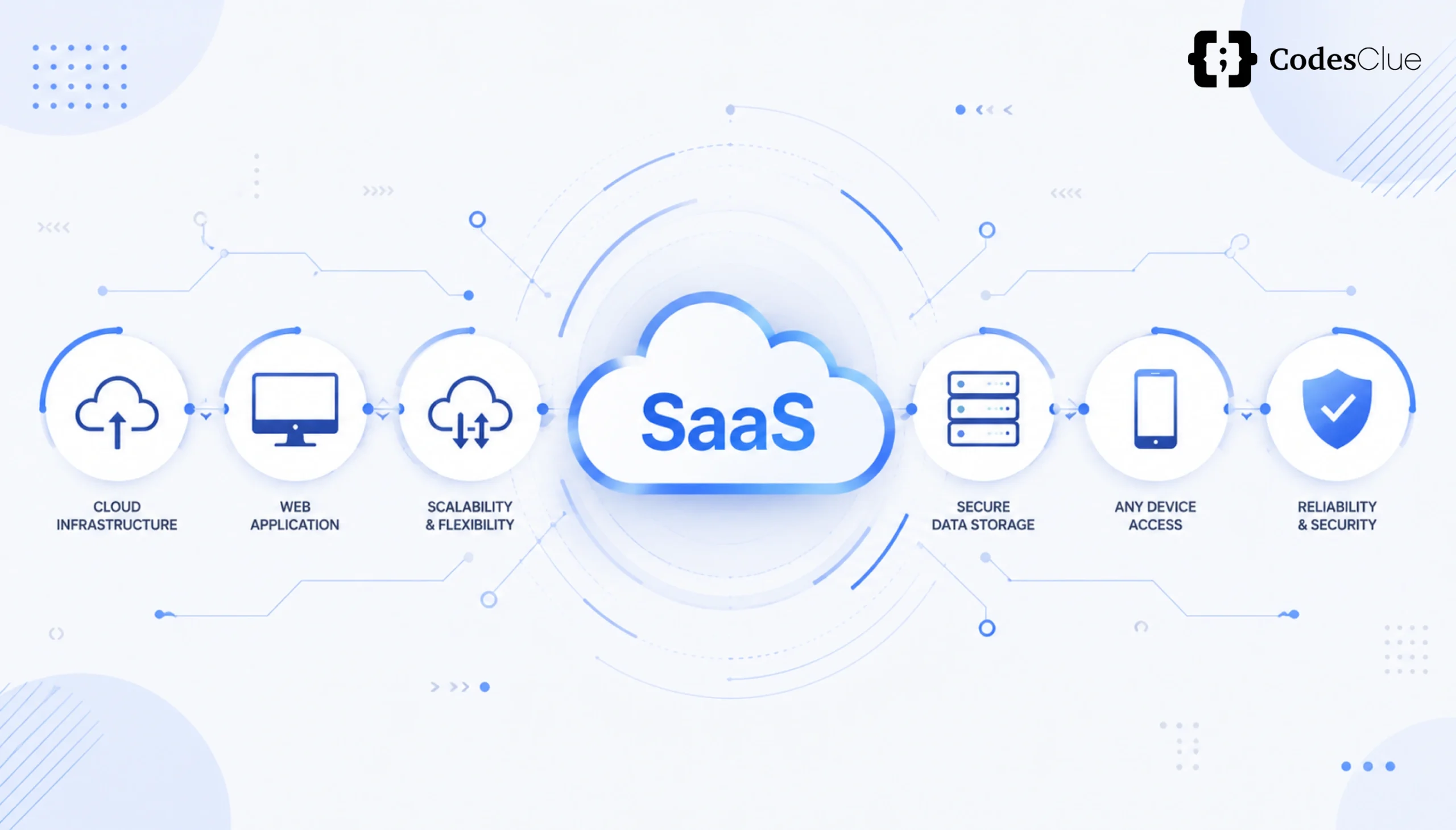
Modern businesses run on SaaS. From project management and CRM to payroll and customer support, cloud-based tools power virtually every department. According to research, the average organization now uses more than 112 SaaS applications, a number that keeps climbing every year.
The convenience is undeniable. But convenience creates security blind spots that cybercriminals are happy to exploit.
Every new application added to your stack is another potential entry point: another set of login credentials to phish, another API to probe, another misconfigured permission to abuse.
This is the core problem: businesses adopt SaaS tools quickly, but security processes rarely keep pace. As a result, sensitive customer data, financial records, and business-critical systems are quietly left exposed.
Implementing SaaS security best practices is no longer optional. It is a critical business requirement for protecting continuity, maintaining customer trust, and staying on the right side of compliance regulations like GDPR, HIPAA, and SOC 2.
In this guide, we cover the five most important areas every business must address, plus a practical saas security checklist you can use to audit your environment right now.
Understanding the Biggest SaaS Security Risks
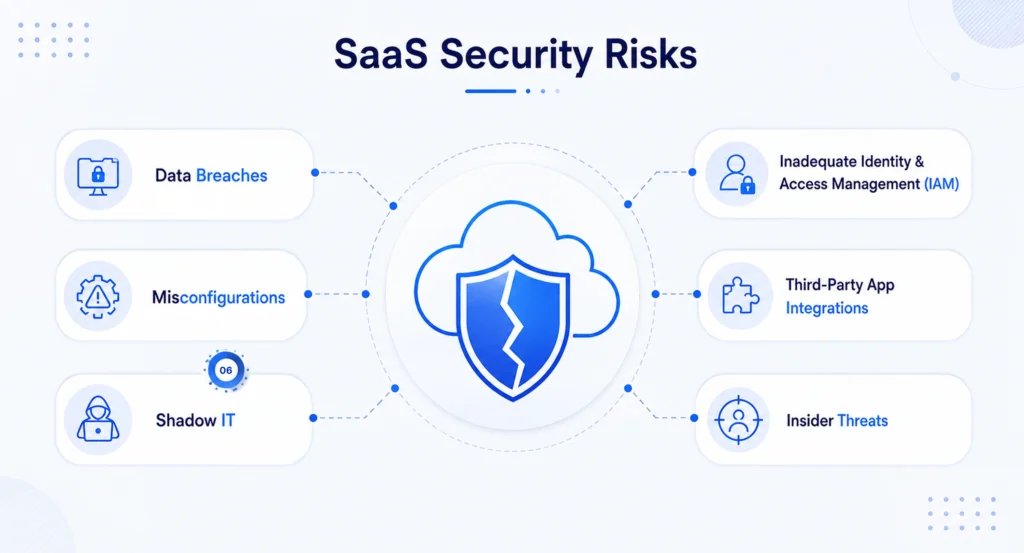
Before implementing fixes, it helps to understand exactly where the danger comes from. Most SaaS security incidents trace back to one of three root causes.
1. Data Breaches Caused by Misconfigured Software Settings
Cloud misconfigurations are among the most common and most preventable causes of data breaches. An application rolled out with default settings, an overly permissive sharing policy in a collaboration tool, or a storage bucket left publicly accessible can expose thousands of customer records in seconds. The IBM 2024 Cost of a Data Breach Report puts the average breach cost at USD 4.48 million, much of it avoidable.
2. The Threat of Shadow IT
Shadow IT refers to SaaS tools that employees adopt without the knowledge or approval of IT or security teams. A team starts using a free file-sharing app to collaborate faster. A developer installs an unapproved third-party plugin. A sales rep connects a personal productivity tool to their corporate email.
Each of these actions bypasses your organization’s vetting process. The result: sensitive business data flows into applications you never reviewed, never secured, and never consented to. You have no visibility into where that data goes, who can access it, or how it is protected.
To mitigate Shadow IT, organizations should conduct regular network audits to discover unapproved applications, establish a clear procurement process requiring IT sign-off before new tools are adopted, and offer approved, secure alternatives that meet employees’ operational needs so they are not tempted to work around the system.
3. Lack of Visibility into Where Sensitive Business Data Lives
In organizations using dozens of SaaS tools, it quickly becomes impossible to answer a simple question: where exactly does our sensitive data live? Customer records may sit in a CRM, a support platform, a marketing tool, and a spreadsheet shared by three different teams, each with its own access controls and security posture. Without a clear data inventory, you cannot protect what you cannot see.
Core Cloud Application Security Practices for Businesses
Addressing saas security risks starts with getting the fundamentals right. The following three practices form the foundation of any secure cloud application environment.
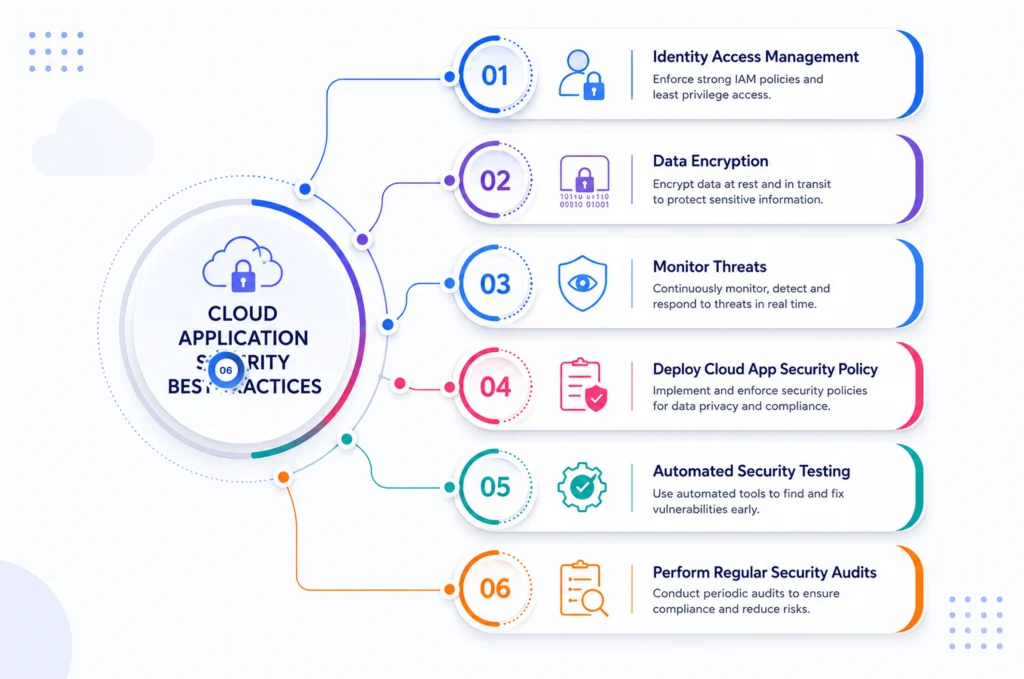
Identity and Access Management (IAM): Passwords and MFA
Compromised credentials remain the leading cause of unauthorized access to SaaS applications. Strong IAM controls are the first line of defense.
Mandate strong, unique passwords for all SaaS accounts and enforce Multi-Factor Authentication (MFA) across every application, especially administrator accounts, developer environments, and tools that hold customer data. MFA adds a critical layer of defense beyond passwords, which are easily compromised through phishing or credential stuffing attacks. Requiring a secondary verification code or biometric check stops up to 99% of automated account takeover attempts, making it the single most effective SaaS security practice.
Pair MFA with Role-Based Access Control (RBAC) and the principle of least privilege: give users only the permissions they need to do their job, and nothing more.
SaaS Data Protection: Encryption In Transit and At Rest
Protecting sensitive information requires ensuring that data remains unreadable even if it is intercepted or accessed without authorization. Businesses should enforce encryption at every stage of the data lifecycle.
- At rest: use AES-256 encryption for data stored in databases and backups.
- In transit: enforce TLS 1.3 for all data moving between users, servers, and APIs.
- During backups and disaster recovery, ensure encrypted copies are stored securely and tested regularly.
SaaS data protection through encryption is especially critical for businesses handling financial information, healthcare records, or personally identifiable information (PII). It also directly supports compliance with GDPR, HIPAA, and PCI DSS.
Offboarding Protocols: Revoking Access Instantly When Employees Leave
Every employee departure is a potential security event if access is not removed immediately. Former employees retaining access to SaaS applications, even accidentally, is a well-documented source of data leaks and insider threats.
Organizations should have a defined offboarding protocol that triggers the moment an employee’s departure is confirmed:
- Immediately revoke access to all SaaS applications.
- Disable the employee’s account in your Single Sign-On (SSO) system, which will cascade revocation across all connected tools.
- Transfer ownership of any files, documents, or projects the employee managed.
- Review and audit any permissions the employee held for unusual activity.
Automating this process through your identity provider significantly reduces the window of exposure.
The Ultimate SaaS Security Checklist
Use the following step-by-step checklist to evaluate and improve your organization’s current security posture. This format is designed for quick audits; run it quarterly or whenever a major change occurs in your SaaS environment.
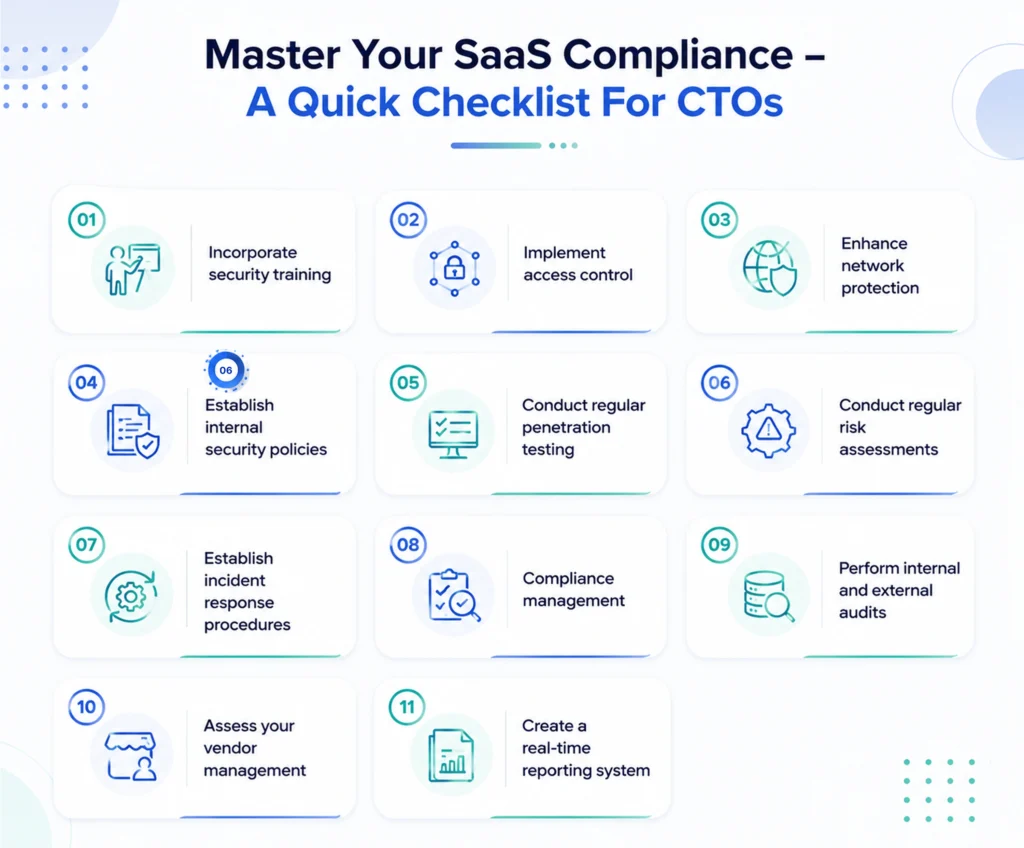
| Step | Security Action | Status |
|---|---|---|
| 1 | Audit all current SaaS vendors and review user permissions | ☐ |
| 2 | Enforce Single Sign-On (SSO) across the enterprise | ☐ |
| 3 | Run regular employee security awareness training | ☐ |
| 4 | Implement continuous monitoring and log analysis | ☐ |
| 5 | Enable Multi-Factor Authentication (MFA) on all accounts | ☐ |
| 6 | Apply Role-Based Access Control (RBAC) and least privilege | ☐ |
| 7 | Encrypt data at rest and in transit (AES-256 / TLS 1.3) | ☐ |
| 8 | Secure all APIs with OAuth 2.0 and rate limiting | ☐ |
| 9 | Establish a vendor evaluation process (SOC 2, ISO 27001) | ☐ |
| 10 | Define and test an incident response and disaster recovery plan | ☐ |
If several items remain unchecked, prioritize them as part of your next security improvement cycle. The four steps below are the highest-priority starting points for most organizations.
Step 1: Audit All Current SaaS Vendors and User Permissions
Begin with full visibility. Create a complete inventory of every SaaS application in use across your organization, including tools adopted by individual teams without central IT approval. For each application, document who has access, what permission level they hold, and whether that access is still necessary. Remove inactive accounts and excessive privileges immediately.
Step 2: Enforce Single Sign-On (SSO) Across the Enterprise
SSO consolidates authentication into a single identity provider, making it far easier to enforce consistent security policies across all SaaS tools. When an employee leaves, disabling their SSO account instantly revokes access to every connected application. SSO also provides centralized logging, making unusual login patterns easier to detect.
Step 3: Run Regular Employee Security Awareness Training
Employees remain one of the most common entry points for cyberattacks. Phishing emails, weak password habits, and accidental data sharing are all human-layer vulnerabilities that technology alone cannot fix. Organizations should conduct security awareness training at least quarterly, run phishing simulation exercises, and establish clear policies for reporting suspicious activity.
Step 4: Implement Continuous Monitoring and Log Analysis
You cannot respond to threats you cannot see. Centralized logging, Security Information and Event Management (SIEM) platforms, and User and Entity Behavior Analytics (UEBA) tools give security teams real-time visibility into what is happening across all SaaS environments. Set up automated alerts for unusual login attempts, privilege escalation, and suspicious API activity, so your team can act before an incident escalates.
How to Evaluate New SaaS Vendors Safely?
Adding a new SaaS tool to your stack is a security decision as much as a business one. Every vendor you onboard becomes part of your attack surface. Before signing a contract or granting a new application access to your data, run it through a structured evaluation process.
Look for Critical Compliance Certifications
At a minimum, look for vendors holding the following certifications, which demonstrate that their security controls have been independently audited:
- SOC 2 Type II: verifies that the vendor has maintained effective security controls over a sustained period, not just at a single point in time.
- ISO/IEC 27001: the international standard for information security management systems.
- GDPR compliance: essential for any vendor processing personal data of EU residents.
- HIPAA compliance: required for vendors handling protected health information in the US.
- CCPA compliance: relevant for businesses serving California residents.
A vendor that cannot demonstrate at least SOC 2 Type II or ISO 27001 certification should be treated with serious caution, regardless of how convenient or affordable their product may be.
Review the Vendor’s Shared Responsibility Model
Every SaaS relationship operates under a Shared Responsibility Model. Understanding the split is critical before you onboard any vendor.
Here is how responsibilities are typically divided:
| SaaS Provider Responsibilities | Customer Responsibilities |
|---|---|
| Physical infrastructure security | Identity and Access Management (IAM) |
| Server maintenance & patching | User access and permissions |
| Platform availability | Multi-Factor Authentication (MFA) |
| Network security | SaaS data protection |
| Infrastructure monitoring | Security configurations |
| Service reliability | SaaS compliance and governance |
The SaaS provider secures the underlying cloud infrastructure, servers, networking, and platform availability. Your business remains responsible for securing user identities, application configurations, permissions, connected devices, and business data. Knowing this boundary helps you identify where your security gaps actually are and stops you from assuming the vendor is handling something they are not.
Ask Vendors About Data Backup and Disaster Recovery Timelines
Understand exactly what happens to your data if the vendor experiences an outage, breach, or goes out of business.
Ask specifically:
- How frequently is customer data backed up?
- What is the Recovery Time Objective (RTO)? How quickly can the vendor restore service?
- What is the Recovery Point Objective (RPO)? How much data could be lost in a worst-case scenario?
- Where are backups stored geographically, and are they encrypted?
- Has the vendor tested their disaster recovery plan recently? Can they share the results?
Vendors who cannot answer these questions clearly are a risk. Build disaster recovery expectations into your contract where possible.
Building a Resilient Cloud Environment
Securing your SaaS stack is not a project you complete once and forget. The threat landscape evolves continuously, new attack techniques emerge, vendors update their platforms, employees join and leave, and your application portfolio grows. Each change introduces new variables that need to be reviewed.
The businesses that stay ahead of SaaS security risks treat security as an ongoing operational discipline, not a one-time setup. That means regular audits, continuous monitoring, tested incident response plans, and a culture where employees understand their role in protecting company data.
By combining strong Identity and Access Management, saas data protection through encryption, rigorous vendor evaluation, and the step-by-step saas security checklist above, your organization builds a cloud environment that is not just convenient but genuinely resilient.
At CodesClue, we believe security should be built into every stage of the SaaS development lifecycle. A proactive, security-first approach not only strengthens compliance but also creates the foundation for long-term business growth that customers can trust.
Frequently Asked Questions
What is the shared responsibility model in SaaS security?
The shared responsibility model dictates that security duties are split between the vendor and the customer. The SaaS provider secures the application infrastructure, physical servers, and core software. Your business is responsible for securing data access, user identities, passwords, permissions, and endpoints. Understanding this split is essential. Many organizations mistakenly assume the vendor handles everything, only to discover they have left critical areas unprotected.
How do you prevent Shadow IT from creating SaaS security risks?
Shadow IT occurs when employees use unauthorized SaaS tools without IT approval. To mitigate this risk, conduct regular network audits to discover unapproved applications, establish a clear procurement process that requires IT sign-off before any new software is adopted, and offer approved, secure alternatives that genuinely meet your employees’ operational needs. When employees have good tools available through official channels, they are far less likely to work around the system.
What compliance certifications should a secure SaaS vendor have?
At a minimum, look for vendors holding SOC 2 Type II or ISO/IEC 27001 certifications, which prove their security controls are independently audited. Depending on your industry and location, also ensure they comply with GDPR (Europe), CCPA (California), or HIPAA (healthcare). A vendor that cannot produce current compliance documentation should be considered a risk, regardless of how attractive their pricing or feature set may be.
Why is Multi-Factor Authentication (MFA) vital for secure cloud applications?
MFA adds a critical layer of defense beyond standard passwords, which are easily compromised via phishing or credential stuffing. Requiring a secondary verification code or biometrics stops up to 99% of automated account takeover attacks, making it the single most effective SaaS security practice. Every account, especially administrator and privileged user accounts, should have MFA enforced without exception.
How often should our business audit its SaaS security checklist?
You should review your SaaS security checklist at least quarterly. Additionally, run instant mini-audits whenever an employee leaves the company to ensure complete offboarding and access revocation or whenever a major new cloud application is integrated into your workflow. Waiting for annual reviews creates large windows of exposure that attackers can and do exploit.