
In 2025 alone, over 3,117 federal lawsuits targeted inaccessible websites in the U.S. That isn’t just a compliance stat. It’s a wake-up call for every business operating online.
Digital accessibility is no longer optional. Beyond legal exposure, an inaccessible site locks out millions of potential users and damages your brand. WCAG compliance services bridge that gap by combining expert audits, hands-on remediation, assistive-technology testing, and continuous monitoring to turn accessibility from a legal threat into a business advantage.
Here is your complete guide to navigating digital accessibility: what WCAG compliance requires, how 2.1 and 2.2 compare, how the ADA applies to your site, and how a structured accessibility strategy protects your business while serving every user.
What Are WCAG Compliance Services?
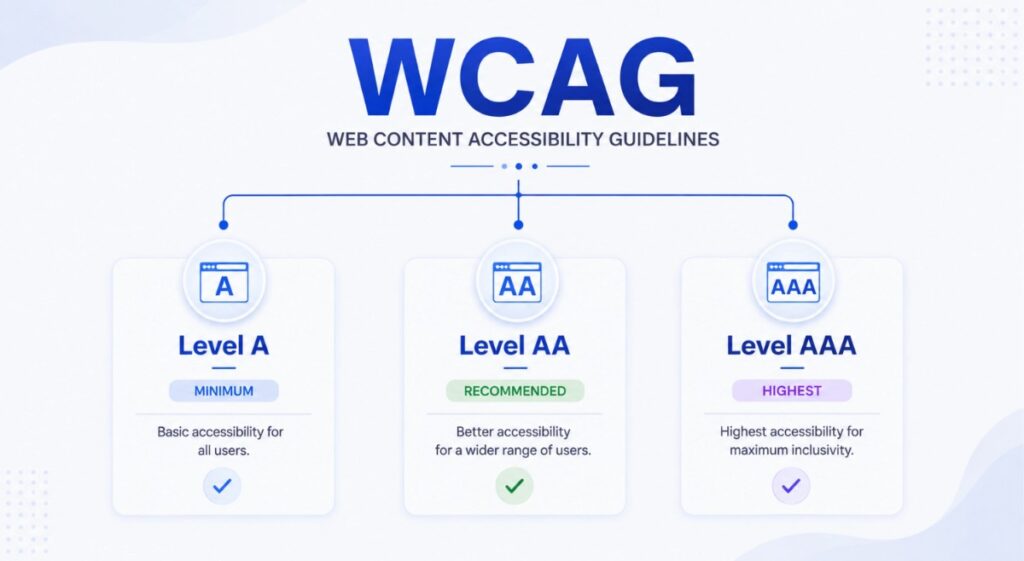
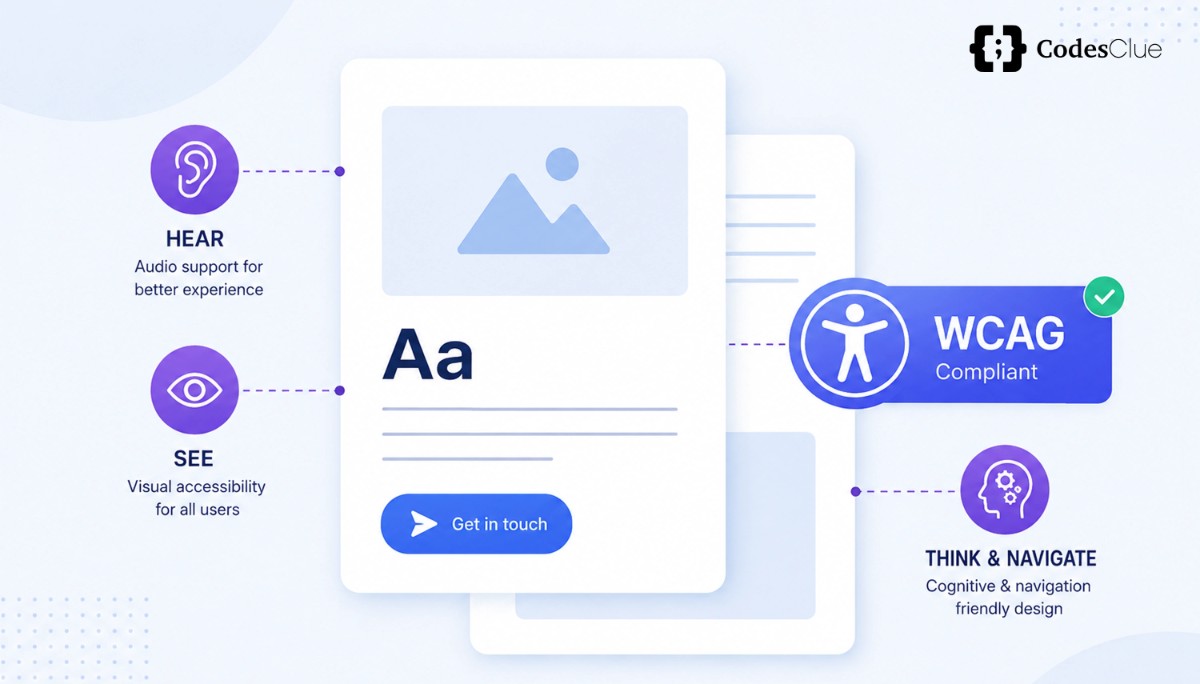
WCAG compliance services help businesses make websites, web applications, and digital content more accessible to people with disabilities.
WCAG, or the Web Content Accessibility Guidelines, is an international accessibility standard developed by the World Wide Web Consortium (W3C). It provides practical guidance for making digital content easier to perceive, operate, understand, and use with different assistive technologies.
These principles are commonly known as POUR:
- Perceivable: Users can access information through different senses.
- Operable: Users can navigate and interact with the website.
- Understandable: Content and functions are clear and predictable.
- Robust: Content works reliably across browsers and assistive technologies.
A professional accessibility program can include a WCAG compliance audit, manual testing, screen reader testing, code-level fixes, document remediation, accessibility training, and ongoing monitoring.
Compliance Is Not a One-Time Fix
A website can become inaccessible again after an audit. A new landing page, design change, plugin, form, product feature, or content update can introduce accessibility problems. That’s why website accessibility compliance should be treated as an ongoing process, not a one-time project.
Regular testing and retesting help businesses identify new barriers before they become larger usability or compliance concerns.
Why WCAG Compliance Matters for Your Business?
Accessibility is more than a technical requirement. It can affect your legal exposure, customer experience, reach, and brand reputation.
Legal Risk: Avoid ADA Website Lawsuits
Website accessibility litigation remains a concern for businesses operating in the U.S., particularly organizations that serve customers online. E-commerce and retail businesses have represented a significant share of digital accessibility lawsuits.
An inaccessible website can prevent people from completing important actions such as:
- Finding products or services
- Completing forms
- Creating an account
- Navigating checkout
- Accessing important information
- Using interactive features
A proactive accessibility program can help businesses identify and address these barriers before they escalate into complaints or legal disputes.
If your goal is to avoid ADA website lawsuits, don’t wait until you receive a demand letter to investigate accessibility. Start by understanding where your website currently stands and create a practical remediation plan.
Business Case: Reach More People and Improve UX
Accessibility can expand the number of people who can comfortably use your website.
Approximately one in four adults in the U.S. lives with a disability. When websites contain inaccessible navigation, forms, images, or interactive elements, potential users can face unnecessary barriers.
Many accessibility improvements also support a better experience for other users.
For example:
- Clear headings make content easier to scan.
- Good color contrast improves readability.
- Logical navigation makes websites easier to use.
- Descriptive links provide better context.
- Semantic HTML can help both users and search engines understand page structure.
- Keyboard-friendly interactions help users who don’t use a mouse.
Accessibility isn’t simply about meeting a standard. It’s about removing unnecessary friction from the digital experience.
Build Brand Trust and Reputation
Customers notice how businesses design their digital experiences.
An accessible website demonstrates that your organization considers people with different abilities when creating products and services. This can be particularly important in industries such as healthcare, education, finance, and B2B, where accessibility may also become part of procurement or customer requirements.
Understanding WCAG 2.1 vs WCAG 2.2 Compliance
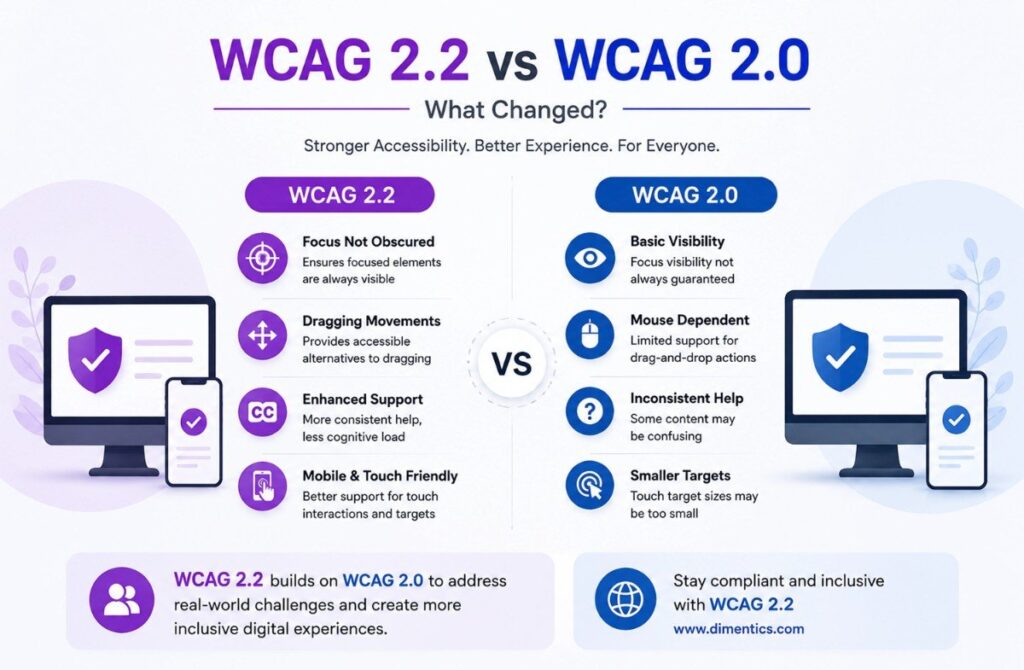
WCAG 2.2 builds on WCAG 2.1 with additional success criteria designed to address newer accessibility needs. Understanding the difference can help you decide where to focus your accessibility investment.
What Changed in WCAG 2.2?
WCAG 2.2 became a W3C Recommendation in October 2023 and introduced nine new success criteria while remaining backward-compatible with WCAG 2.1. The additions include requirements related to focus visibility, target size, accessible authentication, consistent help, and alternatives to certain drag interactions.
These changes are particularly relevant as websites become more interactive and increasingly rely on mobile and touch-based experiences.
Why Upgrade From WCAG 2.1 to WCAG 2.2 and Which Version Your Business Should Target?
If your website already meets WCAG 2.1 compliance requirements, upgrading doesn’t necessarily mean rebuilding your entire website.
Instead, a WCAG 2.2 compliance assessment can help you identify the additional areas that need attention.
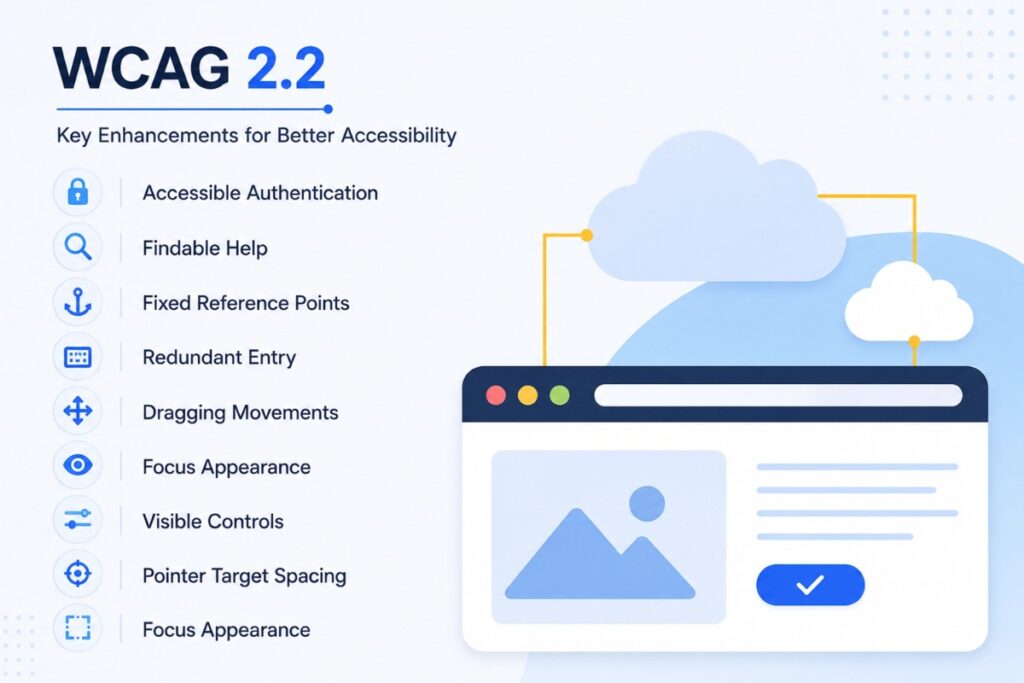
Upgrading can benefit your business by:
1. Addressing newer accessibility barriers
WCAG 2.2 introduces additional requirements that address issues affecting focus, interaction, authentication, and other user experiences.
2. Improving mobile usability
Requirements such as target-size guidance can make interactive elements easier to use on touch devices.
3. Supporting a wider range of users
Several updates address barriers that can affect people with cognitive, physical, and other disabilities.
4. Reducing future remediation work
If you’re already investing in an accessibility audit and remediation project, addressing applicable WCAG 2.2 requirements at the same time may reduce the need for another major remediation cycle later.
5. Taking a more proactive approach
Building toward the newer standard can give your accessibility program a more forward-looking foundation.
For organizations starting a new accessibility initiative, targeting WCAG 2.2 compliance may be a practical long-term approach, while organizations with existing WCAG 2.1 compliance should evaluate their specific legal, regulatory, technical, and business requirements before deciding how to upgrade.
ADA and WCAG Compliance: How Are They Connected?
The ADA and WCAG are related, but they are not the same thing.
The Americans with Disabilities Act (ADA) is a U.S. civil rights law. WCAG is a technical accessibility standard created by the W3C.
The ADA does not simply state that every private website must meet a specific WCAG version. However, WCAG is widely used as a technical reference when evaluating digital accessibility, and certain government and federally funded contexts have specific accessibility requirements that reference WCAG.
ADA vs. WCAG
| ADA | WCAG |
| U.S. civil rights law | International technical accessibility standard |
| Establishes legal protections | Provides practical accessibility criteria |
| Applies according to the relevant legal requirements | Guides accessible digital content |
| Does not function as a website testing checklist | Can be used to evaluate and improve websites |
This is why businesses often consider ADA and WCAG compliance together. The ADA addresses the legal side of accessibility, while WCAG provides a practical technical framework for identifying and addressing many digital accessibility barriers.
Because legal requirements can vary by organization, industry, location, and applicable regulation, businesses should obtain legal advice when they need a determination about their specific obligations.
Our WCAG Compliance Audit Process
A professional accessibility review should go beyond running an automated scanner.
At CodesClue, our WCAG compliance audit approach combines automated testing, manual review, and assistive-technology testing to identify both technical issues and real-world usability barriers.
Step 1: Automated + Manual WCAG Compliance Audit
Automated tools can quickly identify many common accessibility problems, but they cannot evaluate every aspect of accessibility.
Our WCAG audit services combine automated scans with manual review of areas such as:
- Keyboard navigation
- Heading and page structure
- Alternative text
- Focus behavior
- Form labels
- Color contrast
- Reading order
- Interactive components
- Keyboard traps
- User flows
This combination provides a more complete picture than relying on an automated accessibility score alone.
Step 2: Screen Reader and Assistive Technology Testing
A website may pass automated checks and still be difficult to use.
Testing with assistive technologies helps identify issues that automated tools may miss.
Depending on the project, testing can include:
- JAWS
- NVDA
- VoiceOver
- Keyboard-only navigation
- Voice-control tools
The objective is to understand how the website behaves for people who rely on these technologies.
Step 3: Detailed Findings Report
After testing, we provide a structured findings report that helps your team understand what needs to change.
Each finding can include:
- The accessibility issue
- Relevant WCAG success criterion
- Affected page or component
- Severity or user impact
- Recommended remediation
- Developer guidance
Instead of simply showing a list of errors, the report gives your team a practical roadmap for prioritizing fixes.
Digital Accessibility Remediation Services
An audit tells you where the problems are. Digital accessibility remediation focuses on fixing those problems.
Code-Level Accessibility Fixes
Our remediation work can address areas such as:
- ARIA roles and labels
- Semantic HTML
- Alternative text
- Color contrast
- Keyboard navigation
- Focus indicators
- Accessible menus and interactive elements
- Form labels and validation messages
The goal is to make the underlying experience more accessible rather than relying on a temporary overlay or automated workaround.
Content and Document Remediation
Accessibility also applies to digital documents and content.
We can help address accessibility issues in:
- PDFs
- Forms
- Tables
- Headings
- Reading order
- Downloadable documents
- Form labels and instructions
An accessible website can still create barriers if important information is provided through an inaccessible document.
Ongoing Monitoring and Retesting
Your website changes over time.
New content, design updates, third-party integrations, and product features can introduce new accessibility issues. Ongoing monitoring and scheduled retesting help your team catch those changes and address them as part of the development cycle.
Web Accessibility Solutions We Offer
Our web accessibility solutions can support your accessibility program from initial assessment through ongoing improvement.
- WCAG compliance audit: Automated and manual accessibility testing
- WCAG audit services: Detailed assessment and prioritized findings
- Digital accessibility remediation: Code, content, forms, and document fixes
- Assistive technology testing: Screen reader and keyboard-based testing
- WCAG 2.1 and 2.2 support: Assessment and remediation based on your target standard
- Accessibility training: Guidance for developers, designers, and content teams
- VPAT/ACR support: Documentation for organizations that need accessibility information for procurement
- Ongoing monitoring: Retesting to identify accessibility regressions
Whether you’re starting from scratch or improving an existing accessibility program, we can help you create a structured path from assessment to remediation.
How to Avoid ADA Website Lawsuits Proactively
No accessibility service can guarantee that a business will never face a legal claim. However, a proactive accessibility program can help you identify and address common barriers before they become larger problems.
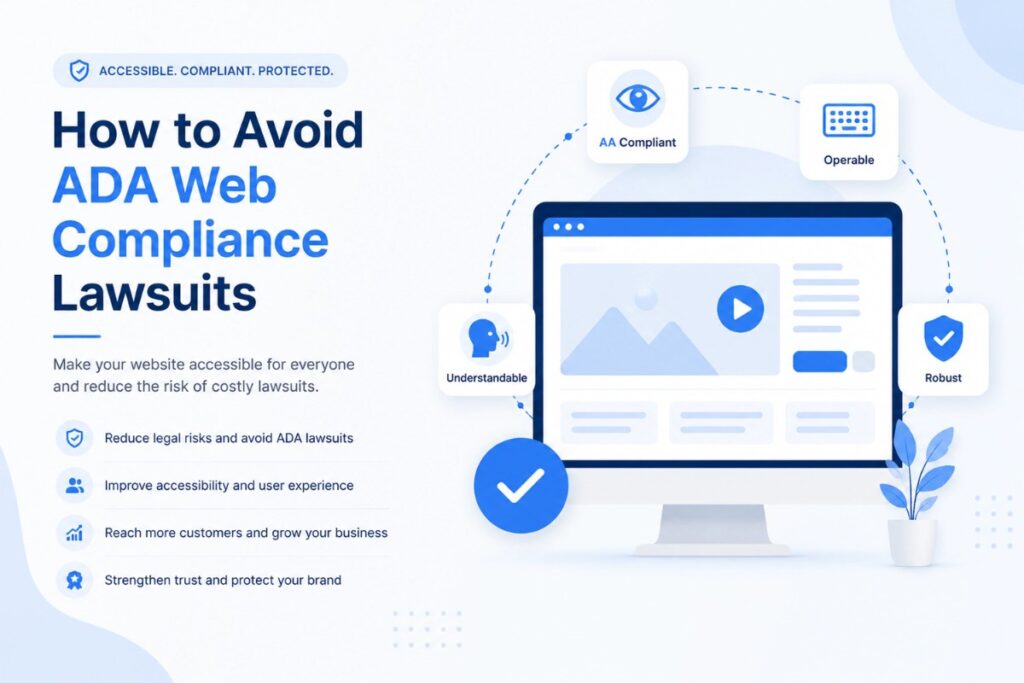
To avoid ADA website lawsuits, consider these steps:
- Start with a professional accessibility audit.
Understand the current accessibility condition of your website instead of relying only on automated tools. - Prioritize issues that affect core user journeys.
Give attention to important areas such as navigation, forms, account creation, product pages, and checkout. - Test with assistive technologies.
Automated scans alone cannot replicate the experience of every user. - Fix accessibility issues at the source.
Address the underlying HTML, CSS, JavaScript, content, or component rather than relying on a quick overlay. - Train the people who publish and build content.
Accessibility can deteriorate when new pages and features are added without accessibility considerations. - Retest after significant changes.
New functionality can introduce new barriers. - Document your accessibility work.
Maintain records of audits, findings, remediation, testing, and ongoing improvements. - Get legal guidance when needed.
If your organization receives an accessibility complaint or legal notice, consult qualified legal counsel about your specific situation.
Why Choose Us for WCAG Compliance Services?
Choosing an accessibility partner is about more than receiving an automated report. You need a team that can help your organization understand the issues, prioritize them, implement practical fixes, and validate the results.
Our WCAG compliance services focus on connecting accessibility testing with real development and design workflows.
What Sets Our Approach Apart?
- Automated + manual testing: Combine tool-based scanning with expert review.
- Assistive technology testing: Evaluate real user journeys with screen readers and keyboard navigation.
- Developer-ready recommendations: Give technical teams clear guidance they can act on.
- User-impact prioritization: Focus first on barriers that affect important tasks and journeys.
- WCAG 2.1 and 2.2 expertise: Help businesses determine an appropriate accessibility target.
- Ongoing support: Continue testing as websites, content, and applications evolve.
Accessibility Expertise
Our accessibility work is based on WCAG guidelines, manual testing practices, assistive-technology evaluation, and practical remediation workflows.
If your project requires specific professional accessibility certifications, compliance documentation, or procurement credentials, we can align the engagement with those requirements.
Our team can support projects requiring:
- IAAP Certified Professional in Accessibility Core Competencies (CPACC)
- IAAP Web Accessibility Specialist (WAS)
- WCAG 2.1 & WCAG 2.2 compliance audits
- VPAT/ACR preparation
- ADA accessibility remediation
- Accessibility testing using screen readers and keyboard-only navigation
Mini Case Study
Improving Accessibility Across a High-Traffic eCommerce Journey. An eCommerce website can contain accessibility barriers across product discovery, filters, forms, account creation, and checkout. In a typical remediation engagement, our team would first audit these high-value journeys, identify issues affecting keyboard and screen-reader users, prioritize the most critical barriers, and provide developers with actionable remediation guidance.
After implementation, the affected journeys would be retested to validate the changes and identify any remaining issues.
This approach helps businesses treat accessibility as part of the product experience rather than as a one-time compliance exercise.
Make Accessibility Part of Your Digital Strategy
Accessibility shouldn’t begin after a complaint or legal notice. It should be considered as part of how your website, application, content, and user experience are designed and maintained.
With the right WCAG compliance services, businesses can identify accessibility barriers, prioritize meaningful improvements, support website accessibility compliance, and create digital experiences that work for more people.
At CodesClue, our approach combines accessibility auditing, manual and assistive-technology testing, remediation guidance, and ongoing support to help businesses build accessibility into their digital workflows rather than treating it as an afterthought.
Ready to understand where your website stands? Talk to the CodesClue team about a professional accessibility assessment.
Note: This article provides general information about digital accessibility and does not constitute legal advice. Accessibility obligations can vary by business, industry, jurisdiction, and applicable regulations. Consult qualified legal counsel for advice specific to your organization.