Web Portal vs. CMS-Based Portal: Which is Right for Your Business?
Confused between a Web Portal and a CMS-Based Portal? Explore key differences in cost, customization, and scalability to make the right choice.
Picture this: you’re three months into building your “website,” and suddenly someone asks, “Wait, can customers log in and see their own dashboard?” Silence. That one question just turned a simple content site into a completely different kind of project.
If you’ve typed “web portal vs website” into Google at some point, you’re not alone; it’s one of the most common (and most confusing) questions in digital planning. On the surface, both look similar. Both live online. Both host content. Both serve users. But under the hood, they’re built to solve entirely different business problems, and confusing one for the other can quietly cost you months of rework and a chunk of your budget you didn’t plan to spend twice.
This guide breaks it all down in plain terms: what separates a website from a web portal, where a web content management system fits into the equation, and how to figure out which path actually matches your business goals, before you write a single line of code.
Key Takeaways
- A website built on a CMS is public-facing and built for content publishing, SEO, and lead generation.
- A web portal is login-based and delivers personalized, role-based experiences for customers, partners, or employees.
- The core difference between a website and a web portal comes down to audience access and personalization depth.
- Role-based content delivery is the defining feature that separates a portal from a standard site.
- Many enterprises run both together, with a CMS handling public content and a portal handling authenticated, custom experiences.
- Choosing the right platform depends on your business goal, not just your current budget.
- Planning for future scale early prevents expensive rebuilds down the line.
What Is a Website (CMS-Based Portal)?
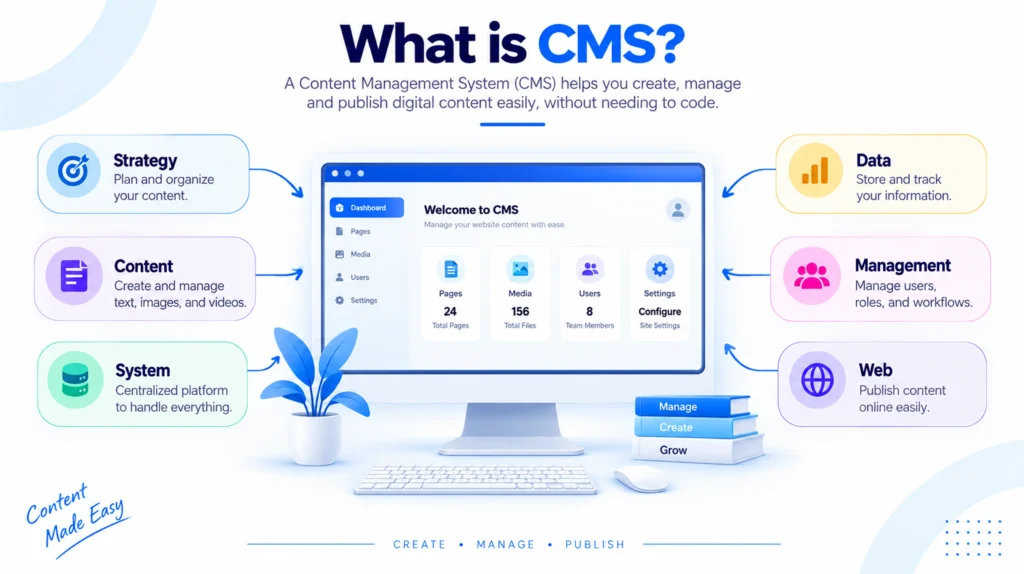
A standard website runs on a CMS. It is open to the public. Anyone can land on it, read the content, and leave. A CMS platform is built to help marketing teams and content creators publish, edit, and manage information without needing a developer for every small change.
Think of a company blog, a product catalog, or a corporate homepage. These are all classic CMS use cases. The core job of a CMS is content creation and content management, not user-specific interaction. As CMSWire explains, a CMS focuses on enabling developers and content teams to build and manage rich content experiences for a general audience.
Typical CMS traits:
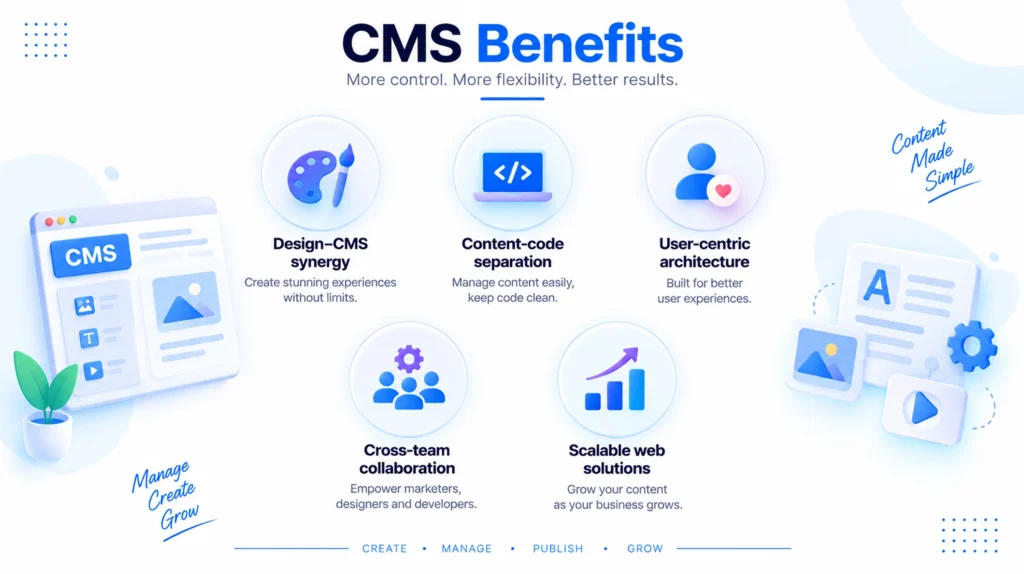
- Open access, no login required
- Built for publishing blogs, landing pages, and marketing pages
- Managed easily by non-technical staff
- SEO-friendly out of the box
- Lower upfront cost and faster deployment
A well-built enterprise content management system also supports workflow approvals, content versioning, and multi-author collaboration, which matters once your team grows past a handful of people.
What Is a Web Portal?
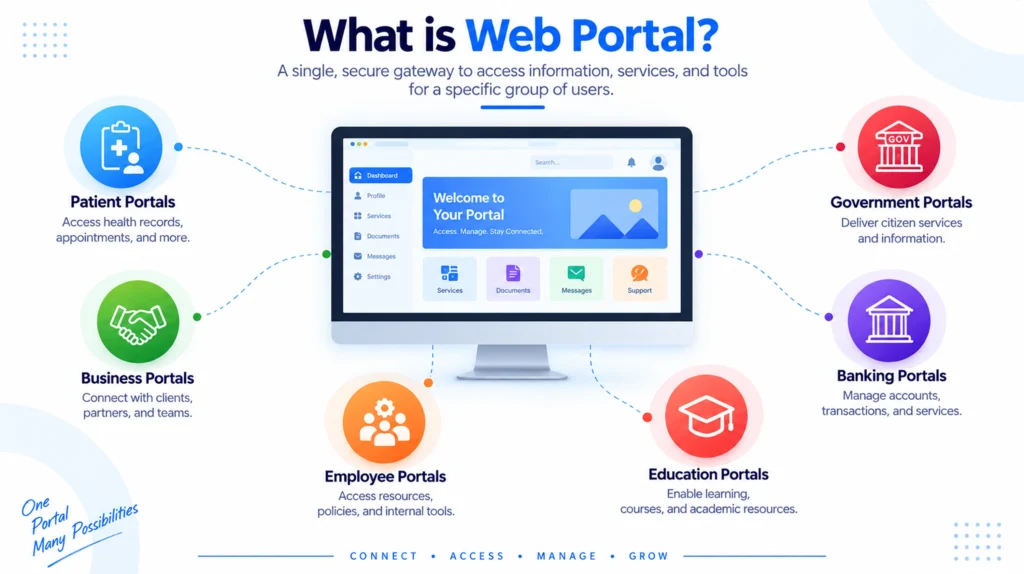
A web portal is a different animal entirely. It is a gated, personalized environment that users access after logging in. Once inside, each user sees content and tools relevant to their specific role.
This is called role-based content delivery, and it is the defining feature of a portal. A sales manager sees dashboards and reports. A customer sees their order history and support tickets. A partner sees pricing sheets and inventory data. Everyone logs into the same portal, but everyone sees something different.
According to CMSWire’s analysis of portal architecture, the core purpose of a portal server is building websites with role-based content, with the primary focus on how end-users interact within that experience. Portals also emerged to give organizations a single, central access point for data, documents, applications, and internal resources instead of scattering everything across separate systems.
Typical portal traits:
- Login-based, personalized access
- Role-based dashboards and permissions
- Integrates with CRMs, ERPs, and internal databases
- Supports collaboration tools like forums, document libraries, and workflows
- Higher development complexity and cost
Liferay’s breakdown of portal functionality points out that a custom web portal development project is best suited for nurturing long-term relationships after the initial sale or sign-up, especially in B2B environments where each customer or partner needs a tailored digital experience.
Web Portal vs Website: The Core Difference
Here is the simplest way to separate the two.
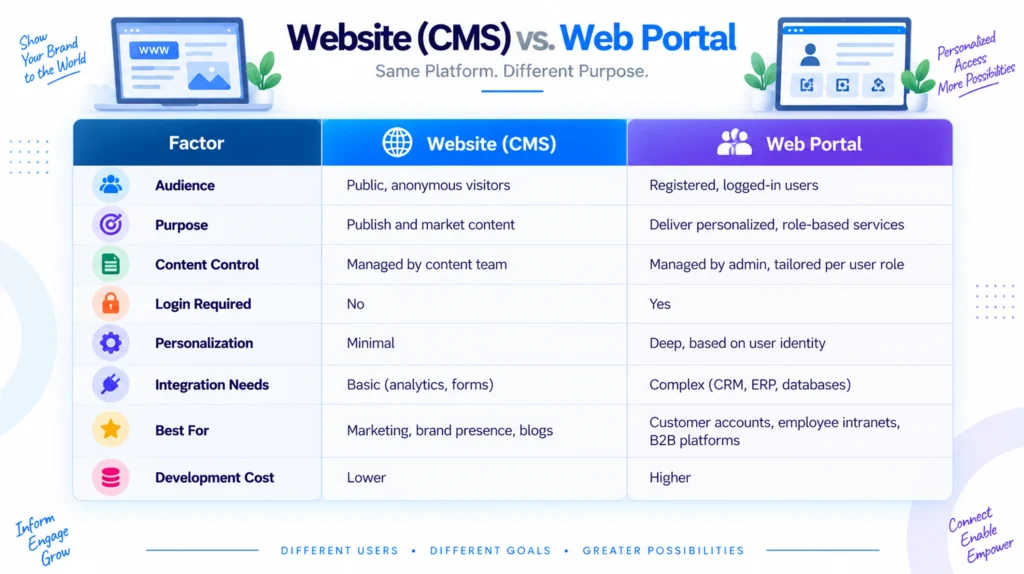
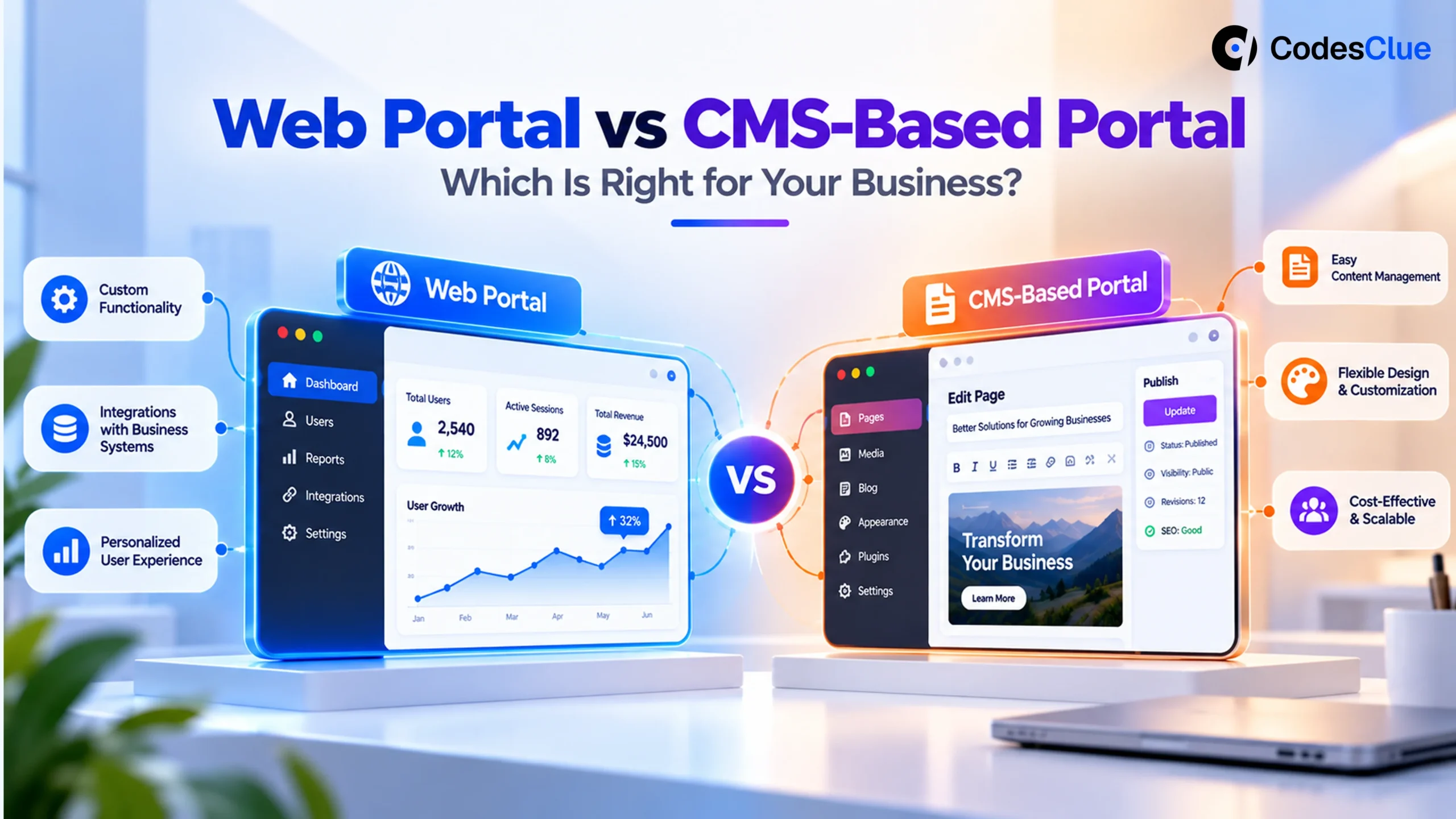
| Factor | Website (CMS) | Web Portal |
|---|---|---|
| Audience | Public, anonymous visitors | Registered, logged-in users |
| Purpose | Publish and market content | Deliver personalized, role-based services |
| Content Control | Managed by content team | Managed by admin, tailored per user role |
| Login Required | No | Yes |
| Personalization | Minimal | Deep, based on user identity |
| Integration Needs | Basic (analytics, forms) | Complex (CRM, ERP, databases) |
| Best For | Marketing, brand presence, blogs | Customer accounts, employee intranets, B2B platforms |
| Development Cost | Lower | Higher |
This table answers the portal vs. website when to use question at a glance. If your goal is visibility and lead generation, a website wins. If your goal is ongoing engagement with a defined group of users, a portal wins.
When Should You Choose a CMS-Based Website?
Go with a CMS when your primary goal is public-facing communication. A restaurant chain wants people to see the menu. A law firm wants prospects to read case studies. A SaaS company wants search engines to index its blog. None of these need a login wall.
CMS platforms also win when speed and budget are tight. You can launch a professional website in a matter of weeks using an established web content management system, then scale content over time without touching code for every update.
Choose a CMS if:
- You need strong SEO visibility and organic traffic
- Your content is meant for a broad, public audience
- You want your marketing team to publish independently
- You need to launch fast and iterate often
- Your budget favors a lean, low-maintenance build
When Should You Choose a Web Portal?
Portals make sense the moment your business needs to manage relationships, not just visitors. If you run a B2B company where clients need to track orders, download invoices, or message your support team directly, a portal is the right infrastructure.
Portals also shine in internal use cases. Large organizations use employee portals to centralize HR requests, internal announcements, and access to business tools, all filtered by department or seniority. This single point of access reduces the friction of jumping between disconnected internal systems.
Choose a portal if:
- Your users need to log in to access personalized data
- You require role-based permissions across teams or customer types
- You need integration with backend systems like CRM or inventory databases
- You are building a customer self-service hub or partner network
- Data security and access control are business-critical
Can You Combine Both? Yes, and Most Enterprises Do
Here is where it gets interesting. Most modern businesses do not pick one over the other; they combine both. A public-facing CMS handles your marketing site, blog, and lead generation. Behind a login wall, a portal handles logged-in users, account management, and internal operations.
Many portal platforms now embed a CMS directly inside them, letting content teams publish updates that appear inside the portal without needing a separate system. CMSWire notes that most portals eventually support integrations to an external content management system, or build one in natively, so content created by editors can flow directly into personalized portal pages.
This hybrid approach has also given rise to a bigger category: Digital Experience Platforms (DXPs). As Liferay explains, a DXP was built because businesses needed both CMS and portal capabilities working together to deliver a consistent experience across web, mobile, and other digital touchpoints. If your roadmap includes public content today and a full customer portal tomorrow, planning your architecture with this future in mind will save you a costly migration later.
Common Mistakes Businesses Make
Choosing a portal when a CMS would do.
Some businesses over-engineer their first website by adding login walls and dashboards nobody asked for. This adds cost and slows down public discovery through search engines.
Choosing a CMS and bolting on portal features later.
This usually backfires. Retrofitting authentication, role management, and secure data integrations onto a system that was never designed for it creates technical debt and security gaps.
Ignoring long-term scale.
A startup might only need a simple website today, but if the roadmap includes a client dashboard or partner network within two years, it pays to choose a flexible platform now.
How CodesClue Approaches This Decision
At CodesClue, we do not start any project by picking a platform first. We start by mapping your business outcome. Do you need visitors, or do you need logged-in relationships that grow over time? That single question decides whether you need a CMS, a full-scale portal, or a hybrid build that starts simple and expands into role-based features as your user base matures.
Our approach also builds in a human-in-the-loop layer for every portal we develop, meaning your admin team retains full control over permissions, workflows, and data access even as automation and AI-driven personalization get added later. This keeps your portal secure, adaptable, and genuinely useful for the people logging into it every day.
If you are still weighing a web portal vs. website decision for your business, CodesClue’s team in Ahmedabad can map out the right architecture based on your growth plans, not just your immediate needs. Talk to us about your project before you commit to a platform.
FAQs
Is a web portal more expensive to build than a website?
Generally yes, because portals require authentication systems, role management, and integrations with backend databases or CRMs, all of which add development time.
Can a CMS be upgraded into a portal later?
It depends on the platform. Some web content management system tools support portal-style plugins, but a true role-based portal usually needs purpose-built architecture from the start.
Do small businesses need a web portal?
Not always. Most small businesses do fine with a CMS-based website until they have a defined base of returning customers, partners, or employees who need personalized, secure access.