API Integration: What It Is and Why Your Business Needs It
API integration connects your business systems for seamless data flow. Learn what it is, how it works, and why it's essential for growth.
Your tools don’t talk to each other. Your CRM, store, and accounting software sit in silos. Teams copy-paste data between them daily. This wastes time and causes costly errors.
API integration solves this problem completely. It connects your applications in real time. Data flows automatically between systems; no manual work needed.
This guide covers what API integration is. You’ll learn how REST APIs, GraphQL, and webhooks work. You’ll also see why connected systems drive real ROI.
What is an API?
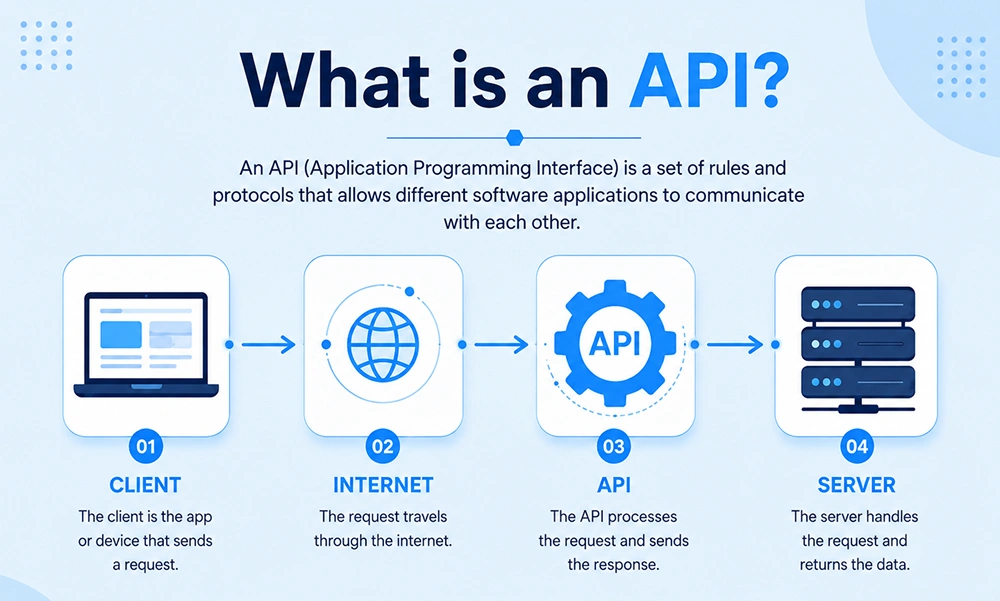
Think of an API as a waiter. You order food at a restaurant table. The waiter takes your request to the kitchen.
The kitchen prepares your meal. The waiter brings it back to you. You never see the kitchen directly.
That’s exactly how an API for business works. One app sends a request. The API delivers the response back.
APIs include authentication, rate limits, and validation rules. These keep data exchanges secure and predictable. For businesses, APIs act as contracts between systems. They enable reliable software integration across all your tools.
What is API Integration?
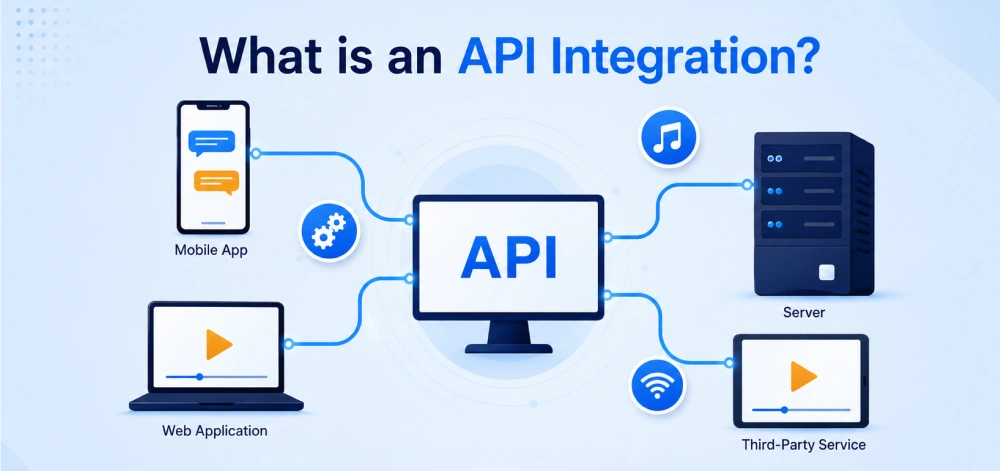
API integration connects two or more apps. Their APIs let data flow automatically between them. No manual exports or copy-pasting required.
Here’s a real example. Shopify calls a payment gateway’s third-party API. The gateway confirms payment was successful.
Shopify then updates the order automatically. An invoice posts to accounting too. That’s system integration working in real time.
This combines REST API calls with webhooks. REST handles on-demand requests. Webhooks push real-time, event-driven updates instantly.
How Does API Integration Work?
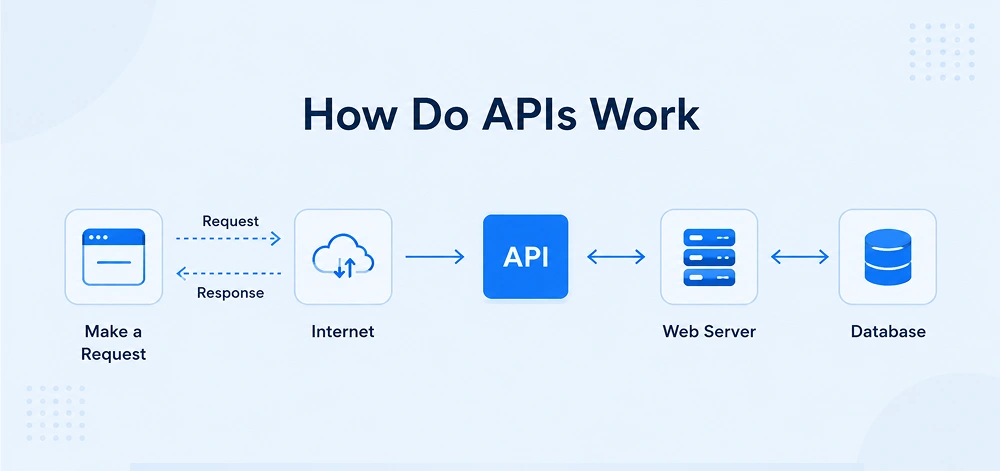
Here’s the simplified, step-by-step flow:
- Request: One system calls another’s API. For example, “Create customer” or “Fetch invoices.”
- Authentication: The caller sends credentials. This could be an API key, token, or OAuth.
- Data transfer: The receiving API validates input. It reads or writes data, then prepares a response.
- Response: The API returns a status code. For example, “200 OK” plus the result.
- Action: The calling system updates records. It triggers workflows or notifies users.
REST APIs handle on-demand data requests well. Webhooks push updates the moment something happens. GraphQL works best for complex, tailored queries. iPaaS platforms add a visual layer too. They let you build flows without heavy coding.
Types of API Integration
You don’t need to be a developer here. Just understand what each option offers.
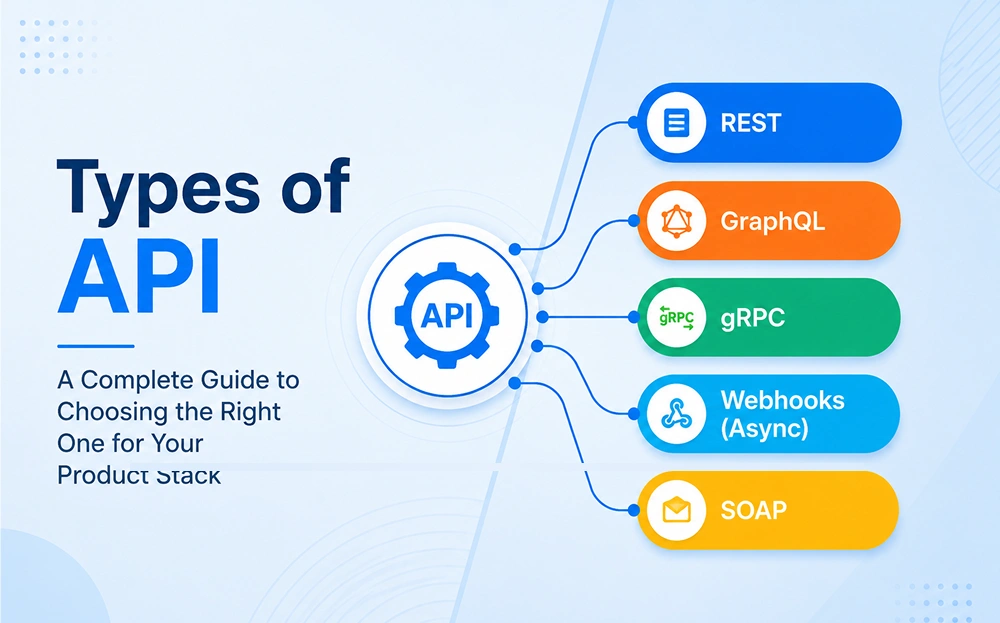
REST API: This is the most common API type. It uses GET, POST, PUT, and DELETE methods. REST works well for scheduled syncs and explicit operations.
Webhooks: These trigger custom callbacks between web apps. They push updates the instant something happens. Perfect for real-time notifications and immediate actions.
GraphQL (brief): This is a modern query language for APIs. It fetches precise data in one request. This reduces multiple round-trips and improves efficiency.
iPaaS tools (Zapier, Make, Power Automate): These are low-code, cloud-based platforms. They connect multiple apps without custom development. Non-technical teams can build automation fast.
Why Your Business Needs API Integration
For SME founders, the real question is ROI. Do integrations actually pay off? Yes, especially for repetitive, high-volume workflows.
Automate repetitive tasks:
Integration removes manual exports and uploads. Staff time shifts to higher-value work. Many SMBs recover integration costs within months.
Eliminate data silos:
Connected systems create one source of truth. CRM, finance, and operations share accurate records. This reduces reconciliation work significantly.
Save time and money:
Less manual work means fewer errors. Automation cuts processing time directly. It also reduces headcount pressure during growth.
Scale without adding headcount:
Integrations let you handle more volume. Your team’s capacity grows without proportional salary costs.
Improve customer experience:
Real-time updates mean faster responses. Consistent data reduces complaints and confusion. CRM and email integration boost conversion rates too.
Recent research backs this up strongly. Businesses using workflow automation save 5–12 hours weekly per employee. This comes from less manual entry and reporting.
Forrester Research found something striking, too. Companies using workflow automation saw 248% ROI over three years. Some achieved payback in under six months.
These numbers explain why automation adoption is accelerating fast. Small and mid-sized businesses are leading this shift.
Why Speed Matters for Growing SMEs
Manual processes don’t scale with growth. Every new order adds more admin work. Every new employee adds more data entry.
API integration breaks this pattern completely. Your systems handle volume automatically, not your staff. This means you grow revenue without growing overhead.
Beginner developers benefit here too. APIs let you connect tools fast. You don’t need to build everything from scratch.
This matters for budget-conscious teams especially. Pre-built APIs save development time directly. You ship features faster, with less risk.
Business Value by Integration Type
- CRM + email tool: Better follow-ups and higher conversion rates.
- E-commerce + shipping API: Faster, error-free order fulfillment.
- HRMS + payroll: Cleaner payroll data, fewer month-end mistakes.
- Accounting + invoicing: Accurate ledgers and faster financial close.
- Workflow automation platforms: Large-scale time savings across teams.
Real-World Use Cases You Can Implement
These four templates deliver immediate, practical value for SMEs.
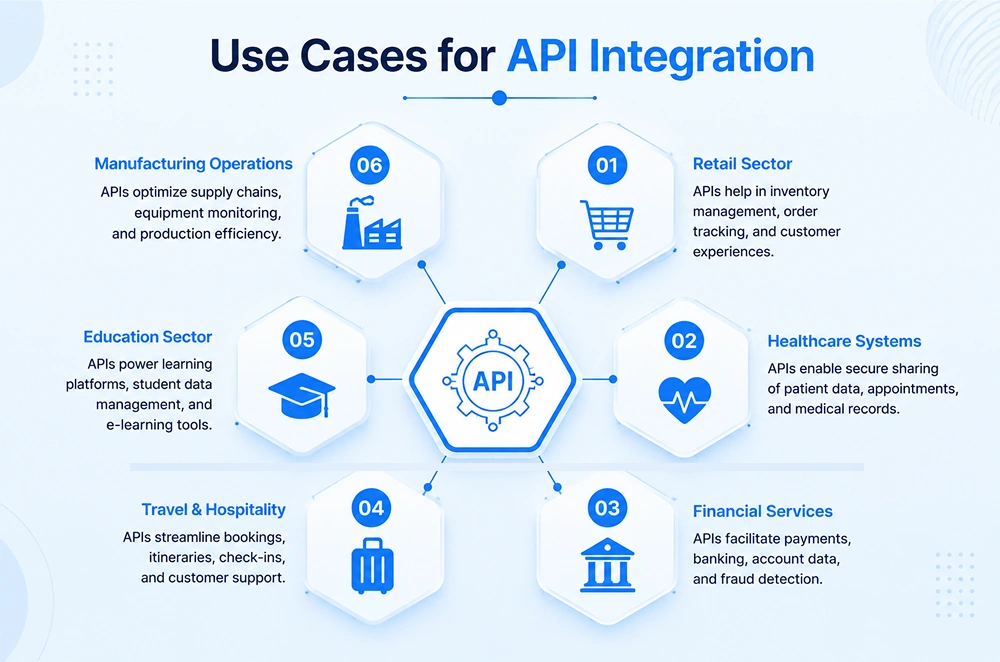
1. E-commerce: Shopify + Shipping API:
Connect Shopify with shipping providers via API. This automates labels, tracking, and delivery notifications. Manual processing drops, and customers stay informed.
2. HR: HRMS + Payroll Sync:
Sync employee records, attendance, and salary data automatically. This eliminates repetitive data entry. Payroll becomes accurate and always on time.
3. Marketing: CRM + Email Tool.
Link your CRM to your email platform directly. New leads trigger personalized nurture campaigns instantly. Follow-ups happen faster, boosting conversion rates.
4. Finance: Accounting + Invoicing
Connect invoicing software to your accounting system. Payment records and invoices are generated automatically. This speeds up your month-end close process.
Common Integration Challenges and How to Solve Them
Most integration projects hit familiar obstacles. Good planning and testing solve nearly all of them.
Security risks:
APIs expose sensitive business data directly. Use OAuth or scoped API keys always. Rotate credentials and store secrets in vaults.
Always enforce HTTPS for every API call. Grant only the minimum permissions needed. This limits damage if credentials leak.
API version changes:
Providers update their APIs regularly. This can silently break your integrations. Monitor release notes and test changes early.
Use abstraction layers to absorb these changes. They reduce rework when third-party APIs evolve. iPaaS platforms also handle many updates automatically.
Downtime and reliability:
External services sometimes go down unexpectedly. Add retry logic and real-time failure alerts. Keep backup providers for critical functions like payments.
Data mapping and reconciliation:
Systems often store data differently. Define clear transformation rules between platforms. Run regular checks to catch mismatches early.
How to Get Started with API Integration
Start small, and follow this simple path:
- Find your biggest bottleneck. Look for repetitive, manual, error-prone tasks.
- Check existing integration options. Many tools already offer built-in connectors.
- Try a quick-win automation. Use Zapier, Make, or Power Automate first.
- Bring in experts when needed. Complex or sensitive systems need specialists.
- Scale gradually. Launch one integration, measure results, then expand further.
Before starting, confirm both platforms support APIs or webhooks. Map your data fields clearly between systems. Test everything in staging before going live. Track time saved and errors reduced afterward.
Choosing the Right Integration Approach
Not every integration needs custom code. Simple workflows fit iPaaS tools well. Complex, sensitive systems need developer expertise instead.
Start by listing your must-have connections. Then check each tool’s existing API support. This tells you the fastest, safest path forward.
Budget plays a role here too. iPaaS subscriptions cost less than custom builds. But custom development handles edge cases better.
Match your approach to your actual needs. Don’t over-engineer simple, repetitive workflows. Save custom development for complex business logic.
Conclusion
API integration cuts manual work and reduces costly errors. It connects the tools your business already uses daily. The result is a stronger, more scalable operation.
Start with one high-impact workflow today. Measure the results, then expand from there.
Looking to integrate your business systems? CodesClue builds secure, scalable API integrations. We help businesses save time and boost long-term efficiency.
FAQs for API Integration
How do I know if my business needs API integration?
If your team manually moves data between tools, integration helps. It automates these tasks and improves accuracy.
How long does it take to implement an API integration?
Simple integrations deploy within days. Complex ones involving ERPs may take weeks.
Can API integration work with my existing software?
Most CRM, ERP, and e-commerce platforms offer APIs. Pre-built connectors make integration straightforward.
What are the biggest API benefits for SMEs?
It reduces manual work and eliminates data silos. It also improves accuracy and supports growth.
Is API integration secure?
Yes, when done correctly. OAuth, encryption, and access controls keep data safe.
Should I use an iPaaS platform or custom development?
iPaaS suits simple, fast workflows well. Custom development fits complex business logic better.
How can CodesClue help with API integration?
CodesClue designs and manages secure API integrations. We automate workflows and deliver measurable results.