
AI in Logistics: Predictive Supply Chain Optimization Guide
Predictive analytics in supply chain, explained: stop delays and stockouts early, measure the gain, pick buy vs build, and know when AI is not ready yet.
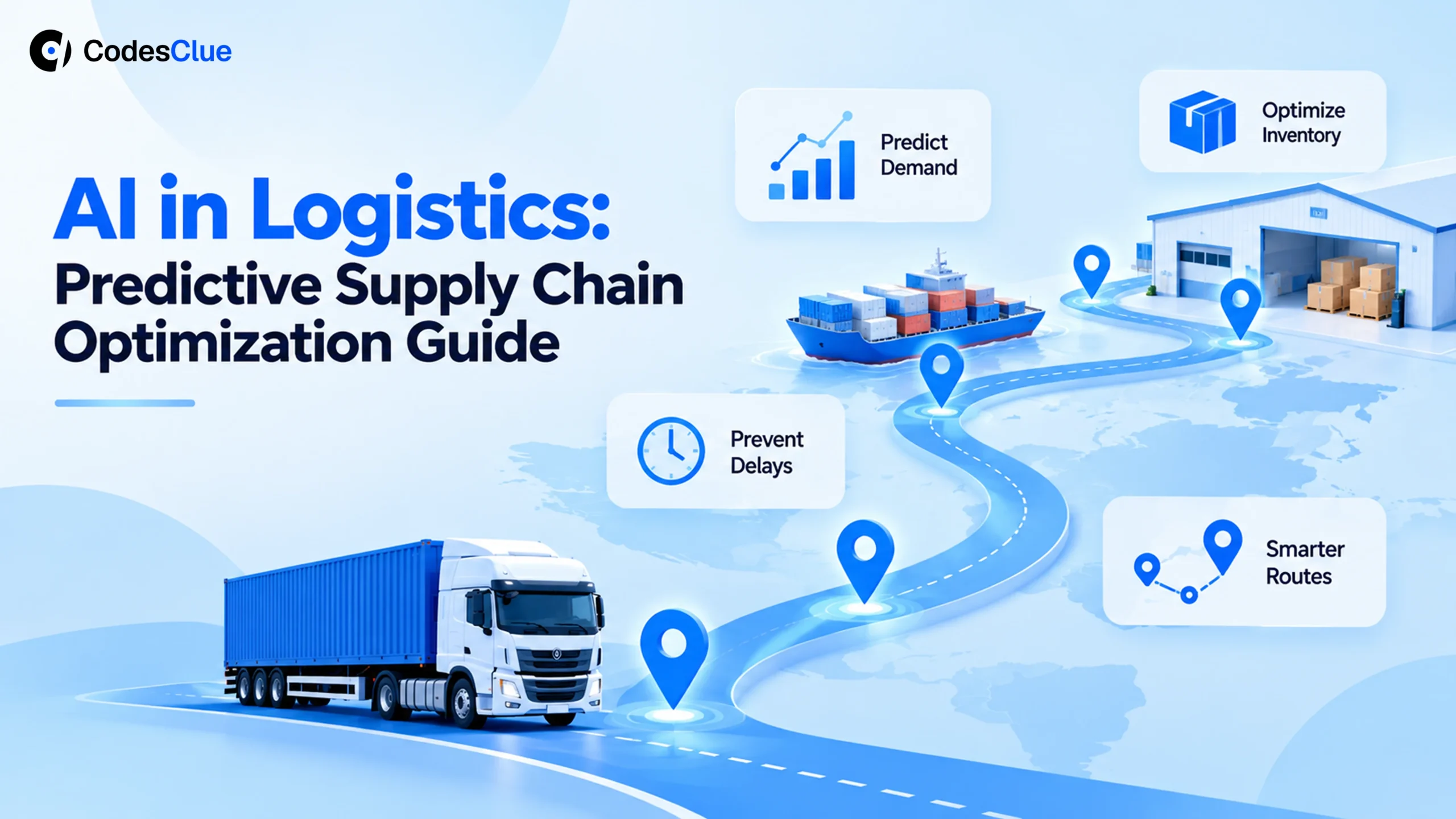
A truck is stuck at a port, a key customer wants their order today, and the warehouse shows stock that is not on the shelf. Your team finds out when the phone rings. Predictive analytics in supply chain work exists to close that gap, and it is where AI in logistics pays back first.
This guide shows how to turn the data you already collect into early warnings and better plans. You will see where it pays off, what data it needs, how to measure it and where people should stay in charge.
Key Takeaways
- Predictive models use past orders, live tracking and outside signals to warn you about stockouts, delays and supplier problems before they hit.
- Late-delivery alerts and demand forecasts usually pay back first, because the data already sits in your ERP and tracking tools.
- McKinsey found early adopters of AI-enabled supply chain management improved logistics costs by 15%, inventory by 35% and service levels by 65%.
- AI agents can act on routine problems, but Gartner advises full automation only for low-risk decisions for now.
- Start with one lane, one warehouse or one product group, measure today’s error, prove the model beats it, then grow.
What is predictive analytics in supply chain?
Predictive analytics in supply chain uses historical data, live data and machine learning to forecast what will happen next. It predicts demand, delivery times, supplier delays and stock levels. Instead of reporting last month’s problems, it tells your team which orders, lanes or items need action today, while there is still time to act.
Traditional reports answer “what happened?”. A predictive model asks a more useful question. What is likely to happen next, and what should we do about it? The same idea works for sales and finance teams, as our guide to AI predictive analytics for business shows.
To do that, the model reads data from many places at once:
- Sales and order history
- ERP and inventory records
- Supplier lead times and on-time rates
- Shipment scans, GPS and carrier updates
- Weather, holidays and local events
- IoT sensors in trucks and warehouses
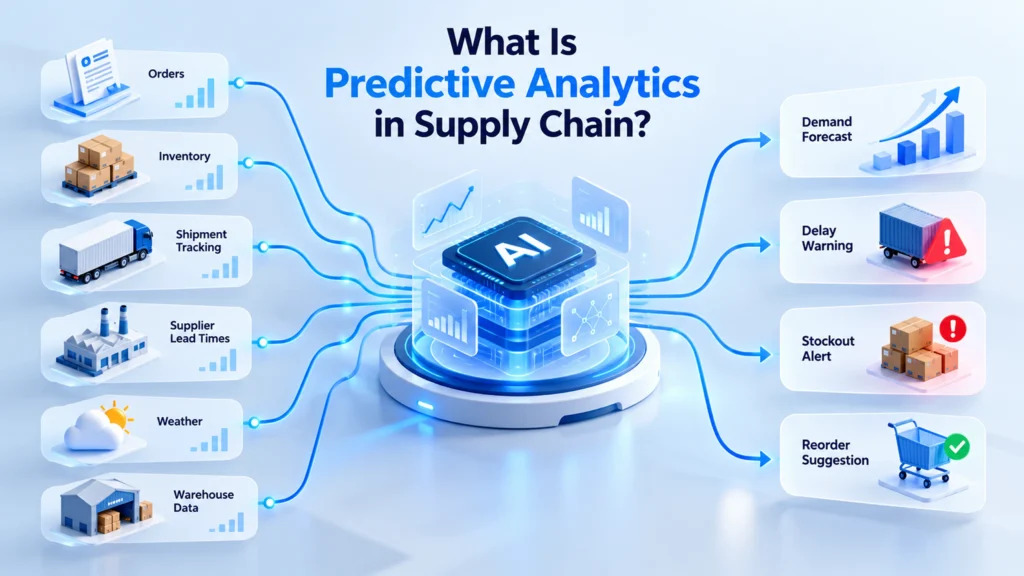
When these sources feed one model, you get a predictive supply chain. It flags a likely stockout ten days out, not on the day the shelf is empty.
Four kinds of supply chain analytics compared
Buyers often mix up the terms. This table shows how each type answers a different question, and what it needs from you.
| Type | Question it answers | Supply chain example | Who acts |
|---|---|---|---|
| Descriptive | What happened? | Last month’s fill rate by warehouse | A person reads the report |
| Predictive | What is likely to happen? | Delay risk for each open shipment | A person acts on the alert |
| Prescriptive | What should we do? | Suggested reorder size and date | A person approves the advice |
| Agentic | What can the system do itself? | Moving a late load to a new carrier | An AI agent, inside limits |
Most teams climb these steps in order. Skipping to agents before you trust the forecasts is a common and costly shortcut.
How predictive analytics prevents disruption across the supply chain
Disruptions rarely arrive without a sign. A supplier starts shipping a day or two late. Port dwell times creep up. A product sells faster in one region than the plan said. Supply chain predictive analytics watches for these small signals and raises a flag while you still have options.
That early flag is the real value of predictive analytics in supply chain planning. A warning ten days out gives you choices. On the day itself, all you get is cost.
| Disruption | Early signal the model reads | What the warning lets you do |
|---|---|---|
| Supplier failure | Lead times slipping order after order | Split the next order with a backup supplier |
| Port or border delay | Rising dwell times, carrier ETA changes | Reroute or move stock from another site |
| Demand spike | Sales running ahead of forecast, promotions | Shift stock to the region before it runs out |
| Weather event | Storm tracks crossing planned lanes | Move pickups earlier and warn customers |
| Vehicle breakdown | Engine sensor trends and repair history | Book a repair before the truck fails on a route |
Example scenario (typical pattern, not a client result): A mid-size distributor sees one supplier’s lead time drift from 12 to 16 days over six orders. Nobody notices in the weekly report. A delay model scores the next order as high risk. The buyer places a small top-up order with a second supplier, and the shelf never runs empty.
Pro tip: Record supplier lead time per order, not as one average in the vendor record. Averages hide exactly the drift a model needs to see.
How AI in supply chain improves daily decisions
Most planning still runs on averages and spreadsheets. That worked when demand was steady. Today a single storm, strike or viral product can break the plan in a day.
AI in supply chain work spots patterns across millions of records that no planner could read by hand. It also updates forecasts as new data arrives, so the plan moves with the week.
| Business area | What AI predicts | What changes for the team |
|---|---|---|
| Demand planning | Orders by product, region and week | Fewer stockouts and less dead stock |
| Inventory | When each item needs a reorder | Lower carrying costs, fewer rush orders |
| Transport | Late shipments and arrival times | Customers hear about delays before they call |
| Procurement | Which suppliers are likely to slip | Backup orders placed early |
| Warehousing | Staff needed per shift | Fewer idle hours and missed cut-offs |
This is what AI for supply chain optimization looks like in practice. You get many small, faster decisions instead of one big plan per quarter.
The gains add up. In its April 2021 supply chain study (opens in a new tab), McKinsey looked at early adopters of AI. They improved logistics costs by 15%, inventory levels by 35% and service levels by 65% against slower rivals.
Pro tip: Before you build a model, write down today’s forecast error for one product group. Without that number, nobody can prove the new forecast is better.
Predictive analytics supply chain benefits by problem
The clearest way to judge predictive analytics supply chain benefits is to start from the problem that costs you most. Each one has a matching prediction and a clear result to measure.
| Problem | Prediction that helps | Result to measure |
|---|---|---|
| Demand swings | Weekly demand forecast per item | Forecast error, stockout days |
| Late deliveries | Delay risk per shipment | On-time delivery rate |
| Supplier problems | Lead-time risk per supplier | Orders delayed by suppliers |
| Excess stock | Reorder point per location | Inventory days, storage cost |
| Warehouse queues | Order volume per shift | Orders shipped by cut-off |
Good supply chain predictions also change how teams plan. People argue less about gut feel because the forecast and its error are on the screen. Planners spend their time on the exceptions instead of rebuilding the same spreadsheet each Monday.
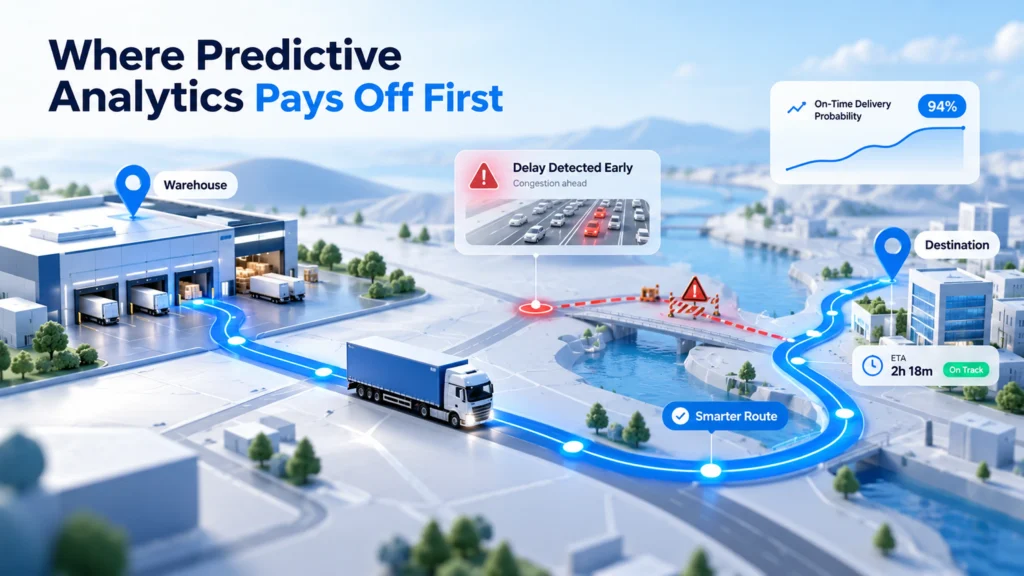
Where predictive analytics pays off first
You do not need every use case at once. Pick the one where the data is ready and the loss is visible. Selling food or other perishable goods? Shelf life and cold chain risk change the picture, and our AI in food supply chains guide walks through both. This table ranks them by data readiness and effort.
| Use case | Data you need | Effort | Typical first win |
|---|---|---|---|
| Late-delivery alerts | Shipment scans, carrier ETAs | Low | Customers warned before the call |
| Demand forecasting | 2+ years of orders | Medium | Fewer stockouts on top sellers |
| Reorder points | Stock levels, lead times | Medium | Less cash tied up in stock |
| Supplier risk | Supplier on-time history | Medium | Backup orders placed earlier |
| Fleet maintenance | Sensor and repair logs | High | Fewer breakdowns on the road |
What we see in real projects
Late-delivery alerts often come first because tracking data already exists. On TracknTake, a shipment tracking platform we built, every item gets a tracking ID at pickup and a status update at each checkpoint. The case study reports on-time delivery reached 94%, with more than 1,200 packages tracked every day.
The lesson for forecasting is simple. One listed challenge in that build was keeping status data consistent across many users and checkpoints. A clean scan history like that is exactly what a delay model needs, and many teams do not have it yet.
Pro tip: If your drivers still phone in their status, fix tracking first. A model cannot predict a delay from data nobody recorded.
Not sure which use case fits your operation? Tell us about your supply chain and we will point to the first one worth testing.
Agentic AI in supply chain: from alerts to actions
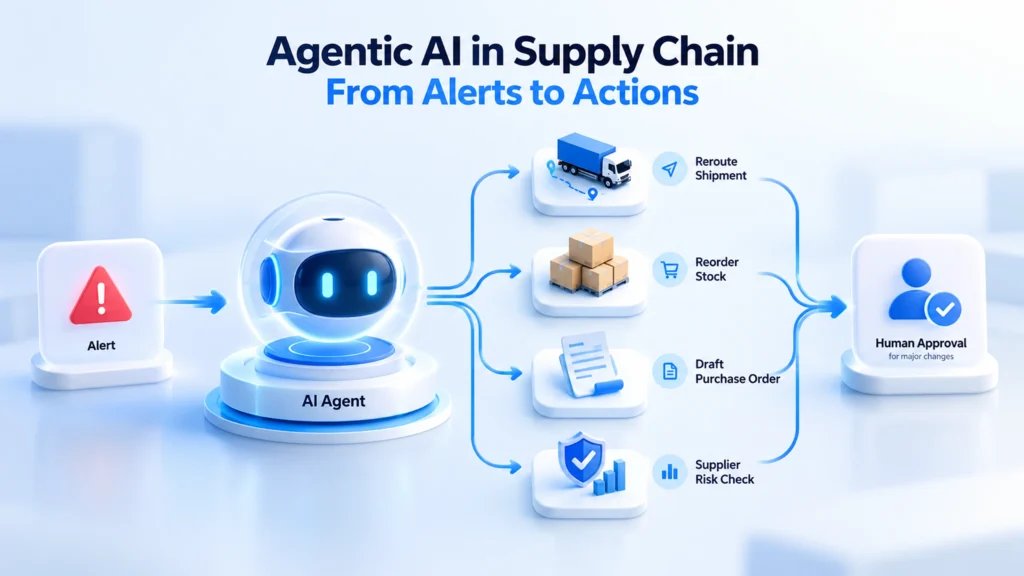
A forecast tells you a problem is coming. Agentic AI in supply chain work goes one step further. An AI agent reads the alert, checks its rules and takes the next step itself.
Say a storm will delay a shipment. An agent can spot the risk, compare other routes, move the delivery slot, tell the customer and suggest a backup supplier. A planner then approves the bigger moves.
Typical agent tasks include:
- Reordering stock when it falls below a set point
- Flagging and rerouting late shipments
- Drafting purchase orders for a planner to approve
- Scoring suppliers on new delivery data
Spending is moving fast. Gartner forecasts (opens in a new tab) that supply chain software with agentic AI will grow from less than $2 billion in 2025 to $53 billion by 2030. In a separate release, Gartner predicts AI will resolve 60% of supply chain disruptions (opens in a new tab) without human action by 2031.
Its advice for today is careful, though. Automate low-risk decisions fully, and let AI support people on the costly ones.
That rule makes sense. An agent can reorder packing tape on its own. It should not cancel a large customer order without a person saying yes. For a sense of what agents cost to build, see our AI agent development cost guide.
Generative AI in logistics: help for the people doing the work
Predictive models forecast. Generative AI in logistics helps staff read, write and search faster. It does not replace planners or dispatchers. It removes the busywork around them.
- Summing up the day’s late shipments in plain words
- Drafting delay emails to customers
- Answering “where is order 4471?” from live data
- Turning supplier reports into a short weekly brief
A manager can ask, “Which shipments will miss today’s promise?” and get a short list with reasons, instead of opening five dashboards. The answer is only as good as the data behind it, so tracking and stock records still come first.
How AI supply chain visibility platforms connect the picture
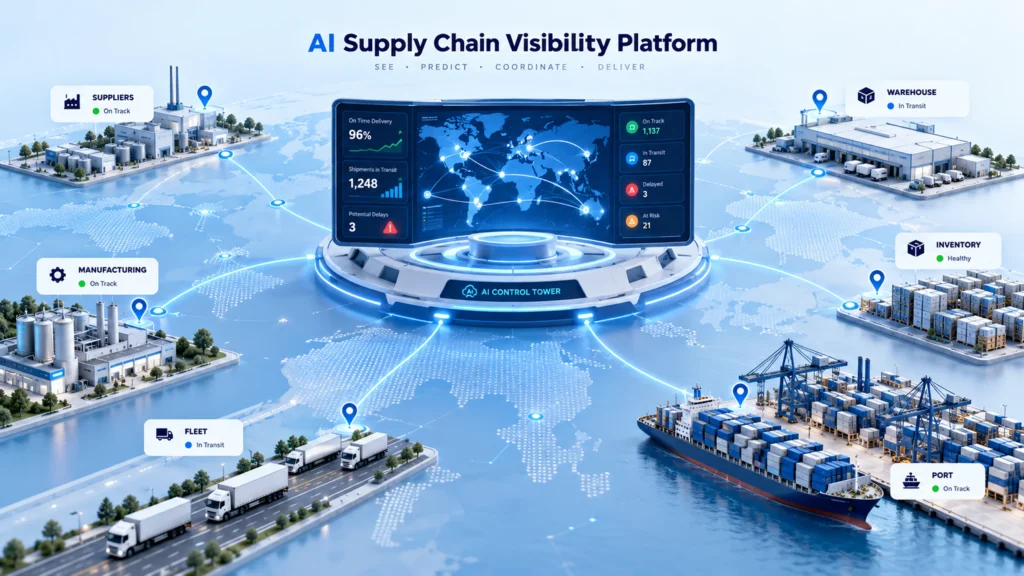
Most supply chains spread data across an ERP, a warehouse system, a transport system and a carrier portal or two. Each shows part of the truth. AI supply chain visibility platforms pull these feeds into one live view and score each order for risk.
Typical features include live tracking, stock by location, supplier scorecards and delay alerts. The value is in the early warning. A dispatcher who sees a delay at 9 am can still fix it. At 4 pm, all they can do is apologise.
Many companies also need a shared portal so suppliers can update their own dates. We cover that in our guide to why your supply chain needs a vendor partner portal. If the feeds live in an older ERP, our post on connecting a portal to your CRM and ERP explains the plumbing.
Buy a platform or build your own: which option fits you
There are three common routes. You can extend the planning module in your ERP, license a visibility or planning platform, or build models around your own data. Each fits a different stage and budget.
| Your situation | Best fit | Why |
|---|---|---|
| Standard products, one ERP, small team | ERP forecasting add-on | Fastest start, data already in place |
| Many carriers and sites, need one live view | Licensed visibility platform | Ready connectors to carriers and ports |
| Unusual products, lanes or business rules | Custom models on your data | Off-the-shelf models miss what makes you different |
| Platform in place but forecasts feel generic | Custom layer on top of the platform | Keep the connectors, improve the predictions |
| Data scattered or missing | Fix tracking and data first | No tool can predict from records nobody keeps |
If custom work fits, we run it in three stages. A proof of concept or MVP usually runs $8K to $25K. A mid-size production system runs $25K to $70K, and a large multi-site platform starts from $70K. Our machine learning development team builds the models, and our data analytics services cover the dashboards around them.
How to start with predictive analytics for supply chain
The best results come from small, measured steps. This is the order we follow on predictive analytics for supply chain projects, from proof of concept to MVP to production.
- Pick one problem. Choose the loss you can count, such as stockouts on your top 50 items.
- Measure today. Record the current forecast error or on-time rate as your baseline.
- Connect the data. Pull orders, stock and tracking data into one place and clean the gaps.
- Build a proof of concept. Train a first model on past data and test it against what really happened.
- Put it in the workflow. Show the forecast where planners already work, inside the ERP or a simple dashboard.
- Watch and retrain. Track accuracy weekly and retrain when demand patterns shift.
How to measure the gain
Pick two or three numbers and track them before and after. Keep the list short so people actually read it.
- Forecast error (MAPE or WAPE): how far the forecast lands from real demand, per item or group
- Forecast bias: whether the model keeps guessing too high or too low
- On-time, in-full rate: the share of orders that arrive complete and on the promised day
- Stockout days and inventory days: the two sides of the stock balance
- Alert hit rate: how many delay warnings turned out to be real
Pro tip: Show planners the forecast next to their own number for a month before you switch. Trust grows when people see the model win on their own products.
Data readiness checklist
- At least two years of order history, with returns marked
- Stock levels by location, updated daily or better
- Supplier lead times recorded per order, not as one average
- Shipment scans with times at each stage
- One product code used across every system
- A named owner for each data source
When predictive analytics is not the right move yet
Predictive analytics in supply chain planning is not always the first fix. If your stock counts never match the shelf, fix the counting first. A business with a few large custom orders a year gives a forecast too little history to learn from. And if nobody owns the decision a forecast would change, the model will sit unused.
Big companies hit the same walls. In an April 2026 Gartner survey (opens in a new tab), 56% of chief supply chain officers called linking AI to legacy systems a major challenge. Half said they lack the in-house skills to run it.
In those cases, a better tracking app or a clean warehouse system often brings more value than AI. Our logistics software development services cover that groundwork.
Common mistakes to avoid
- Starting with the model. Teams buy a tool before they know which decision it should change.
- Skipping the baseline. Without today’s error rate, nobody can show the gain.
- Feeding in dirty data. Duplicate product codes and missing scans teach the model the wrong lessons.
- Hiding the forecast. People ignore a prediction that sits in a separate app. Put it where they already work.
- Too many alerts. If every shipment looks risky, dispatchers stop reading. Tune the threshold until most alerts prove real.
- Letting agents act alone too soon. Give AI full control only over low-risk actions you can undo.
- Never retraining. Demand shifts. A model trained last year slowly drifts out of date.
The future of AI-driven supply chain optimization
AI-driven supply chain optimization is moving from monthly plans to decisions made every hour. Digital twins let teams test a new route or warehouse on screen before they spend money. Control towers combine tracking, stock and supplier data in one place. Fleet sensors predict repairs before a truck breaks down.
As AI supply chain optimization matures, the planner’s job changes. Less time goes on building the plan. More goes on setting the rules, checking the exceptions and talking to customers and suppliers. Factories and retailers face the same shift, as our post on predictive analytics in manufacturing and retail shows.
Turn your supply chain data into early warnings
Predictive analytics in supply chain work pays off when it starts small. Choose one problem, one baseline and data you trust. Prove the gain there, then add agents and wider visibility as the results come in.
CodesClue builds with AI from day one and ships in short Agile sprints. Our engineers in Ahmedabad work with clients through offices in India, the USA and Germany. Share your first forecasting problem and an engineer replies within one business day.
Prefer to grow your own team? You can hire data scientists from us, and development starts within 48 hours.
FAQs
How long does a supply chain forecasting pilot take?
It depends mostly on your data, not the model. If orders, stock and tracking records are clean and in one place, a first working model can follow quickly. Most of the calendar time usually goes on finding, joining and cleaning data from different systems. Plan the pilot around one product group or lane so the scope stays small and the result is easy to judge.
Can a small or mid-size business use predictive analytics without a data science team?
Yes, if the scope is narrow. Many ERP and inventory tools now include basic demand forecasting you can switch on. A partner can build a custom model and hand over a simple dashboard. What you do need in-house is a person who owns the decision the forecast supports and who checks the numbers each week.
How accurate does a demand forecast need to be before we trust it?
There is no single target number. The fair test is whether the model beats your current method on the same items and weeks. Compare its error against the planner’s own forecast for a month or two. Check bias too, because a model that always guesses high can look accurate on average while it quietly builds excess stock.
Will predictive analytics work with our existing ERP and warehouse system?
Usually, yes. Most models read data through exports, database views or the ERP’s own API, so you rarely need to replace core systems. The bigger task is matching records across tools, such as product codes that differ between the ERP and the warehouse system. Results should flow back into the screens planners already use.
How do we keep supplier and customer data safe in a forecasting project?
Share only the fields the model needs, and mask customer names where you can. Keep the data inside your own cloud account or a private environment, with access limited by role. Sign clear data terms with any partner or platform. For supplier portals, give each supplier a view of its own orders and nothing else.
Can a model predict a disruption it has never seen, like a new tariff?
Not directly. A model learns from history, so a brand new event has no pattern to copy. What it can do is react fast once the first signals appear, such as longer lead times or a sudden price change. Pair the model with scenario planning, where your team tests a few what-if cases by hand.