
OTT App Development Cost in 2026: What You Will Pay to Build and Run
OTT app development cost in 2026: build ranges, monthly video delivery bills, app store fees, DRM, a phased launch plan and a real multi-screen project.
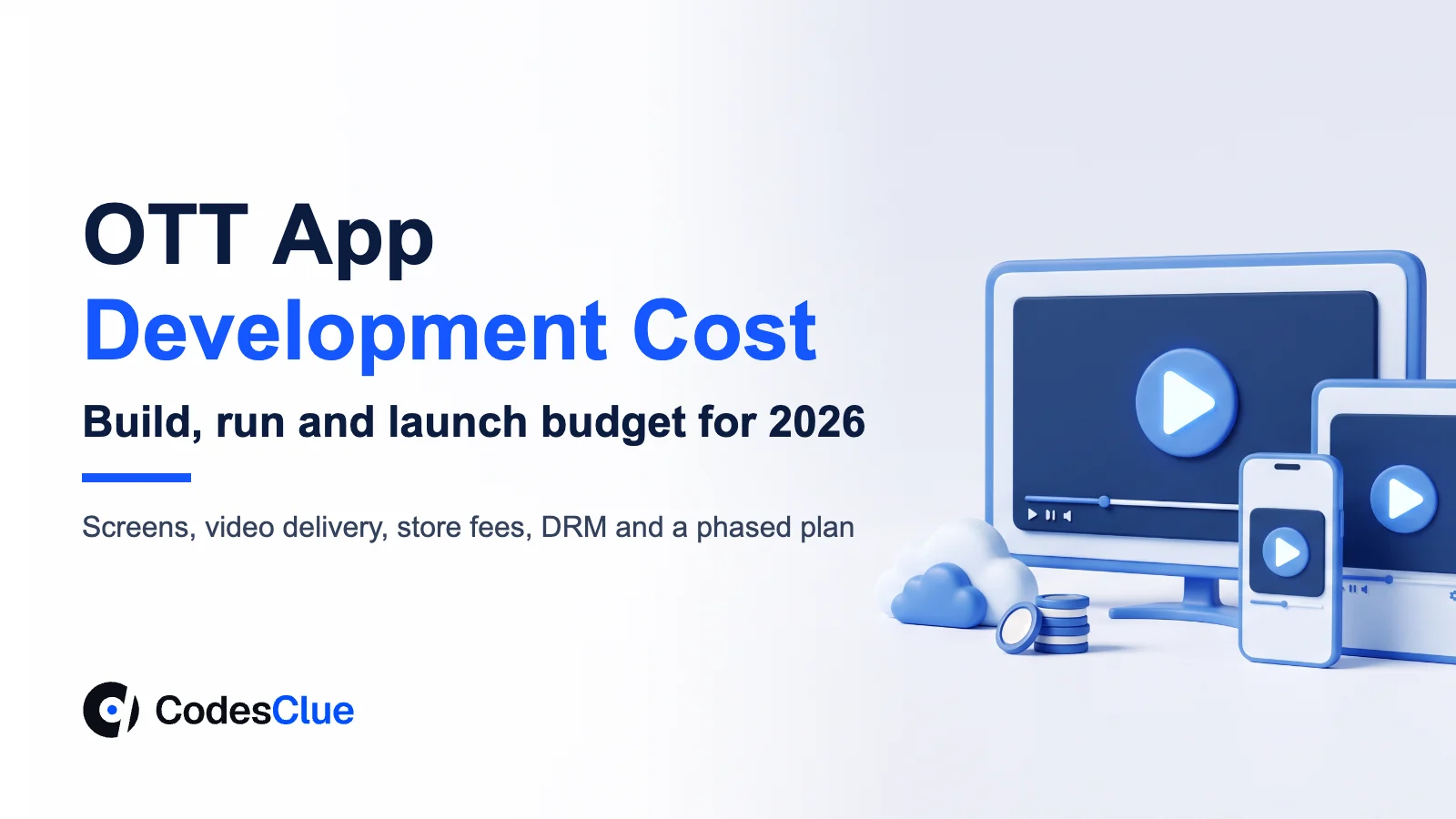
You have a film library, a niche audience or a live event series. Now you want your own streaming app instead of renting space on someone else’s. Your board will ask two questions first. What is the real OTT app development cost, and what will it cost to keep running? This guide answers both. You get build ranges and a worked monthly bill for video delivery. You also get the store fees on subscriptions and a phased plan that keeps your first release small.
Key Takeaways
- Build cost depends on four choices: how many screens you support, live or on-demand, how you protect content and how you charge.
- A managed video API cuts months of work. Encoding, storage and delivery become a monthly bill instead of a project.
- Running costs grow with minutes watched, so model them before launch, not after the first invoice.
- App store billing takes 15% to 30% of subscriptions on iPhone and about 15% on Google Play in the US, which changes your pricing.
- Launch on web and one mobile platform first, then add TV apps once you know where people watch.
OTT app development cost: what you will pay to build
The OTT app development cost for most first releases lands in one of three bands. A focused on-demand MVP on web and one phone platform, built on a managed video API, costs $8K to $25K. A growth product with iOS and Android apps, subscriptions, DRM and analytics costs $25K to $70K. A full platform with TV apps, live events and several payment models starts from $70K.
Those figures cover design, development and testing. They do not cover your content, marketing or the monthly cost of moving video to viewers. The sections below show how to plan for each.
| Scope | What is included | Typical range |
|---|---|---|
| MVP | On-demand catalog, player, sign-in, one subscription plan, admin uploads, web plus iOS or Android | $8K to $25K |
| Growth product | iOS and Android apps, DRM, offline downloads, analytics, promo codes and email journeys | $25K to $70K |
| Complex platform | TV apps, live events, several payment models, regional rights and custom recommendations | From $70K |
Two projects with the same feature list can still land in different bands. The difference usually comes from content rules, the number of integrations and how polished the TV experience must be. A short discovery phase turns your list into a written estimate, so you know which band you are in before anyone writes code.
What drives the cost
| Choice | Lower-cost option | Higher-cost option |
|---|---|---|
| Screens | Web plus one phone platform | iOS, Android, web, Android TV, Apple TV, Roku and smart TVs |
| Content type | On-demand videos only | Live events with chat, replays and low delay |
| Video pipeline | Managed video API for upload, encoding and playback | Your own encoding, storage and CDN setup |
| Protection | Signed links and sign-in | Full DRM across every device family |
| Payments | One subscription plan on the web | Subscriptions, rentals, ads and bundles on every store |
| Admin | Upload, publish and basic reports | Rights by region, schedules, editorial rows and roles |
Pro tip: Write down the one device where most of your audience will watch. Build that experience first and make it excellent. A great app on one screen beats an average app on six.
Features every streaming app needs
Viewers expect the basics to work on day one. Your video streaming app development scope should include:
- Sign-up, sign-in and profiles, with a way to reset access without calling support
- A catalog with search, categories and a continue-watching row
- A player that adjusts quality to the connection, with captions and resume
- Subscriptions or purchases, with receipts and a simple cancel flow
- Downloads for offline viewing on phones, if your rights allow it
- An admin panel to upload, schedule, tag and unpublish content
- Analytics on starts, minutes watched and where people stop
Features such as watch parties, live chat, recommendations and multi-language audio add real value. Plan them for a later release, once your data shows which ones your viewers want.
Build, buy or blend: three ways to launch
You do not have to write every part yourself. Most teams pick one of three routes for OTT platform development.
| Route | What you get | Trade-off |
|---|---|---|
| Hosted OTT builder | A ready storefront and apps under your brand, live in weeks | Monthly fees per subscriber or plan, limited design and data control |
| Custom apps on a managed video API | Your own apps, design and user data, with encoding and delivery handled by a provider | Usage bills for storage and minutes delivered |
| Fully custom pipeline | Control of every step, from encoding to CDN contracts | Highest build cost and a team to run it |
For most companies with a clear audience, the middle route gives the best balance. You own the product and the customer relationship, and you skip the hardest infrastructure work.
How your revenue model changes the build
How you charge decides a large part of the backend. Pick the model before design starts, because switching later touches sign-up, the player and reporting.
| Model | What you must build | Watch out for |
|---|---|---|
| Subscription (SVOD) | Plans, free trials, renewals, access rules per plan and a cancel flow | Churn, so track why people leave in their first 90 days |
| Ads (AVOD) | Ad server connection, ad breaks in the player and ad reporting | You need far more viewing hours to earn the same revenue |
| Rentals and purchases (TVOD) | Prices per title, viewing windows, receipts and purchase history | Rights rules that change by title and region |
| Hybrid | All of the above, with clear rules for who sees what | The most testing, so add it after one model works |
Plan beyond launch too. In year one most of the money goes into the build. From year two, delivery, licenses, content and app updates take a bigger share, so budget for them before you sign the first content deal.
What it costs to run every month
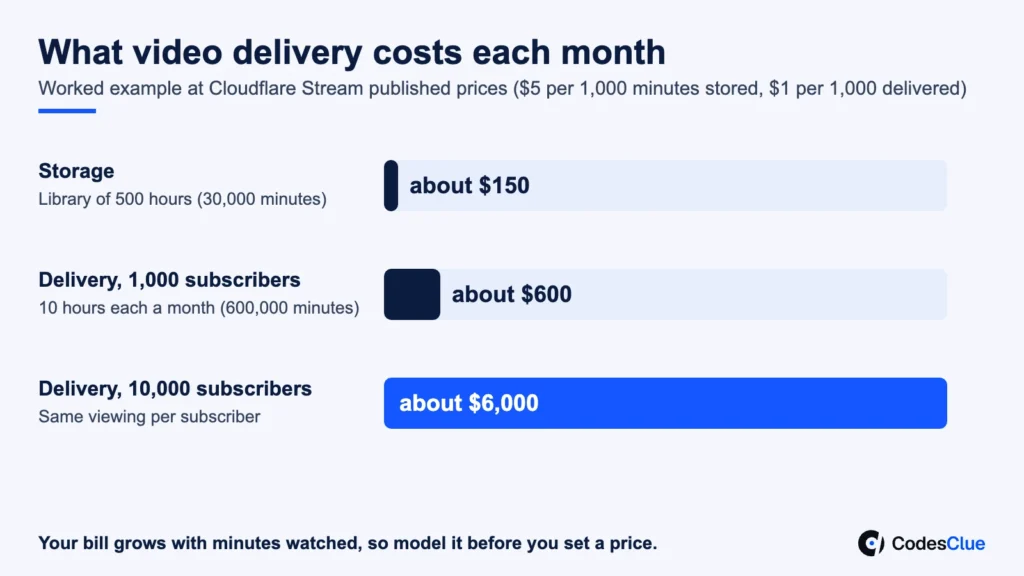
This is the part most budgets miss, because the OTT app development cost is a one-time number and delivery is not. Providers charge for video by the minute, so your bill grows with success. Here is a worked example using Cloudflare Stream’s published pricing (opens in a new tab). It charges $5 a month per 1,000 minutes stored and $1 per 1,000 minutes delivered, with encoding included.
- Library of 500 hours: 30,000 minutes stored, about $150 a month
- 1,000 subscribers watching 10 hours a month each: 600,000 minutes delivered, about $600 a month
- The same audience at 10,000 subscribers: about $6,000 a month for delivery
Add hosting for your backend, the database, email, analytics, monitoring and DRM licenses. Then set aside a yearly budget for app updates, because phone and TV platforms change every year. Our mobile app development cost guide explains how to plan for that upkeep.
Pro tip: Divide your monthly running cost by active subscribers before you set a price. If delivery alone eats a large share of a low-priced plan, raise the price, cap quality on mobile data or add an ad tier.
Want to see these numbers for your own library and audience? Share your expected hours and subscriber count with us, and we will map the build and running cost side by side.
App store fees on subscriptions
If people subscribe inside your iPhone app, Apple keeps part of each payment. Apple’s subscription guide (opens in a new tab) says you receive 70% of the price during a subscriber’s first year and 85% after one year of paid service, minus taxes. On a $9.99 plan, that is about $6.99 a month at first and about $8.49 later.
Google publishes its own fee table for Play. Its service fee page (opens in a new tab) lists US auto-renewing subscriptions at a 10% service fee plus a 5% billing fee. That rate covers the first $1M of yearly earnings. Rules differ by country and change often, so check both pages before you set prices.
Many streaming services also sell plans on their website and let people sign in on the apps. Weigh that against the ease of paying inside an app, because every extra step at checkout loses some buyers.
DRM and content protection
If you license films or sell premium shows, rights holders will ask how you stop copying. Signed, expiring links and sign-in stop casual sharing. Studios usually require DRM, which encrypts the video and only plays it on approved devices.
Three systems cover almost every screen. Google Widevine runs on Chrome, Android and many smart TVs. Apple FairPlay runs on iPhone, iPad, Mac and Apple TV. Microsoft PlayReady runs on Edge, Windows and many TV brands. A multi-DRM service issues licenses for all three from one setup, so you do not have to integrate each one by hand.
Ask your content partners for their protection rules in writing before you start. Adding DRM late can mean re-encoding your whole library.
A phased plan that keeps risk low
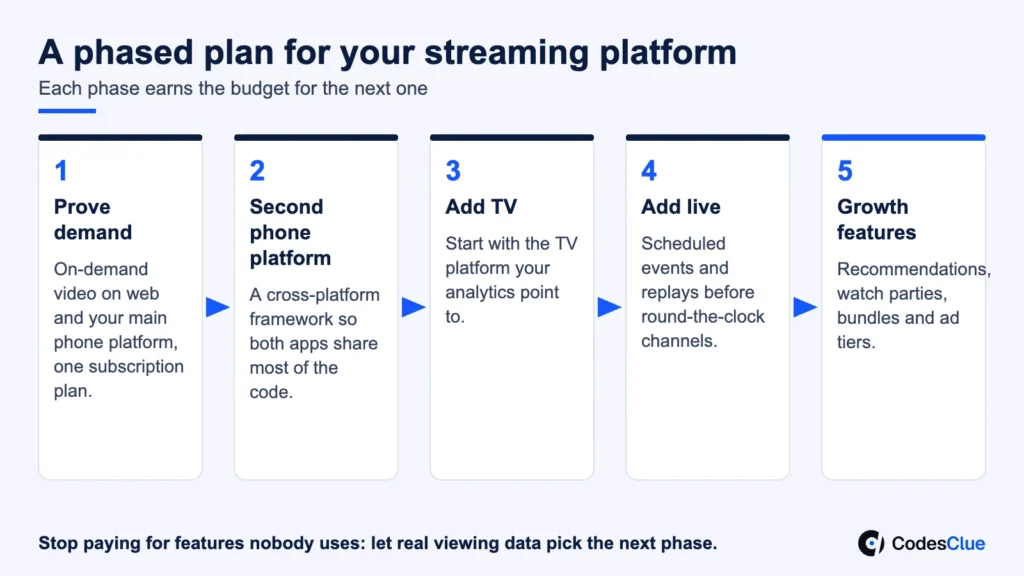
- Prove demand. Launch on-demand video on web and the phone platform your audience uses most, with one subscription plan.
- Add the second phone platform. Use a cross-platform framework so both apps share most of the code.
- Add TV. Start with the TV platform your analytics point to, then add others one at a time.
- Add live. Begin with scheduled events and replays before you promise round-the-clock channels.
- Add growth features. Recommendations, watch parties, bundles and ad tiers come once you have real viewing data.
Each phase earns the budget for the next one, and you stop paying for features nobody uses.
A real project: Akcru
Our team built Akcru, a film platform built around a Movie Invite Ticket. Chat opens once the other person accepts, and then both watch the same film together in sync. New films can launch with a VIP screening that gives members 72 hours of early access.
We built it as one product on four screens: iOS, Android, Android TV and the web. The phone apps use React Native, and one API and sign-in sit behind every app. That shared backend is what kept the TV app a manageable addition instead of a second project.
Common mistakes to avoid
- Budgeting the build and forgetting the monthly delivery bill
- Launching on five platforms at once, then fixing the same bug five times
- Pricing a plan before checking store fees and delivery cost per subscriber
- Signing content deals before you know the DRM rules they require
- Building recommendations before you have enough viewing data to feed them
When a custom OTT app is the wrong call
Maybe you have a small library, no plan to grow it and a few hundred viewers. Then a hosted video platform or a members area on your website will serve you for less. The same goes for a one-off event: rent a live streaming service for the day. Custom work pays off when the viewing experience, your data or your brand is the product.
Plan your streaming platform with CodesClue
The OTT app development cost becomes predictable once you fix your screens, your video pipeline, your protection and your payment model. Our engineers in Ahmedabad design and build streaming apps for phones, TVs and the web, with offices serving clients in India, the USA and Germany. We use AI-assisted delivery to move from first prototype to MVP to production, and development starts within 48 hours of sign-off.
Send us three things: your content type, the screens you need and your expected audience in year one. We reply within one business day with a recommended route and a first estimate. Explore our media and entertainment software development services, or contact us to start.
FAQs
How long does it take to build an OTT app?
A focused on-demand MVP on web and one phone platform usually takes a few months when it runs on a managed video API. Each extra platform, live streaming and full DRM add time. The fastest path is to agree on screens, payment model and content rules in the first week, because those choices shape everything else.
Can we launch with a small library and add content later?
Yes. Many services start with a curated set of titles and a clear niche, then add content as subscribers grow. Design the catalog, rows and search so they still work with 50 titles and with 5,000. Fresh releases on a regular schedule matter more to retention than a huge launch library.
Do we need our own servers to stream video?
No. A managed video API handles upload, encoding, storage and delivery through its own global network. Your team runs the apps, the user accounts and the payment logic on standard cloud hosting. Moving to your own encoding and CDN contracts only makes sense once your monthly volume is large enough to negotiate rates.
How do we stop people from sharing one account?
Set a limit on active devices or streams per plan, and show a clear message when someone hits it. Add a manage devices screen so owners can sign out old phones and TVs. Keep the rules simple and fair, because harsh limits create support tickets and cancellations faster than they recover lost revenue.
Which analytics should an OTT platform track from day one?
Track sign-ups, trial to paid conversion, minutes watched per subscriber, play start time, buffering events and where viewers stop each title. Add churn by plan and by the month people joined. These numbers tell you which content to buy, which device to improve next and whether your price covers delivery costs.