

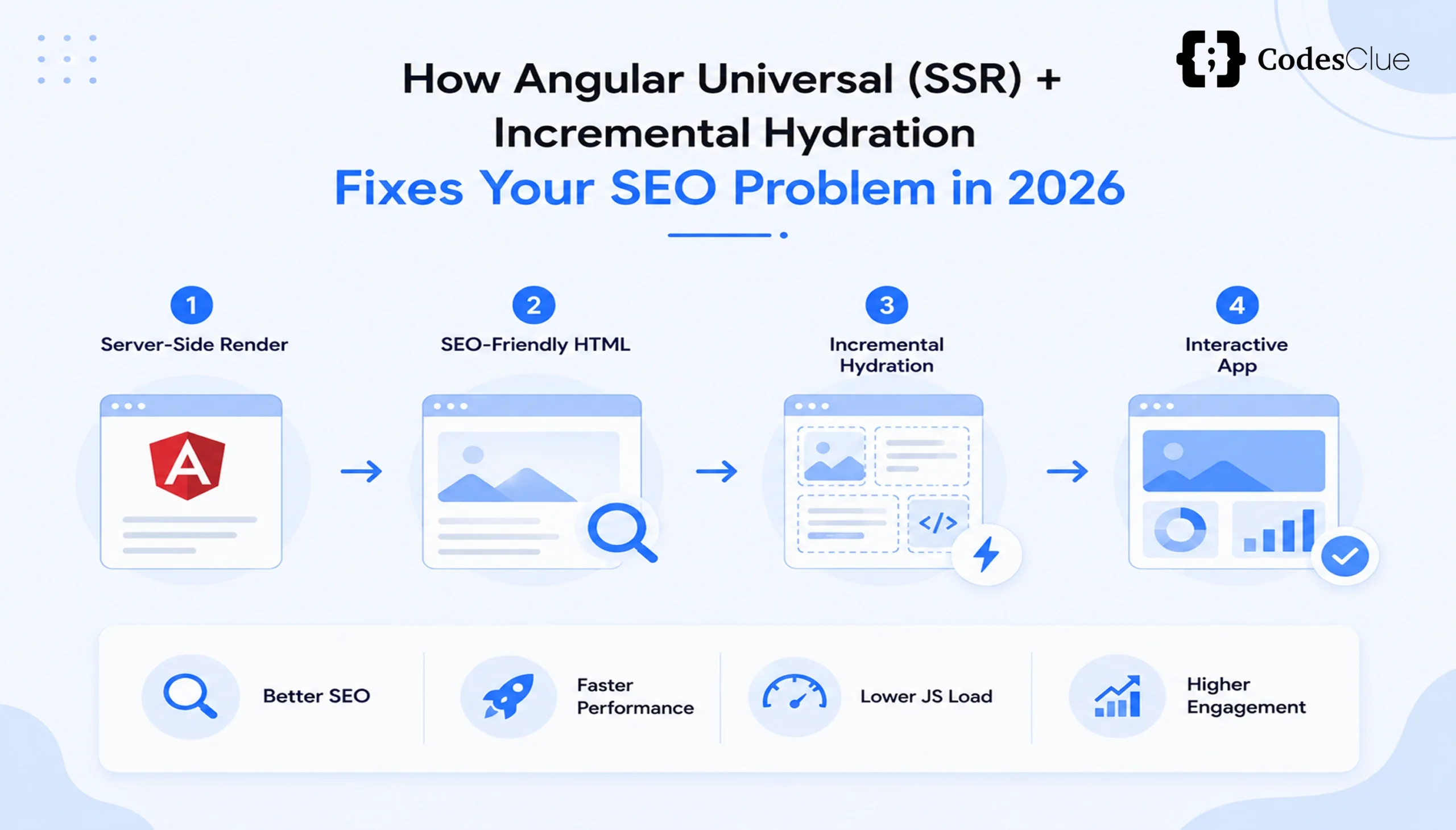
Modern users expect websites to load instantly, respond smoothly, and rank well on search engines. Yet many Angular applications still rely on client-side rendering (CSR), which delays content rendering, hurts Core Web Vitals, and complicates Angular SEO optimization.
Angular SSR for SEO solves this problem. With Angular server-side rendering, the server generates HTML before sending it to the browser. This approach speeds up page loads, strengthens Angular Universal SEO, cuts rendering delays, and improves user experience. Pair it with Angular Hydration and Angular Incremental Hydration, and your application achieves faster interactions without sacrificing performance.
This blog explains how Angular SSR has evolved, why it matters for SEO, how hydration works, and how you can implement these features step by step.
What Is Angular SSR for SEO?
Angular server-side rendering renders application pages on the server instead of making the browser wait for JavaScript execution. This technique directly improves Angular SEO optimization, application performance, and search engine crawlability.
With traditional CSR, the browser downloads the JavaScript bundle, executes it, and only then generates the page, creating a visible delay for both users and search engines. With Angular SSR, the server sends a fully rendered HTML page immediately. Users see content right away, while Angular takes over on the client side for interactivity.
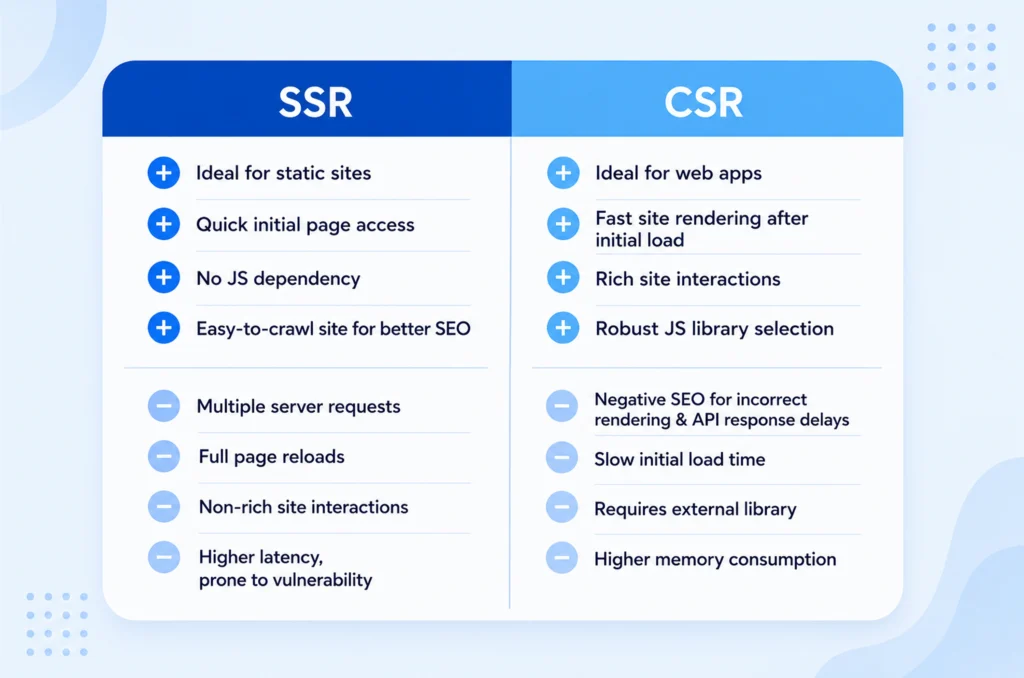
Angular SSR vs CSR SEO: Which Rendering Strategy Wins?
|
Client-Side Rendering |
Angular SSR |
| Browser renders the page | Server renders the page first |
| Slower initial load | Faster First Contentful Paint |
| Requires JavaScript before content appears | Delivers HTML immediately |
| Weaker SEO performance | Stronger Angular SEO |
| Higher layout shifts | Better user experience |
Content-heavy websites, enterprise portals, SaaS platforms, and eCommerce stores gain the most from this performance advantage.
Why Single-Page Apps Struggle to Rank?
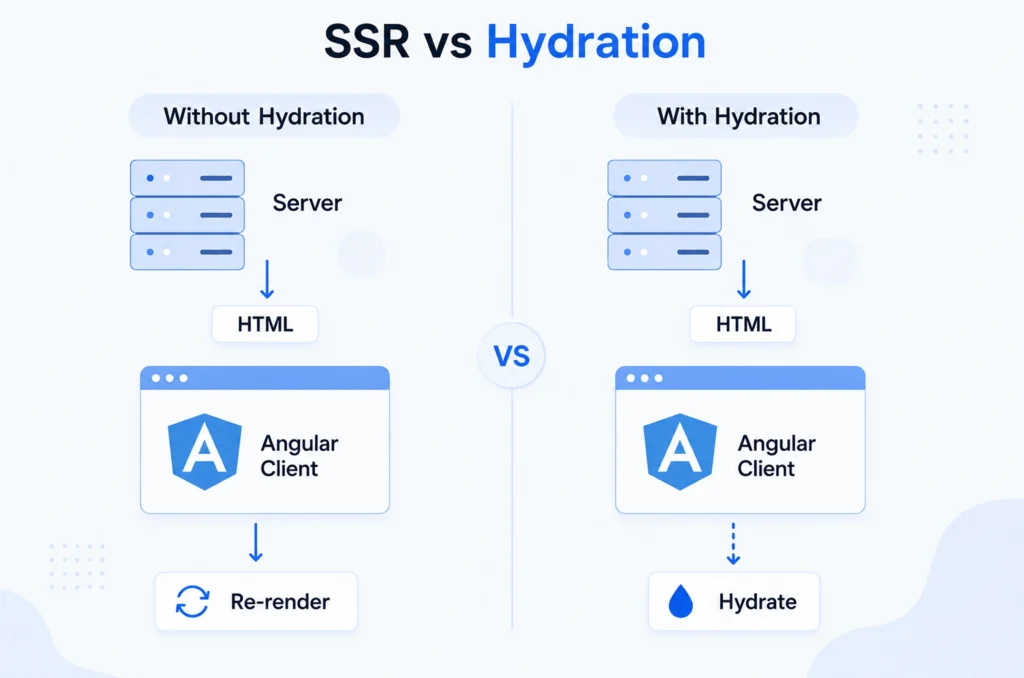
CSR remains one of the biggest obstacles to following Angular SEO best practices, since search engines must process JavaScript before they can index content. Google can render JavaScript, but server-rendered HTML still improves discoverability, crawl efficiency, and page experience.
Because Angular apps typically run as Single-Page Applications (SPAs), they generate content dynamically after the page loads. Large JavaScript bundles, delayed rendering, or blocked resources slow indexing and hurt visibility. This creates several SEO challenges:
- Delayed content rendering
- Incomplete indexing
- Poor metadata handling
- Slow loading on mobile devices
- Lower Core Web Vitals scores
Google treats page experience and loading performance as signals of page quality. According to Google’s Chrome User Experience Report (CrUX), many websites still miss recommended Core Web Vitals thresholds, particularly for Interaction to Next Paint (INP).
Angular SSR fixes these gaps. It delivers HTML immediately, makes metadata available on the first request, improves crawlability, reduces rendering delays, speeds up indexing, and enhances overall user experience, removing many SEO limitations tied to CSR.
From Angular Universal to Full Hydration: How SSR Evolved
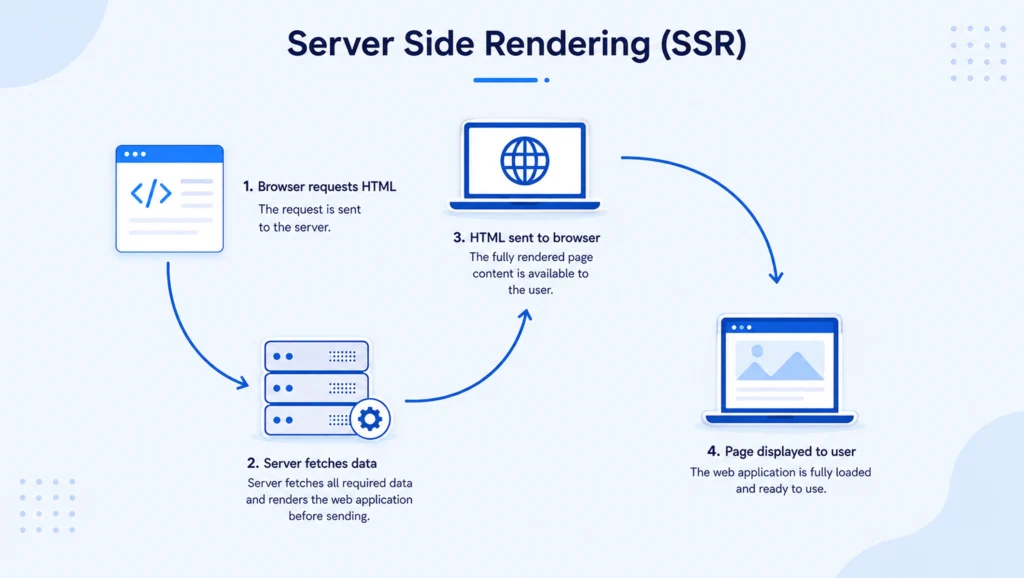
Angular Universal
Angular Universal was, for years, the standard way to enable server-side rendering. It pre-rendered HTML on the server while keeping applications interactive once the browser loaded JavaScript.
However, its hydration process was destructive: once JavaScript loaded, Angular discarded the server-rendered DOM and rebuilt the application from scratch. This caused extra JavaScript execution, longer interaction delays, higher CPU usage, and potential layout shifts.
Angular Hydration
Angular Hydration solves this problem. Instead of rebuilding the page, Angular reuses the HTML the server already generated, a process called Non-Destructive Hydration. It delivers faster interaction, reduced JavaScript work, better rendering performance, lower layout shifts, and improved Core Web Vitals.
Angular Incremental Hydration
Most pages contain sections users don’t interact with right away: footers, comments, reviews, recommendation widgets, related products, chat support. Hydrating all of these at once increases JavaScript execution time unnecessarily.
Angular Incremental Hydration fixes this by hydrating components only when the app actually needs them, based on user interaction or viewport visibility, instead of activating the entire page at once. This significantly boosts startup performance.
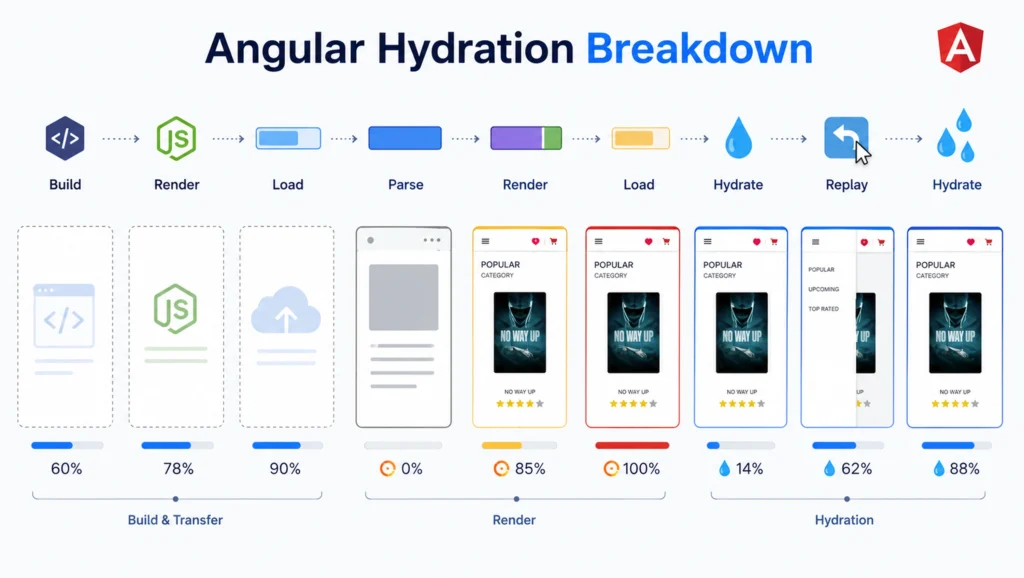
How Angular Hydration Works
Angular follows a simple lifecycle:
Server renders HTML
│
Browser displays page
│
JavaScript downloads
│
Angular attaches events
│
Existing DOM reused
│
Application becomes interactive
Angular never recreates the DOM. It connects application logic to the existing HTML instead, cutting unnecessary work and improving rendering efficiency.
How Incremental Hydration Protects Core Web Vitals
Google measures user experience through three primary metrics:
|
Metric |
Measures |
Recommended Target |
| Largest Contentful Paint (LCP) | Loading performance | ≤ 2.5 seconds |
| Interaction to Next Paint (INP) | Responsiveness | ≤ 200 ms |
| Cumulative Layout Shift (CLS) | Visual stability | ≤ 0.1 |
Traditional Angular apps often struggle here because JavaScript execution blocks the main thread. Incremental Hydration reduces the JavaScript that runs during initial load, so users can interact with important content sooner while non-critical sections load in the background.
Choosing the Right Angular SSR Trigger
Angular offers several hydration trigger strategies, letting you hydrate components only when users actually need them:
|
Trigger |
Best Use Case |
| Immediate | Navigation menus, hero sections |
| On Viewport | Images, testimonials, blog comments |
| On Interaction | Forms, chat widgets, calculators |
| On Hover | Product previews |
| On Idle | Analytics, recommendations, non-critical widgets |
For example, a pricing calculator doesn’t need to hydrate until a visitor interacts with it, and a footer newsletter form can wait until it enters the viewport. Choosing triggers strategically cuts unnecessary JavaScript execution and improves both performance and user experience.
Step-by-Step: Configuring Non-Destructive Hydration
Step 1: Enable Angular SSR
ng add @angular/ssr
This command configures your application for server-side rendering. Since Angular 17+, the @angular/ssr package replaces the older Angular Universal setup process.
Step 2: Enable Hydration
provideClientHydration()
This enables non-destructive hydration, so Angular reuses server-rendered HTML instead of rebuilding the DOM.
Step 3: Configure Incremental Hydration
@defer (on viewport)
{
<reviews-component />
}
Angular hydrates this component only after it enters the viewport.
Step 4: Verify Performance
Measure your improvements with Chrome Lighthouse, Chrome DevTools Performance panel, a Core Web Vitals extension, or the Chrome User Experience Report (CrUX). Compare metrics before and after hydration to confirm the gains.
Angular SEO Best Practices
Follow these Angular SEO best practices to strengthen application performance and search visibility:
- Use hybrid rendering where it fits.
- Implement structured data for SEO.
- Optimize API response times.
- Lazy load non-critical resources.
- Use Incremental Hydration strategically.
When Should You Choose Angular SSR for SEO?
Angular SSR delivers the most value when discoverability and initial load speed drive business results for enterprise websites, SaaS platforms, eCommerce stores, marketing sites, news portals, documentation platforms, customer portals, and public-facing dashboards. Organizations focused on Angular SEO optimization, faster load times, and enterprise scalability benefit the most.
Conclusion
Improving Angular application performance takes more than trimming JavaScript bundles. Modern applications need to render content quickly, hit strong Core Web Vitals Angular scores, and support effective Angular SEO optimization. By combining Angular SSR, Angular Hydration, and Angular Incremental Hydration, you can significantly boost page speed, search visibility, and user experience while cutting unnecessary JavaScript execution.
Whether you’re building an enterprise portal, SaaS platform, eCommerce website, or content-rich application, these rendering strategies can meaningfully improve performance, engagement, and organic search visibility.
At CodesClue, we build modern Angular applications using the latest SSR, Hydration, and performance optimization techniques. From architecture planning and migration to SEO optimization and enterprise-scale development, our Angular experts help businesses build fast, scalable, search-friendly web applications that deliver measurable results.