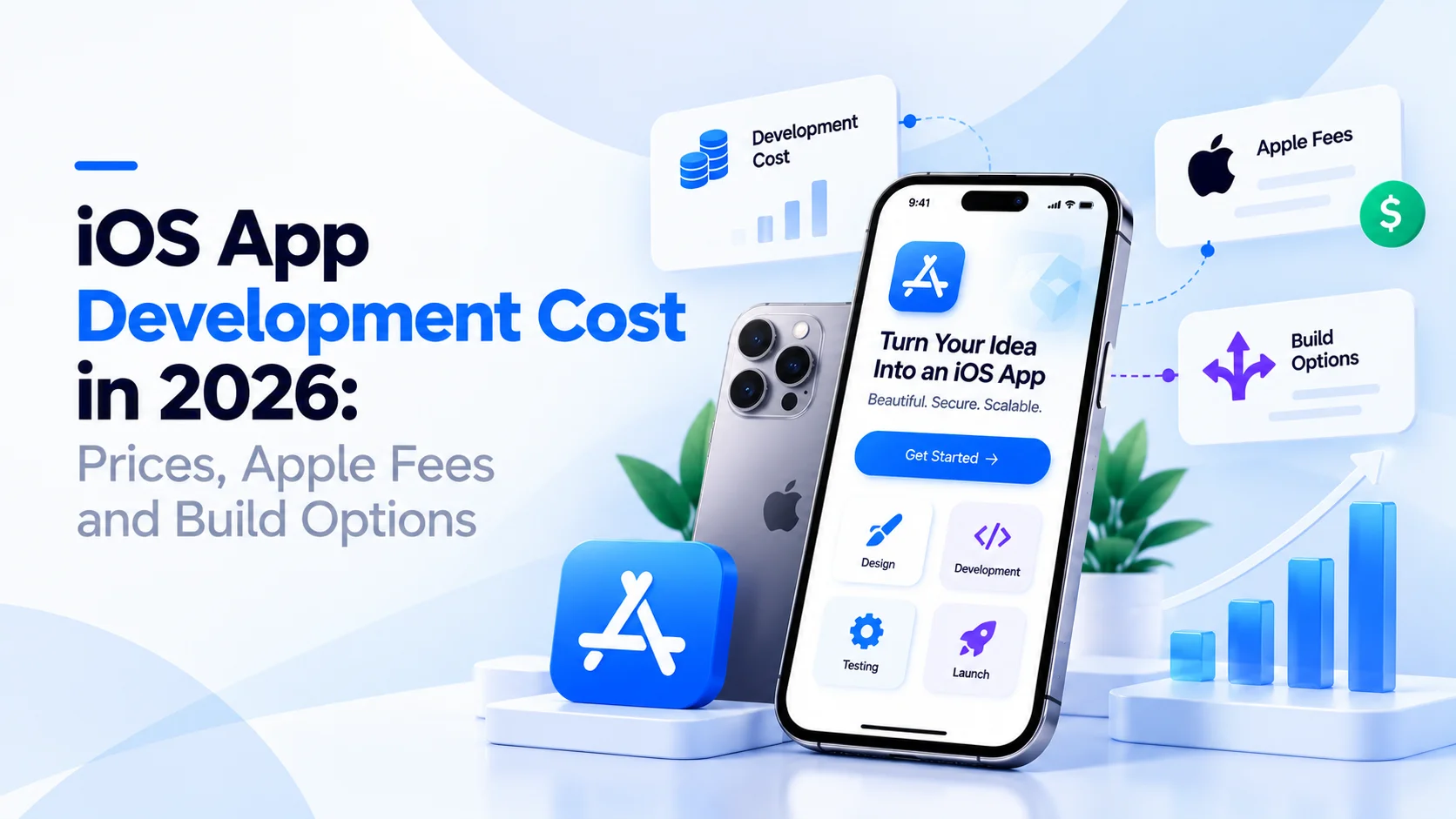
iOS App Development Cost in 2026: Prices, Apple Fees and Build Options
iOS app development cost in 2026 by app type, Apple's fees and yearly upkeep, plus a table to choose native iOS, cross-platform or a web app.
Your first customers carry iPhones, so you ask three companies to price your app. The quotes come back at $15K, $60K and $180K for what sounds like the same idea. This guide explains iOS app development cost in 2026, from each part of the build to Apple’s fees. By the end, you can read any quote line by line.
Key takeaways
- At CodesClue, an iOS MVP runs about $8K to $25K. A mid-size app with a custom backend costs $25K to $70K, and a large or regulated app starts from $70K.
- Published market ranges run from about $5K for a very simple app to $400K or more for enterprise apps.
- Apple charges $99 a year for a developer account and takes a share of paid apps and in-app purchases.
- The backend, not the screens, often decides the bill. Logins, payments and live data all need servers.
- If you need Android soon too, price a cross-platform build before you commit to native iOS.
How much does iOS app development cost in 2026?
iOS app development cost usually starts at $8K to $25K for an MVP with a few core screens and a simple backend. A mid-size app with accounts, payments and a custom backend runs $25K to $70K. Large apps with hardware links, heavy security or many user roles start from $70K. These are CodesClue’s project ranges for iOS app development services.
Other published guides show a wider spread. Saigon Technology lists $25K to $50K for a simple iOS app and $250K to $400K or more for enterprise work. Antino gives $10,000 to $250,000 or more overall. CMARIX starts simple apps at $5,000 and puts complex apps above $100,000.
Why such a gap? “Simple app” means different things to each vendor. A booking app with three screens and a Bluetooth app that pairs with radios are both iOS apps. They share almost nothing in effort. Treat every range, ours included, as a first guide until someone reads your scope.
iOS app development cost by app type
The kind of app you build sets the base of the bill. Find the row closest to your idea.
| App type | Examples | What drives the cost | Typical CodesClue tier |
|---|---|---|---|
| MVP to test an idea | Booking app, simple marketplace, internal tool | Number of screens, login, one admin view | $8K to $25K |
| Content or membership app | Courses, wellness programs, news | User accounts, subscriptions, content management | $25K to $70K |
| Commerce or payments app | Store, food ordering, wallet | Payment provider, order flow, security checks | $25K to $70K, more with banking rules |
| Real-time app | Chat, live tracking, dashboards | Live data, push alerts, server load | $25K to $70K, from $70K at scale |
| Hardware or sensor app | Bluetooth devices, radios, IoT | Device pairing, field testing, edge cases | From $70K |
| Regulated app | Health records, banking, insurance | Audits, data rules, extra testing | From $70K |
Pro tip: Write down the one job your first version must do well. Every extra job, such as chat or a loyalty program, adds weeks. Push those to version two unless users ask for them on day one.
What drives the cost to build an iOS app?
Six things move the price more than anything else. Each one is a question you can answer before you ask for quotes.
- Screens and user flows. Count the screens a user moves through to finish a task. Ten screens cost far less than forty.
- Design depth. Apple’s standard components are quick to use. A fully custom look with animation takes much longer to design and build.
- Backend. Logins, saved data, payments and admin panels all need a server and an API. This part often costs as much as the app itself.
- Integrations. Each outside service adds work: payment providers, maps, CRMs, health data or your own older systems.
- Devices. iPhone only is the base. iPad layouts, Apple Watch or a Mac version each add design and testing.
- Team and location. Senior engineers in the US and Western Europe charge more than teams in India or Eastern Europe. Seniority still matters more than the map.
The backend surprises most first-time founders. The app on the phone is what you see. Behind it, a server checks logins, stores orders and sends push alerts. If a quote looks low, ask whether it includes the backend at all.
Apple’s own fees and the costs after launch
Apple adds a few costs that a build quote often leaves out. They are small next to the build, but they never stop.
- Developer account: the Apple Developer Program (opens in a new tab) costs $99 per membership year. You need it to publish.
- Store commission: Apple takes a share of paid apps and in-app purchases. Under the App Store Small Business Program (opens in a new tab), the rate is 15% for developers who earn up to $1 million a year. A higher standard rate applies above that.
- App Review: Apple checks every new app and update. A rejected build means fixes and another round, so plan a few spare days before launch.
- Yearly iOS updates: each new iOS version can break small things. Budget time every year to test and update.
- Hosting and services: servers, push notifications, analytics and email tools bill every month.
Most published guides put yearly maintenance at about 15% to 20% of the build cost. Saigon Technology and Innowise both use that range. Your own number depends on how often you ship new features.
Pro tip: Ask every vendor for a year-one total, not only a build price. Build plus hosting plus support is the number your budget will feel.
Native iOS, cross-platform or a web app: which option fits you?
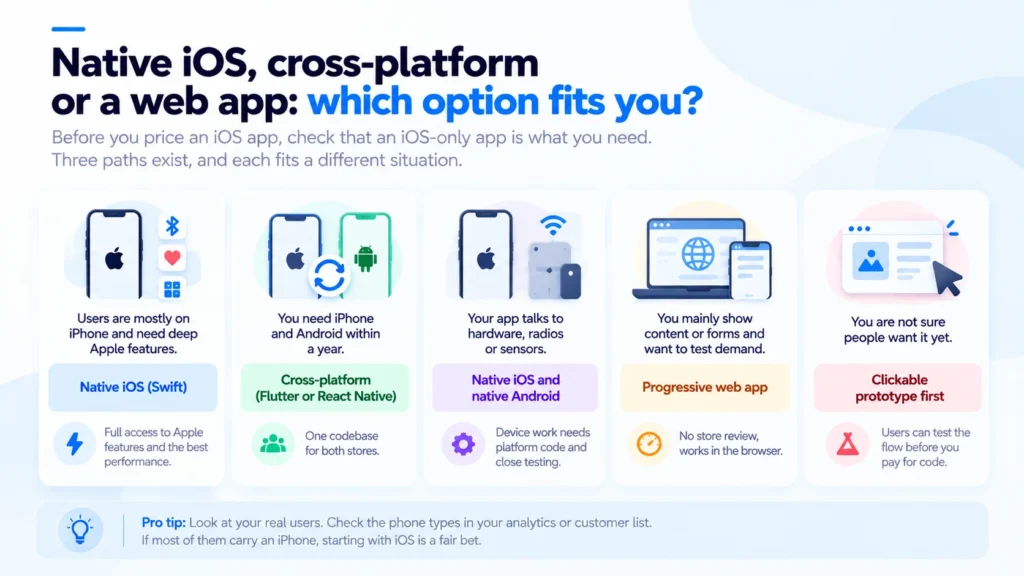
Before you price an iOS app, check that an iOS-only app is what you need. Three paths exist, and each fits a different situation.
| Your situation | Best fit | Why |
|---|---|---|
| Your users are mostly on iPhone and you need deep Apple features | Native iOS (Swift) | Full access to Bluetooth, health data, widgets and the best performance |
| You need iPhone and Android within a year | Cross-platform (Flutter or React Native) | One codebase for both stores, one team to manage |
| Your app talks to hardware, radios or sensors | Native iOS and native Android | Device work needs platform code and close testing on each system |
| You mainly show content or forms and want to test demand | Progressive web app | No store review, works in the browser, quick to change |
| You are not sure people want it yet | Clickable prototype first | Users can test the flow before you pay for code |
Cross-platform frameworks have matured a lot. For many business apps, one Flutter or React Native codebase reaches both stores for much less than two native apps. Our React Native cost guide covers that route in detail. For simple content apps, a progressive web app may be enough.
Native iOS still wins in clear cases. Apps that pair with devices, rely on Apple-only features or must feel perfect on every iPhone gain from Swift. If you are still choosing a platform, read iOS vs Android: which should you choose first.
Pro tip: Look at your real users before you choose. Check the phone types in your web analytics or customer list. If most of them carry an iPhone, starting with iOS is a fair bet.
Not sure which path fits your idea? Send us a short brief and we will tell you which tier and which build route make sense.
Where the money goes in an iOS project
Most iOS projects move through the same five phases. Knowing them helps you read a quote and spot what is missing.
- Discovery and scope. Goals, users, must-have features and a priced plan. Usually a short phase, and the easiest place to change your mind.
- Design. User flows, wireframes and final screens in Figma, checked against Apple’s Human Interface Guidelines.
- Build. The Swift app, the backend and the integrations. This is the biggest share of the budget.
- Testing. Real iPhones, older iOS versions, poor networks and edge cases. Hardware apps need field tests too.
- Launch and support. App Store setup, review, release and the first fixes after real users arrive.
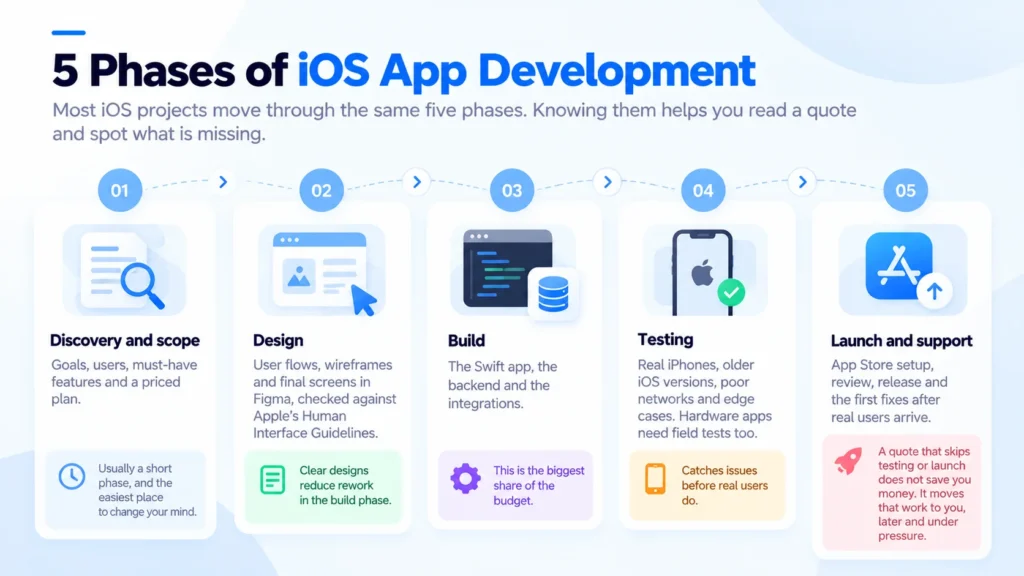
A quote that skips testing or launch does not save you money. It moves that work to you, later and under pressure.
A real example: when native iOS was worth it
Nexus PTT needed push-to-talk for stadiums, arenas and emergency services. Staff use it in loud, crowded places where a dropped call matters.
CodesClue built native iOS and Android apps, a Node.js backend and the link to Bluetooth (BLE) and radio hardware, then handled the App Store release. The platform supports 500+ concurrent users, with a 98% device pairing success rate and 99.9% uptime. Read the full Nexus PTT case study.
That project needed native code. Hardware pairing and audio in noisy places leave no room for shortcuts. Compare it with SmartPantryPal, a household pantry app with barcode scanning and shopping lists. We built it in Flutter and shipped it to both app stores from one codebase. Same team, two very different answers, because the apps had different jobs.
What we see in real projects
A few patterns come up again and again when founders bring us an iOS quote.
- The backend is often missing from low quotes. The app looks finished in a demo, then nothing saves.
- Admin panels get forgotten. Someone on your team must manage users, orders or content.
- Apple review adds days, not weeks, when the team knows the guidelines. First-time teams lose more time here.
- Hardware and health apps need the most testing. Budget extra time for real devices.
An honest limit: we would not build native iOS for an app that mainly shows content and must reach Android users soon. Cross-platform or a web app will serve you better for less.
Pro tip: Ask to see an app the team has already shipped to the App Store. A live listing proves they know Apple’s review process.
Checklist: compare iOS quotes line by line
Use this list on every quote you receive. A missing line is a question to ask, not a saving.
- Is the backend included, and who hosts it?
- Is an admin panel included?
- Which devices and iOS versions will they test on?
- Who handles the App Store listing and review?
- What does support cost in the first year?
- Who owns the code and the developer account?
- How do they price changes once you sign the scope?
Common mistakes to avoid
- Building every feature in version one. Launch the core flow, then add what users ask for.
- Choosing native iOS by habit. If Android matters within a year, price cross-platform first.
- Comparing quotes with different scopes. Ask each vendor to split the price by phase.
- Forgetting life after launch. Plan for hosting, iOS updates and fixes every year.
- Registering the developer account in the vendor’s name. Keep the Apple account and the code under your company.
Want a team that can start soon? You can also add vetted iOS developers to your own team. With CodesClue, development starts within 48 hours after we discuss the requirements and you approve the developer.
Get a clear iOS app development cost for your idea
iOS app development cost comes down to your scope, your backend and whether iOS alone is the right platform. Send us your idea and your must-have features, and we will tell you which tier fits and which build route to take. Book a free scoping call with our mobile team.
FAQs
How long does it take to build an iOS app?
A focused MVP often takes two to three months from scope to App Store. A mid-size app with a custom backend usually needs three to six months. Hardware, payments or strict data rules add time for testing. Ask for a milestone plan with dates for design, first build, testing and launch, not one end date.
Is iOS app development more expensive than Android?
Usually not by much for the same features. Android has more devices to test, while iOS has Apple’s review process and yearly updates. The bigger cost question is one platform or two. Building native apps for both roughly doubles the app work, which is why many teams pick a cross-platform framework instead.
How much does it cost to publish an app on the App Store?
Apple charges $99 per membership year for the Apple Developer Program. There is no extra fee per app. Apple also takes a commission on paid apps and in-app purchases, 15% for developers in the Small Business Program. Budget a few spare days too, because App Review can ask for changes before approval.
Can I build an iOS MVP for under $25K?
Yes, if the scope stays tight. A first version with one core flow, simple login, a basic backend and an admin view fits the $8K to $25K range at CodesClue. Payments, live data or custom animation push it higher. Write the one job your MVP must do, then cut everything else.
How much does it cost to maintain an iOS app each year?
Many published guides put yearly maintenance at about 15% to 20% of the build cost. That covers fixes, iOS updates, small improvements and monitoring. Hosting and outside services bill on top. Apps that add features every month spend more, while a stable internal tool may spend less.
Should I hire iOS developers or outsource the whole app?
Do you already have a product manager and a clear roadmap? Then adding iOS developers to your team keeps you in control. When you need design, backend, testing and launch in one place, a full project team is simpler. With CodesClue, development starts within 48 hours after we discuss the requirements and you approve the developer.