Web Application Development Cost in 2026: A Practical Guide
Web application development cost in 2026 by app type, feature and team, plus hosting and upkeep, a build vs buy table and 6 steps to estimate.
You have an idea for a tool that runs in the browser: a client portal, an operations dashboard or a small marketplace. Before you talk to a vendor, you want a number you can trust. This guide breaks down web application development cost in 2026 by app type, feature, team and running costs, and shows when buying beats building.
Key takeaways
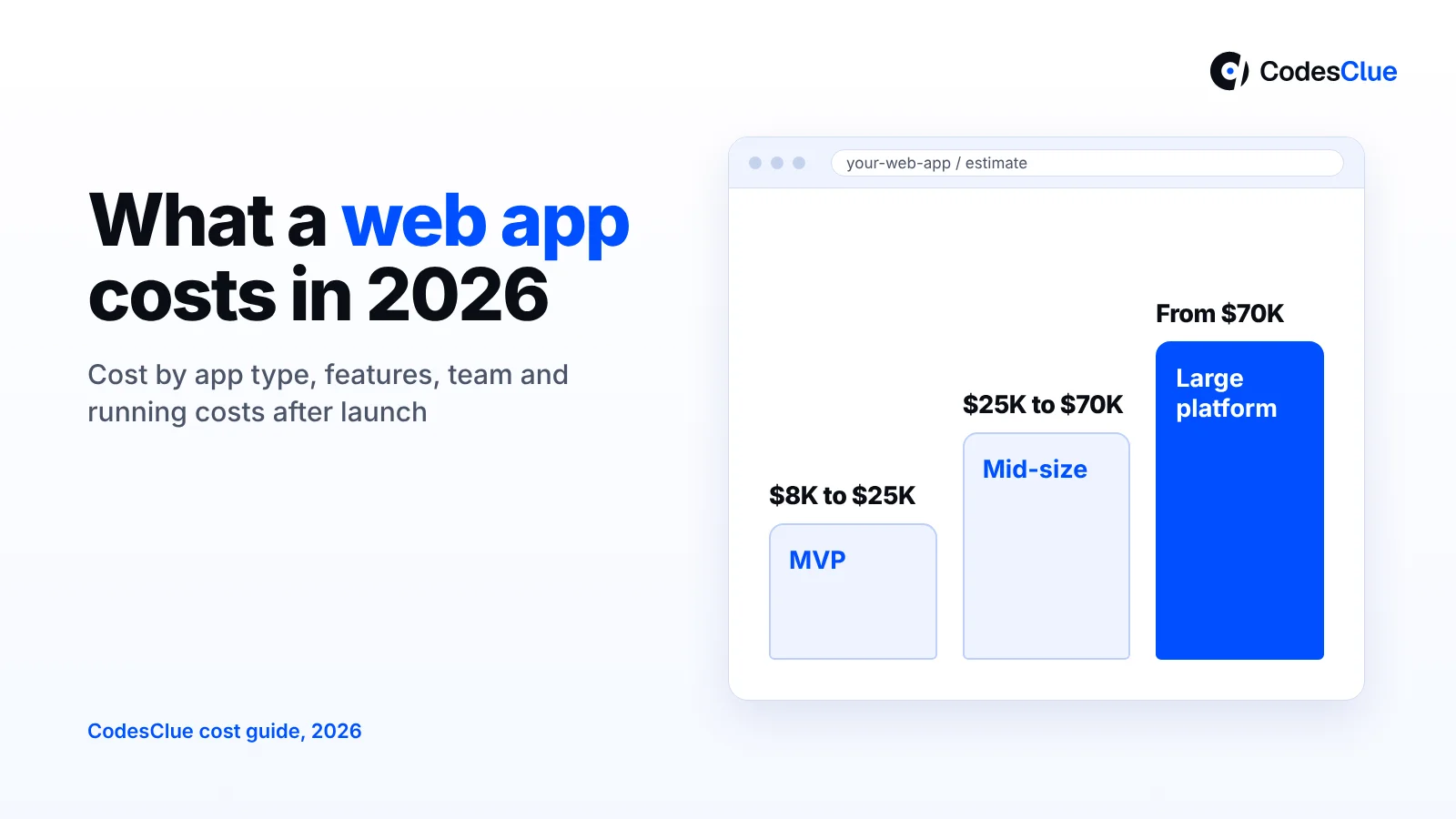
- At CodesClue, a web app MVP runs about $8K to $25K, a mid-size app $25K to $70K, and a large platform starts from $70K.
- The type of app sets the base price. An internal dashboard costs far less than a marketplace with payments and two kinds of users.
- User roles, integrations and real-time features move the price more than the number of screens.
- Budget for life after launch: hosting, paid services and roughly 15 to 20% of the build cost each year for maintenance.
- Buy a tool when your process is standard. Build custom when the workflow is your edge or no product fits.
How much does web application development cost in 2026?
A custom web application usually costs $8K to $25K for an MVP. A mid-size app costs $25K to $70K, and a large platform starts from $70K. These are CodesClue’s project ranges. Your price depends on the app type, user roles, integrations and what you need on day one.
Other guides show higher top ends. SaM Solutions and Codewave both list $20K to $70K for a simple web app. Their medium tier runs $80K to $180K, and complex builds reach $200K to $500K or more. RaftLabs puts a simple internal tool at $12K to $30K. WebAlive, an Australian agency, starts its MVP range at $10K, most likely in Australian dollars.
Why such a gap? Most of it comes from team location, seniority and what each vendor calls “simple”. Treat every range, ours included, as a starting point until someone reads your brief.
Here, a web application means software people log in to in a browser, not a marketing website.
Web app development cost by type
The kind of app you build sets the base of your web app development cost. Find the row closest to your idea.
| App type | Examples | What drives the cost | Typical tier |
|---|---|---|---|
| Internal tool or dashboard | Operations dashboard, admin panel, reporting tool | Data sources, roles, reports | MVP, growing to mid-size with many modules |
| Customer, partner or employee portal | Client portal, vendor portal, staff self-service | Logins, permissions, links to CRM or ERP | Mid-size |
| SaaS product | Subscription software sold to many companies | Separate accounts per customer, billing, onboarding | MVP first, then mid-size and up |
| Marketplace | Booking or selling platform with buyers and sellers | Two user types, payments and payouts, search, reviews | Mid-size for a focused version, large at full scope |
| Large or regulated platform | ERP-style systems, health or finance apps | Compliance, audit trails, scale, many integrations | Large |
Portals sit in the middle because the hard part is linking them to systems you already run. Our web portal development team sees this often. If you are weighing a custom portal against a CMS plugin, read web portal vs CMS-based portal first.
SaaS products add billing and keep each customer’s data apart. Our SaaS development cost guide covers those in depth, and our SaaS development services page shows how we run such builds.
Pro tip: Count user types, not pages. Each extra role, such as admin, customer or vendor, brings its own screens, rules and tests.
Which features move the price the most?
Screens are rarely the main cost. The logic behind them is. These features add the most work:
- User roles and permissions. Who can see, edit and approve what. Every rule needs testing.
- Integrations. Links to a CRM, ERP or accounting tool. Each one needs data mapping, error handling and testing.
- Payments and payouts. Taking a card payment with Stripe is quick. Splitting money between sellers, refunds and invoices takes much longer.
- Real-time features. Live chat, live dashboards and instant alerts need extra backend work.
- Reports. Simple tables are quick. Custom filters, charts and scheduled exports add up.
- AI features. Smart search or an assistant adds build time and a monthly usage bill.
- Compliance. GDPR, HIPAA or audit logs change how you store and log data.
Pro tip: Ask for the estimate split by feature. You will often find that three features take half the budget. Then you can decide if they belong in version one.
How does your team choice change the cost?
The same app can cost very different amounts depending on who builds it. Each option trades price against risk:
- Freelancer. Works for small, well-defined jobs. You handle testing and hosting, with no backup if they leave.
- In-house team. Gives the most control. Hiring takes months, and salaries start before the first line of code.
- Fixed-price project. A partner agrees scope, timeline and price up front. Changes go through a change request, so a clear brief matters.
- Dedicated developers. People work only on your product and you set priorities weekly. This suits apps that keep growing.
Already have a product lead and just need more hands? You can hire full stack developers who cover both the browser side and the server side. Development starts within 48 hours after we agree the requirements.
Want a range for your own idea? Send us a one-page brief. We will reply with a ballpark and the three features that drive it. Talk to our team.
What does a web app cost to run after launch?
Plan for three ongoing costs: hosting, paid services and maintenance. Hosting for a small business app can start at tens of dollars a month. Maintenance is usually the bigger line.
| Running cost | What it covers | Starting point (source) |
|---|---|---|
| Frontend hosting | Serving the app to browsers | Vercel Pro: $20 a month with $20 usage credit (Vercel pricing page, 21 Oct 2026) |
| Database and logins | Data, user accounts, file storage | Supabase Pro: from $25 a month (Supabase pricing page, 21 Oct 2026) |
| Paid services | Email, maps, error tracking, payment fees, AI APIs | About $50 to $500 a month, by volume (RaftLabs) |
| Maintenance | Security patches, updates, bug fixes, small changes | 15 to 20% of build cost a year (WebAlive) |
A note on free plans. Vercel’s pricing page (opens in a new tab) says its free Hobby plan is for personal, non-commercial use, so a business app needs a paid plan. Supabase (opens in a new tab) has a free tier with limits a live product soon outgrows.
Bills on AWS, Azure or Google Cloud grow with traffic, storage and data transfer. Model your growth before you choose.
Maintenance estimates vary. WebAlive suggests 15 to 20% of the build cost per year, Codewave says 15 to 25%, and RaftLabs goes lower at 10 to 15%. On a $40K build, 15 to 20% means about $6K to $8K a year.
Pro tip: Ask for a 12-month running cost forecast with every quote. A vendor who cannot give one has not planned your hosting yet.
Which option fits you?
Not every web app needs custom code. Match your situation to one of four options:
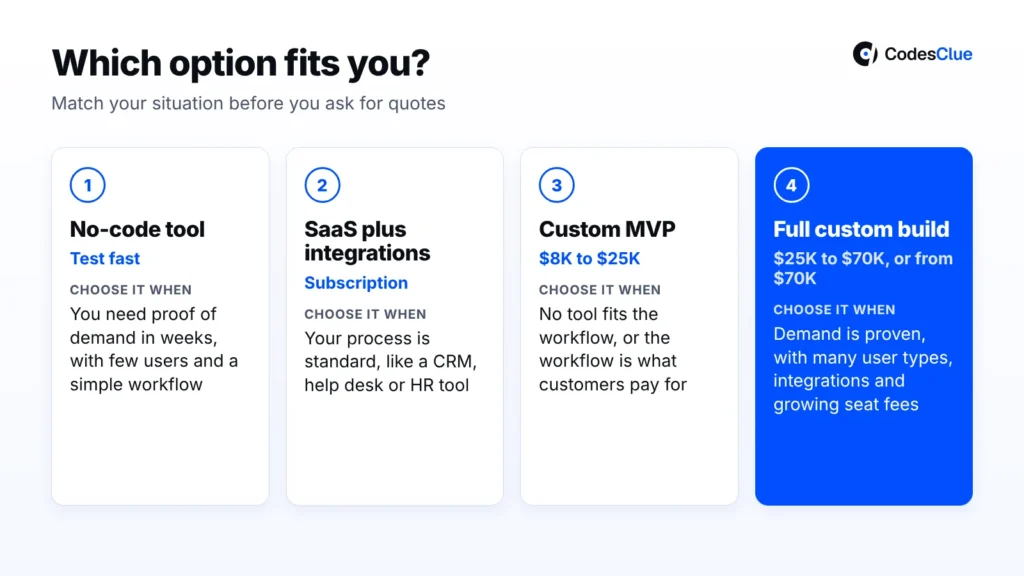
- No-code tool (Bubble, Softr, Retool). You want to test demand in weeks, with few users and a simple workflow. Expect limits on custom logic and data export.
- Off-the-shelf SaaS plus integrations. Your process is standard, like a CRM, help desk or HR tool. Pay the subscription, connect it with a tool such as n8n or Zapier, and spend your budget on the gaps.
- Custom MVP ($8K to $25K). The idea has some proof, but no tool fits the workflow, or the workflow is what customers pay for. Build the core flow for one user type first.
- Full custom build ($25K to $70K, or from $70K at large scale). Demand is proven, you have several user types and integrations, and per-seat SaaS fees keep climbing as you grow.
Build vs buy: a decision table
Answer each question honestly. The column you agree with more often is usually your answer.
| Question | Buy (SaaS or no-code) | Build custom |
|---|---|---|
| Is the process standard in your industry? | Yes, most firms work the same way | No, it is how you win customers |
| How many users in two years? | Few and stable | Many, and per-seat fees would climb |
| Does it need deep links to your own systems? | No, or simple ones | Yes: CRM, ERP or legacy data |
| Who must own the code and data? | The vendor holding them is fine | You must own them |
| When do you need it? | This month | You can wait 4 to 8 weeks or more |
| Compliance needs | The vendor already covers them | Specific rules no vendor meets |
Mixed answers often point to a hybrid: buy the standard parts, then build a custom portal or dashboard on top. Our web application development services team often connects a new app to tools a client already pays for.
How to estimate your custom web application development cost in 6 steps
You can reach a solid budget range before any sales call. Follow these steps in order:
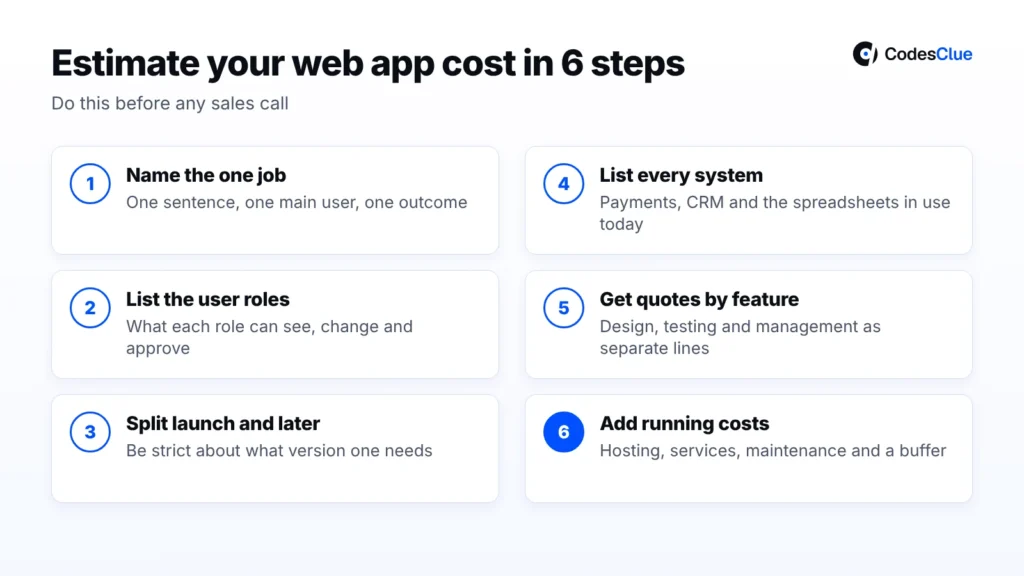
- Write down the one job the app must do. Use one sentence, one main user and one outcome, such as “Clients upload documents and track their case.”
- List the user roles. For each role, note what they can see, change and approve.
- Split features into “launch” and “later”. Be strict. Most first versions need half of what the wish list says.
- List every system the app must talk to. Include payment providers, CRMs and the spreadsheets people use today.
- Ask for quotes split by feature. Make sure design, testing and project management appear as separate lines, so you compare like with like.
- Add running costs and a buffer. WebAlive recommends a 20% buffer on any estimate. Put first-year hosting, services and maintenance next to the build price.
For a wider view of software budgets beyond the browser, see our guide to custom software development cost.
What we see in real projects
Our Blueberry Pie project shows where web app money really goes. It is an operations dashboard that brings tasks, compliance, production, inventory, customers, suppliers and HR into one interface. It runs on Angular and MySQL, with live updates and role-based access.
The screens were not the hard part. The case study names the real challenges. Data had to stay consistent across modules, and compliance records had to stay audit-ready.
InvoiceMinds is a different shape: a web and cloud invoicing platform built with React, Node.js, MongoDB and AWS. Users manage invoices, customers and payments from one dashboard. The effort sat in automation, so invoice sums and payment status update without manual work.
Now the honest part. We would not build a custom web app in these cases:
- A SaaS tool already fits. If a subscription covers most of your process, pay for it and connect the rest.
- Demand is untested. Start with a no-code version or a clickable prototype, then build once people use it.
- Nobody can own decisions. Custom work needs one person who answers questions every week.
- The budget stops at launch. No funds for a year of upkeep? Shrink the scope first.
Common mistakes to avoid
- Pricing screens instead of logic. Ten simple pages can cost less than one complex page.
- Building the whole wish list for launch. Every extra feature delays real user feedback.
- Forgetting running costs. Hosting, services and maintenance belong in the first budget, not the second.
- Comparing quotes that cover different things. One may include testing; another may not.
- Picking the lowest number alone. A quote that skips testing often costs more after launch.
- Leaving accounts in the vendor’s name. Code, hosting and domain accounts should belong to your company.
Checklist before you ask for a quote
- A one-sentence goal and one main user.
- The list of user roles and their permissions.
- Features marked “launch” or “later”.
- Every system the app must connect to.
- Compliance rules that apply, such as GDPR or HIPAA.
- A launch month and a first-year budget with running costs.
- One named person who will make product decisions.
Get a clear web application development cost for your idea
You now know what shapes web application development cost: the app type, the features behind the screens, the team and the bills after launch. Send us your one-page brief. We will reply with a range, the features that drive it and an honest view on build or buy. Book a free consultation.
FAQs
How much does a simple web app cost?
A simple web app has one user type, a few core features and no complex integrations. It usually fits CodesClue’s MVP range of about $8K to $25K. RaftLabs puts a simple internal tool at $12K to $30K. Payments, extra roles or system links raise the price fast, so define “simple” in writing.
How long does it take to build a web application?
A simple web app often takes 4 to 8 weeks from agreed scope to launch. Larger apps with many integrations or compliance needs take several months and ship in phases. The biggest delays come from unclear scope and slow decisions, not from coding. A short discovery phase keeps the timeline honest.
Does a web app cost less than a mobile app?
Usually, yes. One web app runs on every device with a browser, so you build and test one product instead of two. RaftLabs estimates web apps cost 20 to 30% less than native mobile apps. Need offline use or app store presence? Compare both in our mobile app development cost guide.
How much does it cost to maintain a web application each year?
Most published guides suggest 10 to 25% of the build cost per year. WebAlive says 15 to 20%, Codewave 15 to 25% and RaftLabs 10 to 15%. That covers security patches, updates, bug fixes and small changes. Hosting and paid services come on top, so ask for a 12-month running cost forecast
Can I build a web app with no-code tools instead?
Yes, for testing an idea or running a simple internal tool. Bubble, Softr and Retool can put a first version live in weeks. The trade-offs show up later: limits on custom logic, speed under load and fees that grow with users. Many teams prove demand with no-code, then rebuild the core as a custom MVP.
What should a web app development quote include?
A good quote lists features one by one, with design, development, testing and project management as separate lines. It states the timeline, what counts as a change, who owns the code and how support works. Ask for hosting and service costs too. If a quote is one number, ask for a breakdown first.