

AI in Software Development: How AI-Powered Agile Teams Ship
How AI in software development fits each sprint: what AI drafts, what engineers own, the right tools and a 90-day rollout that protects quality.
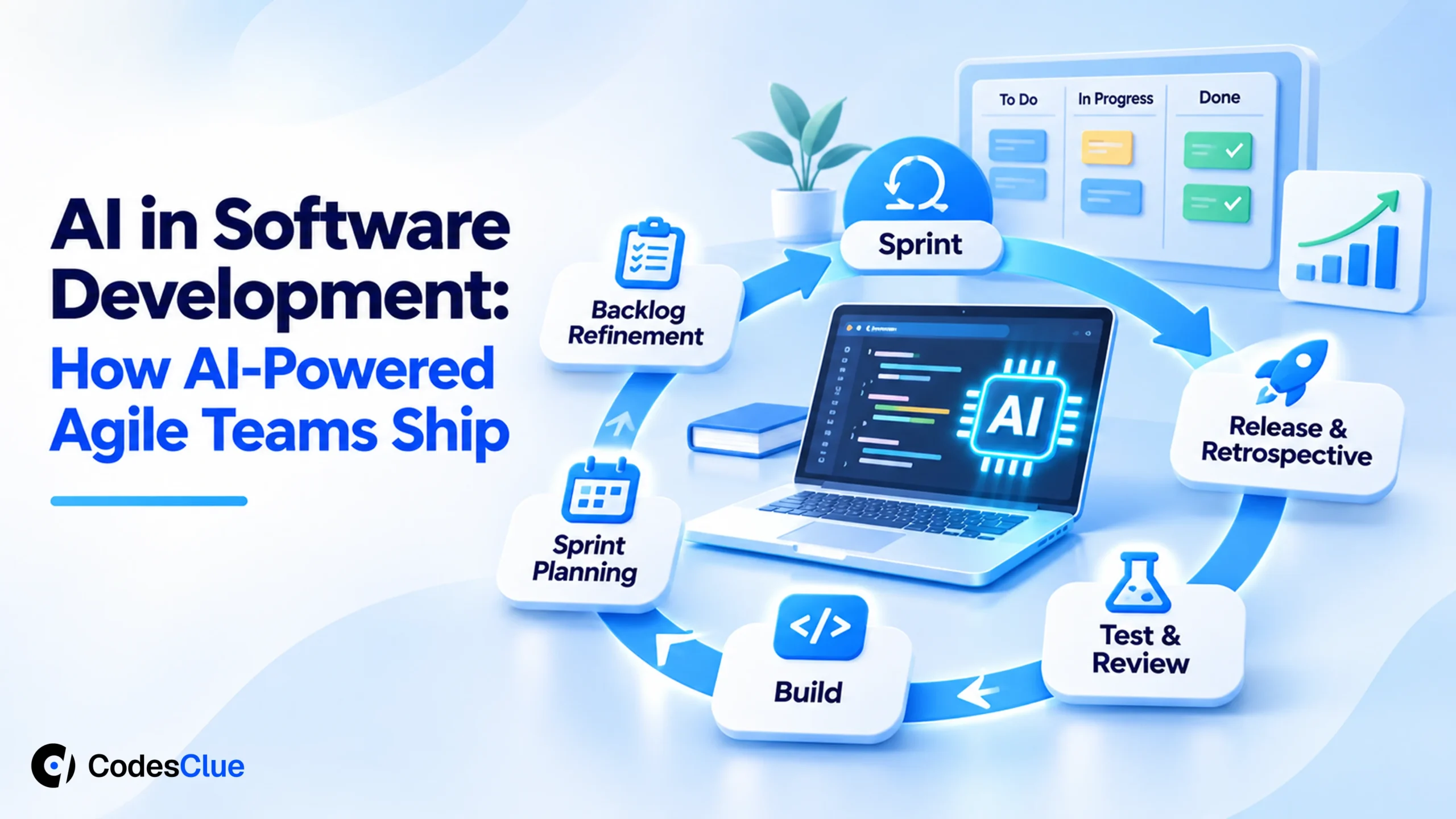
Your developers already use AI. Some paste code into a chat window, a few try a coding agent, and nobody agrees on the rules. Pull requests get bigger, review queues grow, and the sprint feels faster without actually shipping more.
That gap is the real story of AI in software development in 2026. This guide shows where AI fits each part of an agile sprint and what your engineers must still own. You will also see which tools suit which team and how to roll AI out in 90 days without hurting quality.
Key Takeaways
- AI helps most when you aim it at one sprint bottleneck at a time, instead of spreading it across everything.
- AI drafts stories, code, tests and release notes. Engineers decide the design, approve every merge and own what ships.
- Google’s 2025 DORA research links AI use to higher delivery throughput and, at the same time, to lower delivery stability.
- Measure cycle time, change failure rate and review time before you start, or you cannot tell if AI helped.
- Treat a coding agent like a fast new hire: small tickets, its own branch, the same tests and a human review.
What does AI in software development look like in 2026?
AI in software development now means AI tools that draft user stories, write and review code, generate tests and summarize releases inside your normal workflow. The engineers stay accountable. AI produces the first draft, people check it against the goal, and only approved work reaches the main branch. Speed comes from less blank-page work, not from skipped review.
Adoption is no longer the question. The 2025 Stack Overflow Developer Survey (opens in a new tab) found that 84% of developers use or plan to use AI tools. Among professional developers, 51% use them every day.
The same survey shows the catch. Nearly half (46%) distrust the accuracy of AI output. Two in three (66%) say their top frustration is answers that are almost right, but not quite.
Speed claims also need care. A 2025 METR study (opens in a new tab) found that experienced open source developers took 19% longer on real tasks with early-2025 AI tools. They still believed they were 20% faster.
METR’s later data on newer tools (opens in a new tab) points to a small speedup, with wide error bars. The lesson for a buyer is simple. Gains are real but uneven, so you have to measure them in your own team.
Traditional agile vs AI-powered agile development
AI-powered agile development keeps the sprint, the backlog and the review. It changes who writes the first draft of each artifact. The table compares three teams: a classic one, one that simply turned on AI tools, and one that built AI into its process.
| Sprint activity | Traditional agile | AI tools, no process | AI-powered agile with engineers in charge |
|---|---|---|---|
| Backlog refinement | Product owner writes every story | Stories skipped or auto-written | AI drafts stories from requests, the product owner edits and accepts |
| Estimation | Planning poker | Guesswork | AI suggests points from past tickets, the team decides |
| First working code | Days | Hours, any structure | Hours, inside the agreed architecture |
| Tests | Grow slowly | Often thin | AI drafts tests with every change, engineers confirm they prove the behavior |
| Code review | Human only | Rushed or skipped | AI pre-review, then a named human approves |
| Who owns the result | The team | Often nobody | The team, with a record of what AI changed |
The middle column is where most stalled pilots live. AI makes whatever process you already have louder, so a messy process gets messier at speed.
Pro tip: Fix your definition of done before you add tools. If “done” does not include tests and a review, AI will simply help you skip them faster.
Where AI fits in each part of the sprint
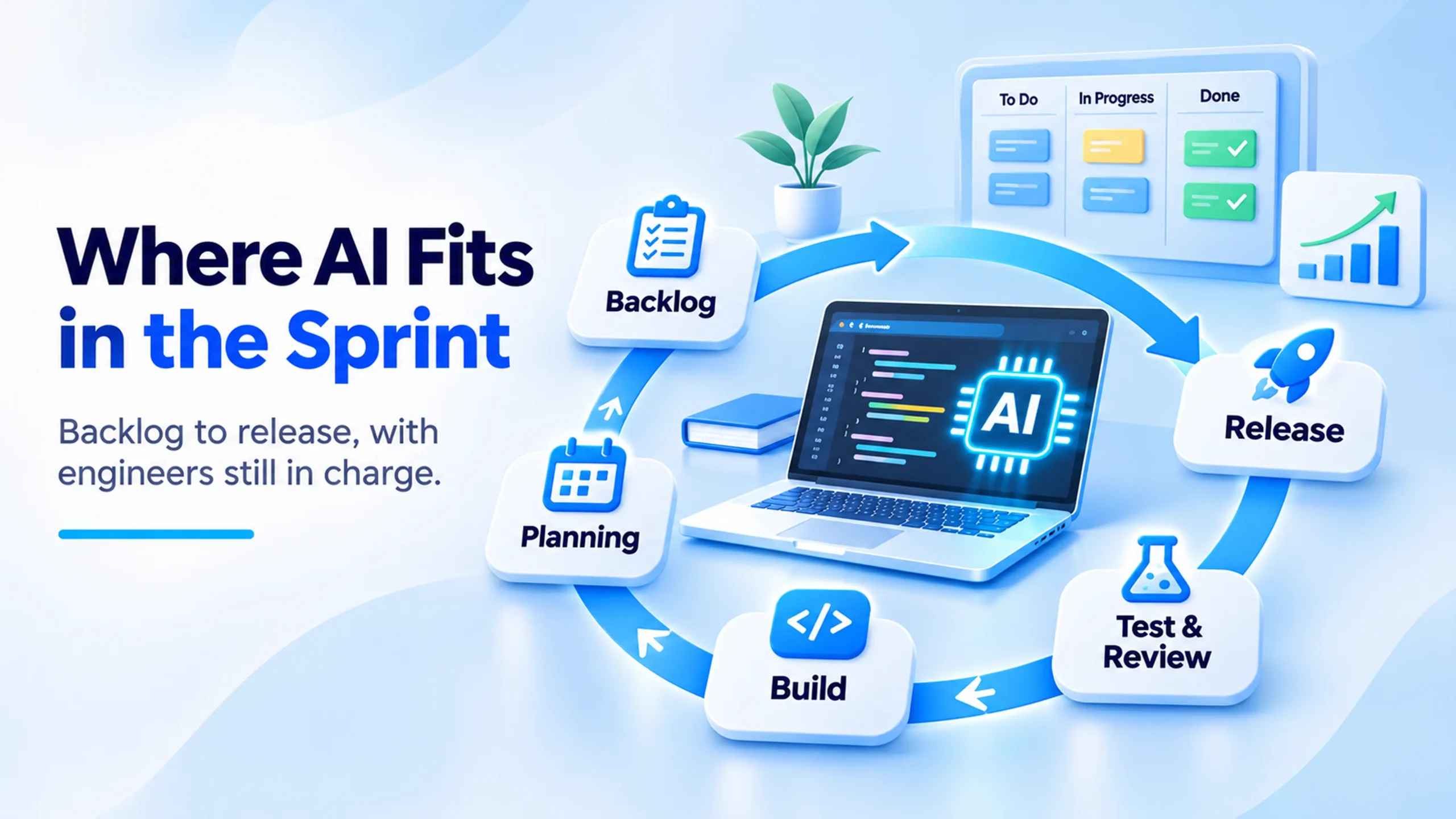
AI earns its place when it removes one clear bottleneck in one ceremony. Here is how that looks across a two-week sprint.
Backlog refinement
AI turns rough requests, support tickets and call notes into draft user stories with acceptance criteria. It also spots duplicates and stories too big for one sprint. Your product owner starts from a draft instead of an empty page.
Sprint planning
AI reads past velocity and similar finished tickets, then suggests story points and flags dependencies. The team still commits, because only the team knows about this sprint’s holidays, risks and side work.
Build
This is where AI code generation helps most. A developer describes the change, reviews the draft and refines it. Boilerplate, API wiring, data mapping and database migrations move from hours to minutes. Architecture, naming and security choices stay with the engineer.
Test and review
AI writes unit tests next to each change and suggests edge cases people forget. It can also run a first-pass review on every pull request. Human reviewers then spend their time on design, security and intent.
Release and retrospective
AI drafts release notes from merged pull requests and summarizes the sprint: what slipped, where reviews queued up and which tickets reopened. Your retro starts from facts rather than memory.
Pro tip: Pick two of these five areas for your first sprint. Test generation and story drafting are the safest starting points, because the output is easy to check.
Generative AI use cases that pay off first
The fastest payback from generative AI in software development comes on work that is repetitive, clearly specified and easy to verify. Keep judgment-heavy decisions with your engineers.
| Use case | What AI does | What engineers keep |
|---|---|---|
| Story writing | Drafts user stories and acceptance criteria from raw requests | Scope and priority |
| Code scaffolding | Generates endpoints, models, forms and migrations | Architecture and naming |
| Test generation | Writes unit and integration tests for each change | Proof that tests check real behavior |
| Legacy code | Explains old code and drafts a port to a new stack | The cut-over plan and parity checks |
| Documentation | Writes READMEs, API docs and release notes | Accuracy before anything goes public |
| Incident triage | Summarizes logs and suggests likely causes | The fix and the decision to roll back |
The legacy row matters more than it looks. Many teams sit on old code nobody wants to touch. AI can read a 2,000-line module and explain it in plain language, which shortens the first week of any modernization project.
Agentic AI: from assistant to teammate
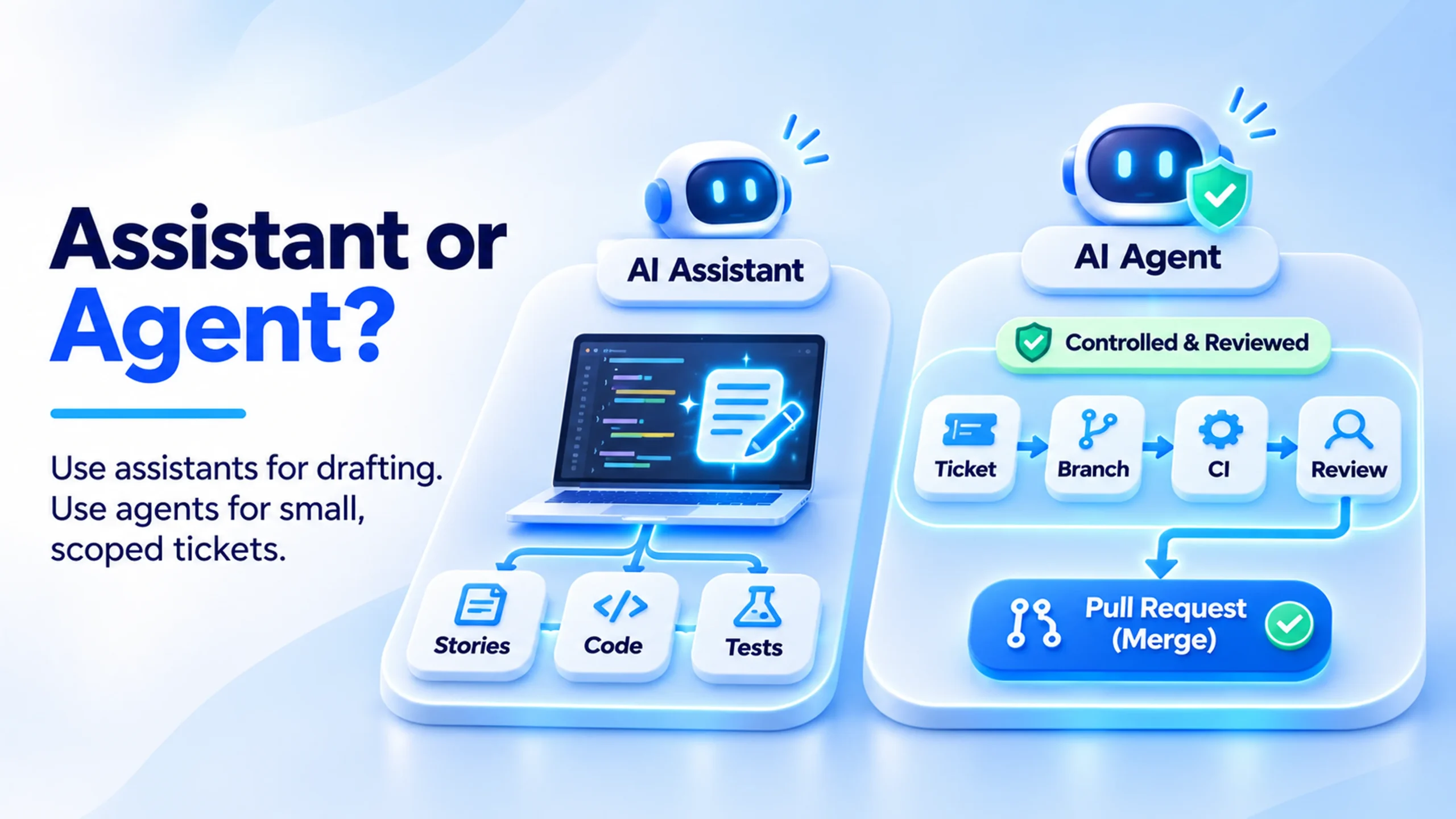
An assistant answers when you ask. An agent takes a ticket, plans the steps, edits several files, runs the tests and opens a pull request on its own. Agentic AI in software development turns AI from a typing aid into a contributor you can assign work to.
Use is still early. In the Stack Overflow survey, about 52% of developers either skip agents or stick to simpler AI tools. Only about 14% use agents at work every day. That leaves room for teams that learn to run agents safely.
The safe pattern has four rules:
- Agents work in their own branch, never on main.
- Every agent change passes the same CI checks as a human change.
- A named engineer reviews and approves the pull request.
- Agents get small tickets with clear acceptance criteria, not open-ended features.
Pro tip: Write the acceptance criteria as test cases before you hand a ticket to an agent. The agent then has a clear target, and your reviewer has a quick way to check the result.
AI in agile project management
Code is only half of the sprint. AI in agile project management cuts the coordination work that eats a scrum master’s week: chasing status, cleaning tickets and writing reports.
Used well, it writes and updates tickets from plain requests and summarizes long threads before standup. It also flags stalled or growing tickets and drafts a sprint summary for stakeholders.
Best AI PM tools for agile software development
Most teams should keep the tracker their engineers already use and switch on its AI features. Moving tools mid-project costs more than any AI feature saves.
| Tool | Built-in AI | Best fit |
|---|---|---|
| Jira with Rovo | Agents that draft issues, summarize threads and act inside workflows | Larger teams on Atlassian running Scrum or SAFe |
| Linear | Triage suggestions for owners, labels and duplicates, plus assignable agents | Fast product teams that want light planning |
| ClickUp Brain | AI across tasks, docs and chat | Teams that want sprints and docs in one place |
| GitHub Projects with Copilot | A coding agent that picks up issues and opens pull requests | Code-first teams already on GitHub |
| monday dev | Sprint summaries and workflow automation | Product and business teams sharing one board |
A board that nobody updates gives AI nothing useful to summarize. The best tool is the one your team keeps current every day.
Planning an AI-powered sprint setup? Tell us how your team ships today and an engineer will reply within one business day.
Best AI coding tools 2026: how to choose for an agile team
The market for coding assistants keeps growing. Gartner predicts (opens in a new tab) that 75% of enterprise software engineers will use AI code assistants by 2028, up from less than 10% in early 2023.
No single tool wins every job, so strong teams often pair an in-editor assistant for daily work with an agent for larger, multi-file tickets. Here is our short list of the best AI coding tools 2026 buyers ask about, judged by agile fit:
| Tool | Where it runs | Good at | Agile fit |
|---|---|---|---|
| GitHub Copilot | VS Code, JetBrains, Visual Studio, GitHub | Inline suggestions and issue-to-pull-request agents | Connects issues, pull requests and reviews |
| Cursor | AI-first editor based on VS Code | Fast edits across many files | Quick iteration inside a sprint |
| Claude Code | Terminal, IDE extensions, web | Deep codebase work, refactors, debugging | Large tickets with a clear scope |
| OpenAI Codex | CLI, IDE, cloud sandboxes | Several tasks in parallel | Clearing a backlog of small tickets |
| Kiro | IDE and CLI from AWS | Spec-driven development | Turns requirements into specs before code |
For a deeper head-to-head, read our comparison of GitHub Copilot, Claude Code and Cursor. Whatever you pick, judge it on three things. How well does it understand your codebase? How easy is its output to review? And do your code and data stay private?
Pro tip: Run a two-sprint trial with two tools on real tickets. Compare cycle time and review rework, not lines of code produced.
How to use AI in software development: a 90-day rollout
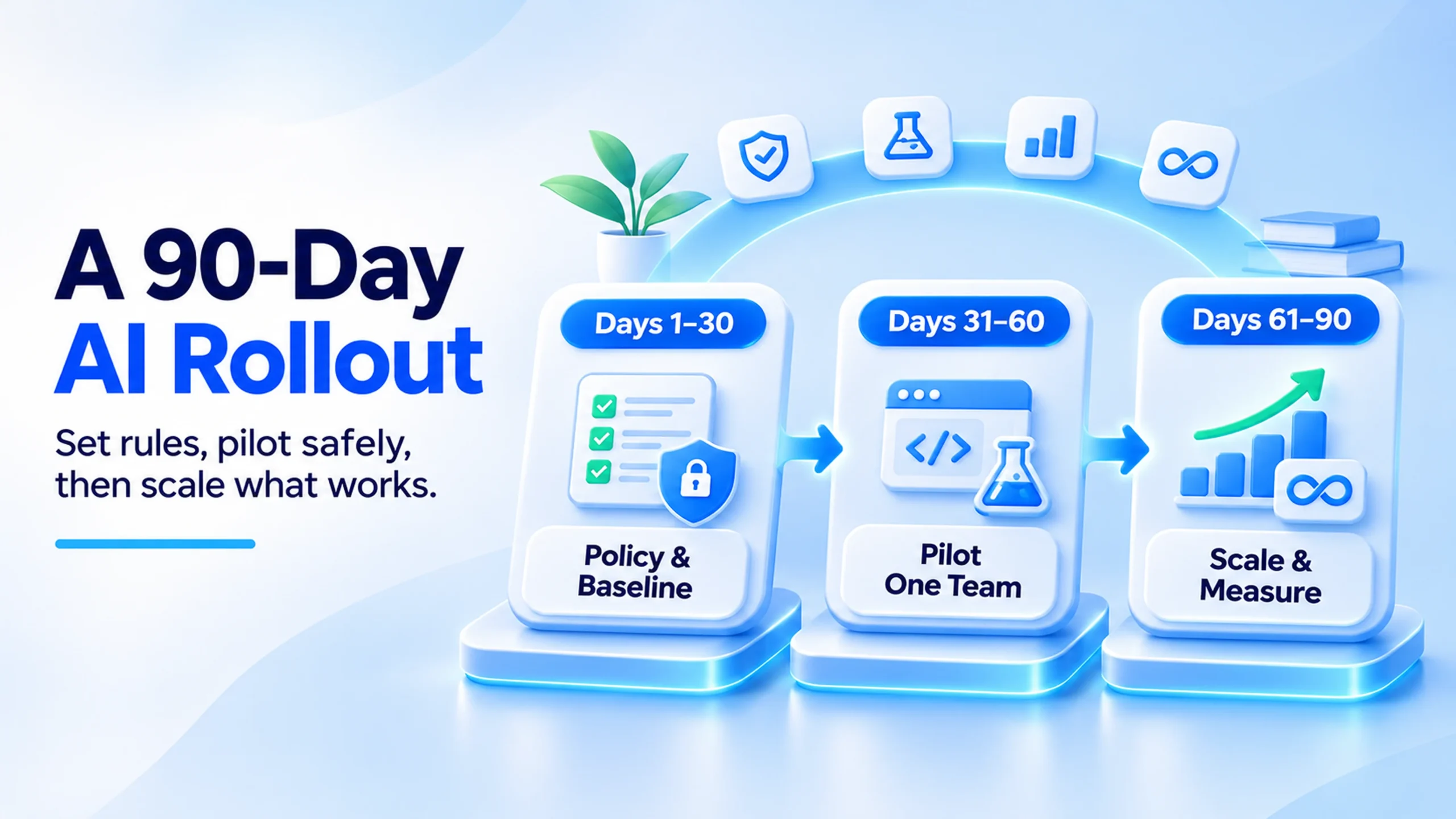
Want AI in your sprints without breaking delivery? Roll it out in three phases. Each phase ends with a check before you move on.
- Days 1 to 30: set the rules and the baseline. Write a one-page AI policy: approved tools, which code and data they may see, and who reviews AI output. Record your current cycle time, change failure rate and review time.
- Days 31 to 60: pilot with one team. Pick one squad and two use cases, such as test generation and story drafting. Add AI pre-review to pull requests. Spend five minutes of each retro on what helped and what caused rework.
- Days 61 to 90: scale what worked. Take the winning habits to more teams. Add a coding agent for small tickets behind the same CI gates. Compare the numbers with your baseline and drop anything that added rework.
The gate to move on is clear. Cycle time drops, and change failure rate holds or improves. If speed rises and failures rise too, tighten review before you scale.
A short example
Picture a five-person product team with a two-week sprint. In the pilot, AI drafts stories from support tickets and writes first-pass tests. By sprint three, stories reach planning ready to estimate, and test coverage grows with every change.
Then pull requests double in size, and review time climbs. The team caps changes at about 300 lines and adds one more reviewer rotation. Review time falls back, and the gains stay. This is a typical pattern, not a guarantee, and your numbers will differ.
Readiness checklist before you add AI to your sprints
- A written AI policy that names approved tools and banned data
- Baseline numbers for cycle time, change failure rate and review time
- CI that runs tests and a security scan on every pull request
- Branch protection, so nothing merges to main without approval
- A named owner for every module that AI is allowed to change
- A retro question on AI rework, asked every sprint
Common mistakes to avoid
Speed without guardrails creates a new kind of debt. Google’s 2025 DORA report (opens in a new tab) found that 90% of respondents use AI at work. It also found that AI adoption now links to higher delivery throughput but still links to lower delivery stability. In plain words, teams ship more, and more of it breaks.
- Review fatigue. AI produces pull requests faster than people can read them. Keep changes small and cap open reviews per person.
- Almost-right code. AI output often compiles and looks tidy but misses an edge case. Ask for tests that prove the acceptance criteria, not just a coverage number.
- Security gaps. AI drafts can skip access checks and input validation. Add automated security scans to every pipeline. Our guide on AI code security risks covers the usual holes.
- Lost ownership. When nobody understands a module, every later change gets slower. Name the reviewer, not the AI, as the owner of each change.
- Tool sprawl. Five assistants with five data policies is a compliance problem. Approve two and review the list each quarter.
If AI-written code is already piling up, start with our guide to finding and fixing AI-generated technical debt.
When AI is the wrong call
We would hold back on AI for some work. Safety-critical logic, such as dosing or payment rules, needs slow human reasoning and full test proof.
Code under strict data rules should not go to a tool that sends it outside your approved cloud. A tiny team on an unfamiliar stack may also learn less if AI writes everything. In those cases, use AI to explain and test, not to write the core logic.
Pro tip: Mark folders that AI may not change, such as billing and auth, in your repository rules. Agents then cannot touch them, even by accident.
How CodesClue uses AI in agile delivery
We run AI-first agile sprints from our engineering base in Ahmedabad, with offices in India, the USA and Germany. AI writes the first pass of stories, code and tests.
Our engineers choose the architecture, review every change and add the security your product needs. Projects move from proof of concept to MVP to production, and each stage has to earn the next one.
Want to see the work rather than read about it? Browse products our teams have shipped, or read how we plan builds in our custom software development process guide. If you are building an AI product rather than using AI to build software, our AI development process guide is the better next read.
Bring AI into your next sprint
AI in software development pays off when it follows a process: AI drafts, engineers decide, and tests and reviews guard every merge. Start with one team, two use cases and a baseline, then scale only what the numbers support.
Tell us your stack, your team size and the delivery goal you are missing. An engineer will reply within one business day with questions or a plan, and you will get a written estimate before you sign anything.
Explore our AI development services, or hire AI developers to join your team, with development starting within 48 hours of approval. Start the conversation here.
FAQs
Will AI replace software developers on an agile team?
No. AI changes the work more than the headcount. Developers spend less time typing boilerplate and more time on design, review and talking to users. Teams still need people who understand the business, judge trade-offs and take responsibility when something breaks. What shrinks is the gap between a junior and a senior on routine tasks, so senior judgment becomes the scarce skill.
Who owns code that an AI tool helped write?
Treat it like any other code your team or vendor writes. Read the terms of each AI tool you approve, and make sure your contracts assign all project code, AI-assisted or not, to your company. Keep the repository, cloud accounts and build pipeline in your name. For high-value code, ask your lawyer how your country treats AI-assisted work, because the rules are still changing.
How do we stop developers pasting private code into AI tools?
Give them an approved option that is better than the risky one. Buy business plans that do not train on your data, connect them to single sign-on, and block unapproved tools on company devices. Then write a short rule: what may be shared, what may not, and who to ask. Most leaks happen when people have no approved tool, not because they ignore one.
Should a small startup use AI coding agents or just an assistant?
Start with an in-editor assistant and good tests. Agents shine on well-scoped tickets in a codebase with clear structure, which most early products do not have yet. Once your core flows have tests and your team reviews every pull request, try an agent on small chores such as dependency updates or test gaps. Expand only if review rework stays low.
Can an outside development partner work inside our AI-powered sprints?
Yes, if both sides agree on the rules first. Share your AI policy, approved tools and definition of done before the first sprint. Ask the partner to work in your repository and tracker, follow your branch rules and show which changes used AI. That way their output passes the same checks as your own team’s work, and you keep one process.