
AI Development Process Explained: From Idea to Deployment
How to build an AI model in 7 stages, from problem framing to monitoring. Pick the right route, dodge common mistakes and see what a first build costs.
You have an idea for an AI feature, and a quick demo already works. Now you need to know how to build an AI model that holds up with real users and messy data. That is the point where most pilots stall. A clear AI development process gets you from idea to production without losing months.
Key Takeaways
- Start with one business decision and one number that proves success.
- Data work, not model training, takes most of the effort and sets the limit on quality.
- Most products start on an existing model through an API, then fine-tune once real usage justifies it.
- Plan deployment, security and monitoring before launch, because models lose accuracy as the world changes.
- Move from proof of concept to MVP to production, and let each step earn the budget for the next.
What is the AI development process?
It is the set of stages that turns a business problem into an AI system people use every day. It runs from problem framing and data preparation through model choice, training, testing and deployment. It never really ends. Monitoring and retraining keep the model accurate after launch.
People often say AI model development when they mean the whole job. The model is only one piece. It also sits inside a wider AI product development process that covers screens, pricing, support and the people who act on its output.
One thing sets AI apart from regular software. Regular code keeps doing the same job until someone edits it. An AI model can get worse with no code change at all, because the data it sees drifts away from the data it learned from.
That difference shapes every stage below. For the general phases of any build, see our custom software development process guide.
Plenty of companies have started. McKinsey found that 88% of organizations use AI in at least one business function. Yet only 7% say AI runs at full scale across the company (McKinsey, December 2025 (opens in a new tab)). Most of that gap comes down to process.
The stages of building an AI model, from idea to production
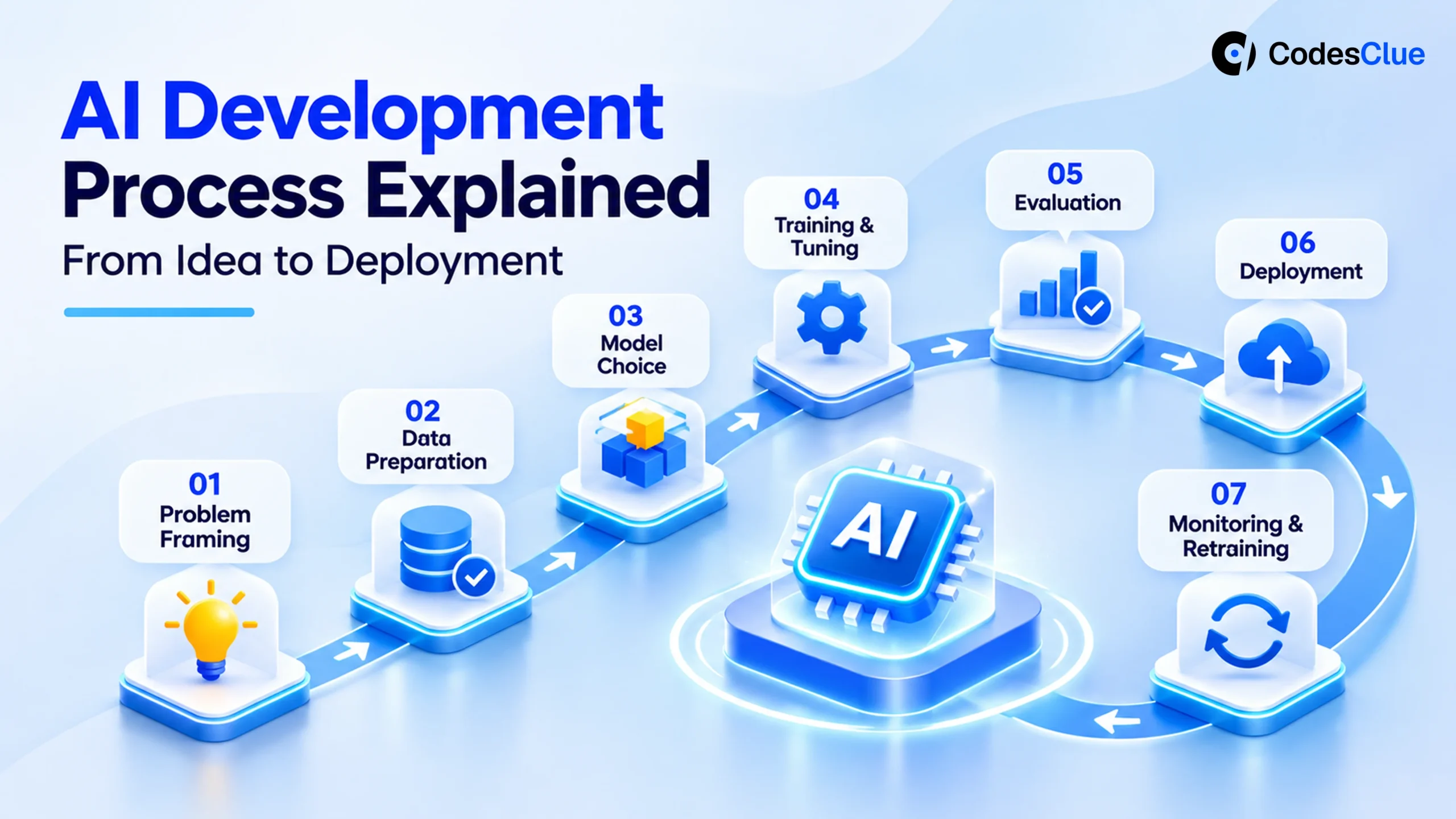
Here is the whole AI development lifecycle on one screen. Each stage answers one question and hands a clear output to the next.
| Stage | The question it answers | What you get | Who leads |
|---|---|---|---|
| 1. Problem framing | Which decision should AI improve, and how will we measure it? | A one-page brief with a success metric | Product owner and AI lead |
| 2. Data preparation | Do we have enough clean data that we may legally use? | A clean, labeled data set with version history | Data engineer |
| 3. Model choice | Call an API, fine-tune or build our own? | A chosen route and a simple baseline | ML engineer |
| 4. Training and tuning | Can the model learn the task well enough? | A trained model with logged experiments | ML engineer |
| 5. Evaluation | Does it hold up on new data, odd inputs and fairness checks? | A test report against the success metric | ML engineer and QA |
| 6. Deployment | Can real users and systems rely on it? | An API or feature in production | DevOps and MLOps engineers |
| 7. Monitoring and retraining | Is it still accurate next month? | Dashboards, alerts and a retraining plan | MLOps and product owner |
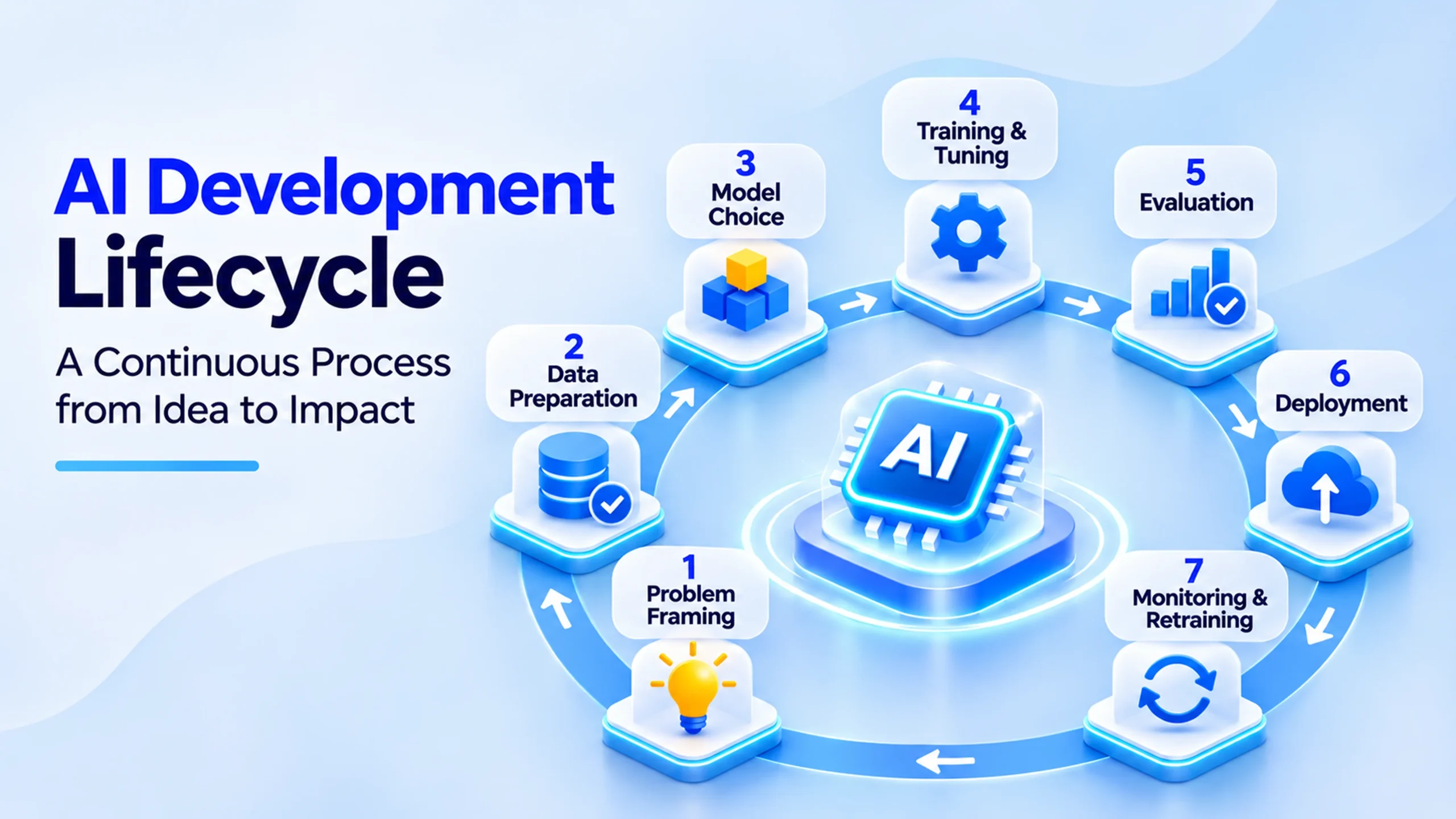
Treat the stages as a loop, not a straight line. Monitoring sends fresh data back to Stage 2, and that loop keeps the model useful long after launch.
How to build an AI model, step by step
Most guides on how to build an AI model jump straight to algorithms. We start much earlier, because the first two stages of AI model development decide most of the outcome. Here is what each stage involves and what we watch for.
Stage 1: Frame the problem before you touch data
Start with the decision, not the technology. Adding AI to the help desk is a wish. Routing seven in ten tickets to the right team with no human triage is a target you can test.
- Name the user and the decision the model improves.
- Pick one success metric, such as minutes saved per case or cost per prediction.
- Ask whether simple rules already solve most of the problem. If they do, start there.
Stage 2: Collect and prepare the data
Your data sets the ceiling for every model. This stage usually eats the most hours and brings the most surprises. Gartner predicts that through 2026, organizations will abandon 60% of AI projects that lack AI-ready data (Gartner, February 2025 (opens in a new tab)).
The same release reports that 63% of organizations lack the right data practices for AI or do not know if they have them.
- Audit what you hold: volume, gaps, owners and consent to use it.
- Clean the records, remove duplicates and add labels. Keep a version history of each data set, the way you do for code.
- Split the data into training, validation and test sets before any training starts.
Pro tip: Ask for 200 real examples in week one. If nobody can produce them, you have found your first project risk, and finding it cost nothing.
Stage 3: Choose the model approach
You rarely need a new model design. Most products today start on a large ready-made model, either called through an API or adapted with your own data.
For agents on open models, see our guide to building a custom AI agent with open source LLMs. For tables of business data, classic machine learning such as gradient boosting often beats deep learning. Our guide to AI predictive analytics for business shows where those models pay back first.
Whatever you pick, build a simple baseline first. Every later model must beat it, or it does not ship.
Stage 4: Train and tune
Training teaches the model the patterns in your data. Tuning adjusts its settings until results stop improving. On an API or fine-tuned model, this stage also covers prompt design and the document search setup.
- Log every experiment: data version, settings and scores.
- Watch for a model that memorizes. Training scores look great while validation scores lag behind.
- Stop when you reach the business target from Stage 1, not when the ideas run out.
Stage 5: Evaluate like a skeptic
Test the model on data it has never seen. Then try edge cases, messy inputs and prompt injection attempts, where a user hides instructions in the text. Compare results across user groups, so a strong average cannot hide a weak segment. For generative models, measure how often the model gives wrong or invented answers.
The NIST AI Risk Management Framework (opens in a new tab) from January 2023 is a voluntary guide that groups this work into four functions: govern, map, measure and manage. Teams in health, finance and other regulated sectors can use it as a checklist for risk reviews.
Pro tip: Freeze the test set early, and keep it away from the people tuning the model. A test set the team has studied stops being a fair test.
Stage 6: Deploy into the real product
Deployment turns a model file into a service your product calls. Here the AI software development process meets ordinary engineering: sign-in, logging, rate limits and cost control. Our AI prototype to production checklist covers those launch items in detail. If your releases still run by hand, our DevOps automation guide ranks what to automate first.
- Set a latency budget and a cost per request before launch.
- Release in steps. Start in shadow mode, where the model runs but users do not see its answers. Then open it to a small share of users, then everyone.
- Keep a fallback, such as a rule or a human queue, for times when the model is down or unsure.
Stage 7: Monitor, retrain and improve
Models drift. Customer habits change, new products launch and accuracy slips without any error message. Track input data, predictions and user feedback. Set a retraining trigger, such as accuracy falling below the Stage 1 target or a big change in the business.
Pro tip: Give Stages 2, 6 and 7 the same weight in the budget as training. They decide whether the model survives its first year.
Which route fits you: API, fine-tuning or a model from scratch?
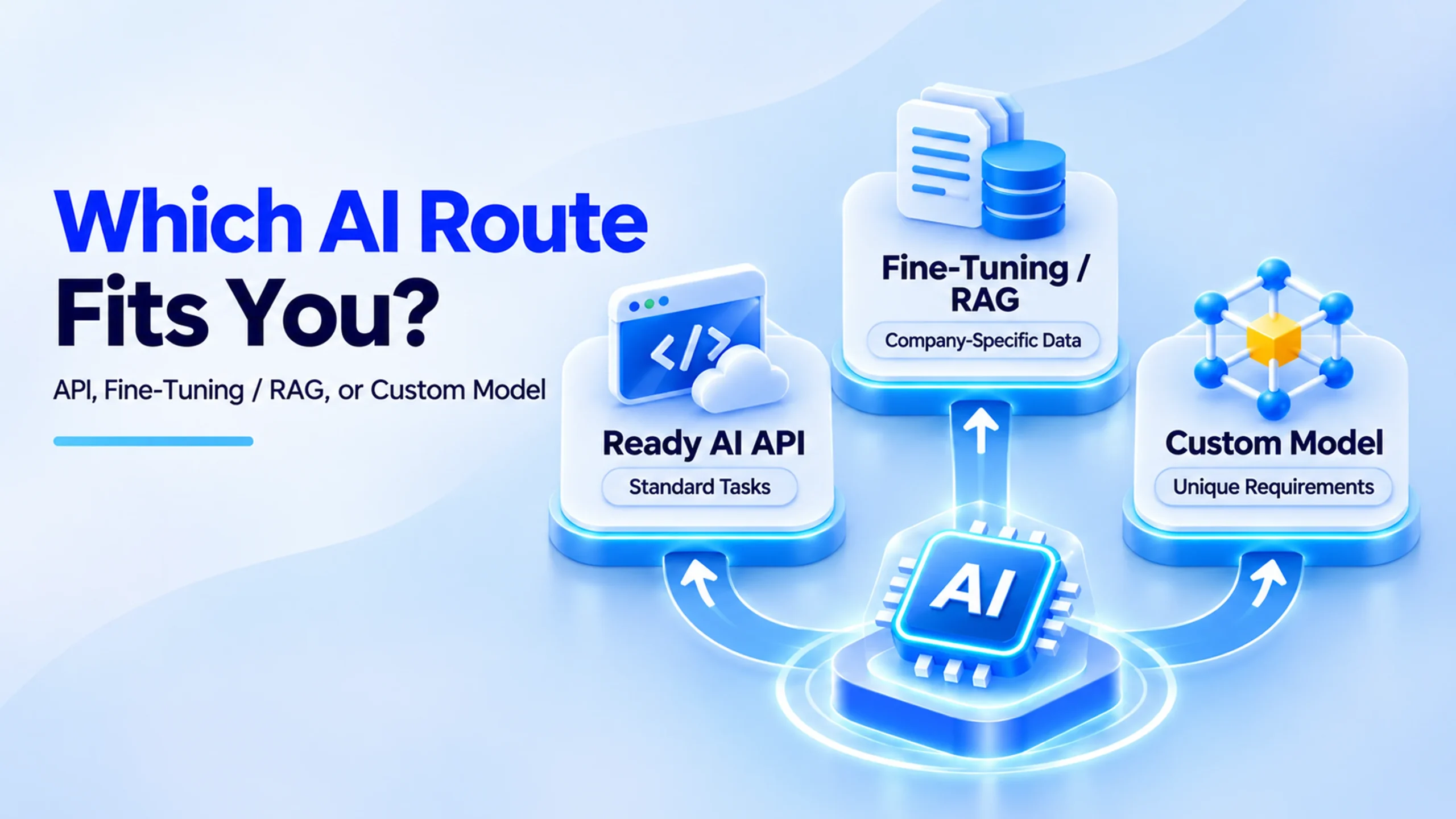
Many founders ask how to build an AI model from scratch. Most should not, at least not first. The right route depends on how unique your data is and how much control you need. Retrieval, often called RAG, means the model looks up your own documents before it answers.
| Factor | Call an existing model (API) | Fine-tune or add retrieval | Build from scratch |
|---|---|---|---|
| First working version | Days to weeks | A few weeks | Months |
| Data you need | Very little | Hundreds to thousands of good examples | Large labeled data sets from your field |
| Fit for your niche | General | Strong | Strongest, if the data allows |
| Control and privacy | Limited, data leaves your stack | Good, can run in your own cloud | Full |
| Running cost at scale | Grows with every call | More predictable | Steady, but needs your own infrastructure |
| Best for | Prototypes, chat, summaries | Most business products | Unique data, strict rules, core IP |
A quick guide to which option fits you:
- Call an API if the task is general, like summaries or chat, and you need proof within weeks.
- Fine-tune or add retrieval if answers must use your own documents, tone or labels.
- Train your own model only if your data is rare, the rules are strict and the model itself is your edge.
Our usual path is simple. Prototype on an API, prove value with real users, then fine-tune or train your own model once volume, cost or privacy calls for it. For price ranges by route, read our machine learning development cost guide.
Example scenario (typical pattern, not a client result): A freight firm wants to sort 3,000 support emails a week. It starts on an API with a short prompt and keeps 200 labeled emails as its test set.
The model beats the old keyword rules, so the firm rolls it out to one team first. A year later, call volume makes the API bill hard to justify. The team then fine-tunes a smaller model on the emails it has gathered.
Not sure which route suits your idea? Describe the decision you want AI to make, and we will tell you which route we would test first.
What we see in real projects: the stages behind Therapix.AI
Therapix.AI is a clinical documentation platform we built for therapists and clinicians. It turns session details into structured notes, such as SOAP reports. Here is how the stages looked in practice.
- Framing. We mapped how clinicians really work first. The goal was less time on paperwork, not AI notes for their own sake.
- Model output. The AI had to produce structured, editable documents that stayed consistent across different therapy styles.
- Evaluation and trust. Clinicians review, edit and approve every note before the system stores it. That review step is what lets clinicians trust the output.
- Deployment. Access controls and data handling followed healthcare security needs from day one, across web, iOS and Android.
- Room to grow. A modular design lets new AI features and reports plug in without rework.
The case study reports a 62% cut in documentation time and a 70% drop in administrative workload. The lesson carries over to any project. The review step and the fit with daily clinical work mattered as much as the model.
AI model development challenges and common mistakes to avoid
The odds are worse than for regular software. RAND cites estimates that more than 80% of AI projects fail, about twice the rate of IT projects without AI (RAND, August 2024 (opens in a new tab)).
RAND interviewed 65 data scientists and engineers and found five root causes. Unclear goals from leaders, poor data and weak infrastructure top the list. Weak algorithms barely feature.
These are the problems we meet most often:
- A vague goal. The team builds an impressive model for the wrong problem. Agree on one metric in Stage 1.
- Data that is not ready. Months vanish into cleanup and access requests. Audit the data before you fund training.
- Chasing the newest model. Cost rises while results barely move. Beat a simple baseline first.
- No path to production. The model works on a laptop and nowhere else. Bring engineers in from week one.
- Silent drift. Accuracy slides for months before anyone notices. Ship monitoring with the first release.
- Security as an afterthought. Prompt injection and data leaks surface after launch. Design access rules and logging up front.
A production readiness checklist
Before you call a model ready, check each line. If one is missing, it is not ready yet.
- It meets the Stage 1 metric on test data it has never seen.
- It handles bad inputs, edge cases and abuse attempts safely.
- It answers within your latency and cost limits at expected traffic.
- A fallback exists for outages and low-confidence answers.
- Monitoring alerts a named person when accuracy or input data drifts.
- A new engineer could retrain and redeploy it from your own notes.
How CodesClue runs custom AI model development
We work AI-first, with our engineering team in Ahmedabad and offices in India, the USA and Germany. For custom AI model development, we split the work into three gates. Each gate runs in short Agile sprints, the rhythm we lay out in our AI-powered Agile development playbook.
- Proof of concept. Test the riskiest assumption on real data, small and fast. Stop here if it fails.
- MVP. Put the model in front of real users inside a small product, with basic monitoring. Our MVP development guide shows how we scope that first release.
- Production. Harden security, scale the infrastructure and set up retraining.
Each gate has to earn the budget for the next. That rule keeps the AI model development process honest and stops spend on ideas that real data cannot back.
Our AI model development services cover all seven stages, and you can see the full scope on our AI development services page. Projects built on existing language models go to our LLM integration team. For classic prediction work, see our machine learning development services.
How long does the AI development process take?
A first AI release takes anywhere from 4 weeks to 9 months and more. A proof of concept on a ready-made model often fits in 4 to 10 weeks. Fine-tuning or retrieval stretches that to about 3 to 5 months. A model you train yourself, inside a larger platform, usually needs 5 to 9 months or longer.
| Type of build | Typical timeline | What usually sets the pace |
|---|---|---|
| Proof of concept or MVP on an existing model | 4 to 10 weeks | How quickly you can hand over real examples and agree on the success metric |
| Medium build that adds fine-tuning or retrieval | 3 to 5 months | Cleaning and labeling data, plus the number of systems the model has to talk to |
| Custom-trained model or AI platform | 5 to 9+ months | Gathering enough labeled records, compliance reviews and the retraining pipeline |
Data work is the stage that most often runs over. Labels turn out to be missing, records live in three different tools, or a privacy rule limits what the model may learn from. Training itself is rarely the slow part.
Pro tip: Freeze the success metric and the test set before sprint one starts. A target that keeps moving burns more calendar time than any training run.
What CodesClue charges
Price depends on the route, the state of your data and how deep the integration goes. Our project ladder:
- $8K to $25K: an MVP or proof of concept on one use case, usually built on an existing model.
- $25K to $70K: a mid-size build with fine-tuning or retrieval, links into your systems and monitoring.
- From $70K: a large build, such as a custom-trained model, several AI features or a platform with retraining pipelines.
For a full breakdown by app type, read our AI app development cost guide. Want AI engineers inside your own team instead? Then hire AI developers who join your own sprints. Once you approve a developer, development starts within 48 hours.
When you should not build AI yet
Sometimes the honest advice is to wait. A simple rule or a better form may already solve most of the problem. You may hold only a few weeks of data on the decision. Or nobody on your team has time to act on what the model says.
In each case, fix the process first and come back to AI with a sharper question.
Pro tip: Write down what the model will replace and what that work costs today. If you cannot put a number on it, the business case is not ready.
Getting your AI build right
Knowing how to build an AI model matters less than knowing which decision it should improve. Frame one decision, prove your data, pick the simplest route, test hard, release in steps and keep watching after launch.
Bring us your idea and the decision it should improve. We will map it to the seven stages, flag the risky ones and tell you where we would start. Talk to an AI engineer, and an engineer replies within one business day.
FAQs
What is AI model development?
It is the work of teaching software to spot patterns or produce content from examples. A team picks a base model or algorithm, feeds it prepared data, then checks its answers against a fixed test set. The output can be a score, a label, a forecast or new text. The model then needs a product around it before anyone can use it.
Do I need a data scientist on staff before I start?
No. To begin, you need someone who owns the business decision and someone who can open up access to the data. A partner can bring the ML and MLOps skills for the first build. Hire in-house once the model proves its value and needs weekly care.
Who owns the model and the training data when a partner builds it?
Put ownership in the contract before work starts. It should name who owns the code, the trained or fine-tuned model files and any labels created during the project. Also read the terms of each API provider you use. Some set limits on how they store or reuse your prompts and outputs.
Can an AI model run inside our own cloud or on our own servers?
Yes. Open-weight language models and most classic machine learning models can run in your own cloud account or data center. That keeps sensitive records inside your network. The trade-off is that you pay for the GPUs and the people who keep the system patched, scaled and monitored.
What does it cost to keep an AI model running after launch?
Plan for four ongoing costs. Each prediction or API call has a price, and it rises with traffic. Monitoring tools and alerts add a monthly fee. Retraining needs fresh labeled data and engineer time. Finally, someone must review flagged answers and user feedback every week.
Should I use generative AI or classic machine learning?
Match the tool to the output you need. Classic machine learning suits numbers and yes or no calls, such as churn risk, demand or fraud scores. Generative AI suits language and documents, such as drafting replies, summarizing files or pulling fields from invoices. Many products combine both in one workflow.