
AI-Powered Agile Development: Future of Software Engineering
How AI in software development changes sprints, code and delivery: what AI drafts, what engineers own, which tools fit and a 90-day rollout plan.
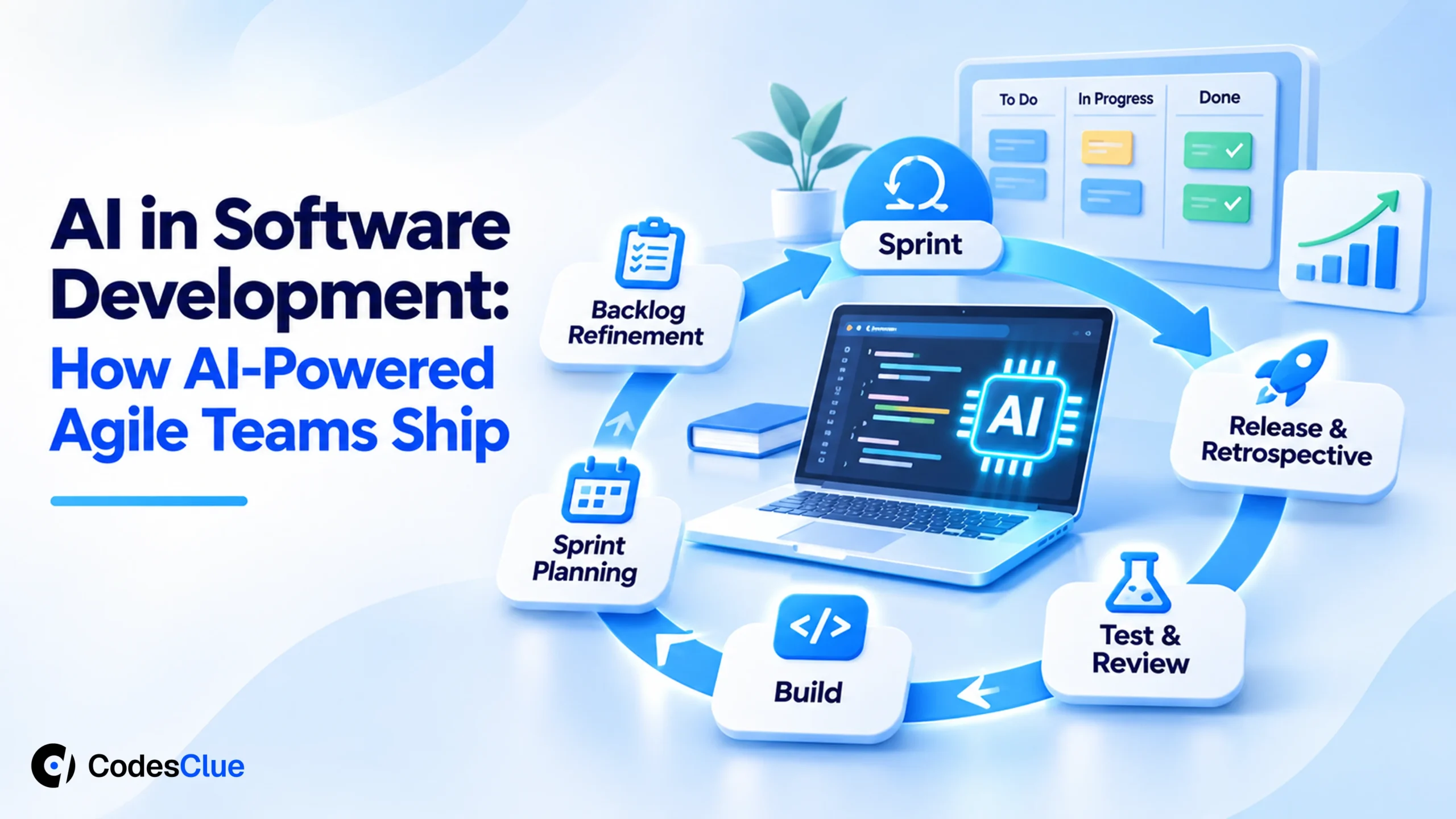
Your developers already use AI. Some paste code into a chat window, a few run a coding agent, and nobody agrees on the rules. Pull requests get bigger, review queues grow, and the sprint ships about the same amount. That gap decides whether agile AI development pays off for your team.
This guide shows how AI in software development works in 2026, sprint by sprint. You will see what AI drafts, what engineers own, which tools fit and how to roll AI out in 90 days.
Key Takeaways
- AI helps most when you aim it at one sprint bottleneck at a time, instead of spreading it across everything.
- AI drafts stories, code, tests and release notes. Engineers decide the design, approve every merge and own what ships.
- Google’s 2025 DORA research links AI use to higher delivery throughput and, at the same time, to lower delivery stability.
- Measure cycle time, change failure rate and review time before you start, or you cannot tell if AI helped.
- Treat a coding agent like a fast new hire: small tickets, its own branch, the same tests and a human review.
What does AI in software development look like in 2026?
AI in software development now means tools that draft user stories, write and review code, generate tests and summarize releases inside your normal workflow. AI writes the first draft. Engineers check it against the goal, and only approved work reaches the main branch. Speed comes from less blank-page work, not from skipped review.
Adoption is no longer the question. The 2025 Stack Overflow Developer Survey (opens in a new tab) found that 84% of developers use or plan to use AI tools. Among professional developers, 51% use them every day.
The same survey shows the catch. More developers distrust the accuracy of AI output (46%) than trust it (33%). Two in three (66%) name answers that are almost right, but not quite, as their top frustration. And 45% say debugging AI-written code takes more time.
Speed claims also need care. In a 2022 GitHub experiment (opens in a new tab), Copilot users built a small web server 55% faster. That was one short, well-defined task.
Real projects tell a messier story. A 2025 METR study (opens in a new tab) found that experienced open source developers took 19% longer with early-2025 AI tools, yet felt 20% faster. METR’s February 2026 update (opens in a new tab) points to a speedup from newer tools, with very weak evidence on its size. So measure gains in your own team.
Traditional agile vs AI-powered agile development
AI-powered agile development keeps the sprint, the backlog and the review. It changes who writes the first draft of each artifact. Here is a classic team next to two teams using AI, with and without a process.
| Sprint activity | Traditional agile | AI tools, no process | AI-powered agile with engineers in charge |
|---|---|---|---|
| Backlog refinement | Product owner writes every story | Stories skipped or auto-written | AI drafts stories from requests, the product owner edits and accepts |
| Estimation | Planning poker | Guesswork | AI suggests points from past tickets, the team decides |
| First working code | Days | Hours, any structure | Hours, inside the agreed architecture |
| Tests | Grow slowly | Often thin | AI drafts tests with every change, engineers confirm they prove the behavior |
| Code review | Human only | Rushed or skipped | AI pre-review, then a named human approves |
| Who owns the result | The team | Often nobody | The team, with a record of what AI changed |
The middle column is where most stalled pilots live. AI makes whatever process you already have louder, so a messy process gets messier at speed.
Pro tip: Fix your definition of done before you add tools. If “done” does not include tests and a review, AI will simply help you skip them faster.
How AI Is Changing Sprints, Code, and Delivery in Software Teams
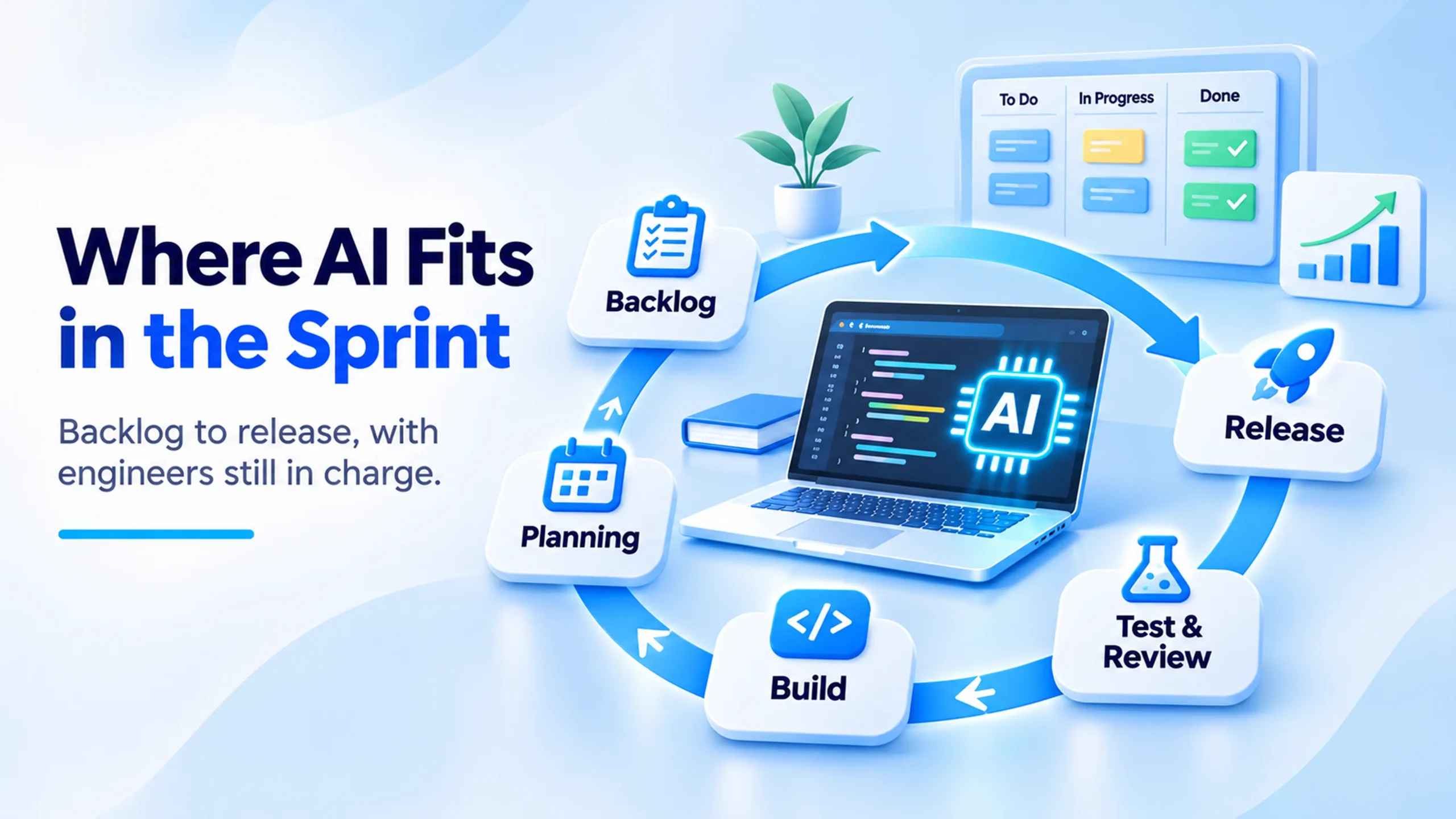
AI earns its place when it removes one clear bottleneck in one stage. Here is how that looks across a two-week sprint, from the backlog to the system in production.
Backlog refinement
AI turns rough requests, support tickets and call notes into draft user stories with acceptance criteria. It also spots duplicates and stories too big for one sprint. Your product owner starts from a draft instead of an empty page.
Sprint planning
AI reads past velocity and similar finished tickets, then suggests story points and flags dependencies. The team still commits, because only the team knows about this sprint’s holidays, risks and side work.
Design and architecture
AI can sketch a data model, compare two API designs or list the trade-offs of a queue versus a direct call. Treat that as input for a design review. The engineer who owns the system picks the design and writes down why.
Build
This is where AI code generation helps most. A developer describes the change, reviews the draft and refines it. Boilerplate, API wiring, data mapping and database migrations move from hours to minutes. Architecture, naming and security choices stay with the engineer.
Test and review
AI writes unit tests next to each change and suggests edge cases people forget. It can also run a first-pass review on every pull request. Human reviewers then spend their time on design, security and intent.
Release and retrospective
AI drafts release notes from merged pull requests and summarizes the sprint: what slipped, where reviews queued up and which tickets reopened. Your retro starts from facts rather than memory.
Run and maintain
After release, AI summarizes logs, groups similar errors and drafts dependency upgrades. Developers stay cautious here. In the Stack Overflow survey, 76% had no plans to use AI for deployment and monitoring. Keep rollbacks with a person on call. Before that, put tests and a tested rollback into the release pipeline, as our DevOps automation guide explains.
Pro tip: Pick two of these stages for your first sprint. Test generation and story drafting are the safest starting points, because the output is easy to check.
Generative AI use cases in software development that pay off first
The fastest payback from generative AI in software development comes on work that is repetitive, clearly specified and easy to verify. Keep judgment-heavy decisions with your engineers.
| Use case | What AI does | What engineers keep |
|---|---|---|
| Story writing | Drafts user stories and acceptance criteria from raw requests | Scope and priority |
| Code scaffolding | Generates endpoints, models, forms and migrations | Architecture and naming |
| Test generation | Writes unit and integration tests for each change | Proof that tests check real behavior |
| Legacy code | Explains old code and drafts a port to a new stack | The cut-over plan and parity checks |
| Documentation | Writes READMEs, API docs and release notes | Accuracy before anything goes public |
| Incident triage | Summarizes logs and suggests likely causes | The fix and the decision to roll back |
The legacy row matters more than it looks. AI can read a 2,000-line module nobody wants to touch and explain it in plain language. That shortens the first week of any modernization project.
One warning on test generation. A test written from the code can repeat the code’s own wrong assumption. Check that each test traces back to an acceptance criterion.
Agentic AI: from assistant to teammate
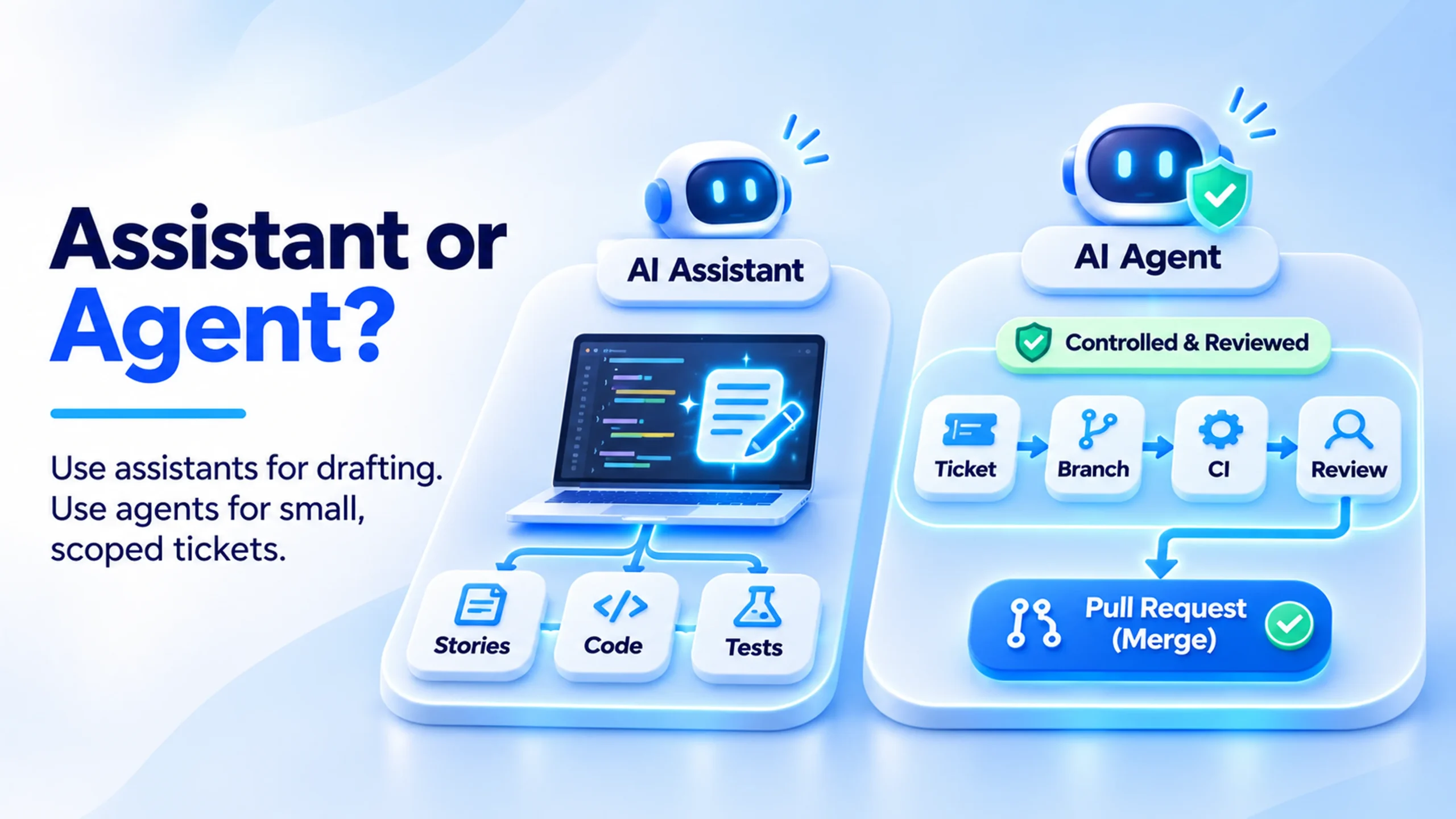
An assistant answers when you ask. An agent takes a ticket, plans the steps, edits several files, runs the tests and opens a pull request on its own. Agentic AI in software development turns AI from a typing aid into a contributor you can assign work to.
Use is still early. In the 2025 Stack Overflow survey, about 14% of developers used AI agents at work daily. Another 38% had no plans to adopt them. That leaves room for teams that learn to run agents safely.
The safe pattern has four rules:
- Agents work in their own branch, never on main.
- Every agent change passes the same CI checks as a human change.
- A named engineer reviews and approves the pull request.
- Agents get small tickets with clear acceptance criteria, not open-ended features.
Pro tip: Write the acceptance criteria as test cases before you hand a ticket to an agent. The agent then has a clear target, and your reviewer has a quick way to check the result.
AI in agile project management
Code is only half of the sprint. AI in agile project management cuts the coordination work that eats a scrum master’s week: chasing status, cleaning tickets and writing reports.
Used well, it writes tickets from plain requests, summarizes long threads before standup and flags stalled work. A board nobody updates gives AI nothing to summarize, so keep it current.
Best AI PM tools for agile software development
Most teams should keep the tracker their engineers already use and switch on its AI features. Moving tools mid-project costs more than any AI feature saves.
| Tool | Built-in AI | Best fit |
|---|---|---|
| Jira with Rovo | Agents that draft issues, summarize threads and act inside workflows | Larger teams on Atlassian running Scrum or SAFe |
| Linear | Triage suggestions for owners, labels and duplicates, plus assignable agents | Fast product teams that want light planning |
| ClickUp Brain | AI across tasks, docs and chat | Teams that want sprints and docs in one place |
| GitHub Projects with Copilot | A coding agent that picks up issues and opens pull requests | Code-first teams already on GitHub |
Planning an AI-powered sprint setup? Tell us how your team ships today and an engineer replies within one business day.
Best AI coding tools 2026: how to choose for an agile team
There is no shortage of AI coding tools, and the list changes every quarter. Gartner predicts (opens in a new tab) that 75% of enterprise software engineers will use AI code assistants by 2028, up from less than 10% in early 2023.
Strong teams often pair an in-editor assistant for daily work with an agent for larger, multi-file tickets. AI code generation tools differ less in raw output than in where they run and how easy their changes are to review.
Which option fits your team
| Your situation | Start with | Example tools |
|---|---|---|
| Code and issues already live on GitHub | An in-editor assistant plus an issue-to-pull-request agent | GitHub Copilot |
| Developers want fast edits across many files | An AI-first editor | Cursor |
| Large refactors or deep debugging | A terminal or IDE agent that reads the whole repository | Claude Code, OpenAI Codex |
| Requirements change often and need a paper trail | A spec-driven tool that writes specs before code | Kiro |
| Strict data or compliance rules | Enterprise plans with data controls, or models in your own cloud | Any of the above, after a data terms review |
For a full ranking of the best AI coding tools for developers 2026, read our comparison of GitHub Copilot, Claude Code and Cursor. Judge any tool on how well it reads your code, how easy its output is to review and whether your data stays private.
Pro tip: Run a two-sprint trial with two tools on real tickets. Compare cycle time and review rework, not lines of code produced.
How to tell if AI is actually helping
Vendor dashboards count accepted suggestions, which says little about what reaches users. Track delivery numbers from your Git host and tracker instead.
| Metric | What it shows | Warning sign after adding AI |
|---|---|---|
| Cycle time | Days from first commit to production | It falls while reopened tickets rise |
| Change failure rate | Share of releases that cause an incident or rollback | Any steady rise |
| Review time | Hours a pull request waits for approval | It climbs as pull requests grow |
| Rework | New code changed again within a few weeks | More churn on AI-written modules |
| Team feedback | One retro question on AI each sprint | Engineers spend more time fixing AI output |
Change failure rate deserves the closest watch. It is the number that tells you whether faster output is turning into broken releases.
How to use AI in software development: a 90-day rollout
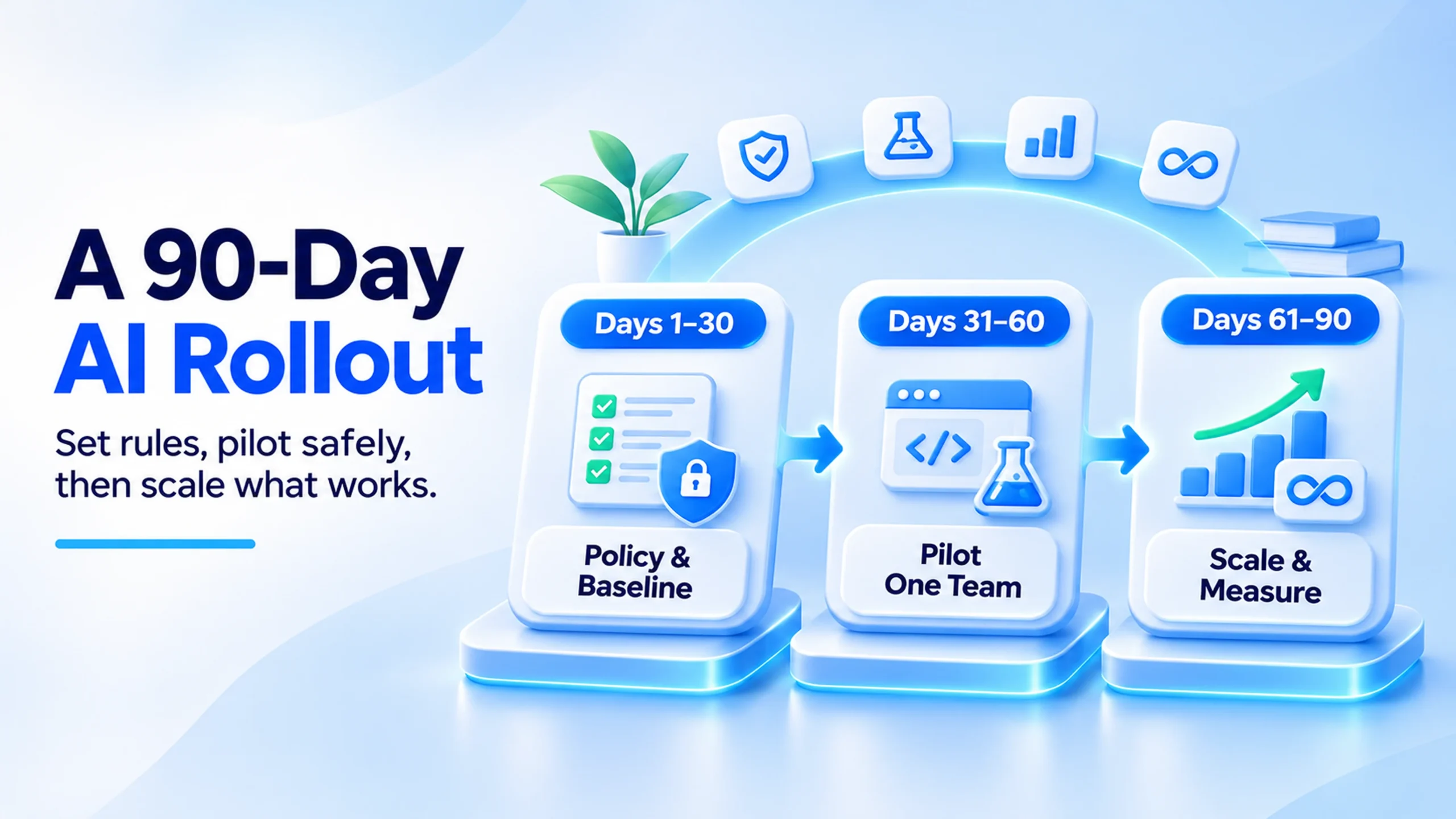
Want AI in your sprints without breaking delivery? Roll it out in three phases. Each phase ends with a check before you move on.
- Days 1 to 30: set the rules and the baseline. Write a one-page AI policy: approved tools, which code and data they may see, and who reviews AI output. Record your current cycle time, change failure rate and review time.
- Days 31 to 60: pilot with one team. Pick one squad and two use cases, such as test generation and story drafting. Add AI pre-review to pull requests. Spend five minutes of each retro on what helped and what caused rework.
- Days 61 to 90: scale what worked. Take the winning habits to more teams. Add a coding agent for small tickets behind the same CI gates. Compare the numbers with your baseline and drop anything that added rework.
The gate to move on is clear. Cycle time drops, and change failure rate holds or improves. If speed rises and failures rise too, tighten review before you scale.
Example scenario (typical pattern, not a client result)
A five-person team pilots AI for story drafts and first-pass tests. By sprint three, stories reach planning ready to estimate, and test coverage grows with each change.
Then pull requests double in size, and review time climbs. The team caps changes at about 300 lines and adds a reviewer rotation. Review time falls back, and the gains stay.
Readiness checklist before you add AI to your sprints
- A written AI policy that names approved tools and banned data
- Baseline numbers for cycle time, change failure rate and review time
- CI that runs tests and a security scan on every pull request
- Branch protection, so nothing merges to main without approval
- A named owner for every module that AI may change
- A retro question on AI rework, asked every sprint
Common mistakes to avoid
Speed without guardrails creates a new kind of debt. Google’s 2025 DORA report (opens in a new tab) found that 90% of respondents use AI at work. It also found that AI adoption now links to higher delivery throughput but still links to lower delivery stability. In plain words, teams ship more, and more of it breaks.
- Review fatigue. AI produces pull requests faster than people can read them. Keep changes small and cap open reviews per person.
- Almost-right code. AI output often compiles and looks tidy but misses an edge case. Ask for tests that prove the acceptance criteria, not just a coverage number.
- Security gaps. AI drafts can skip access checks and input validation. Add automated security scans to every pipeline. Our guide on AI code security risks covers the usual holes.
- Data leaks. Developers paste secrets, customer records or private code into public chat tools. Approve tools with clear data terms and block the rest.
- License doubt. AI can suggest code that closely matches open source under a license you cannot use. Turn on your tool’s duplicate filter and keep a license scan in CI.
If AI-written code is already piling up, start with our guide to finding and fixing AI-generated technical debt.
When AI is the wrong call
We would hold back on AI for some work. Safety-critical logic, such as dosing or payment rules, needs slow human reasoning and full test proof.
Code under strict data rules should not go to a tool that sends it outside your approved cloud. A tiny team on an unfamiliar stack may also learn less if AI writes everything. In those cases, use AI to explain and test, not to write the core logic.
Pro tip: Mark folders that AI may not change, such as billing and auth, in your repository rules. Agents then cannot touch them, even by accident.
The future of software engineering with AI
Expect different work, not fewer engineers. Specs and acceptance criteria become the main input, because agents work from them. Review becomes the bottleneck, so teams that review well ship faster. Testing moves earlier, because it is the cheapest check on AI output.
Agile stays useful too. Short sprints and fast feedback suit AI output, which arrives quickly and is often slightly wrong.
How CodesClue uses AI in agile delivery
Our Ahmedabad engineers run AI-first agile sprints for clients we serve from offices in India, the USA and Germany. AI takes the first pass at each story, its code and its tests.
Engineers own the architecture, approve each merge and add the security checks the product needs. Each build moves from proof of concept to MVP to production, and each step must prove its value first.
What we see in real projects
The same draft-then-approve rule shapes the AI products we build. On Therapix.AI, a clinical documentation platform for web, iOS and Android, AI turns session inputs into structured SOAP notes. Clinicians review, edit and approve each note before the system saves it. The case study reports a 62% cut in documentation time.
Browse products our teams have shipped, or read how we plan builds in our custom software development process guide. If you are building an AI product rather than using AI to build software, our AI development process guide is the better next read.
Bring AI into your next sprint
AI in software development pays off when it follows a process: AI drafts, engineers decide, and tests and reviews guard every merge. Start with one team, two use cases and a baseline, then scale only what the numbers support.
Tell us your stack, your team size and the delivery goal you keep missing. An engineer replies within one business day with questions or a plan. You also get a written estimate before you sign anything.
Explore our AI development services, or hire AI developers to join your team, with development starting within 48 hours of approval. Start the conversation here.
FAQs
Will AI replace software developers?
No. AI writes drafts quickly, but someone still has to decide what to build, judge trade-offs and answer for what goes live. What changes is the mix of work. Engineers write fewer lines by hand and spend more time on specs, review, testing and talking with users. Developers who learn to direct and check AI output become more valuable, not less.
Should we change story point estimates once the team uses AI?
Keep estimating the same way for the first two or three sprints. Velocity will move, and you need real data before you adjust. Points measure complexity and risk, and AI does not remove either. If AI-drafted tickets keep finishing early, lower the estimates for that type of work. Do not cut points across the board on day one.
Should junior developers use AI coding assistants?
Yes, with limits. Juniors gain a patient tutor that explains code and suggests fixes. The risk is that they accept answers they cannot explain. A simple rule helps: they must be able to walk a reviewer through every line they submit. Pair them with a senior for the first few weeks and ask for the reasoning, not just the code.
Can we use AI tools on regulated or client-owned code?
Often yes, but check the contract and the tool first. Look for enterprise plans that do not train on your code, offer short or zero data retention and sign a data processing agreement. For health, finance or defense work, a model hosted inside your own cloud may be the safer choice. Get written approval from the code owner before you start.
Does AI fit Scrum and Kanban equally well?
It fits both, in slightly different places. In Scrum, the biggest gains show up in refinement, planning and sprint reviews, where AI drafts stories and summaries. In Kanban, AI helps most with flow: spotting stuck cards, growing queues and work that keeps bouncing back. The coding and testing help is the same in either method.
How soon will a team see results from AI in its sprints?
Plan for a short dip first. Most teams spend one or two sprints learning prompts, review habits and tool limits, and output can drop during that time. Clear gains usually show up after that, if the pilot targets one bottleneck. If you see nothing after about three months, the problem is usually process or scope, not the tool.